
The public session RSVP page lets registered attendees reserve session seats from a web page, without installing the app or logging in to the attendee portal. They confirm their email address with a code, see the sessions they can attend and RSVP. As the organiser you copy one link from the schedule and share it. This article shows where the link is and who can use it.
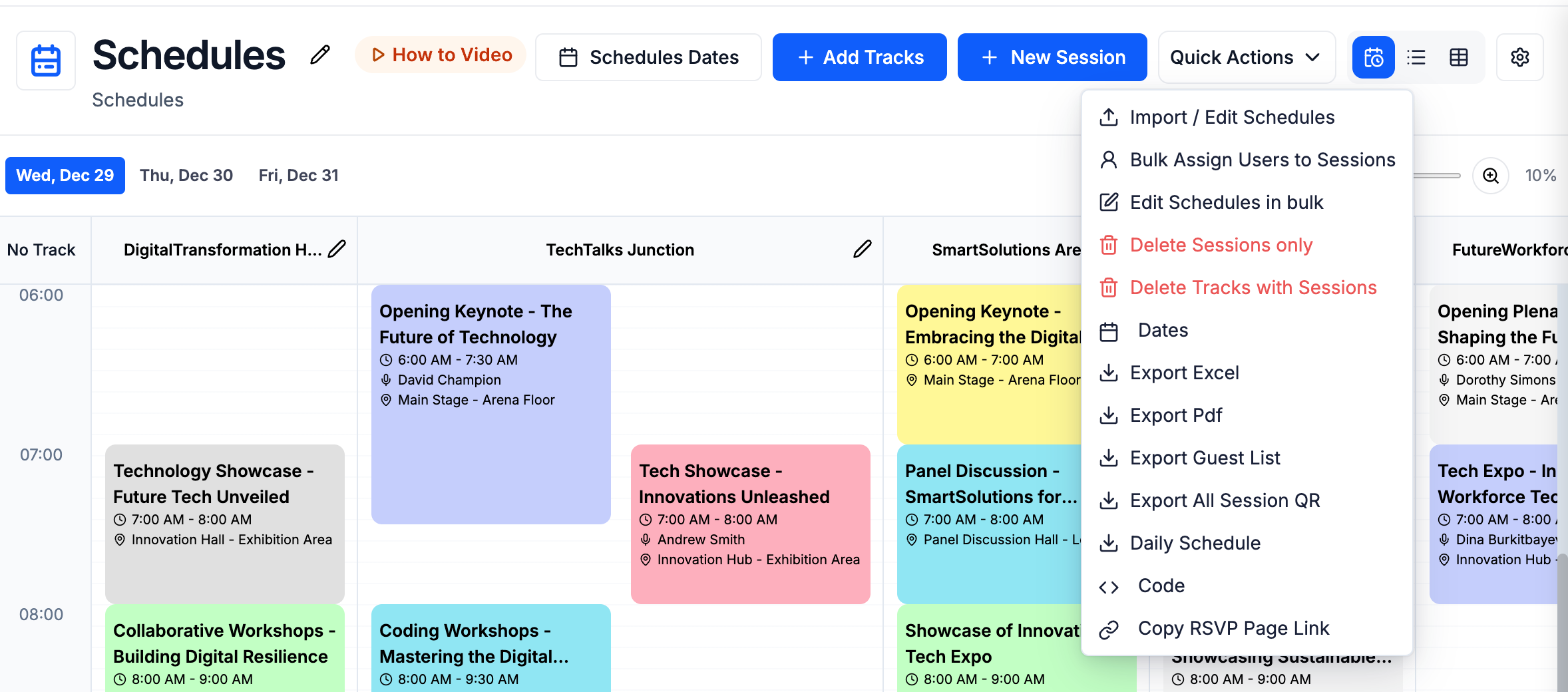
The link is your event's web address followed by /px/rsvp. It is the same link for every attendee, so you can send it to everyone at once.
An attendee can ask for a new code 60 seconds after the last one was sent. For the attendee's side of the page, share How Attendees Can RSVP to Sessions from an Email Link Without Logging In.
The page shows published sessions the attendee has access to:
If day-wise access is on, attendees only see sessions on the days they have access to. See How to Give Attendees Access on Specific Event Days.
An RSVP made on the page is the same as an RSVP made in the app or portal. It follows the session's capacity and waitlist, and the attendee is listed under View/Manage users in the session's RSVP card. An attendee can cancel from the page only if RSVP Cancel is on for that session.
Where do I find the public RSVP page link?
Go to Content > Schedule, click Quick Actions and choose Copy RSVP Page Link.
Can someone who hasn't registered use the page?
No. The page only sends a code to the email address of a registered, active attendee who is not on the event waitlist.
Do attendees need a password or the app?
No. They need the email address they registered with and the code Eventify emails them.
Is there a different link for each session or attendee?
No. There is one RSVP page link for the event. Each attendee sees their own sessions after confirming their email.
Do RSVPs from the page count towards the session capacity?
Yes. They use the same capacity and waitlist as RSVPs made in the app and portal.
Need more help? Contact Eventify support from the admin panel.
