
If an attendee did not receive their order confirmation email — or requests a resend — you can trigger it directly from the admin panel at any time.
The Resend Email option is available for orders that are:
Go to Tickets → Sales Report and make sure you are on the Orders tab.
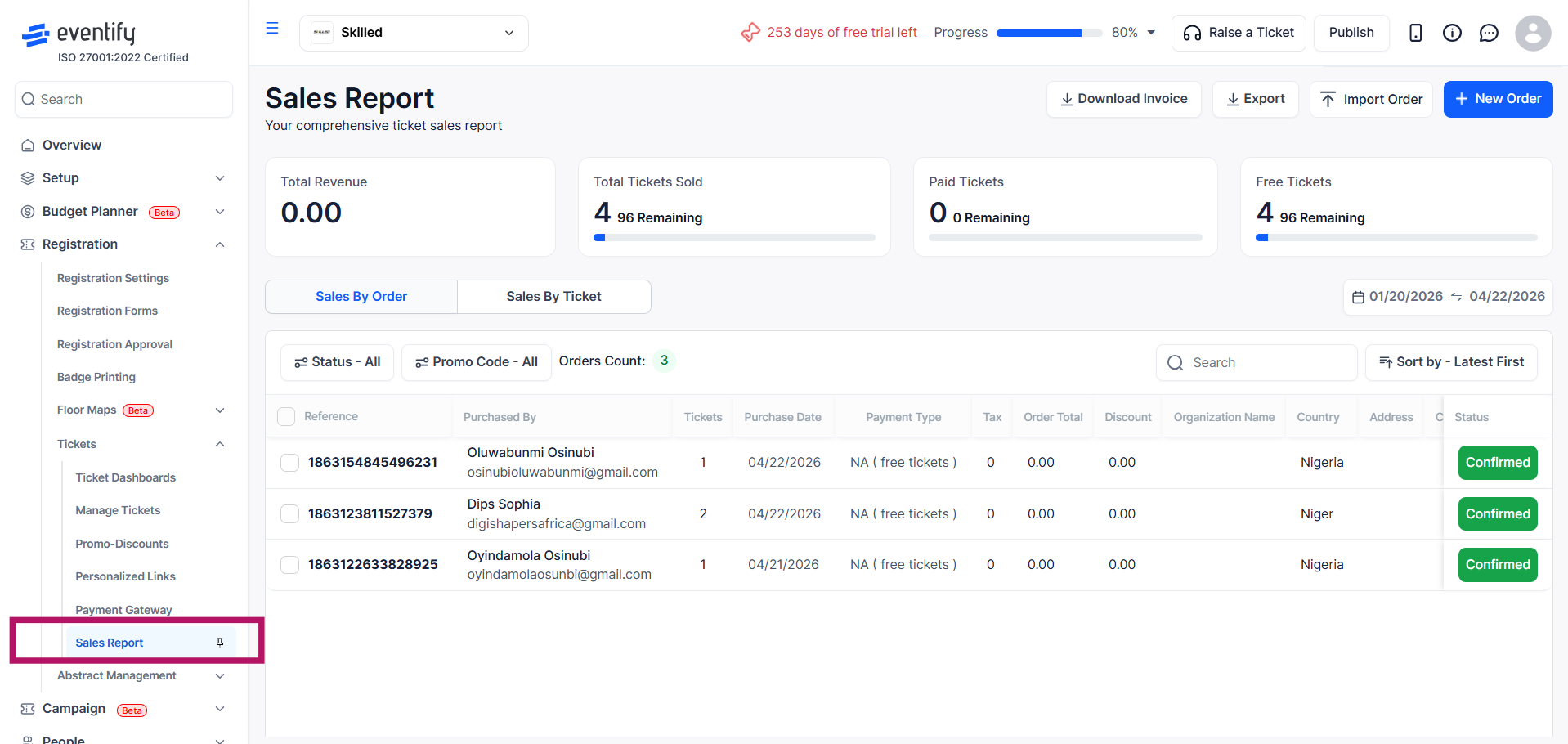
Find the order and click its row to open the Order Details panel.
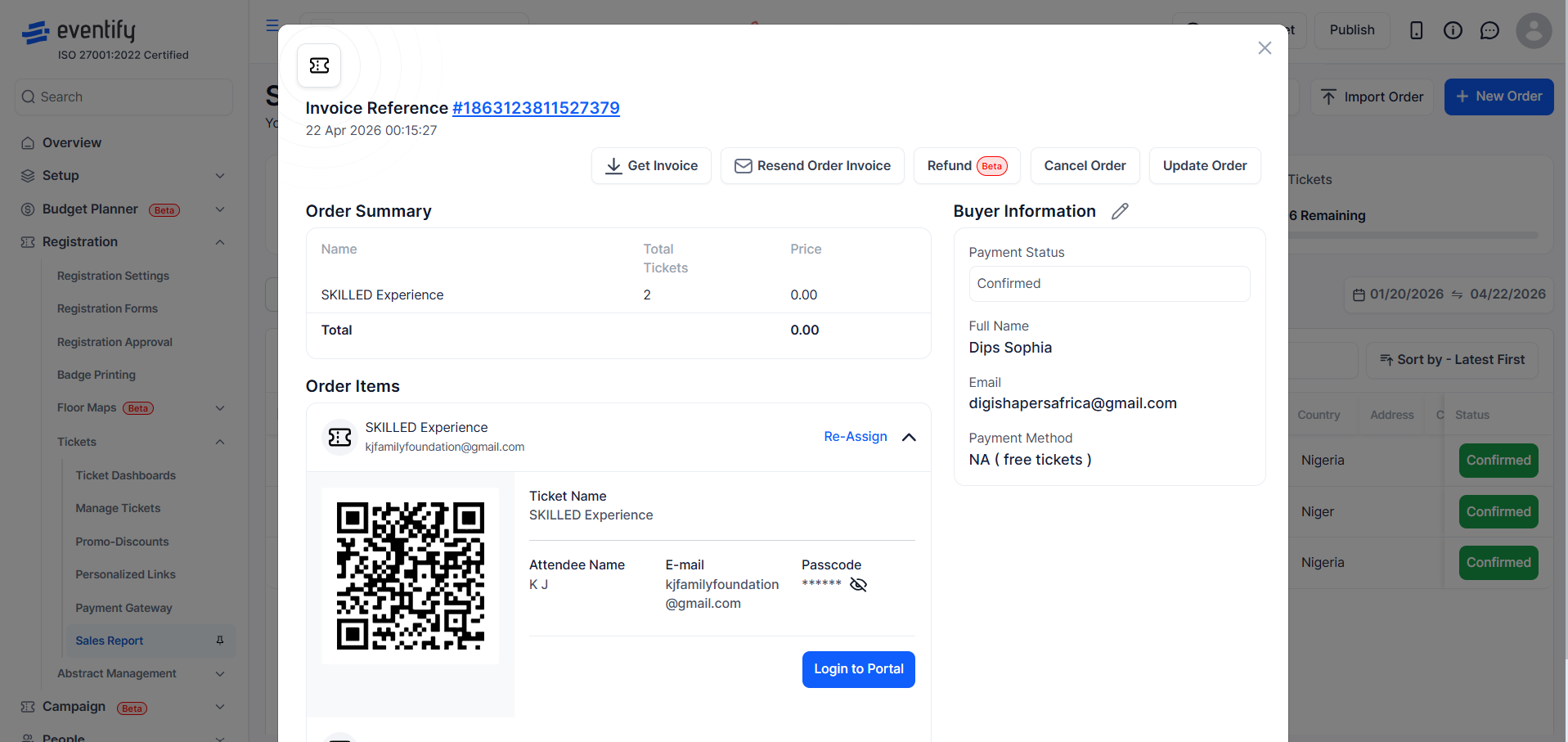
In the top action bar, click the email icon labelled Resend Order Invoice.

A confirmation dialog appears asking you to confirm. Click OK.
The confirmation email is sent immediately to the buyer’s email address on record. A success message appears in the panel.

Check the email address on the order is correct, then ask the attendee to look in their spam or junk folder.
No. The email is sent only to the original buyer's email address on record.
No. Resending does not create a new order or duplicate tickets.
You don't need to send them by hand. Eventify emails the buyer an order confirmation automatically when a free or paid order is confirmed. To attach an invoice, turn on Generate Invoice For Paid Tickets or Generate Invoice For Free Tickets under Settings → Event Settings → Ticketing / Registration. To change the wording, edit the registration confirmation template in your email templates. To send one again, follow the steps above.
