
Yes — Eventify supports multiple tickets per attendee. This is useful when your event includes add-on experiences, paid sessions, workshops, VIP access, or different ticket tiers that attendees may want to combine under one registration. Attendees can purchase multiple ticket types during checkout, and admins can also assign additional tickets manually when needed.
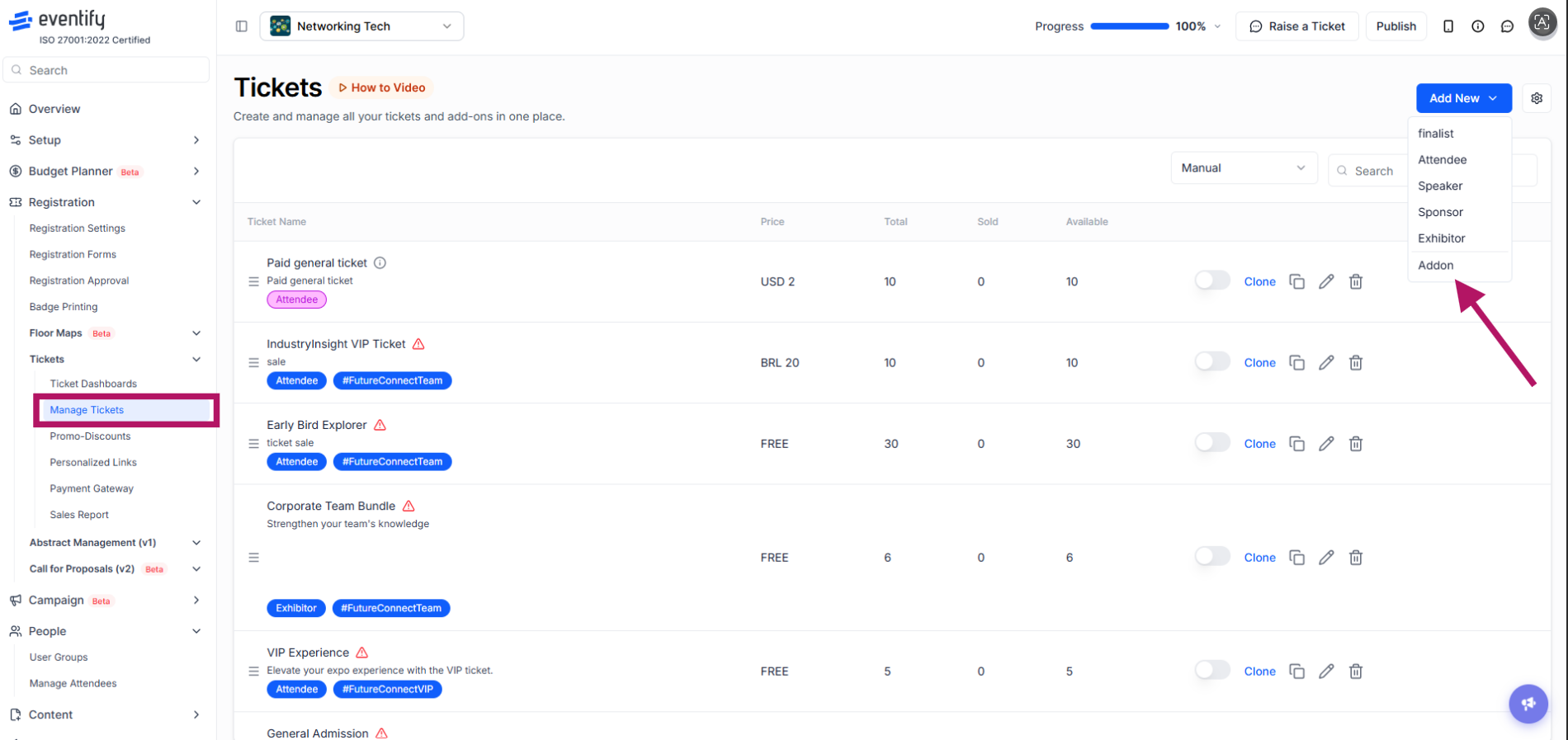
To allow attendees to hold multiple tickets, first create the required ticket types from the admin panel. Go to Registration >> Tickets >> Manage Tickets and click on Create New or Add New. You can create different ticket categories - General Admission, VIP Access, Workshop Tickets, Sponsor Passes, Session Tickets, Networking Access, etc. All available tickets will appear together on the registration portal, allowing attendees to select multiple tickets in a single checkout flow.

If you want attendees to purchase optional extras alongside their main ticket, create an add-on ticket. Go to Registration >> Tickets >> Manage Tickets >> Add New and select Addon from the dropdown options. Add-on tickets are commonly used for workshops, networking dinners, premium seating, special activities, paid experiences, etc. Attendees can purchase these together with their primary event ticket.
You can also connect tickets to specific sessions. To do this, go to Registration >> Tickets >> Manage Tickets and click the edit icon for the ticket you want to configure. Open the Ticket Access tab and select Link Ticket sessions. The list of available sessions will appear. Select the sessions you want to associate with that ticket. Attendees holding the linked ticket will automatically receive access to those sessions.

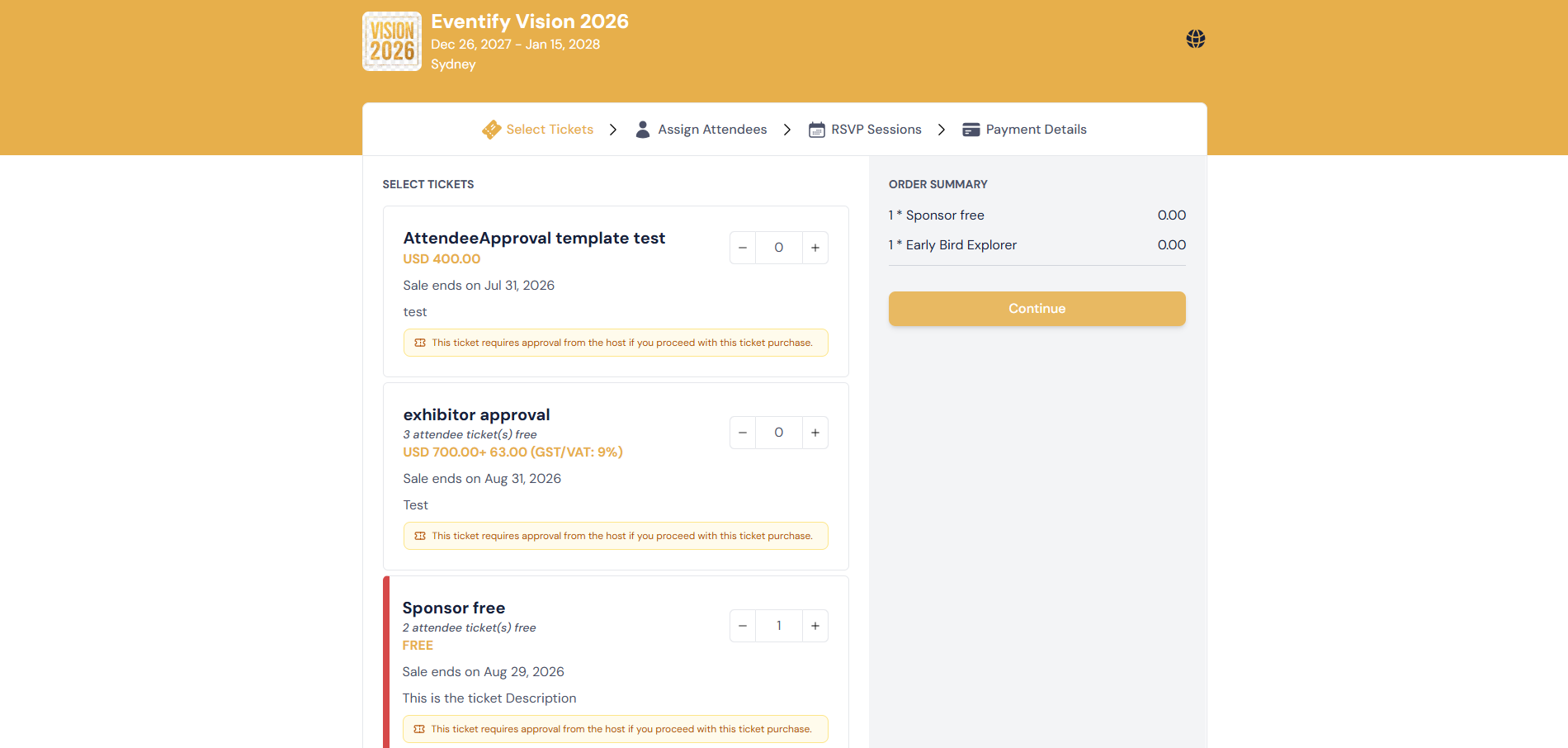
On the ticketing portal, attendees can select multiple ticket types before checkout. Attendees can select as many as they want and complete a single checkout. All selected tickets are processed within one order and connected to the same attendee account.
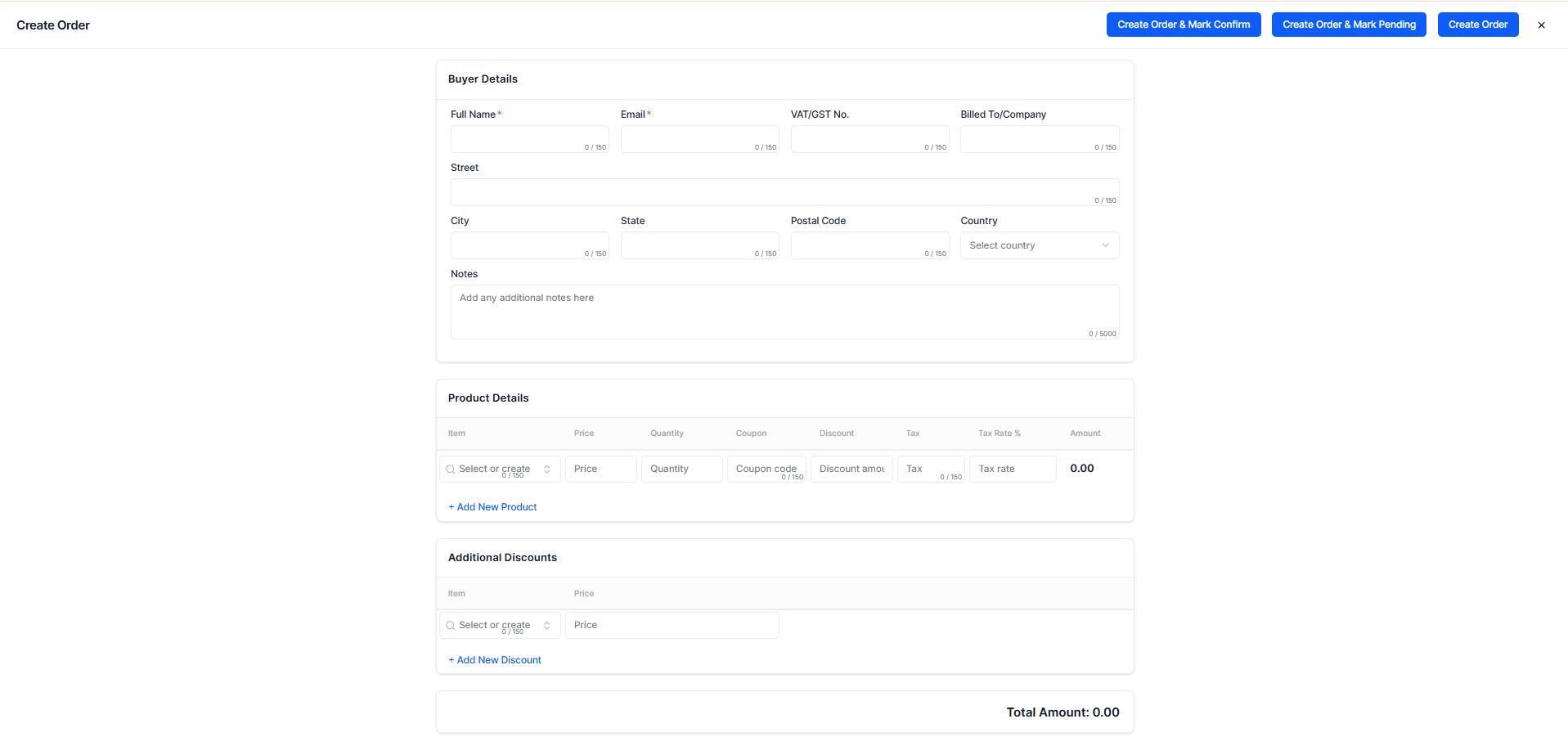
Admins can also assign multiple tickets manually to attendees. This is useful for speakers, VIP guests, sponsors, complimentary access, hidden or internal ticket types, etc. To manually assign tickets, go to Registration >> Tickets >> Sales Report >> New Order. Create the order, assign the ticket types, and complete the ticket allocation for the attendee. The assigned tickets will automatically appear on the attendee’s account.
Typically, each ticket type is intended for a single purchase per attendee. If your event requires multiple purchases of the same ticket type, contact Eventify Support for configuration assistance.
A regular ticket serves as the attendee’s primary event access pass. An add-on ticket is an optional extra that can be purchased alongside the main ticket for additional experiences or access.
Yes. Admins can manually assign tickets directly to attendees from the admin panel without requiring the attendee to complete checkout.
When a ticket is linked to a session, attendees holding that ticket automatically gain access to the associated session.
Eventify does not impose a strict limit on the number of different ticket types an attendee can hold, provided those ticket types exist and are available or assigned manually.
This depends on your event setup. You can configure event-level check-ins or session-specific check-ins based on your registration and session access settings.
Yes. Attendees can select multiple ticket types on the ticketing portal and complete a single checkout, and all tickets are processed in one order.
