
If an attendee was checked in by mistake, you can reset their check-in status directly from the session check-in interface in the admin panel.
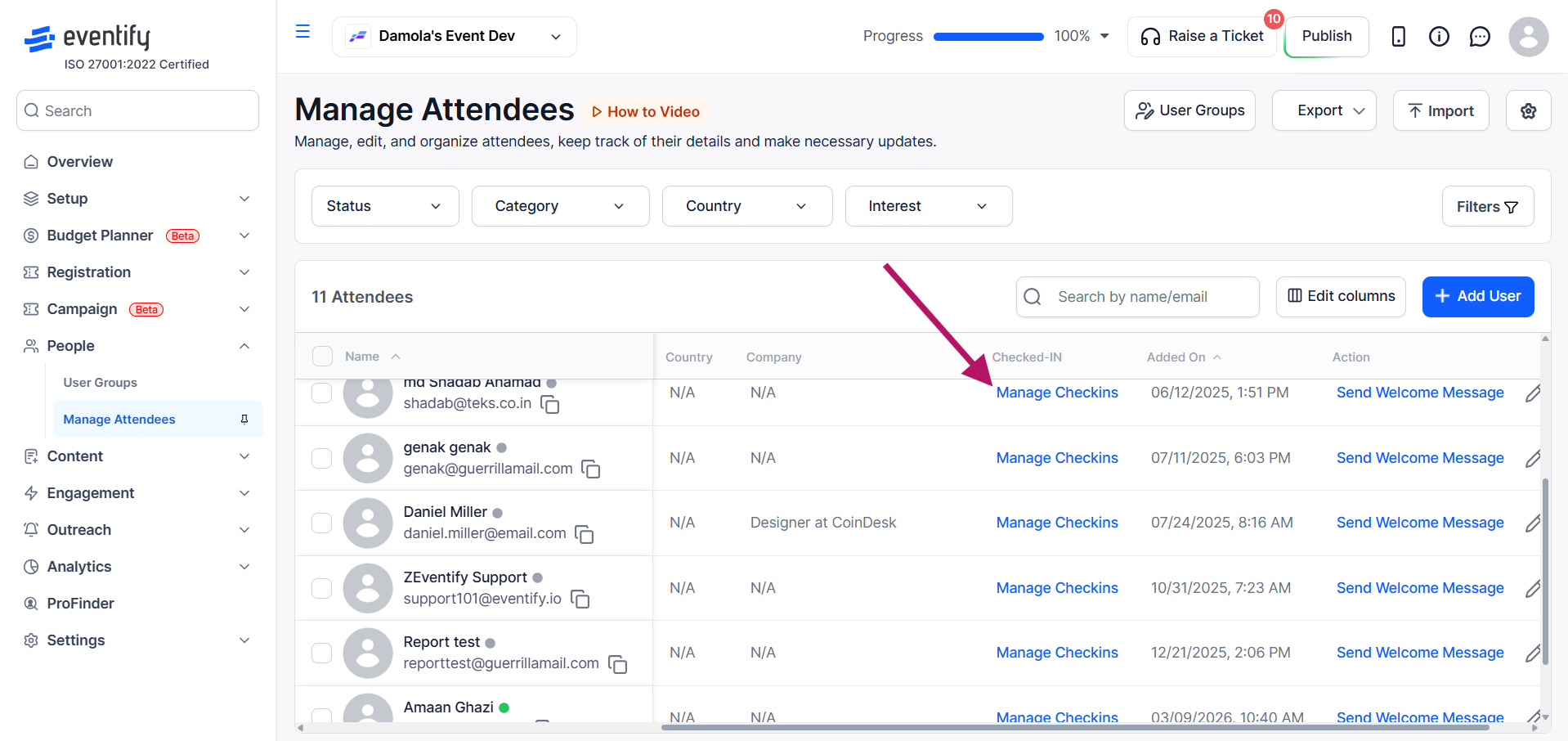
Go to Manage Attendees under People and click on Manage Checkins on the attendee profile.
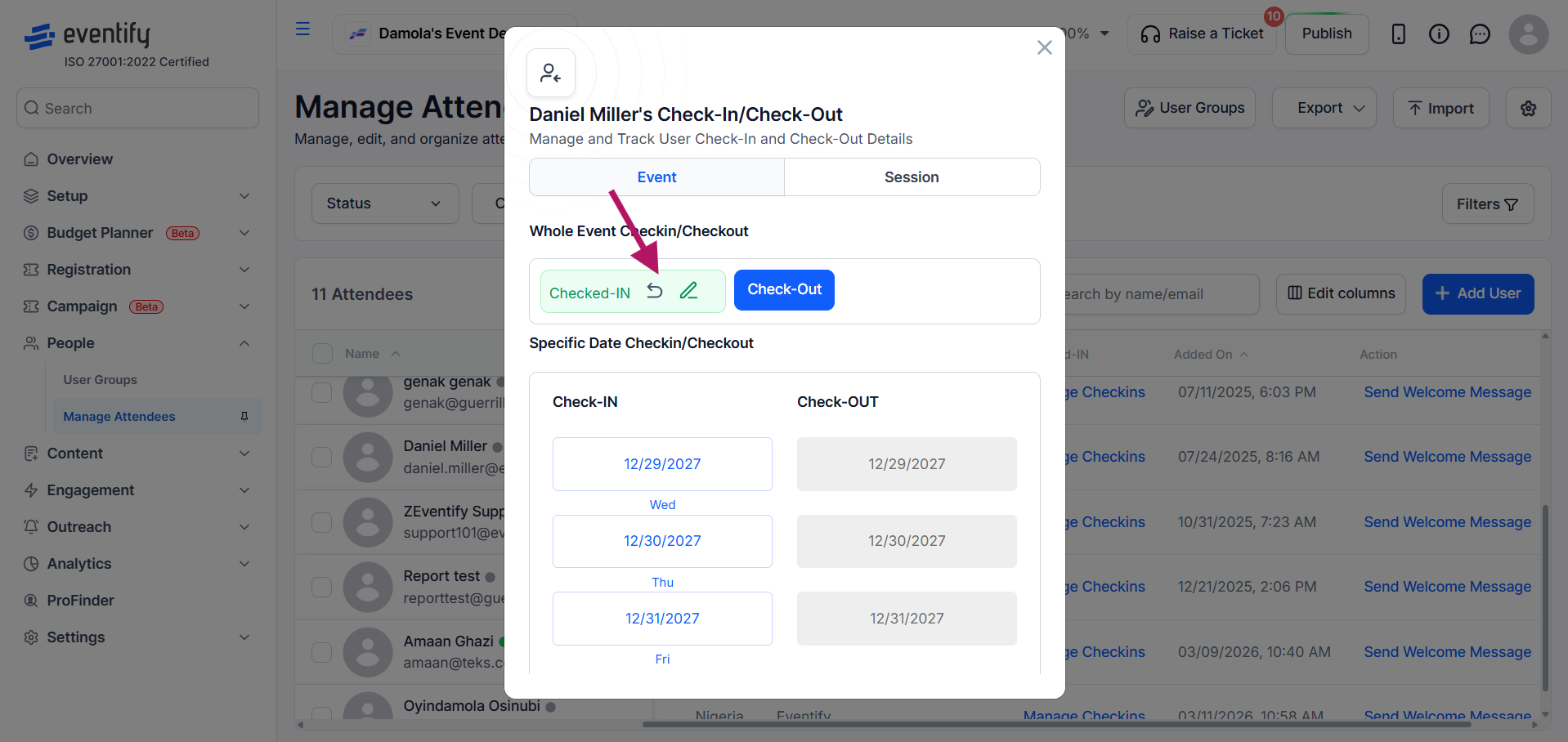
In the check-in modal, click the undo icon next to the check-in status to reverse it, or use the same action to undo check-in for a specific date.
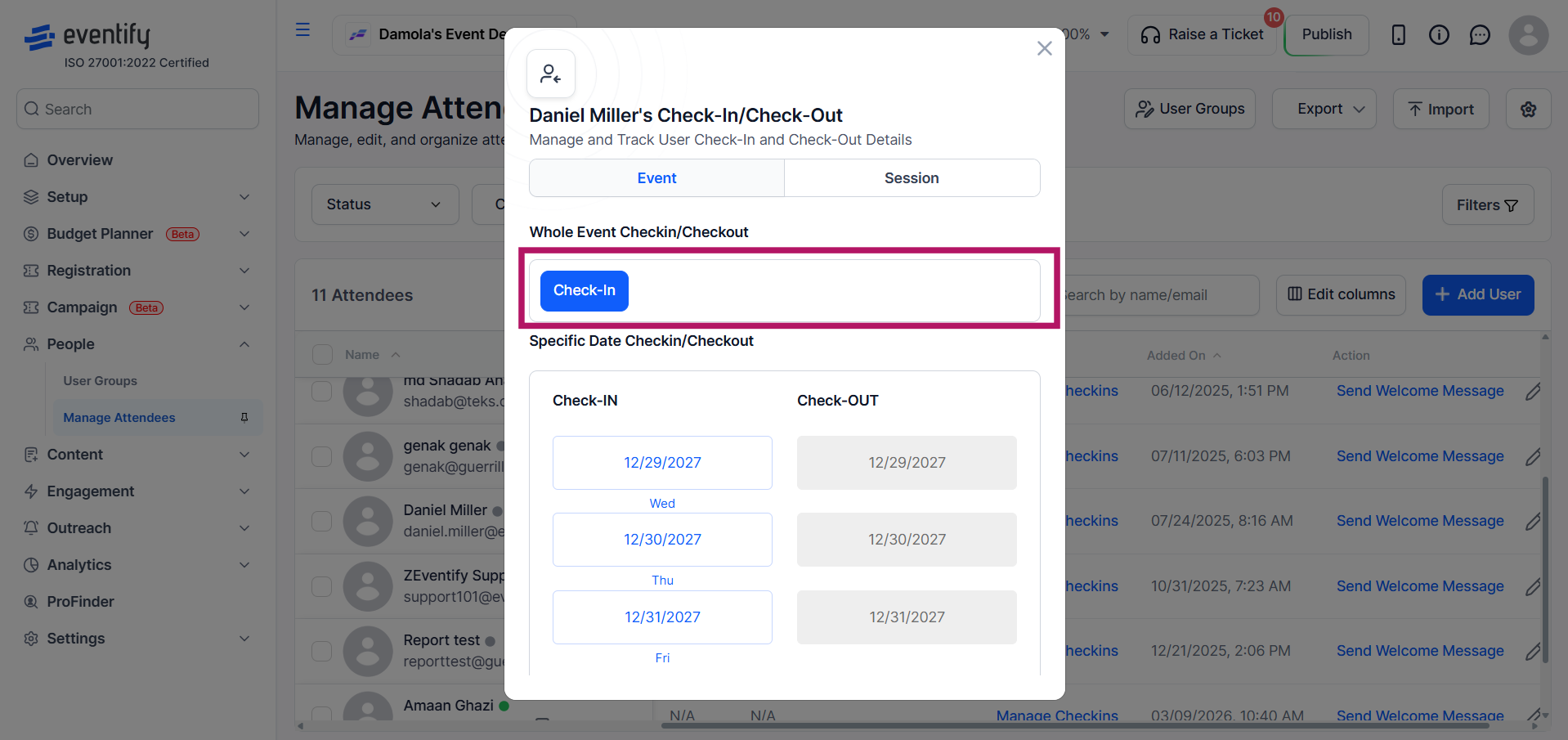
The check-in record is removed and the change is reflected immediately in the check-in dashboard.
In addition to whole event check-ins, you can also manage and undo session-level check-ins by switching to the Session tab in the check-in modal, where each session shows its own check-in status along with options to Check In, Check Out, or Reset individually.
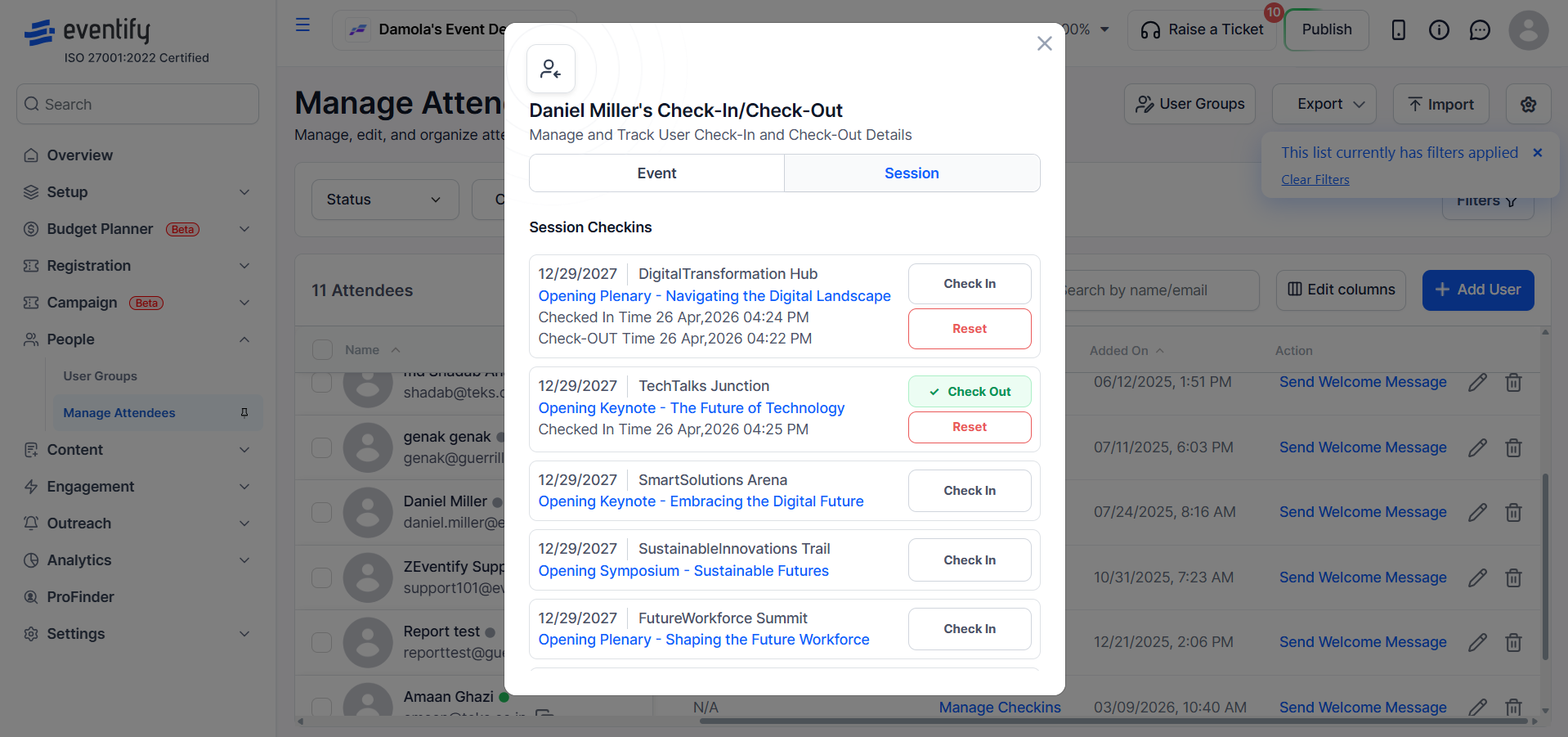
Yes. Switch to the Session tab in the check-in modal, where you can Check In, Check Out or Reset each session individually.
No. Undo actions apply instantly and the change shows in the check-in dashboard right away.
