
After participants complete a Quest, you can send them a personalized participation certificate via email. The certificate uses a customizable template that you can edit before sending. Here's how 👇
From the admin panel sidebar, navigate to Engagement > Gamification and select Manage Challenges.
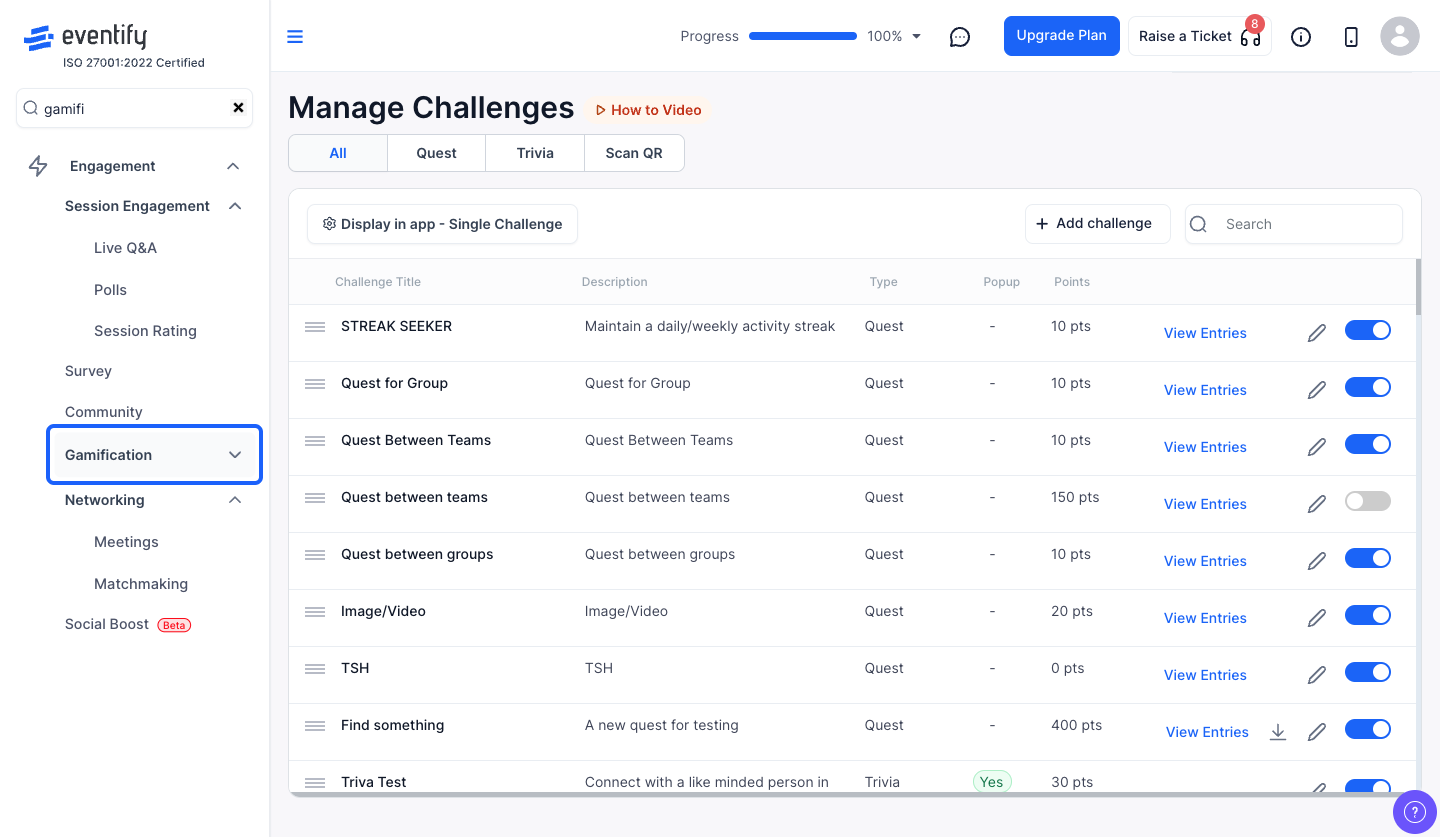
Find the Quest you want to send certificates for and click the "View Entries" link on its row to open the entries modal.
Inside the View Entries modal, look for the "Send Certificate" button in the header area. Click it to open the certificate template editor.
The certificate modal opens with a pre-loaded template in a rich text editor. You can:
The template loads with a default design that includes your event's branding. Feel free to customize it to match your event's style.
Once you're happy with the template, click the "Send Certificate to All" button at the bottom. This will send the participation certificate via email to every participant who has submitted entries for this quest.
The system will process the emails and show a success message when all certificates have been sent. The modal will close automatically.
⚠️ Important
Certificates are sent via email to all quest participants at once. Make sure your template is finalized before clicking send — there's no way to unsend the emails once they've been dispatched.
Every participant who has submitted entries for that quest receives it by email.
No. Once the emails are dispatched they cannot be unsent, so finalize the template before sending.
