
An interactive floor map is a venue layout where exhibitors and sponsors pick and purchase their own booth through the booth portal — a link the admin shares with them. As the organizer, you draw booths on a canvas and link each one to an exhibitor or sponsor, then control whether that booth is reserved, for sale, or open for applications. Maps stay hidden until you explicitly enable them.
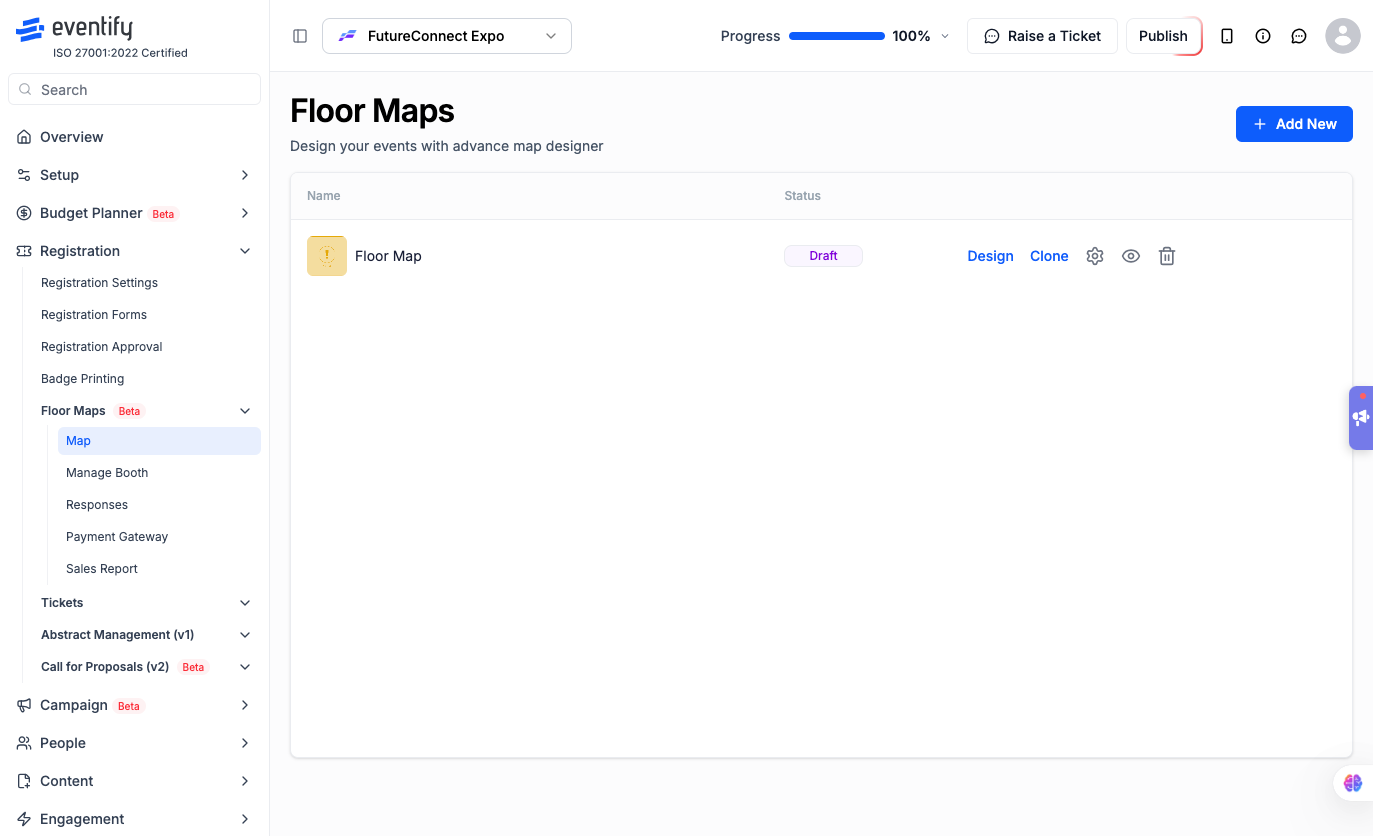
Interactive floor maps are managed under Registration → Floor Maps → Map. This list shows every map you've created, its status, and a row of actions for each one.
Each map has its own Floor Map Link, found in the map's Settings panel. Share this URL with your exhibitors and sponsors so they can open the booth portal directly, browse available booths, and purchase one without needing access to the admin panel. The same Settings panel also provides an Embed as iFrame code if you'd rather add the booth portal to your own event website, with a Hide Header option to strip the Eventify logo and header from the embedded view.
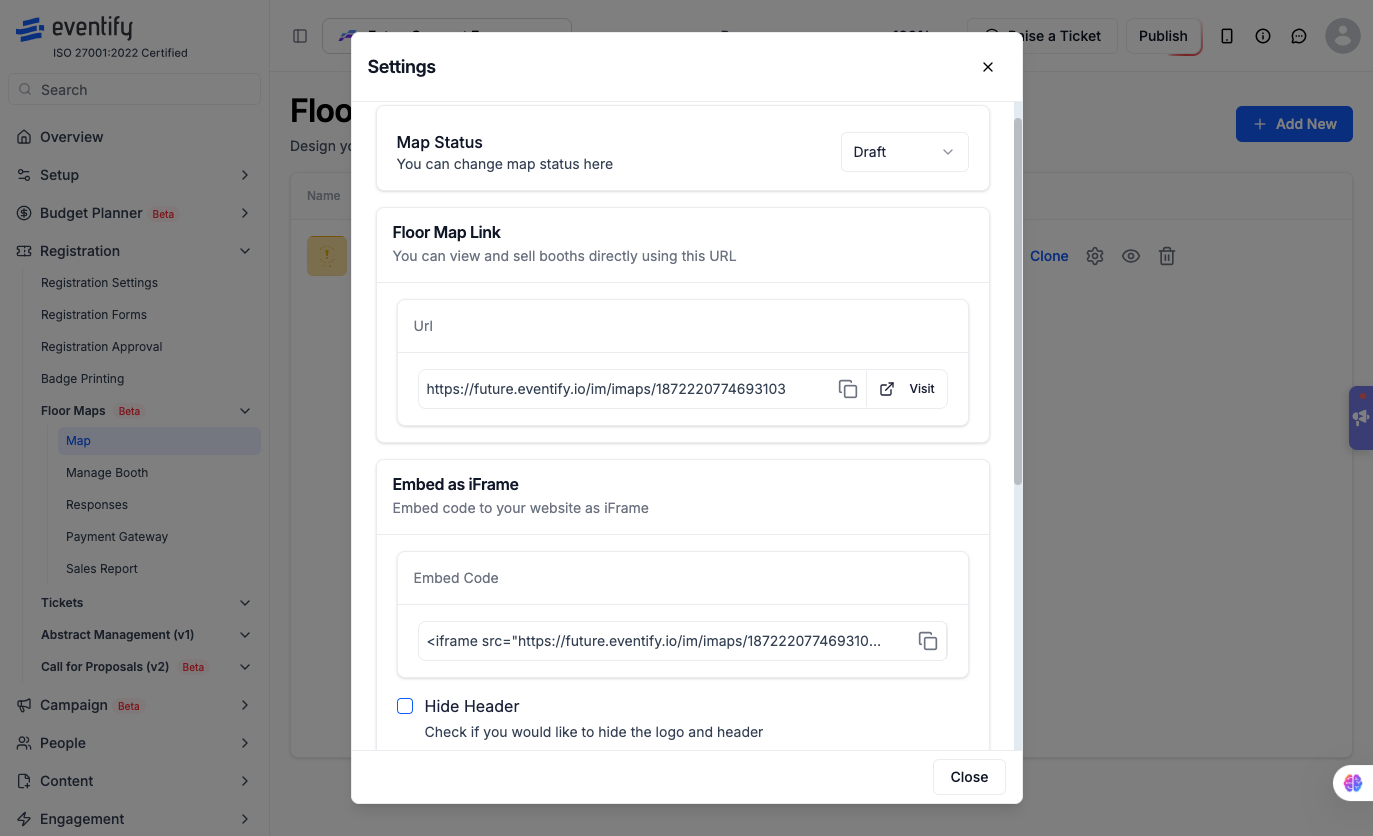
Click the gear icon next to a map to open its Settings panel:
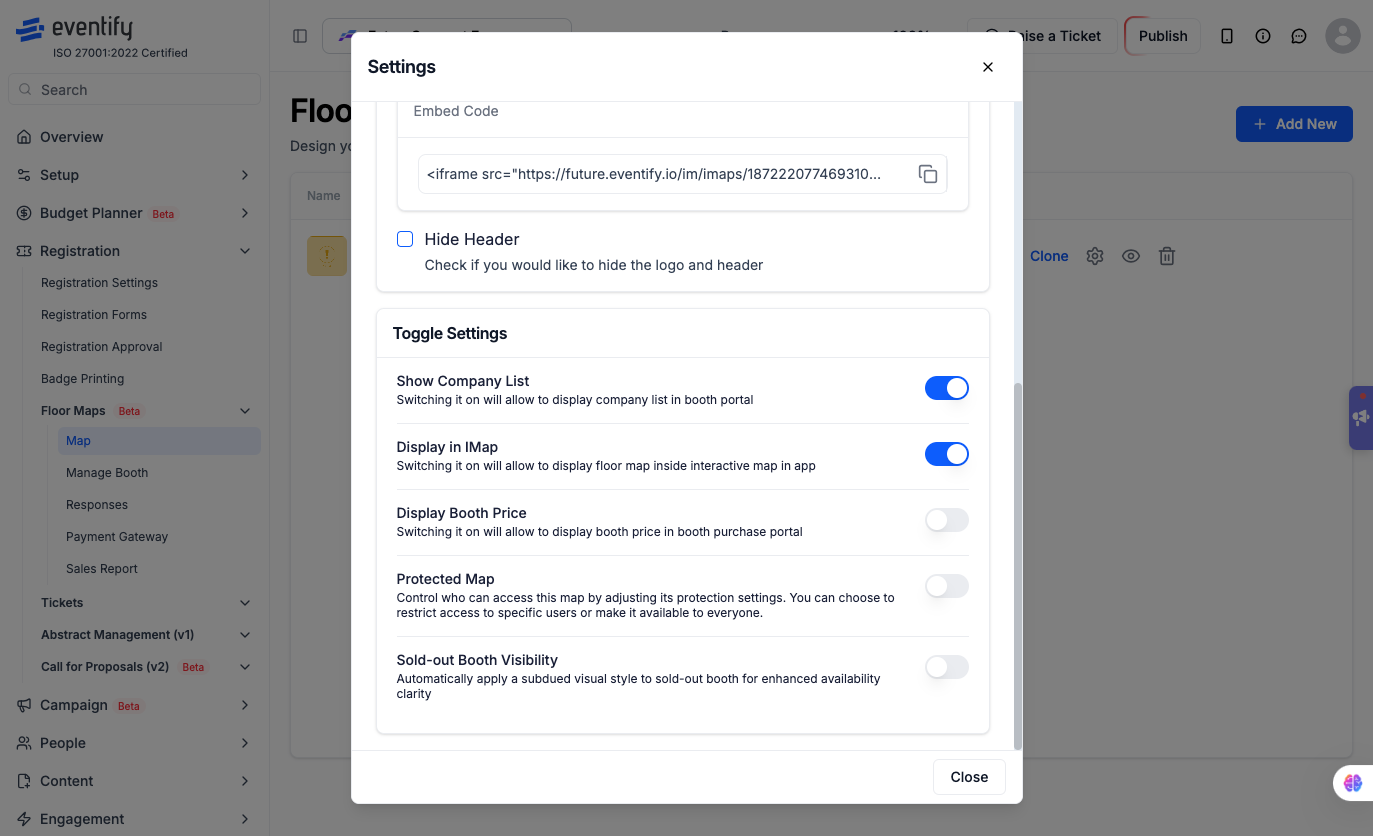
Further down the Settings panel, five toggles control how the map behaves:
Two things must be true before the booth map appears inside the interactive map in the app:
New maps are created with Draft status and Display in IMap off, so both need to be changed before the map goes live in the app. Even with Display in IMap off, exhibitors and sponsors can still purchase a booth directly through the Floor Map Link, since the booth portal is separate from the in-app interactive map.
Q: Who can be linked to a booth on the floor map?
A: Only exhibitors and sponsors can be linked to booths on the floor map.
Q: How do exhibitors and sponsors buy a booth?
A: Share the map's Floor Map Link with them. It opens the booth portal directly so they can browse available booths and purchase one without logging into the admin panel.
Q: How do I display the booth map inside the event app?
A: Open the map's Settings panel and turn on Display in IMap. Switching it on will allow the floor map to display inside the interactive map in the app.
Q: Why can't attendees see my floor map in the app?
A: Check two things: the map's Status must be Live, and the Display in IMap toggle in its Settings panel must be ON. If either is off, the map stays hidden from the in-app interactive map.
Q: How many floor maps can I create?
A: There's no fixed limit — create one map per hall, floor, or venue area as needed.
Q: Can I embed the booth portal on my event website?
A: Yes. Open the map's Settings panel and copy the Embed as iFrame code. Check Hide Header if you want to strip the Eventify navigation from the embedded view.
Q: Can exhibitors and sponsors see booth prices?
A: Only if the Display Booth Price toggle is switched on in the map's Settings.
Q: Can I restrict who can view a map?
A: Yes. Turn on Protected Map in the Settings panel to control access instead of making the map available to everyone.
Q: What actions can I take on each floor map?
Each map row has Design to edit the booth layout, Clone to duplicate it, Settings for status, link and embed code, Preview to see it as exhibitors do, and Delete to remove it permanently.
Q: Can exhibitors buy a booth if the map is not shown in the app?
Yes. Even with Display in IMap off, exhibitors and sponsors can purchase a booth through the Floor Map Link, because the booth portal is separate from the in-app interactive map.
