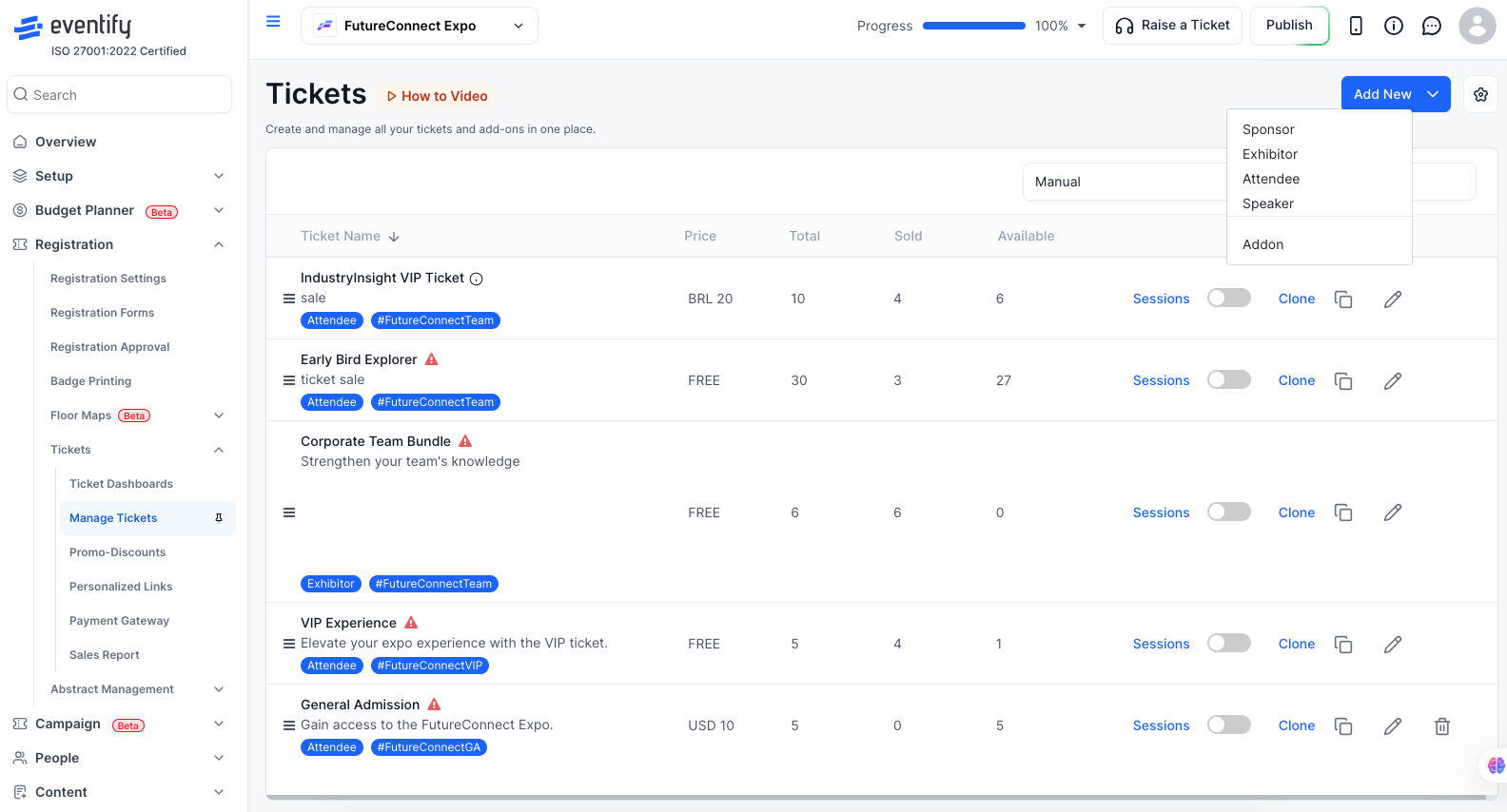
Addon tickets let you offer supplementary items alongside standard registration — breakout workshops, gala dinners, merchandise, or priority session seating. Attendees purchase addons during checkout or separately.
How to access: Event Dashboard → Registration → Tickets → Manage tickets → Add Ticket → Type: Addon
When to Use Addon Tickets
Paid breakout workshops within a free conference
Meal or networking dinner add-ons
Merchandise (T-shirts, books, badge upgrades)
Premium session access for standard ticket holders
Post-conference training day registrations
How to Create an Addon Ticket
Go to Event Dashboard → Registration → Tickets → Manage tickets.
Click Add Ticket.
Set Type to Addon.
Enter a Ticket Name — be specific (e.g., "Workshop: AI in Events — Tuesday 2pm").
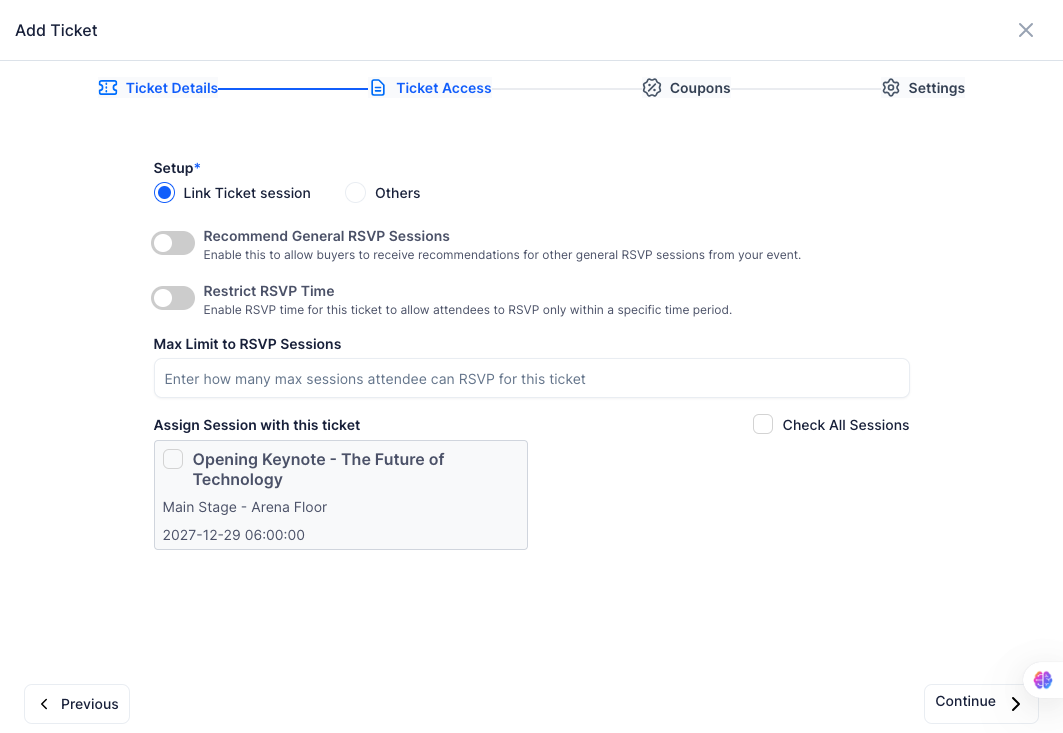
Choose Addon Type: select Session to link this addon to a specific session in your schedule, or Other for a general product, meal, or merchandise item.
Set the Price (or leave at 0 for a free addon).
Set Per-User Limit — the maximum number of this addon one attendee can purchase (e.g., 1 meal per person).
Set Capacity — total number available across all attendees.
Click Save.
Linking an Addon to a Session
When Addon Type is set to Session:
A Session dropdown appears — select the specific session this addon provides access to.
When an attendee purchases this addon, they are automatically added to that session's attendee list.
The Per-User Limit field prevents one attendee from purchasing more addons than intended:
Set to 1 for meals or single-use items
Set to unlimited for merchandise where quantity does not matter
If an attendee tries to add more than the limit, checkout blocks the additional quantity
Frequently Asked Questions
Q: Can attendees buy an addon without buying a primary ticket? A: By default, addons appear alongside standard tickets at checkout. Your registration flow determines whether a primary ticket is required — check your checkout form settings.
Q: Will an addon session count toward the session's capacity? A: Yes. If the addon is linked to a session (Addon Type: Session), each purchase reduces the session's available spots.
Q: Can I offer a free addon? A: Yes. Set the price to 0. Free addons still appear at checkout for attendees to select.
Q: Can I create multiple addons for the same event? A: Yes. There is no limit on the number of addon ticket types per event.
Q: What happens when an attendee buys a session addon? They are automatically added to that session's attendee list, and the purchase reduces the session's available spots.