
If you've already built a custom rating form for one session and want to reuse it elsewhere, there's no need to start from scratch. The Clone function lets you copy a form from one session to another in just a few clicks.
The Clone function works with session-specific forms only, meaning it copies a custom form that's already been created for a particular session. The "Clone from" dropdown will only show sessions that have their own custom form set up — any session still using the global default form won't appear there.
If none of your sessions have a custom form yet, the clone modal will show an empty state and the dropdowns won't appear. And if you're looking to manage the global form that applies to all sessions, that's done separately through the Update Global option rather than Clone.
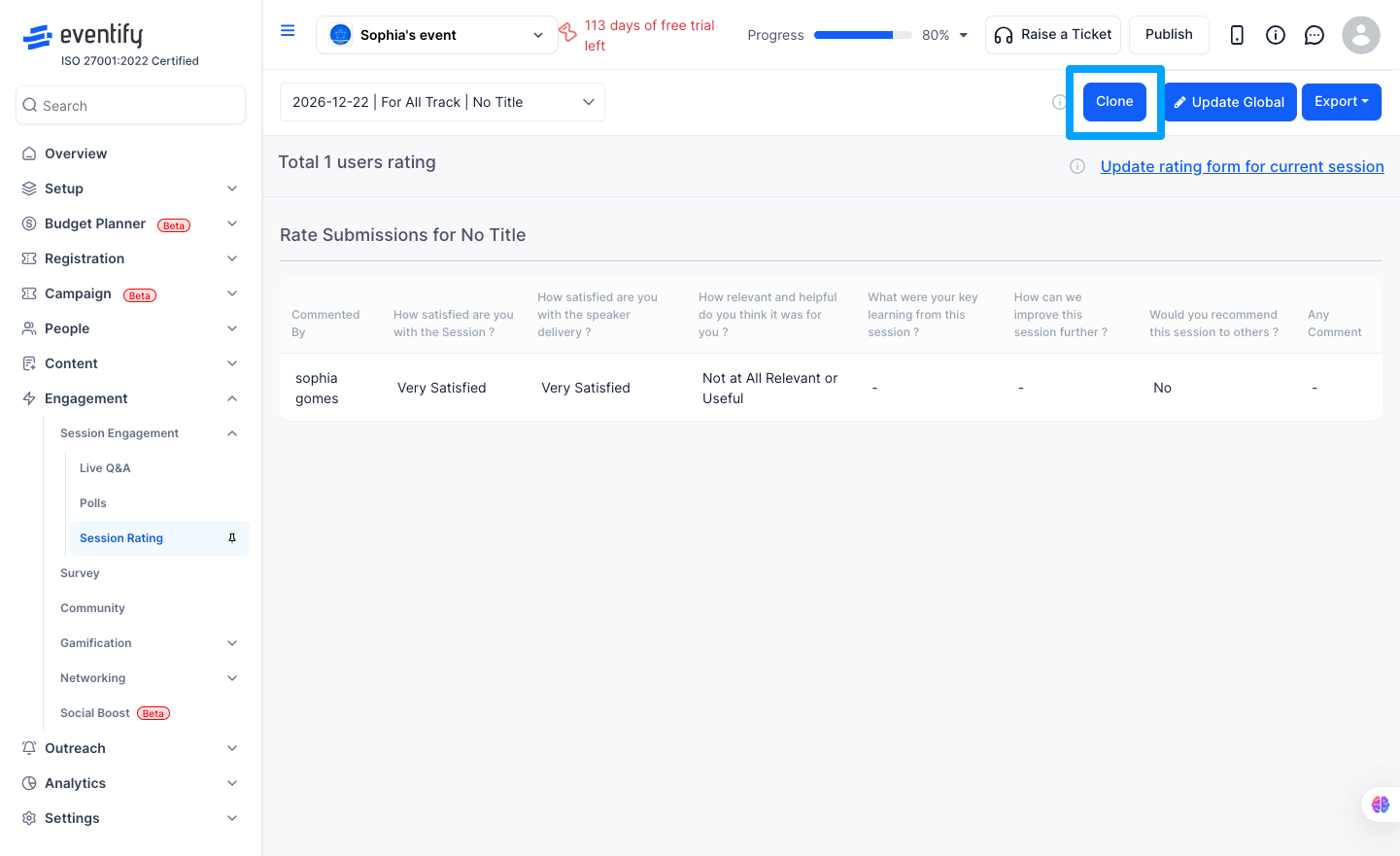
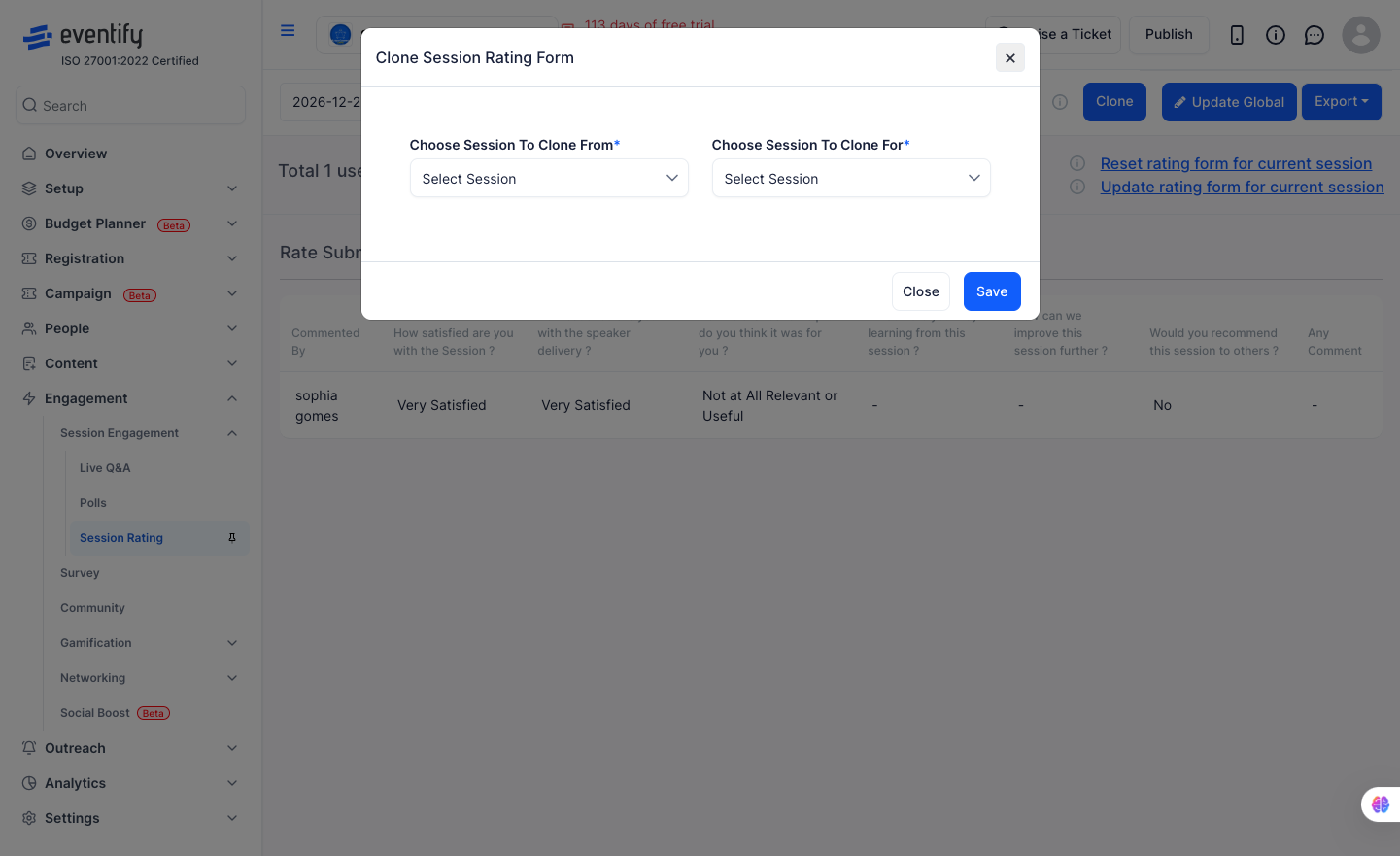
Head to the admin panel and go to Engagement > Session Engagement > Session Rating. From there, click the Clone button in the top action bar. A modal will open with two dropdowns — use Clone from to pick the session whose form you want to copy, and Clone for to choose which session should receive the copy. Hit Save, confirm the prompt that appears by clicking OK, and that's it. The target session now has its own copy of the form.
Once cloned, the target session has its own independent copy of the form and will no longer pull from the global form. You're free to edit it however you like without touching the original — the source session's form stays exactly as it was.
Q: Can I clone the same form to multiple sessions at once?
Not at the moment — the clone operation works one session at a time. If you need to copy a form to several sessions, just repeat the steps for each one.
Q: Can I clone from the global form?
That's not supported right now. If you want multiple sessions to use the same questions as the global form, you'd need to create a session-specific form and match the questions manually. Alternatively, since the global form already applies to all sessions by default, you may not need to clone at all.
Q: I cloned a form by mistake and want to undo it — what do I do?
Select the target session and click Reset to default. This removes the session-specific form and puts the session back on the global form as if nothing happened.
Q: The 'Clone from' dropdown is empty — why?
It means none of your sessions have a custom form yet. The clone source list only shows sessions that have their own session-specific form. Once you've built a custom form for at least one session, it'll show up here.
Q: If I edit the cloned form, does the original form change?
No. The target session gets its own independent copy. You can edit it freely and the source session's form stays as it was.
