
Eventify gives you five registration policy options, each controlling how attendees can register for your event. Choosing the right one before you go live saves a lot of back-and-forth later.
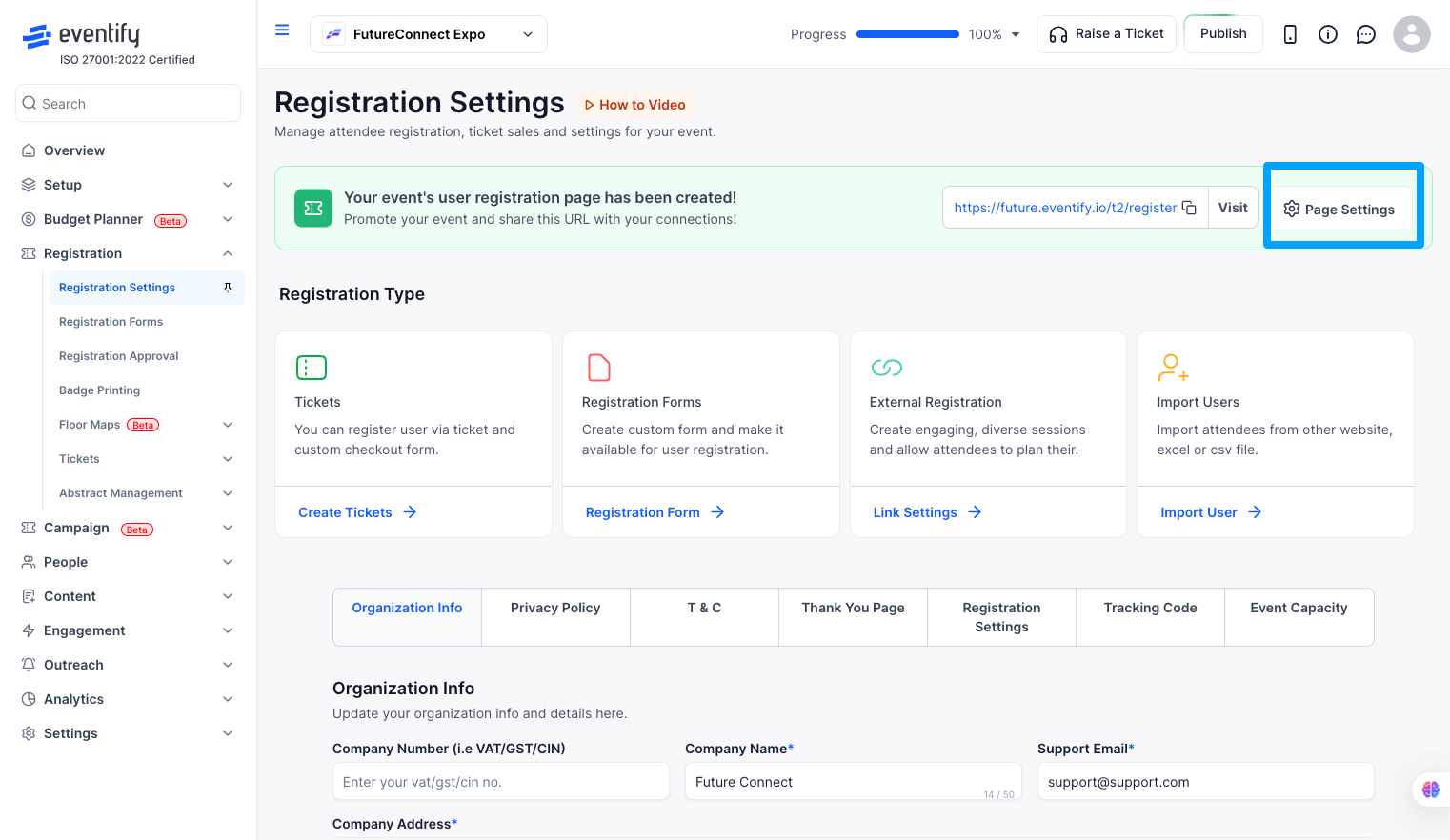
Where to find this: Event Dashboard → Registration → Registration Settings → Page Settings
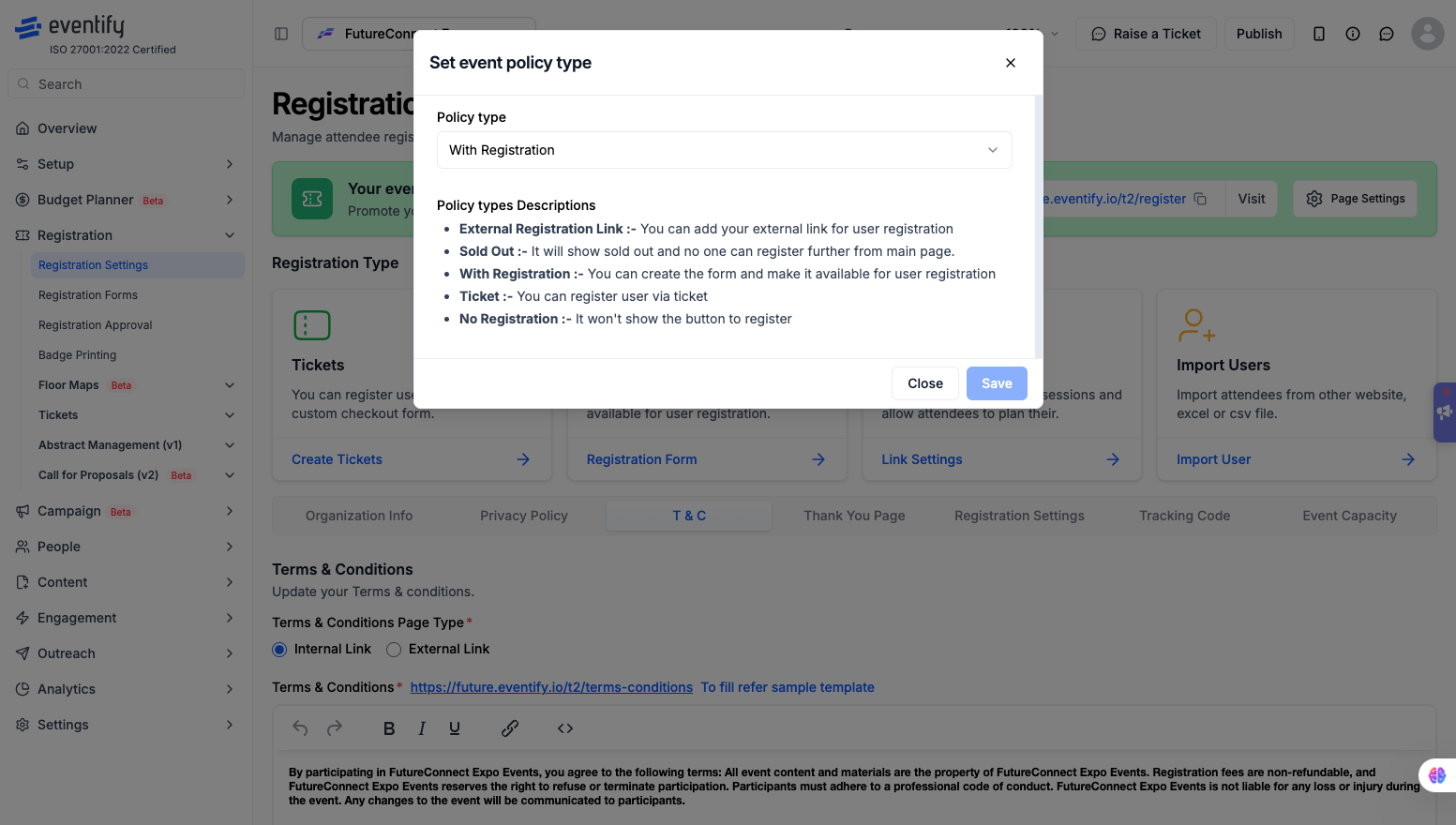
Redirects attendees to a registration page outside of Eventify. When this policy is active, the register button on your event page points to the external URL you provide.
Good for: events that already have a registration system set up elsewhere and just need Eventify for the event experience.
Marks the event as sold out and stops anyone from registering further through the main event page. The sold out status is visible to anyone who visits.
Good for: events that have hit capacity and need to clearly communicate that no spots are available.
Lets you build a custom registration form directly in Eventify and make it available for attendees to sign up. This is the most common policy for events that manage everything on the platform.
Good for: conferences, workshops, webinars, and any event where you want to collect attendee details through a form you control.
Registers attendees through a ticket purchase flow. Attendees select and buy a ticket to complete their registration.
Good for: paid events, ticketed conferences, and any event where access is tied to a ticket.
Removes the register button from the event page entirely. Attendees can still view event details but there is no option to sign up.
Good for: internal events, events where attendance is pre-assigned, or situations where registration is managed outside the platform.
Q: Can I switch between policy types after the event is live?
Yes. You can change the policy at any time. Existing registrations are not affected, only the experience for new visitors changes.
Q: What happens to the register button when I set the policy to No Registration?
The button is removed entirely from the event page. Visitors can still browse the event details but cannot sign up.
Q: Can I use an external registration link alongside Eventify's features?
Yes. Attendees register through your external link, and you can still import them into Eventify manually to give them access to the app and event features.
Q: What is the difference between Sold Out and No Registration?
Sold Out actively communicates to visitors that the event is at capacity. No Registration simply removes the registration option without any status message.
Q: Can I collect attendee details if I use the Ticket policy?
Yes. The ticket checkout flow includes a form where attendees fill in their details as part of the purchase.
