
If a session has its own custom rating form and you'd rather have it fall back to the global default, the Reset to default option is what you're looking for. It's a quick way to undo a session-specific setup without affecting anything else.
There are a few situations where resetting comes in handy. Maybe you set up a custom form for a session but no longer need it, or you cloned a form to the wrong session by mistake and want to reverse it. In either case, resetting brings that session back to the global rating form in just a couple of clicks.
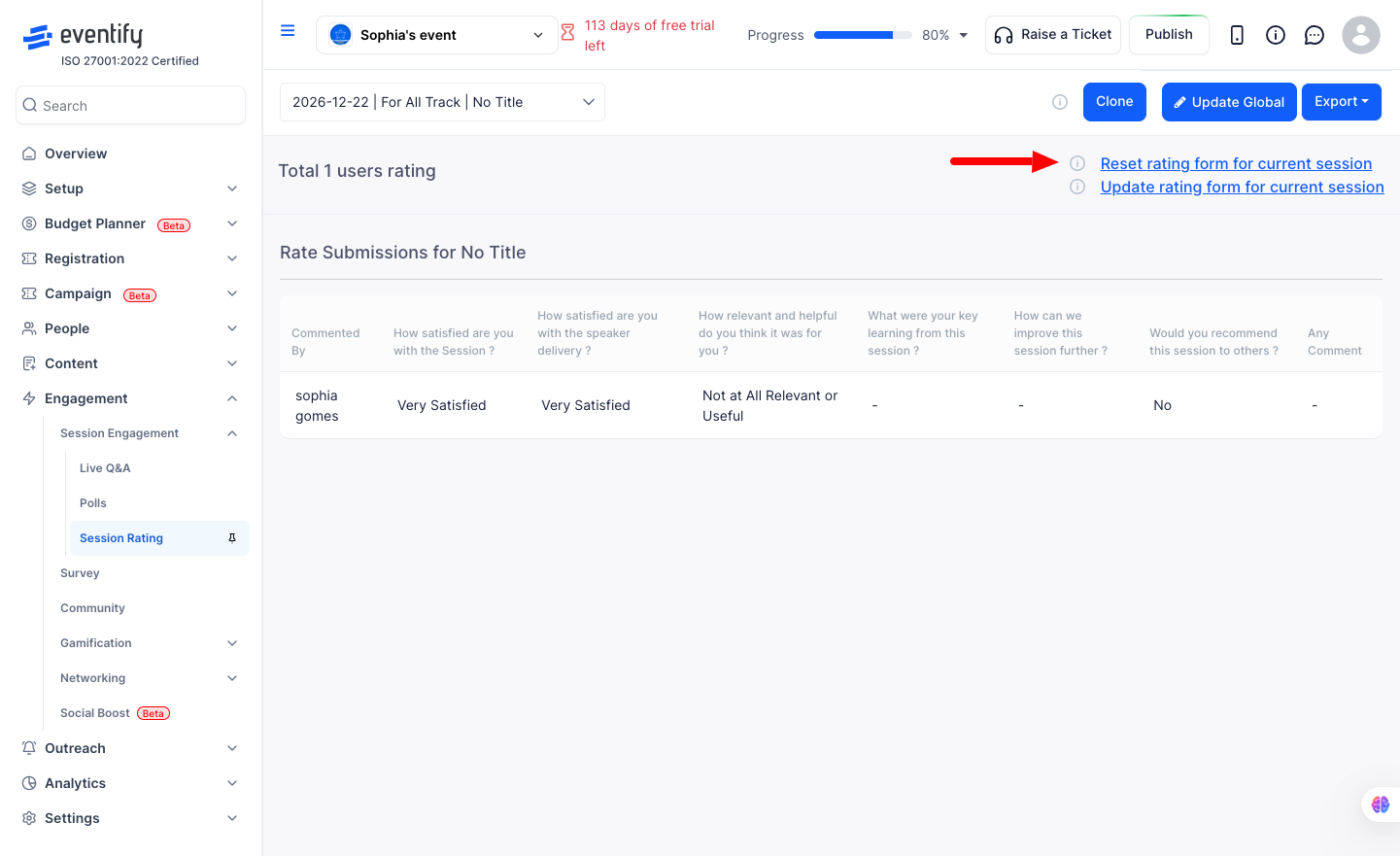
Head to the admin panel and go to Engagement > Session Engagement > Session Rating. Select the session you want to reset from the dropdown, then click Reset to default under the session-specific form section. A confirmation prompt will appear — click OK and the session will immediately switch back to using the global rating form.
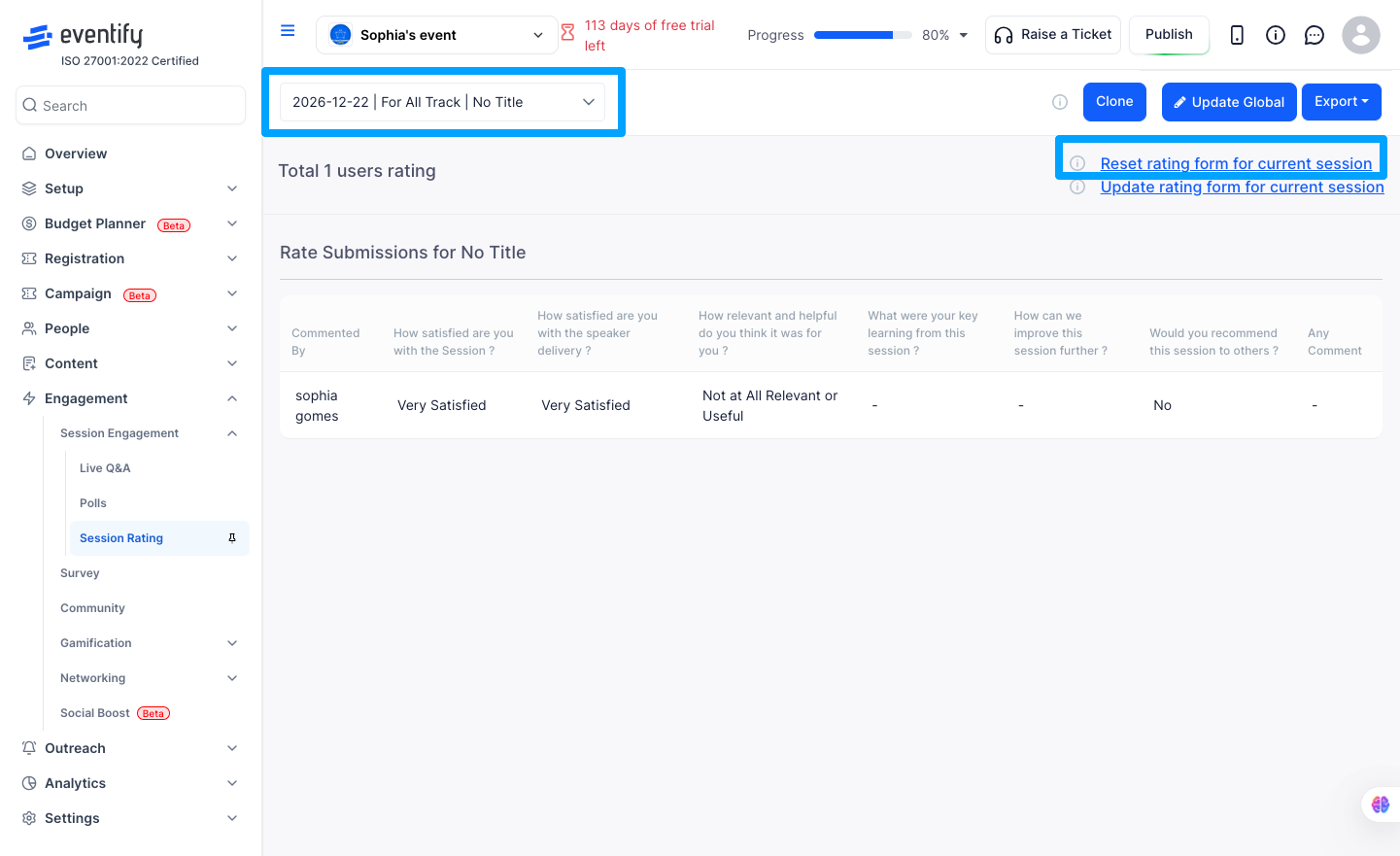
Once reset, the session-specific form is removed and the session goes back to the global form. The Reset to default and Update rating form links will disappear from that session's view, replaced by the option to add a new session-specific form if you ever want one again. One important thing to note — any ratings already submitted by attendees are completely safe. Resetting only removes the form definition, not the response data.
Q: The Reset to default option isn't showing up for my session — why?
That session is most likely already using the global form and doesn't have a session-specific form attached to it. The Reset to default option only appears when a custom form is in place for that session.
Q: I clicked Reset but got an error — what went wrong?
This usually happens when the session no longer has a session-specific form, perhaps because it was already removed earlier. Try refreshing the page and checking the session again before retrying.
Q: Will resetting delete the attendee responses for that session?
No, it won't. Submitted responses are stored separately from the form itself, so resetting the form doesn't touch any of the data attendees have already submitted.
Q: What if there's no global form set up — what will attendees see after I reset?
If no global form exists, attendees simply won't see a rating form for that session until one is created. It's worth setting up a global form first if you plan to use ratings across multiple sessions.
Q: Where do I find the Reset to default option?
Go to Engagement, Session Engagement, Session Rating, select the session from the dropdown, and click Reset to default under the session-specific form section.
