
Enable request-based meetings to let attendees send meeting requests rather than scheduling directly. Follow the steps below to enable and configure request-based meetings
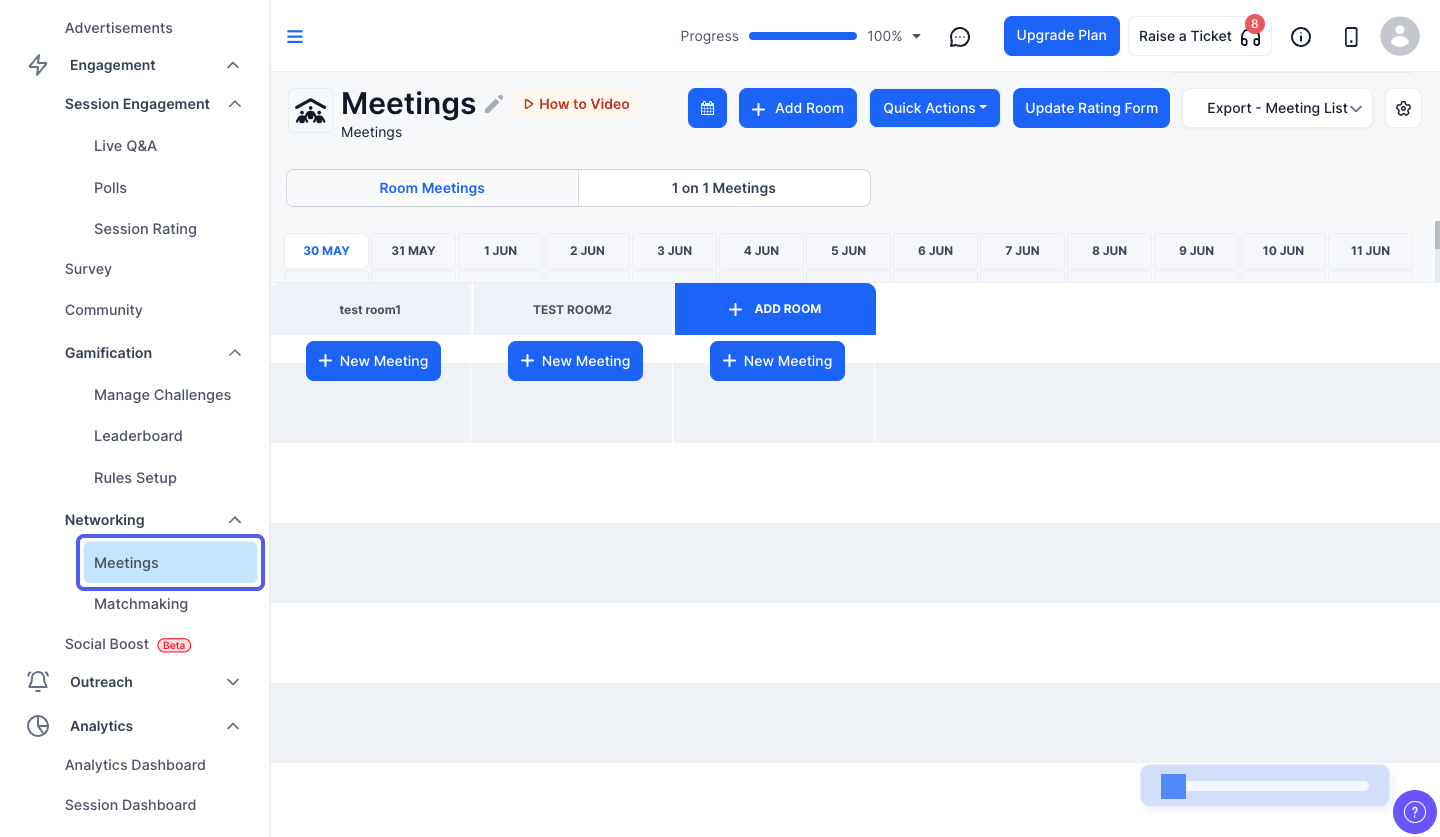
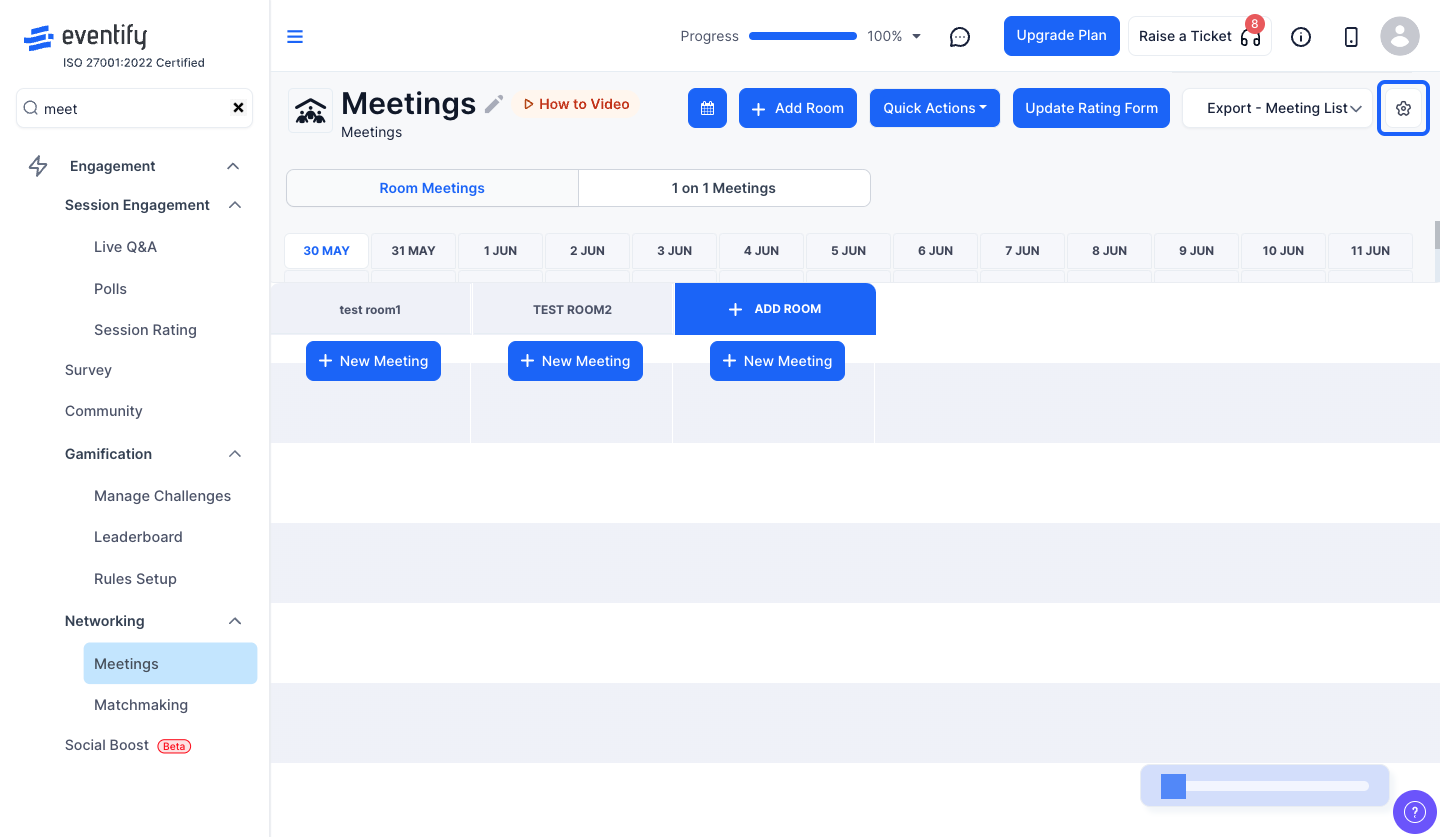
Note: Individual users can override this setting from their personal meeting preferences within the app.
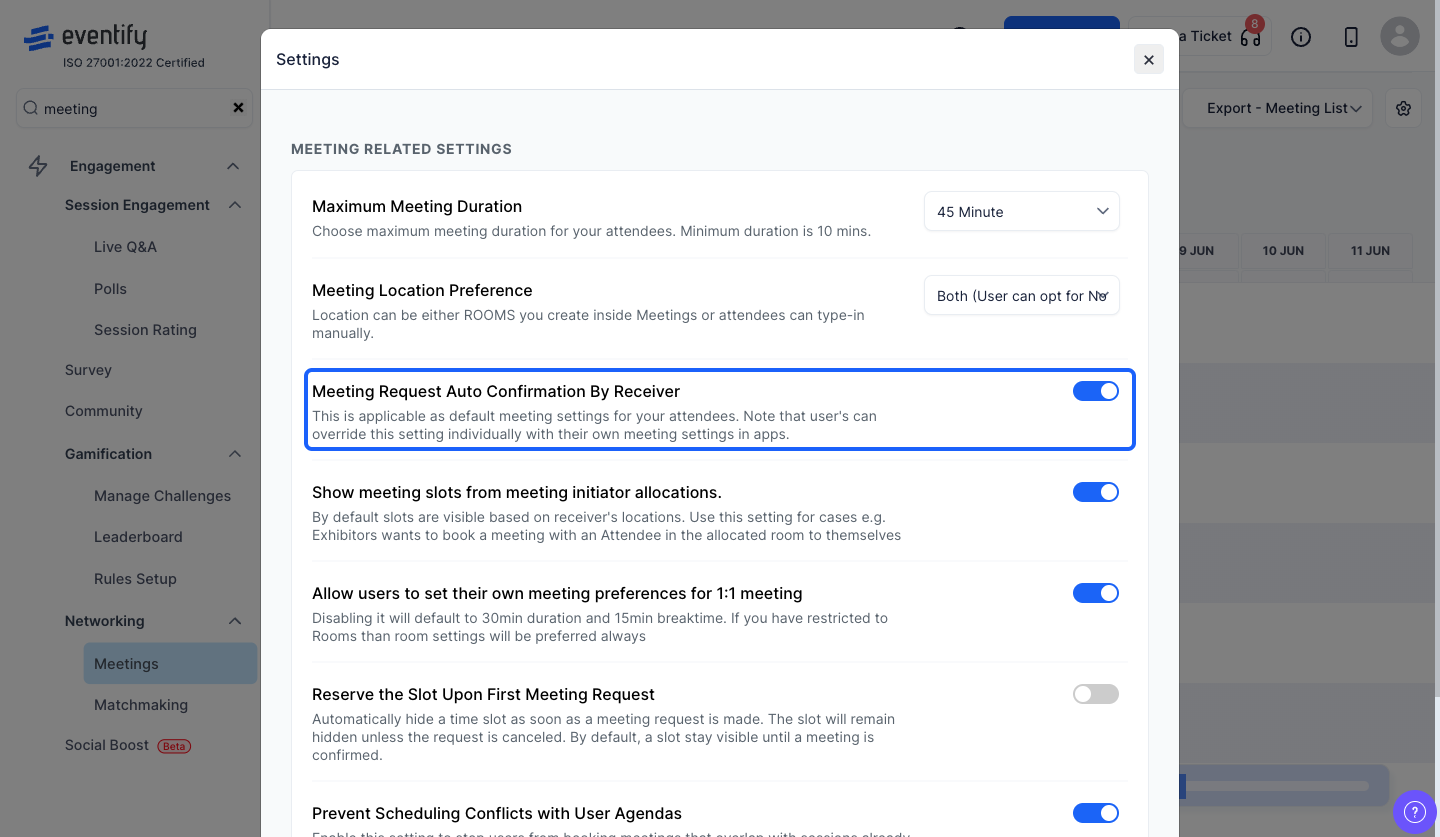
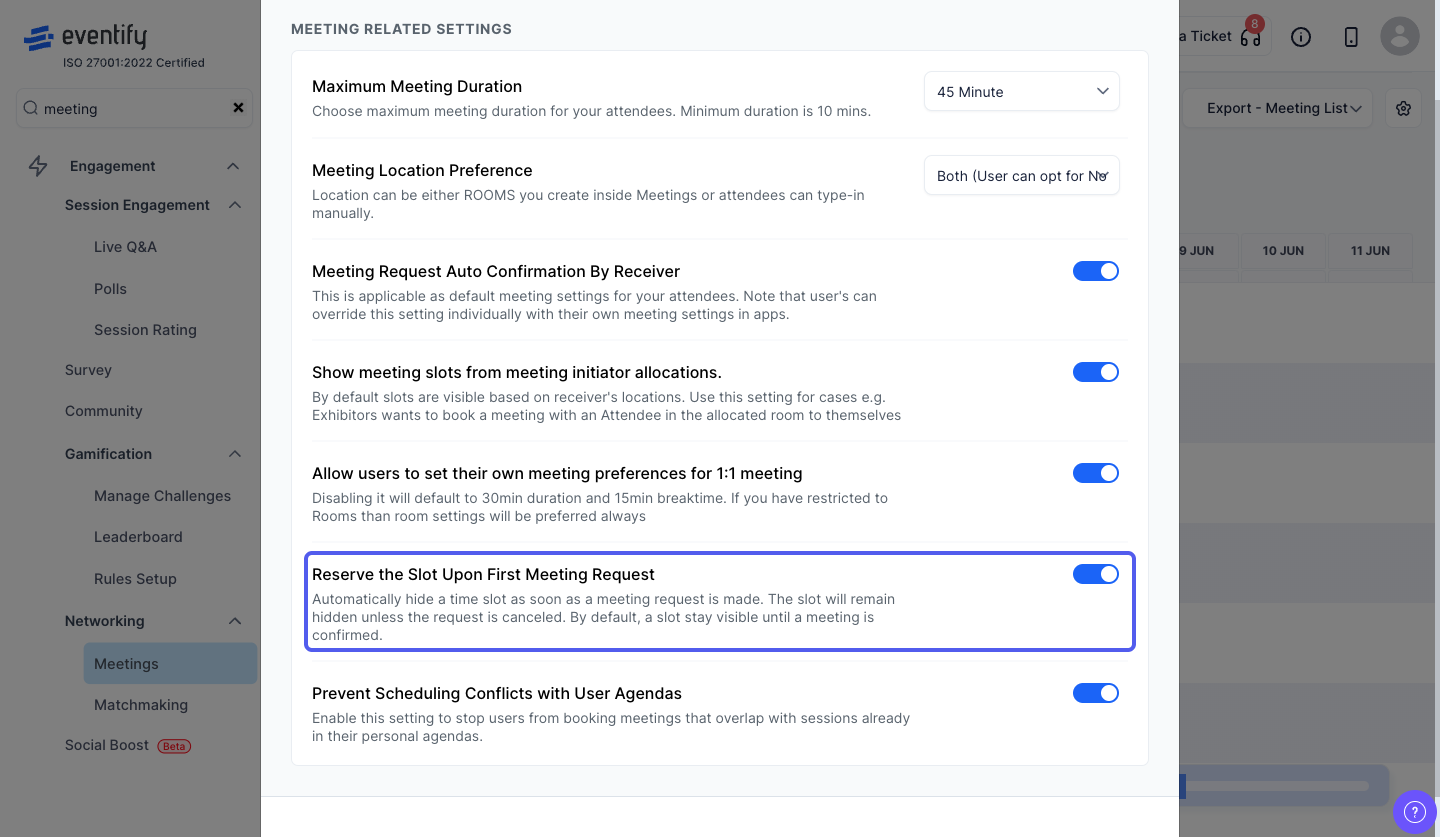
Note: By default, time slots remain visible until a meeting is confirmed. When this setting is turned on, the slot becomes temporarily unavailable immediately after the first request and stays hidden unless the request is canceled.
Yes. Individual users can override it from their personal meeting preferences in the app.
By default the slot stays visible until the meeting is confirmed. With slot reservation enabled, it is hidden right after the first request unless the request is cancelled.
