


An event community platform gives attendees their own topic spaces, or event forums, to post, reply and meet before, during and after the event. Eventify works as a community events platform inside your event: each community is a Post, Group, Ice Breaker, Job or Meetup space in the event app and the web portal.
Event Community Platform With Forums For Every Topic
Create as many communities as your event needs. Make each one public or private, decide who can post, and approve posts before they appear. Attendees follow topics, reply in threads and introduce themselves through ice breaker questions.
Trusted by organisers of conferences, forums, summits and member events worldwide




Five Community Types For Every Event Forum
Pick a type per community, so every space works the way its topic needs.
- Post. Topic posts with a title and details that others follow, like and comment on.
- Group. Members reply to topics the admin starts, chat style, with files attached.
- Ice Breaker. Attendees introduce themselves by answering your questions.
- Job. Job posts with an Apply button; applicants become a lead list or go to an external URL.
- Meetup. Attendees plan in-person or virtual meetups, and others RSVP.
- Choose once. The type is fixed after saving, while the name and icon stay editable, as the community feature guide explains.
Add as many communities as your event needs, of any type.
Where this fits. Communities are topic spaces inside your event. The one open wall for everyone is the social feed, and private conversations happen in chat and meetings. Looking for Eventify's own forum for event professionals? That is our community.
Public, Private Or Members Only
Two independent settings decide who can join and who can read.
- Public. Any attendee joins instantly.
- Private. Attendees click Request to Join, and you approve or reject on the Members tab.
- Restrict to Members Only. Non-members see the community name, never the posts.
- Add people directly. Add Member finds attendees by name or email, or pick whole user groups.
- Four member lists. Accepted, Requested, Removed and Left; Remove and Reinstate take effect at once.
- Who may post. Untick Enable User Posting or Enable Commenting and only admins post or comment there.
A member who left can request to join again, and you approve it from Requested.
See A Private Community Approve Its First Member
We create a community, set it to Private with Restrict to Members Only, then approve a request as the admin.
Ice Breaker Questions That Start Conversations
A low-pressure way for attendees to introduce themselves before they meet.
- Your questions, 3 to 10. At least 3 make the Ice Breaker live; only admins add questions.
- A colour per question. Each question card gets its own background colour in the app.
- Prompted on the first visit. The introduction form opens by itself, and each attendee posts one introduction.
- Browse, then connect. Attendees read each other's answers, one card per person, and tap to connect or start a conversation.
- Need question ideas? Borrow from these icebreaker games, then follow the ice breaker setup guide.
An Online Community For Events
Threads, hashtags and follows, with the same communities and actions in the Eventify event app and the web portal.
- Follow what matters. A first-visit popup suggests public communities, and a red New badge counts unseen posts.
- Room to explain. Post titles up to 100 characters, details up to 2,000.
- Threaded replies. Reply to a specific message from the app and it sits under the original.
- Mentions and hashtags. Type @ to mention someone or # to tag a topic, and attach an image to a comment.
- Sort and filter. Most Liked, Most Commented, Trending or by tag, plus an Activities tab of everything you engaged with.
- Meetups and jobs. RSVP turns into You're Going, and job posts carry an Apply for this Job button (attendee guide).
Bring your toughest question on long-duration storage. #gridstorage
In the app, the search icon finds posts in every community at once.
Give Attendees A Place To Talk Before Day One
We set up an ice breaker and a topic forum on a sample event, then open both in the app and the web portal.
In your demo
- An Ice Breaker with your own questions
- A private community and its Members tab
- Threads and hashtags as an attendee sees them
- Moderation before posts go live
See the post, who reported it and when, then choose Keep or Delete.
Moderate Posts Before They Go Live
Moderation is set per community, with one queue for new posts and another for reports.
- Off until you need it. Switch moderation on for a community and its new posts wait in Pending Approvals.
- One queue. Filter by Social Post, Gallery Post or Community Post, then approve or delete one by one or in bulk.
- Reported Contents. Attendees can report posts and comments, and reported posts land in their own tab.
- Suggested hashtags. Manage Hashtags sets the tags attendees are offered when they post.
- Consent first. Attendees post, comment and react only after switching networking on in the Networking & GDPR Consent dialog.
Step by step: moderate community posts and reported content.
Count Every Post, Export Every Thread
Counts at a glance in the Community list, and the full conversation in one file.
- Counts without opening anything. The Community list shows post and comment counts for every community.
- One export. Analytics, Social Feed, CSV Export downloads an Excel (XLSX) file.
- Four sheets. Posts, Replies, Nested Replies and Metadata, with author and timestamp on each post.
- Filter by community. The Metadata sheet carries community names and IDs (export guide).
- Job leads. On a job set to Collect as Leads, the poster exports the applicant list.
| Community | Type | Posts | Comments |
|---|---|---|---|
| Introduce Yourself | Ice Breaker | 48 | 112 |
| Ask The Speakers | Group | 31 | 96 |
| Sustainability Track | Post | 22 | 64 |
| Careers In Energy | Job | 9 | 15 |
| Friday Run Club | Meetup | 6 | 21 |
Event Community / Forum On Advance And Ultimate
Plans start at US$999 per event, or from US$1,799 per year. The social feed and 1-1 chat are on every plan.
| Networking | Engage | Advance | Ultimate |
|---|---|---|---|
| Event Community / Forum | No | ||
| Private Social Network Feed | |||
| 1-1 Chat & Messaging | |||
| Meetings Planner with Rooms | No |
Organisers Who Use Communities To Break The Ice
Two events where community spaces got attendees talking.
Antonio Bortolotti, Vacation Rental World Summit
At this 750-attendee summit, four default community topics, including a job posting board, were ready from day one. Antonio called them "very useful".
Read the VRWS case study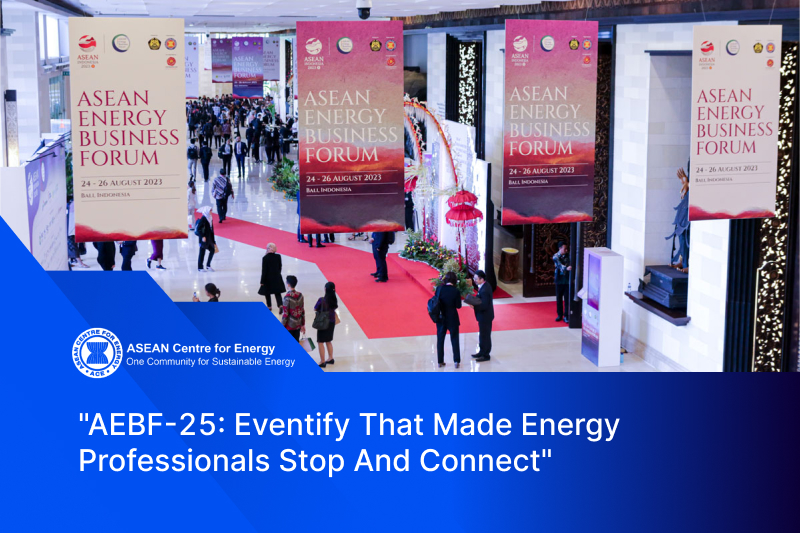
Desmond Ong, ASEAN Energy Business Forum 2025
His team used the community feature and social wall as deliberate ice breakers for delegates who would not approach strangers.
"If you want your attendees more engaged and more connected with each other, Eventify would be the solution for that."Read the AEBF-25 case study
Event Community Platform Questions, Answered
What is an event community platform?
What is a community forum at an event?
How is a community different from the social feed?
What types of community can I create?
Can attendees post jobs or organise meetups?
Can the community stay open before and after the event?
How do private communities work?
Can I restrict a community to speakers, sponsors or VIPs?
Can I approve posts before attendees see them?
How do attendees report a post?
Do attendees need the mobile app to join?
Can I see which communities are most active?
Can I export community posts?
Which Eventify plans include the event community?
See Your Event Community Live In The App
Book a walkthrough of community types, private membership, ice breakers and moderation on a sample event.
- Communities built live, public and private.
- Pending Approvals and Reported Contents from the admin side.
- Which plan includes Event Community / Forum.
99% positive · 68 reviews