Professional Event Website Builder for Modern Events

Create a dynamic, multilingual site without writing a single line of code.
Laptop screen displaying a website design interface with a digital summit homepage featuring 'Shaping the Future of Innovation' headline and event details.

Build a Dynamic Event Website in Just 3 Easy Steps

With Website Builder, creating a professional event site is as easy as Set Up, Design, and Launch! Here's How:

Access the Website Builder

Start by navigating to Admin Portal → Website Builder to get started.
Recognize achievements with customizable digital rewards
check icon
Choose to upgrade from a traditional multi-section microsite to a full multi-page site.
check icon
Select from ready-made templates or create a custom design from scratch.
check icon
Enjoy a code-free experience—just drag, drop, and publish.
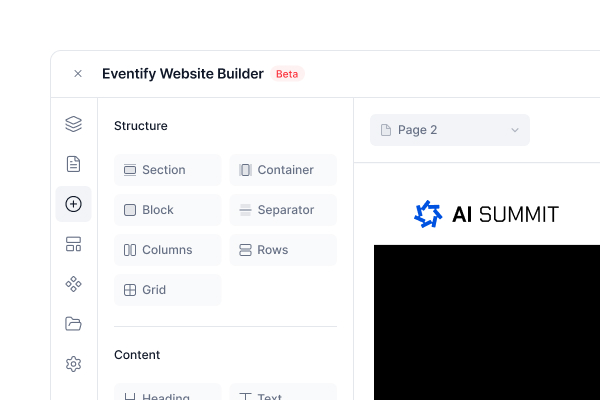
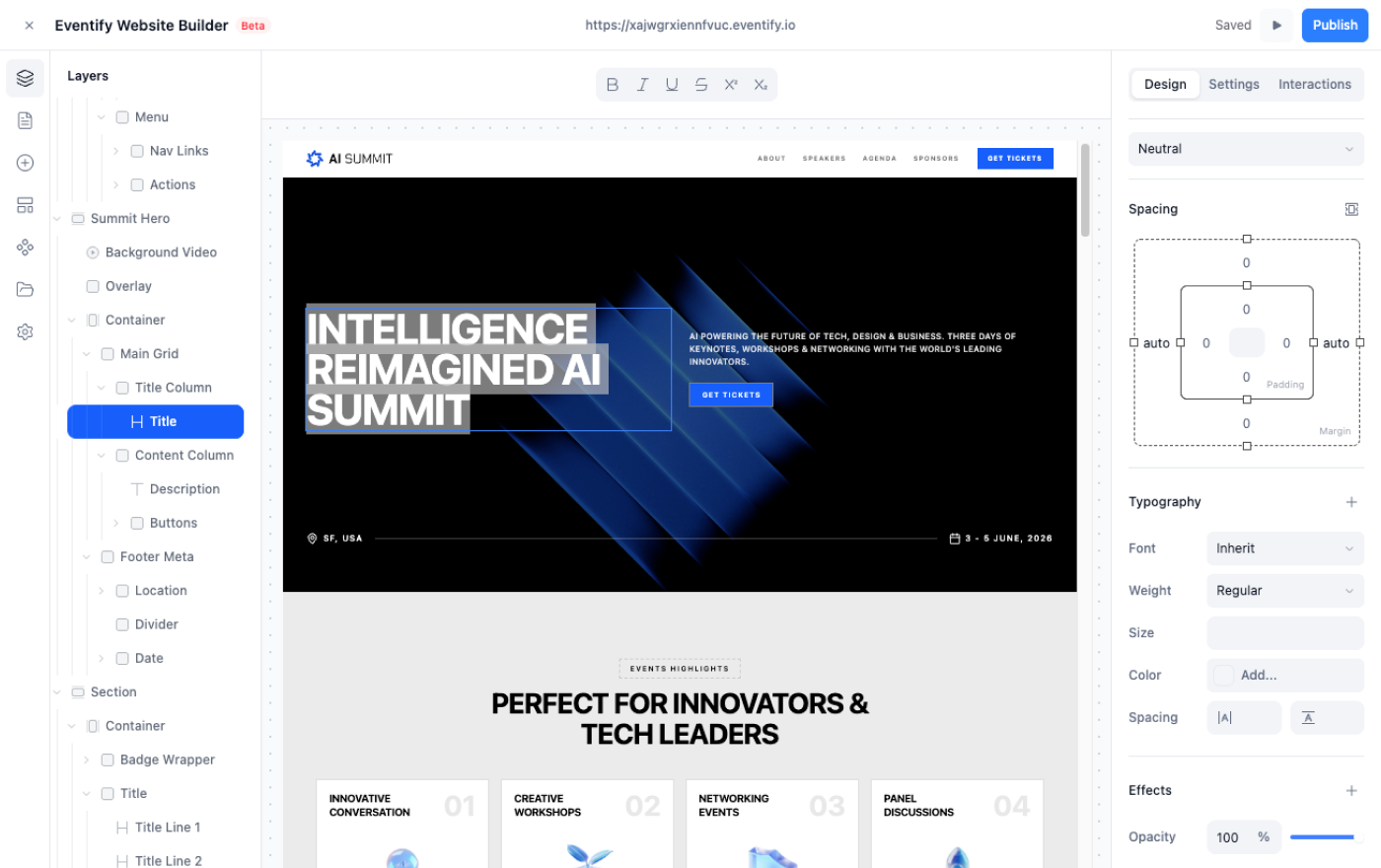
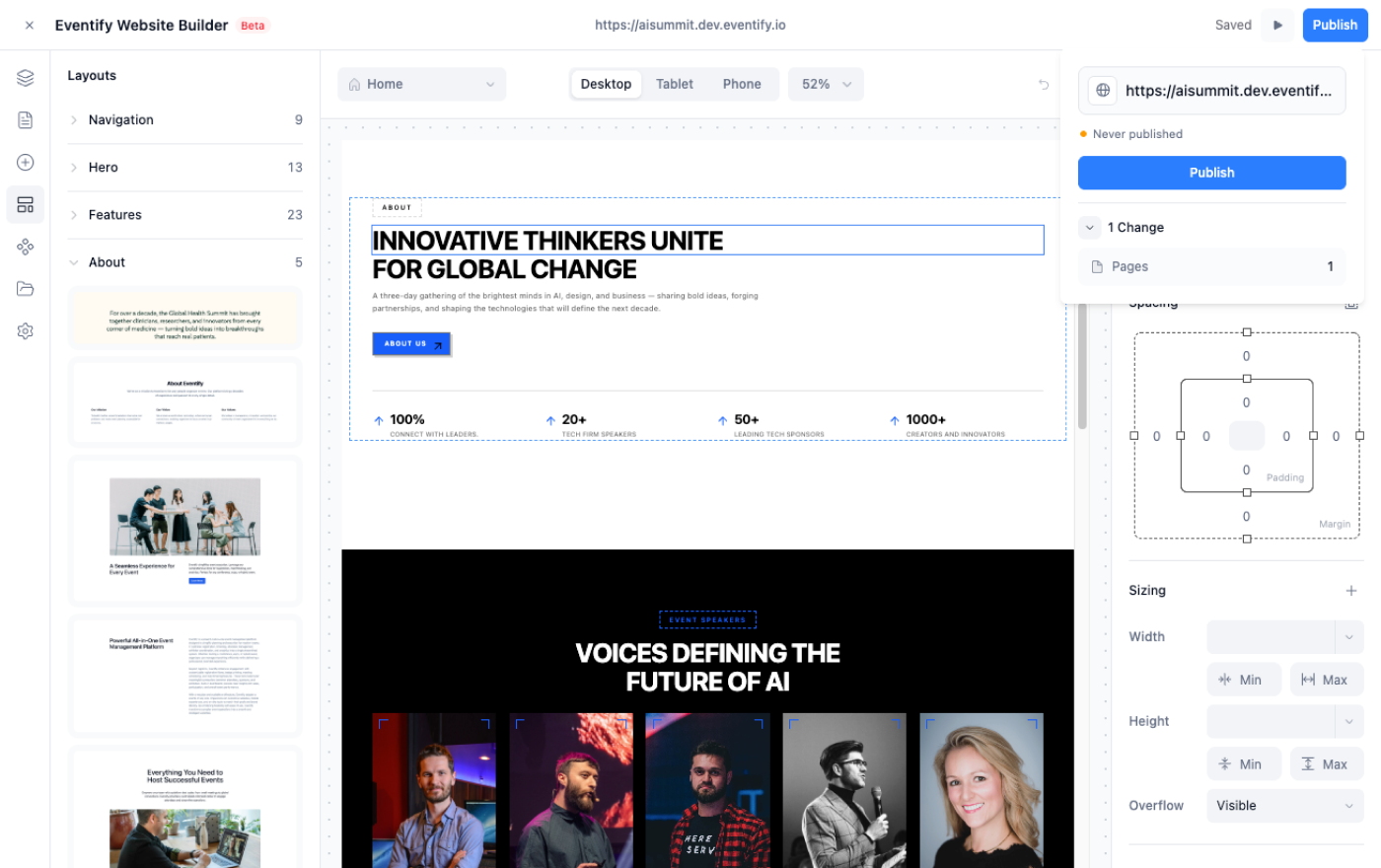
Website interface for NextZen Digital Summit showing event details, navigation menu, sponsors, and a widget panel with layout options like columns, section, divider, heading, text, link, and link box.

Customize Your Event Site

Design a professional, dynamic website tailored to your event’s needs.
Recognize achievements with customizable digital rewards
check icon
Add pages like Home, Agenda, News List, News Details, Session Details, Speaker List, Speaker Details, Sponsors, and more.
check icon
Create custom pages and organize them with an intuitive Menu & Navigation Bar.
check icon
Keep your site fresh with real-time updates and dynamic content.
Eventiful website builder dashboard showing navigation menu with sections like Overview, Setup, Registration, People, Content, Engagement, and Outreach, and a main panel listing editable website pages with last modified dates.

Publish & Engage

Launch your event site and make it accessible to attendees instantly.
Recognize achievements with customizable digital rewards
check icon
Ensure a mobile-friendly, multilingual experience for a global audience.
check icon
Share the site link across channels to drive engagement and registrations.
check icon
Make instant edits without downtime—Eventify keeps your site live and updated.
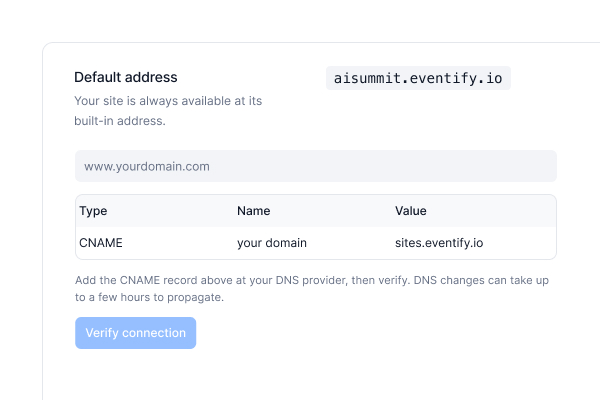
Interface panel for connecting a domain with fields to enter domain name and DNS record update instructions showing CNAME record pointing domainname to sites.eventify.io.
80%
Higher Attendee Engagement
With Dynamic, Mobile-Friendly Event Websites
65%
Better Event Discoverability
Through SEO-Optimized Web Pages
40%
Lower Development Costs
No Need for Expensive Web Developers

From Microsite to Multi-Page Masterpiece

Ditch the one-pager. Build, customize, and launch a full-fledged multi-page site without writing a single line of code.
mockup of custom branding
Dashboard interface for a website builder showing layout options like columns, sections, and media elements, with a preview of a event page titled 'Shaping the Future of Innovation.'

Home Page That Hooks from the First Click

Make your homepage the ultimate first impression—bold, inviting, and unforgettable.
check icon
Design with Drag-and-Drop Ease, bringing your vision to life in minutes.
check icon
Showcase Event Essentials, from dates and location to quick sign-ups.
check icon
Engage with Multimedia, including videos, image galleries, and dynamic elements.
check icon
Update Instantly, keeping your site fresh and your audience informed.

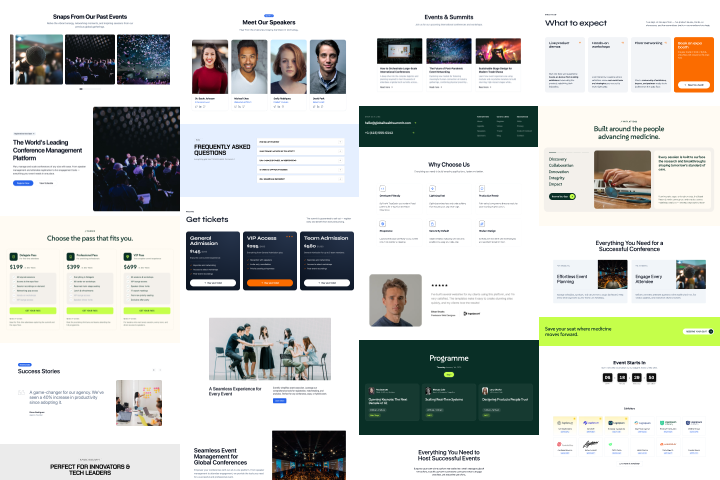
Agenda Pages That Act Like Your Event's GPS

Help attendees navigate your event like pros—no guesswork, no confusion.
check icon
Display All Sessions & Schedules in a clear, easy-to-follow format.
check icon
Link Session Details, Speaker Bios, and Venues to create a seamless experience.
check icon
Offer Personalized Schedules so attendees can map out their day.
check icon
Push Real-Time Updates to keep everyone on track, even if plans change.
mockup of custom branding
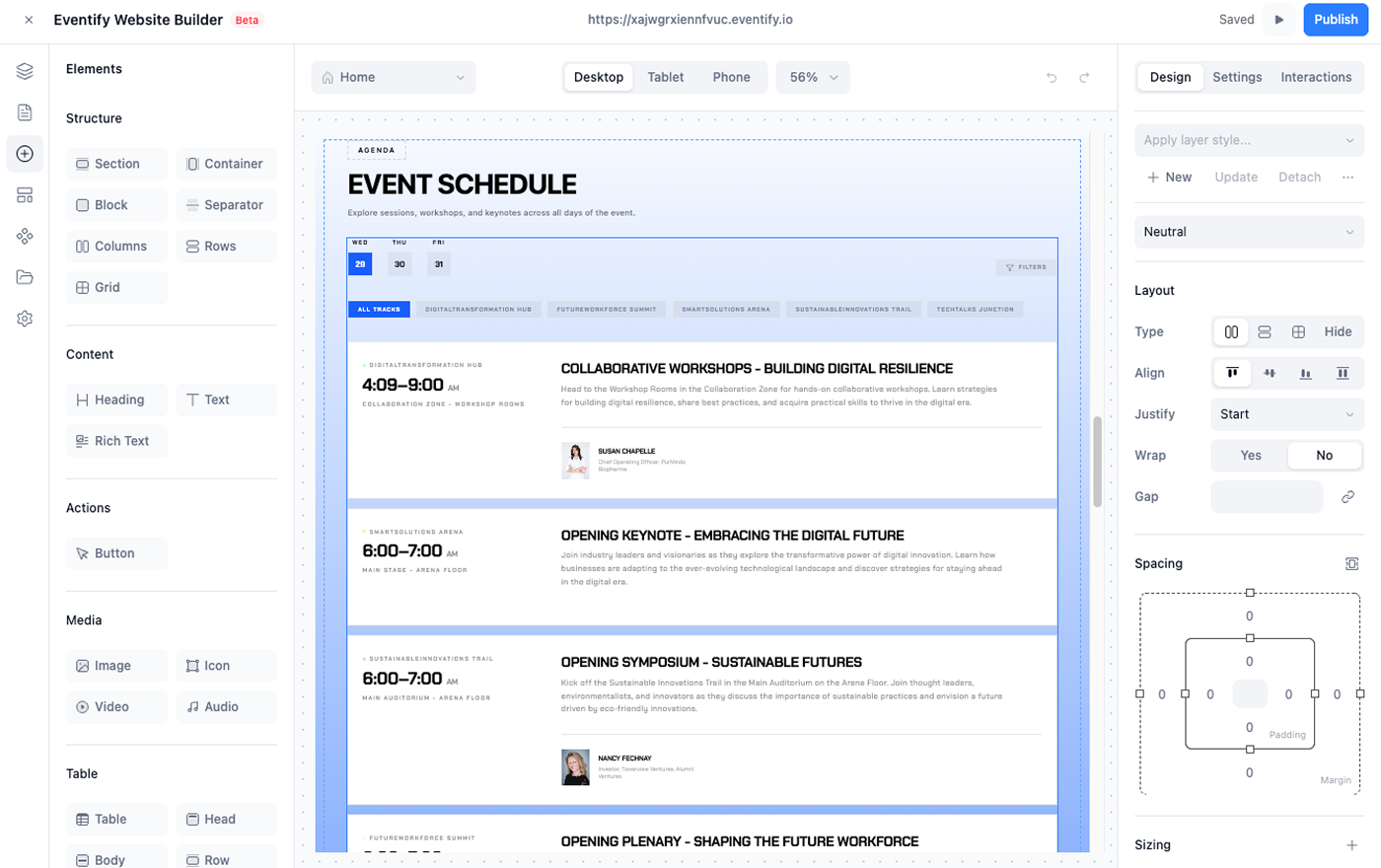
Screenshot of a conference agenda builder interface showing options for columns, sections, text, images, and widgets on the left, and a detailed agenda with session times and descriptions for January 18 to 24, 2024 on the right.
Here’s Why Top Events Choose Us.

Good Isn’t Enough—Go Exceptional.

mockup of custom branding
Eventify Widgets interface showing event page layout with Latest Event Updates including articles on Artificial Intelligence and related topics, plus a Gallery section with photos from the summit.

Schedule & Agenda Integration

Make Headlines with Your News Pages

Turn your event site into a news hub where updates and stories thrive.
check icon
Share Real-Time Announcements & Blogs to keep the excitement rolling.
check icon
Feature Breaking News & Critical Info right where visitors will see it.
check icon
Boost Your SEO Game with optimized, high-impact content.
check icon
Drive Interaction through comments, shares, and community engagement.

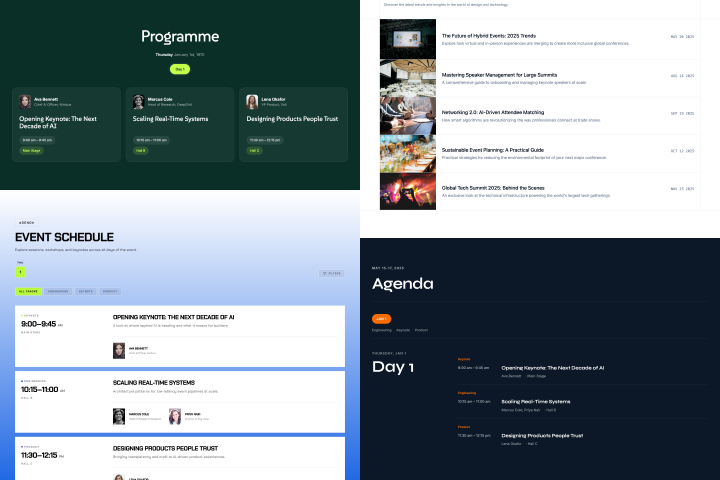
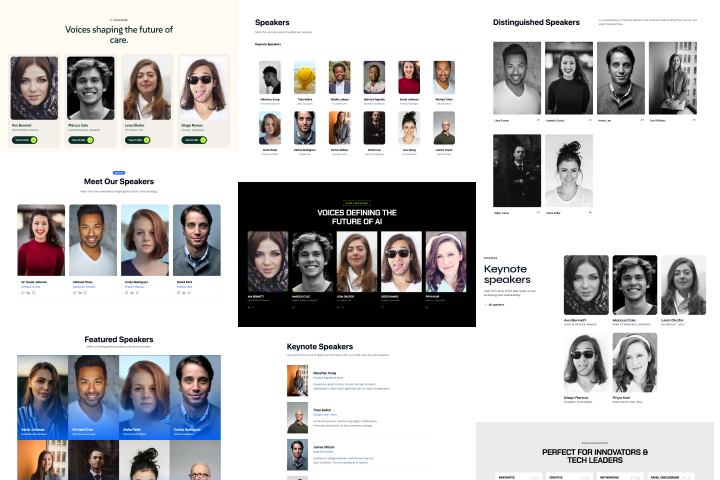
Create Speaker Pages That Make Experts Shine

Elevate your speakers with profiles that do more than list a name.
check icon
Showcase Detailed Bios, Topics & Social Links, boosting their visibility.
check icon
Feature Videos, Articles & Extra Content for deeper audience connection.
check icon
Enable Direct Engagement, letting attendees connect with speakers.
check icon
Edit & Update on the Fly, keeping profiles fresh and relevant.
mockup of custom branding
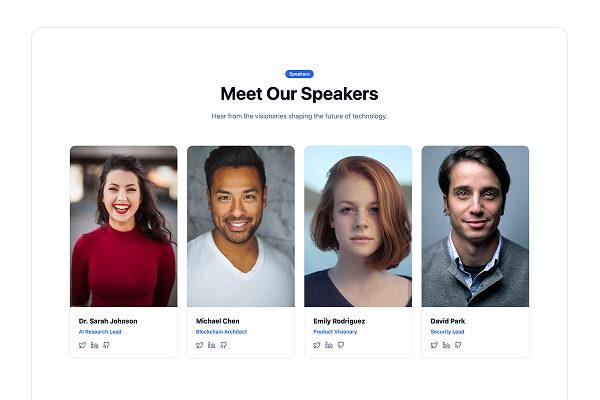
Event platform interface showing featured keynote speakers with photos, names, titles, and company names in a grid layout.

Hey, I would say drop the other apps and use Eventify, because if you’re looking for a product that’s solid, that’s complete, that offers everything you need for an event—without the hassles, without the issues, and without the steep learning curve of many others—Eventify has it all. It really has it all.

Man smiling in front of a Gothic-style cathedral with a decorated Christmas tree.
Antonio Bortolotti
Host at VRWS
mockup of custom branding
Eventify website editor interface showing a page with Sponsors section categorized by Gold, Platinum, Silver, and Bronze tiers with multiple sponsor logos displayed.

Schedule & Agenda Integration

Your Sponsors, Always in the Spotlight

Turn sponsor pages into a valuable asset for your partners.
check icon
Spotlight Sponsors with Premium Placement, showcasing logos and links.
check icon
Create Tiered Sponsorship Displays to reflect partnership levels.
check icon
Embed Sponsor Content, from videos to promotional offers.
check icon
Offer Analytics, showing sponsors the real value of their investment.

Custom Pages That Break the Mold

Go beyond templates—create unique pages that tell your event’s story.
check icon
Build Custom Pages from Scratch for agendas, policies, FAQs, and more.
check icon
Use Advanced Editing Tools to match your branding and style.
check icon
Mix and Match Content Types, including text, media, and dynamic elements.
check icon
Set Privacy Controls to manage who sees what.
mockup of custom branding
User interface form titled 'Add Update Page' with fields for Page Title, URL Slug, Custom Styles, and Custom Scripts, including instructions for input.

You can do it all. You can do it all right there. You’ve never seen a platform that has thought about building an entire ecosystem around an organizer’s admin in this way, at the cost that Eventify is able to provide—for half of this, many others cost 10x. And so it’s lightning in a bottle for an event organizer.

Smiling man with a beard wearing a black baseball cap and black hoodie.
Kyle Mountsier
Co-Founder/COO, Asutocon
mockup of custom branding
Eventify Widgets interface showing panel with widgets like Speakers, Sponsors, Schedules, Button, News, Header, and Navigation, alongside a preview of a digital event webpage titled 'Shaping the Future of Innovation' with sections for event info, collaboration stats, and a crowd photo.

Schedule & Agenda Integration

Navigation That Puts Your Event on Autopilot

Seamless, intuitive, and built for exploring.
check icon
Customizable Menus & Navigation Bars to match your site’s flow.
check icon
Easy-to-Use Dropdowns & Links to all important pages.
check icon
Mobile-Friendly Design, ensuring smooth access on any device.
check icon
Sticky Menus & Quick Links for instant access to critical info.

A Website That Works as Hard as You Do

With Eventify’s website builder, your site is:
check icon
Fully Mobile-Optimized, looking perfect on any screen.
check icon
SEO-Ready, attracting organic traffic and boosting discoverability.
check icon
Built for Speed, keeping load times low and satisfaction high.
check icon
Always Up-to-Date, with effortless content management.
mockup of custom branding
Eventify website builder interface showing navigation menu on the left and website pages list with titles and last modified dates on the right.

Every Great Event Starts with a Great Website

Corporate Conferences

Create a dynamic event site with session details, speaker bios, and sponsor showcases to keep attendees informed.

Trade Shows & Expos

Build a multi-page site featuring exhibitor lists, floor plans, and live updates to engage both in-person and virtual audiences.

Webinars & Virtual Events

Set up landing pages, registration forms, and agenda sections with seamless integration for streaming links.

Product Launches

Develop a bold, branded site with countdowns, launch event details, and media kits for press and partners.

Workshops & Training Sessions

Create dedicated pages for schedules, instructor bios, downloadable resources, and certification details.

 Team-Building Events

Design an engaging site with activity details, group session schedules, and sign-up forms for participants.

Festivals & Cultural Events

Build a vibrant site featuring artist lineups, event schedules, and ticketing information with a creative touch.

Job Fairs & Recruitment Events

Set up company profiles, job listings, interview schedules, and a space for attendees to submit resumes.

Conventions & Meetups

Create a site with agenda sections, speaker pages, community forums, and social sharing features.

Awards Ceremonies

Design a polished site showcasing nominees, event schedules, live streaming options, and photo galleries.

Hackathons

Build a site with project submission portals, mentor bios, event schedules, and judging criteria.

Charity Fundraisers

Set up a donation-friendly site with event information, sponsor highlights, and a section for live auctions.

Build Bold. Share Smart. Engage Always.

Create a website that not only supports your event but elevates it—before, during, and long after it’s over.

Frequently Asked Questions

What types of event websites can I create with Eventify’s website builder?
You can create anything from simple, single-section microsites to fully-featured, multi-page event websites. Ideal for conferences, trade shows, webinars, festivals, and more!
Do I need coding skills to use Eventify’s website builder?
Not at all! Eventify’s builder is 100% no-code. Simply drag, drop, and customize your site using our intuitive interface.
Can I customize my event website to match my brand?
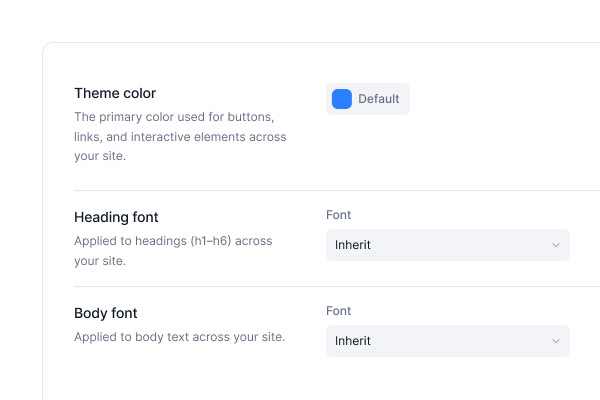
Yes! You can adjust colors, fonts, layouts, and even add custom pages to ensure your website aligns perfectly with your brand identity.
Is Eventify’s website builder mobile-friendly?
Absolutely! Your event website will automatically be responsive, providing an optimal experience on desktops, tablets, and mobile devices.
Can I create a multilingual event website with Eventify?
Yes, Eventify supports multilingual websites, allowing you to cater to a global audience effortlessly.
What kind of pages can I add to my event website?
You can add essential pages like Home, Agenda, Speaker Details, Sponsor Highlights, News Lists, Session Details, and even create custom pages for unique content.
Does Eventify’s website builder support SEO best practices?
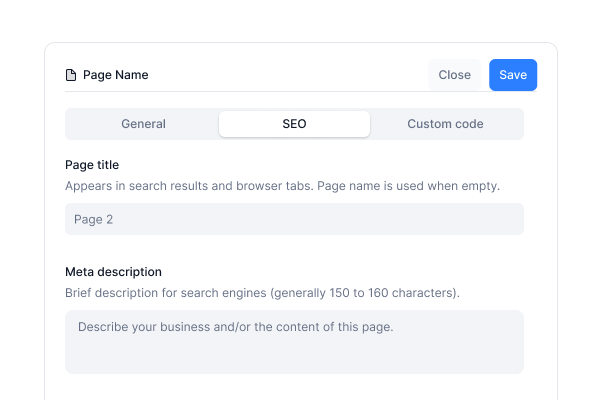
Definitely! Eventify offers SEO optimization tools, including meta tags, custom URLs, and indexing options to boost your event’s online visibility.
Can I embed external tools and content into my website?
Yes! You can embed videos, forms, maps, and third-party tools directly into your website, enhancing the attendee experience.
How easy is it to update content on my event website?
It’s super easy! Use the Admin Portal to quickly update schedules, speaker info, and any other content—even on the go.
Can I preview my website before it goes live?
Yes, Eventify’s website builder includes a preview mode so you can see exactly how your site will look across devices before publishing.

Love the Smell Of Events Every Morning Like Us?

We're Totally Obsessed To Make Your Event Succeed!

Please Fill Out The Form To Request A Demo & Let us Convince You Why You Must Switch To Eventify!
* PS: Nobody can match our pricing :-)
Monitor icon
Free Demo