

Planning a conference involves much more than choosing a venue and creating an agenda. Organizers need to define event goals, understand attendees, build budgets, manage speakers, plan sessions, promote registration, coordinate sponsors, prepare attendees, and handle event-day operations.
These AI prompts for conference planning can help event organizers, marketers, and planning teams work through each stage of the process.
AI can make conference planning faster, but it should work with real event information. It should not invent budgets, speaker credentials, attendee numbers, vendor information, or other facts.
What Can AI Help With in Conference Planning?
AI can support many parts of conference planning, including event concepts, attendee research, budgeting, venue planning, agendas, speaker management, marketing, registration, networking, sponsor planning, attendee communication, event-day checklists, and post-event analysis.
The goal is not to ask AI to plan the entire conference with one generic prompt. Instead, break the planning process into specific tasks and give the AI the context it needs.
How to Use AI Prompts for Conference Planning
Do not start with a vague instruction such as “Plan my conference.” Give the AI useful information such as the event type, audience, expected attendance, location, dates, budget, goals, speakers, sessions, sponsors, and known constraints.
The more relevant context you provide, the more useful the output can be.
1. Create a Conference Concept Prompt:
Act as an experienced conference planner. I am planning a [type of conference] for [target audience] in [location] with approximately [number] attendees. The main goal is [goal]. Suggest 5 conference concepts, including the theme, target audience, key topics, attendee value, and what would make each concept relevant. Do not invent market data or audience statistics.
Conference information:
[Paste information]
2. Define Conference Objectives Prompt:
Help me define 5 measurable objectives for a [type of conference] with approximately [number] attendees. The event focuses on [topic/business goal]. For each objective, suggest relevant KPIs and explain how the event team could measure them. Use only the information provided and clearly identify assumptions.
Event information:
[Paste information]
3. Understand Attendee Needs Prompt:
My conference is for [target audience] and focuses on [topic]. Identify the top 10 problems, questions, goals, and expectations this audience may have when attending a conference. Group them into content, networking, logistics, and attendee experience. Clearly distinguish between reasonable audience assumptions and verified information.
Audience information:
[Paste information]
4. Create an Attendee Persona Prompt:
Create 3 attendee personas for a [type of conference]. The target audience is [audience]. For each persona, include their likely goals, professional interests, reasons for attending, networking needs, preferred content, potential concerns, and what could make the event valuable to them. Do not invent specific personal information.
Conference information:
[Paste information]
5. Build a Conference Budget Prompt:
Create a conference budget structure for [number] attendees in [location] for a [number]-day event. Include venue, catering, AV, speakers, event technology, marketing, staffing, signage, transportation, entertainment, accommodation if relevant, and contingency. Present it as a table with estimated categories and percentage allocation. Clearly label estimates that need to be replaced with actual vendor quotes.
Conference information:
[Paste information]
6. Find Potential Cost Savings Prompt:
Review this conference budget and identify areas where costs could potentially be reduced without negatively affecting the attendee experience. Rank the recommendations by potential impact and explain the trade-offs. Do not assume that a lower-cost option is automatically better.
Budget:
[Paste budget]
7. Create a Venue Requirements Checklist Prompt:
Create a detailed venue checklist for a [number]-attendee conference. Include capacity, breakout rooms, accessibility, Wi-Fi, AV, registration space, networking areas, catering, parking, transportation, accommodation, signage, power requirements, and other operational considerations. Separate essential requirements from optional requirements.
Conference information:
[Paste information]
8. Compare Conference Venues Prompt:
Compare these conference venues based on capacity, location, accessibility, cost, breakout rooms, AV capabilities, catering, networking space, parking, accommodation, and attendee convenience. Create a comparison table and identify the strengths, weaknesses, and potential concerns for each venue. Do not fill in missing information without labeling it as unknown.
Venue information:
[Paste information]
9. Create a Conference Agenda Prompt:
Create a [1/2/3]-day conference agenda for [target audience] focused on [topic]. Include keynote sessions, educational sessions, networking breaks, meals, Q&A, and closing remarks. Consider session length, transitions, attendee attention, and adequate breaks. Explain the reasoning behind the proposed structure.
Conference information:
[Paste information]
10. Build a Multi-Track Conference Agenda Prompt:
I have [number] conference tracks covering [topics] for approximately [number] attendees. Create a multi-track agenda that minimizes topic overlap and gives attendees clear choices between sessions. Identify potential conflicts where the same audience may want to attend multiple sessions at the same time.
Track information:
[Paste information]
11. Review an Existing Conference Agenda Prompt:
Review this conference agenda as an experienced event planner. Identify scheduling conflicts, overly long sessions, insufficient breaks, topic overlap, unclear session descriptions, and opportunities for networking. Suggest specific improvements while keeping the event within [number] hours.
Current agenda:
[Paste agenda]
12. Create a Speaker Brief Prompt:
Create a speaker brief for a conference session titled “[session title].” The target audience is [audience]. Include the session objective, key points the speaker should cover, recommended format, timing, audience takeaway, presentation requirements, and speaker deadline information.
Session information:
[Paste information]
13. Write a Speaker Invitation Prompt:
Write a concise, professional invitation to [speaker name] asking them to speak at [conference name] on [date]. The conference is for [audience] and focuses on [topic]. Explain why their experience is relevant based only on the verified information provided.
Speaker and conference information:
[Paste information]
14. Create Speaker Interview Questions Prompt:
Create 10 practical questions I can ask a conference speaker about [topic]. The audience is [audience]. Avoid generic questions and focus on insights, challenges, examples, trends, and practical advice that attendees would find useful.
Topic:
[Paste topic]
15. Create a Conference Marketing Plan Prompt:
Create a 12-week marketing plan for a [type of conference] targeting [audience]. Include email, LinkedIn, social media, content, partnerships, speaker promotion, paid campaigns, and registration reminders. Organize the plan by week and explain the purpose of each activity.
Conference information:
[Paste information]
16. Create Conference Messaging Prompt:
Develop 5 messaging angles for promoting this conference. Each angle should focus on a different attendee benefit, such as learning, networking, speakers, business opportunities, industry insights, or practical takeaways. Keep the messaging specific, natural, and factual. Avoid hype and unsupported claims.
Conference information:
[Paste information]
17. Create Social Media Content Prompt:
Create 10 LinkedIn posts promoting [conference name]. The audience is [audience]. Give each post a different angle, such as speakers, sessions, networking, attendee benefits, industry topics, registration, or event preparation. Keep the posts conversational and informative rather than overly promotional.
Conference information:
[Paste information]
18. Review a Registration Form Prompt:
Review these conference registration questions and identify anything unnecessary, confusing, repetitive, or missing. Suggest a simpler registration form while ensuring we collect the information needed for event operations, attendee communication, personalization, and reporting.
Registration form:
[Paste form]
19. Improve the Registration Experience Prompt:
Review this conference registration journey and identify potential points of confusion or friction. Consider the registration page, ticket selection, form fields, payment process, confirmation, and follow-up communication. Recommend practical improvements without making unsupported assumptions about why attendees drop off.
Registration journey:
[Paste information]
20. Create a Conference Networking Strategy Prompt:
Create a networking strategy for a [number]-attendee conference where the goal is to help attendees make relevant professional connections. Include pre-event networking, attendee profiles, matchmaking, scheduled meetings, social activities, and on-site networking. Explain how each activity supports the networking goal.
Conference information:
[Paste information]
21. Create Networking Conversation Starters Prompt:
Create 15 conversation starters for attendees at a [type of conference]. Make them relevant to the industry and easy to use when meeting someone for the first time. Avoid generic questions and make the prompts suitable for both first-time and returning attendees.
Conference information:
[Paste information]
22. Create Sponsor Packages Prompt:
Create 3 sponsorship packages for a [type of conference] with approximately [number] attendees. Include branding, speaking opportunities, networking opportunities, digital visibility, attendee engagement, and lead-generation opportunities. Make each package clearly different in value and clearly explain what the sponsor receives.
Sponsor information:
[Paste information]
23. Create Sponsor Activation Ideas Prompt:
Give me 10 practical ways sponsors can engage attendees before, during, and after a conference without making the experience feel overly promotional. Consider content, networking, demonstrations, interactive activities, sessions, and digital engagement.
Conference and sponsor information:
[Paste information]
24. Create an Attendee Communication Plan Prompt:
Create an attendee communication plan covering registration confirmation, event preparation, speaker announcements, schedule updates, venue information, networking, event-day reminders, important changes, and post-event follow-up. Include the recommended timing, communication channel, purpose, and key information for each message.
Conference information:
[Paste information]
25. Create an Event-Day Checklist Prompt:
Create a detailed event-day checklist for a [number]-attendee conference. Organize it into pre-opening, registration, sessions, networking, catering, speaker management, attendee support, sponsor/exhibitor operations, technology, communications, and closing. Include suggested owners for each task.
Event information:
[Paste information]
26. Prepare for Conference Problems Prompt:
Identify 20 problems that could occur during a conference and create a simple response plan for each one. Cover registration, technology, speakers, schedule changes, attendee communication, venue operations, sponsors, exhibitors, and other common operational issues. Clearly distinguish planning contingencies from emergency procedures.
Conference information:
[Paste information]
27. Analyze Attendee Feedback Prompt:
Analyze this attendee feedback and identify the most common positive themes, recurring problems, and improvement opportunities. Group the findings into content, networking, logistics, technology, and overall attendee experience. Highlight recurring themes and separate them from isolated comments.
Attendee feedback:
[Paste feedback]
28. Create a Post-Event Report Prompt:
Create a post-event report structure for a conference. Include registration, attendance, session performance, engagement, networking, sponsor performance, attendee feedback, revenue, costs, operational issues, and recommendations for the next event. Identify which metrics should be compared with previous events where data is available.
Event information:
[Paste information]
29. Identify What Worked and What Didn't Prompt:
Review the following conference data and feedback. Identify what worked well, what did not work, and what should change at the next event. Rank the recommendations by potential impact and effort. Base the analysis only on the information provided.
Conference data:
[Paste information]
30. Final Conference Planning Review Prompt:
Perform a final review of this conference plan before the event. Check the objectives, budget, venue, agenda, speakers, registration, attendee communication, networking, sponsors, technology, event-day operations, and post-event plan. Identify missing information, potential risks, unclear responsibilities, and tasks that need attention before the event. Do not assume missing information is complete.
Conference plan:
[Paste plan]
How to Get Better Results From AI Conference Planning Prompts
The prompt is only part of the process. The information you provide matters just as much.
Compare these two prompts:
Basic prompt:
Create a conference agenda.
Better prompt:
Create a 2-day technology conference agenda for 800 B2B attendees. The audience includes CIOs, technology leaders, and software buyers. We have 3 tracks, 2 keynote sessions, and 20 speakers. Include networking breaks and avoid scheduling the most important sessions at the same time.
The second prompt gives the AI much more context.
Include these details when possible:
Event type
Industry
Target audience
Expected attendance
Location
Event dates
Event duration
Budget
Main objectives
Number of speakers
Number of tracks
Key topics
Registration goals
Networking goals
Sponsor requirements
Venue limitations
Known operational constraints
You can also tell the AI exactly how you want the output formatted. For example:
Present the final plan as a table with columns for task, owner, deadline, status, and notes.
This makes the output easier for your team to review and use.
How to Use These AI Prompts for Conference Planning
You don't need to use every prompt for every conference. Use them as a workflow:
Start with the event: use Prompts 1–4.
Build the budget and venue plan: use Prompts 5–8.
Plan the agenda and speakers: use Prompts 9–14.
Create the marketing and registration plan: use Prompts 15–19.
Plan networking and sponsors: use Prompts 20–23.
Prepare attendee communication and event day: use Prompts 24–26.
Analyze the event afterward: use Prompts 27–30.
This approach gives you a structured AI-assisted planning workflow instead of one large, generic request.
Conference Planning Checklist
Conference objectives
Target audience
Attendee personas
Budget
Venue
Contracts
Agenda
Speakers
Session information
Registration
Attendee communication
Networking plan
Sponsor requirements
Exhibitor requirements
Event technology
Check-in process
Badge requirements
Event-day staffing
Contingency plans
Post-event reporting
Attendee feedback process
What AI Should Never Invent During Conference Planning
AI can help organize your planning process, but it should never manufacture information.
Do not allow AI to create fake speaker credentials, invented attendee numbers, fictional vendor pricing, unconfirmed venue capabilities, fake sponsor commitments, fabricated testimonials, unsupported market statistics, or imaginary event results.
If information is missing, use a placeholder and verify it with the appropriate person.
For example:
Bad approach:
Assume the venue has 5 breakout rooms and create the agenda.
Better approach:
The venue has 3 confirmed breakout rooms. Create the agenda around this limitation and identify any information that still needs to be confirmed.
The second approach keeps the planning process grounded in actual information.
AI Planning vs. Human Decision-Making
AI can help you brainstorm, organize, draft, compare, and analyze information.
But it should not replace your event team's judgment.
AI can suggest an agenda, but your team needs to confirm whether the venue can support it.
AI can create a budget structure, but actual vendor quotes should determine your costs.
AI can suggest networking activities, but your team needs to understand what your attendees actually want.
AI should help your team spend less time on repetitive planning work and more time making informed event decisions.
How Event Technology Fits Into Conference Planning
AI can help you plan a conference, but planning is only one part of running the event.
Once registration opens, organizers still need to manage attendees, schedules, speakers, communication, networking, check-in, engagement, and event data.
That's where an event management platform can support the wider workflow.
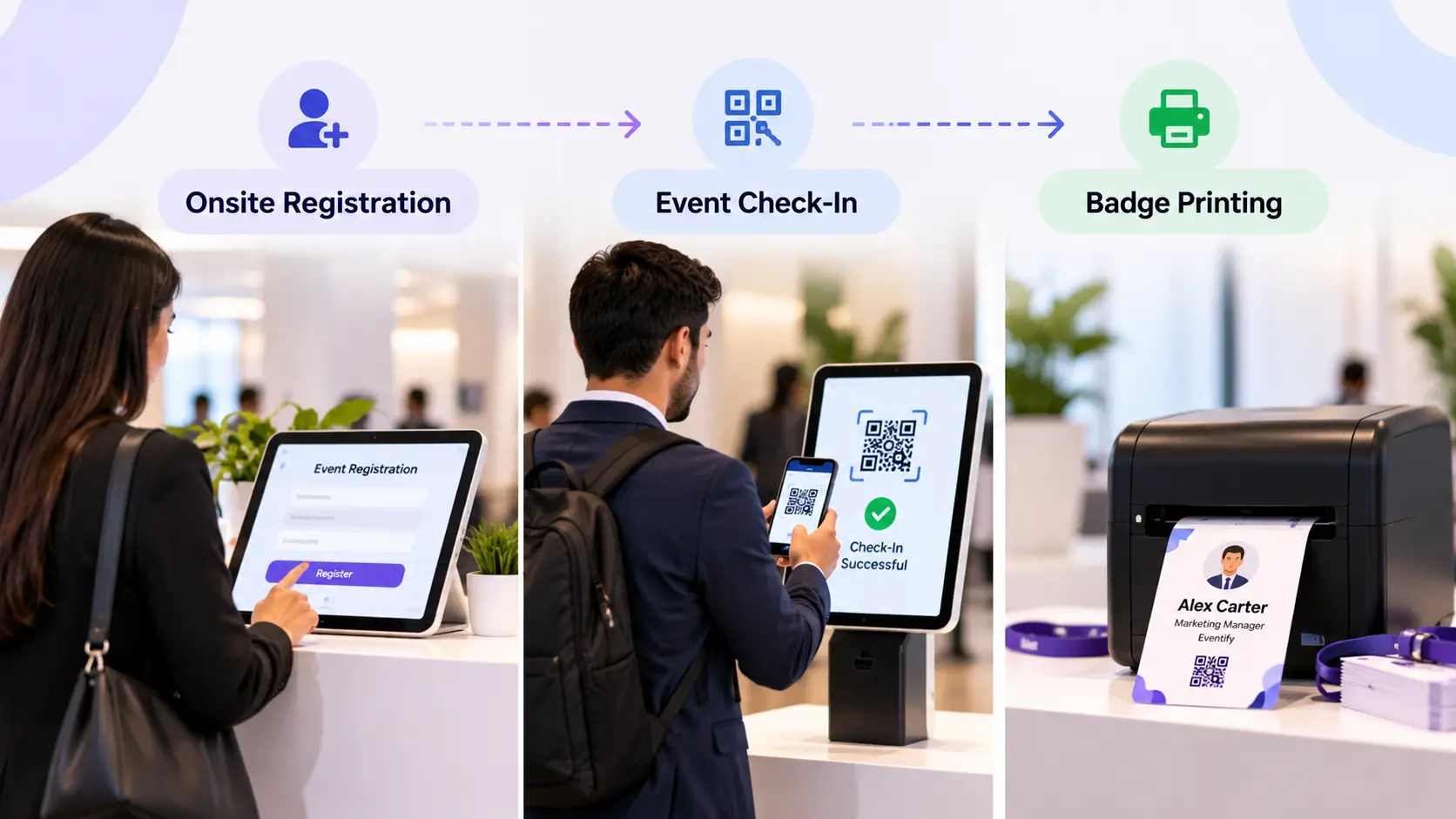
Eventify provides tools for registration, ticketing, event apps, networking, matchmaking, attendee engagement, check-in, badge printing, lead retrieval, and analytics.
When AI-assisted event planning is combined with event technology, organizers can use AI for tasks such as brainstorming, drafting, organizing, and analysis while using an event platform to manage the actual event experience.
Explore Eventify's event management software: https://eventify.io/event-management-software
Frequently Asked Questions
What are AI prompts for conference planning?
AI prompts for conference planning are structured instructions that help AI tools perform specific planning tasks, such as creating budgets, building agendas, planning networking, managing speakers, creating marketing plans, and analyzing event feedback.
Can AI plan an entire conference?
AI can assist with many parts of conference planning, but it should not independently make important decisions. Event teams should review AI-generated plans and verify information before using it.
What information should I give AI when planning a conference?
Useful information includes the event type, audience, expected attendance, location, dates, budget, objectives, speakers, sessions, sponsors, venue requirements, and operational constraints.
Can AI help create a conference agenda?
Yes. AI can help structure agendas based on event duration, tracks, sessions, speakers, audience needs, breaks, and networking activities. The final agenda should be checked against the actual venue and event requirements.
Can AI help with conference marketing?
Yes. AI can help create marketing plans, messaging angles, social media content, email sequences, speaker promotion ideas, and registration campaigns. The final content should be reviewed before publication.
Can AI help with conference networking?
Yes. AI can suggest networking strategies, conversation starters, matchmaking criteria, networking activities, and pre-event engagement ideas.
Can AI replace a conference planner?
AI can support conference planners by reducing repetitive work and helping with planning tasks, but it does not replace human judgment, relationships, negotiation, coordination, or on-site decision-making.
What is the best AI tool for conference planning?
There is no single AI tool that is best for every conference. The right tool depends on the task, event size, team workflow, data requirements, and existing event technology.
How can event organizers use AI responsibly?
Use verified information, clearly identify assumptions, review AI-generated content, and never allow AI to invent statistics, quotes, credentials, vendor information, or event results.
Final Thoughts
The best AI prompts for conference planning don't simply ask AI to plan an entire event.
They break conference planning into smaller tasks.
You can use AI to develop the event concept, define objectives, build a budget, compare venues, create the agenda, prepare speakers, plan marketing, improve registration, develop networking ideas, manage sponsors, prepare attendees, build event-day checklists, and analyze results.
The key is to provide accurate context and use human judgment throughout the process.
AI can help you start with a better plan. Your event team still makes the final decisions.
.png)