Umamah Ayyaz is a content writer and content designer with over seven years of experience producing content for the events industry. Her work focuses on conferences, exhibitions, event strategy, and industry trends, combining in-depth research with practical insights for event professionals.
Event marketing software covers any platform that helps you push an event forward, keep registrations organized, stay in touch with attendees, or track what actually worked. The tricky part is that there is not a single event marketing software platform that does all four really well. Most successful event teams end up using three to five tools working together in a kind of quiet sync.
In this guide, we review 15 of the best event promotion and marketing tools across basically every major category, then judge them on usability, integration ability, pricing clarity, and the features built specifically for events. Whether you need marketing tools for events at a five-person startup or a multi-track global conference, by the end you should be able to find the right mix for your event style and the team size you are working with.
Key Takeaways
No single tool does it all; most event teams need 3–5 tools working together across registration, email, design, automation, and analytics.
Match tools to event type first. Virtual events, conferences, trade shows, and hybrid formats each demand different core features.
Team size determines complexity you can handle; enterprise tools like Cvent or HubSpot will sit unused on a small team; free tiers (Mailchimp, Canva) suit solo organizers.
Watch hidden costs; per-ticket fees can eat up to 10% of revenue, and per-contact email pricing scales fast as your list grows.
Start with registration, not automation. Build your data foundation first, add email second, and only add automation once manual follow-up becomes a real bottleneck.
Stack decisions usually break down at the data layer, not the feature list. The global event management software market is projected to reach USD 17.33 billion by 2030, growing at a 13.2% CAGR, according to Grand View Research, and most of that growth is going toward tools that connect to each other rather than single do-it-all platforms.
“The event teams that win are not the ones with the fanciest platform. They are the ones whose registration data actually reaches their email and CRM tools without someone exporting a CSV by hand.”
What Is Event Marketing Software and Why Do You Need More Than One Tool?
Event marketing software is basically a set of platforms that help you push your events out, handle registrations, stay in touch with attendees, or figure out how it all went later. In practice, these event marketing platforms give you bundled access to core event management tools, but no single platform really shines at all four jobs equally.
Most of the top options mix email marketing, ticketing, and audience engagement into one place, though there is usually some kind of missing piece. The better event marketing software can automate registration and communications, plug into CRM systems so data moves cleanly, work for in-person, virtual, and hybrid sessions, and support automated data gathering and analysis. Event formats come in in-person, virtual, and hybrid varieties, and each of those asks for different strengths from what you choose to use.
The part a lot of teams miss is this: map your needs into the five categories below before you evaluate any product, otherwise you might end up comparing the wrong things and wasting time.
Category
What It Does
Tools That Cover It
Registration and ticketing
Captures attendee data and processes sign-ups
Eventify, Eventbrite, Cvent
Email marketing
Promotes the event and nurtures registrants
Mailchimp, ActiveCampaign, Constant Contact
Design and creative
Creates promotional assets
Canva, Adobe Express
Marketing automation
Builds multi-touch campaigns and post-event sequences
HubSpot, ActiveCampaign, Dotdigital
Analytics and attribution
Measures which channels drove registrations
HubSpot, Google Analytics, Eventify
Most marketing teams waste budget on overlapping event tools. Start with the table above and identify which categories you already cover before adding anything new, and see our event marketing examples for how real teams combine them.
How Do You Choose the Right Event Marketing Software?
The right pick depends on three things: the event type you are running, how your team’s skill level sits, and what the real cost looks like at the scale you actually run events. This decision framework matters more than any feature-vs-feature comparison.
Match the Tool to Your Event Type
Different event formats demand different key features:
Virtual and webinar events: prioritize registration with attendee engagement tools and on-demand distribution. Webinars are a popular format for online events and require seamless streaming and interaction, so it is worth comparing the best webinar software options before you commit.
In-person conferences: prioritize check-in, badge printing, session tracking, and post-event reporting. Conferences typically involve multiple sessions and networking opportunities.
Trade shows: prioritize lead generation, exhibitor management, and visitor registration.
Hybrid events: require tools serving both audiences simultaneously. Most platforms serve one format well and the other poorly.
Workshops and training: workshops focus on hands-on learning experiences for attendees, while training sessions are designed to educate participants on specific skills, and both need strong engagement and feedback tools, the kind you will find covered in our roundup of the best event apps.
Effective event marketing software caters to events with attendance ranging from 1,000 to 50,000.
Pro Tip: If your event type is not featured prominently on a tool’s homepage, it was not built for you. Check whether your format is a core use case or an afterthought before buying.
Match the Tool to Your Team Size and Skill Level
Solo organizer or small team (under 5): ease of use and free tiers matter most. Enterprise event management software will sit unused.
Mid-size team (5–20): automation and CRM integration start to justify their cost. This is where marketing automation pays off.
Large or enterprise team: data depth, compliance features, and multi-event management become critical.
Warning: Buying enterprise-grade management software for a small team is one of the most expensive mistakes in event marketing. Complexity that is never used is still paid for every month.
Understand the True Cost Before You Commit
Per-ticket fees erode revenue at scale, and that adds up quickly. Analytics tools in event marketing software track ticket sales, registration conversion rates, and event ROI, but those numbers look worse once 10% of revenue goes straight to platform fees.
Per-contact pricing with email tools raises the cost as your audience list grows, so model it at 2x your current list before you sign annually, just to be safe.
Integration fees between tools are rarely in headline pricing. Ask specifically before committing.
Cost Example: A 1,000-person event at $50 per ticket generates $50,000 in revenue. On a per-ticket platform charging ~3.7% + $1.79 service fee + ~2.9% processing, fees total approximately $5,090, roughly 10.2% of your revenue, based on Eventbrite’s Help Center. A flat-fee event platform keeps that revenue with the organizer.
Master Comparison: 15 Best Event Marketing Platforms & Software Tools at a Glance
This event management software comparison is a quick way to shortlist tools before reading the full reviews below. Scan for your priorities, then dive into the detailed breakdowns. See how these stack up against dedicated virtual event platforms if hybrid or online delivery is your priority.
Tool
Primary Use
Ease of Use
Integration
Cost Level
Free Plan
Event-Specific
Eventify
Registration and attendee management
9/10
9/10
Medium
✅
✅
HubSpot
Marketing automation and CRM
6/10
10/10
High
✅ limited
❌
Mailchimp
Email marketing
8/10
8/10
Low–Medium
✅
❌
ActiveCampaign
Automation and segmentation
6/10
9/10
Medium
❌
❌
Eventbrite
Event discovery and ticketing
8/10
7/10
Low–High
✅
✅
Canva
Visual content creation
9/10
6/10
Low
✅
❌
Constant Contact
Beginner email marketing
8/10
6/10
Medium
❌
❌
Hootsuite
Social media management
7/10
7/10
Medium
❌
❌
Zapier
Tool integration
7/10
10/10
Low
✅
❌
Dotdigital
Omnichannel campaigns
6/10
8/10
High
❌
❌
WordFly
Arts and culture email
8/10
6/10
Medium
❌
✅
Asana
Project management
8/10
8/10
Low
✅
❌
Cvent
Enterprise event management
5/10
9/10
Very High
❌
✅
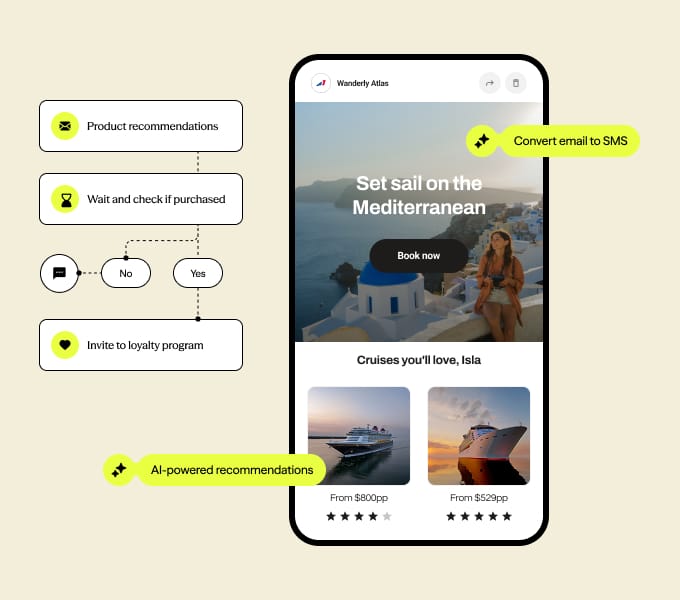
Splash
Event experience platform
7/10
8/10
Medium–High
❌
✅
Hopin / RingCentral Events
Virtual and hybrid events
7/10
8/10
Medium–High
❌
✅
The 15 Best Event Marketing Software Tools Reviewed in Depth
Every review below follows the same structure. Use the Verdict line to decide quickly whether to read the full review or skip to the next tool.
1. Eventify - Best for Event Registration and Attendee Management
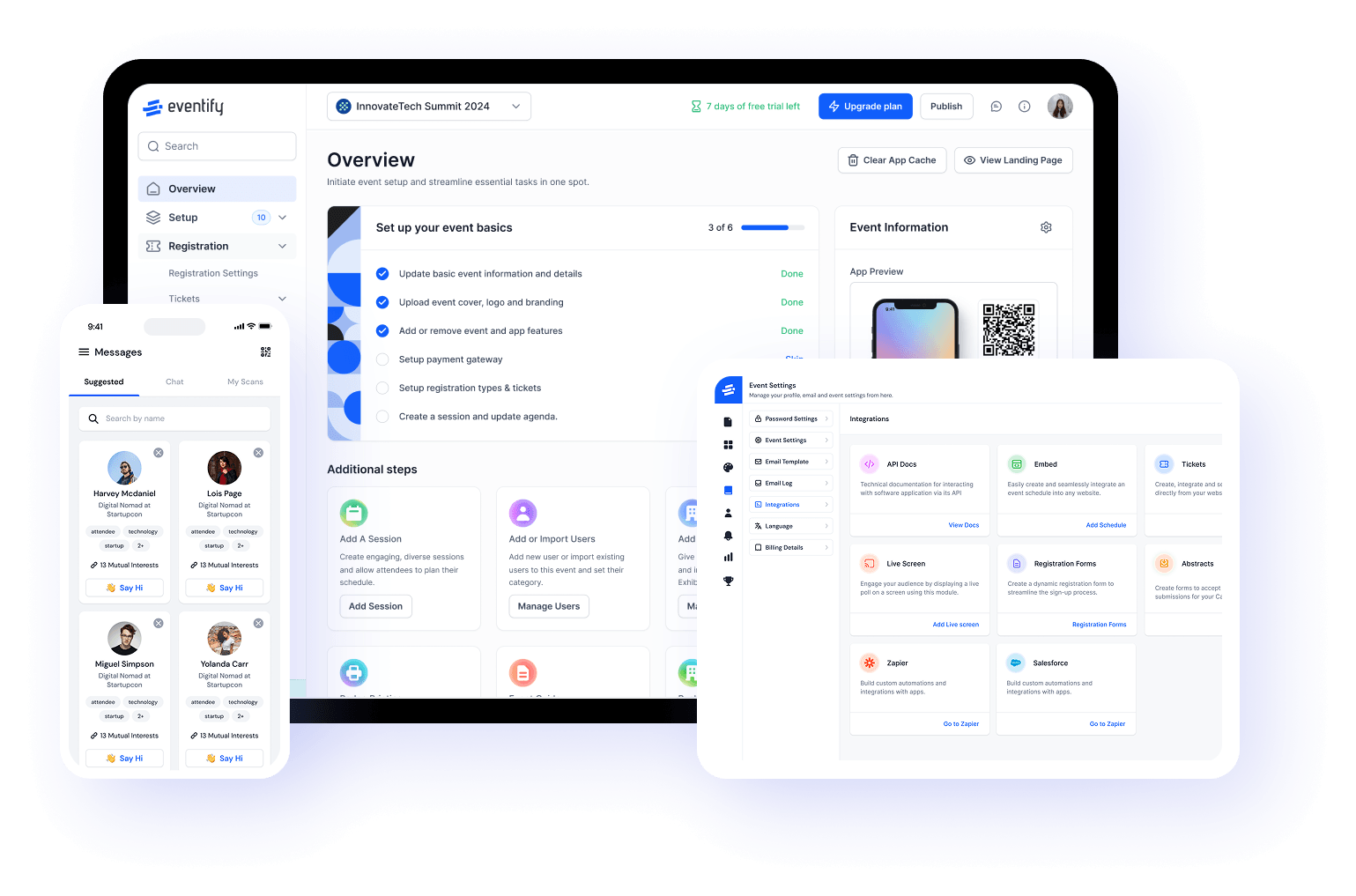
Verdict: The registration and attendee management platform built for professional event organizers running multiple events per year, not for one-off public events.
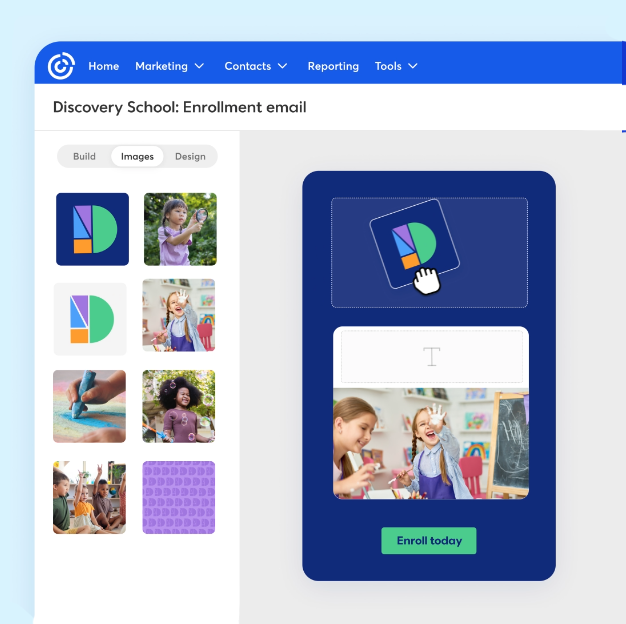
What It Does: Registration, ticketing, check-in, badge printing, attendee communication, and post-event surveys in one connected system, with no per-ticket fees. B2B SaaS platforms like Eventify serve event planners and corporate marketing teams. Event registration tools often include custom landing pages and secure integrated payment processing, and Eventify delivers both.
Does Well:
Real-time registration data visible throughout the event planning window, with in-depth analytics on attendee behavior and engagement
No per-ticket fees means revenue does not erode as event attendance grows
Attendee data connects directly to email and CRM tools for post-event follow up. Event check-in technology may use QR-code systems and on-demand badge printing, and Eventify supports both.
Event apps boost engagement with features like push notifications, and AI matchmaking connects attendees for better networking opportunities
Limitations:
Not a standalone email marketing platform, so it requires pairing with an email tool
Primarily serves professional events, not consumer ticketing
No event discovery marketplace
Pricing: Flat-fee model with no per-ticket charges. Pricing is based on events and features, with no hidden per-attendee costs.
G2: 4.8 (80 Reviews)
“Our multi-campus church used Eventify for a regional youth conference with 800+ attendees and a volunteer leadership retreat. The platform made it easy to manage different registration types, students, volunteers, speakers, exhibitors, and collect waivers for minors. The built-in communication tools (email and push notifications) helped us send session reminders and last-minute room changes without needing a separate email service.” –Wayne R.
Best For: Organizations running 3–20 professional events per year who need clean registration data connected to their marketing stack.
Not For: One-off community events where marketplace discovery drives ticket sales.
Pro Tip: Set up the CRM and email integration before your first event so attendee data flows automatically rather than through manual CSV exports. Registration data is the foundation of every other marketing tool in your stack.
2. HubSpot - Best Marketing Automation Platform for Event Teams
Verdict: The most powerful marketing automation platform in this list, and the most expensive to run well. Right for marketing teams with a dedicated ops resource. Wrong for everyone else.
What It Does: All-in-one CRM, email marketing, landing pages, automation workflows, social publishing, and analytics platform. It enables personalized communications based on attendee data and connects event attendance to the sales pipeline.
Does Well:
Best segmentation and personalization of any platform in this list
Tracks the full journey from event registration to closed deal, which is strong for targeted marketing
Integrates natively with most event management CRM platforms, including Eventify
Paid advertising management can quickly reach a larger audience for future events
Limitations:
Expensive at scale, with costs increasing significantly as contacts and feature tiers grow
Requires meaningful setup time before delivering value
Not purpose-built for events, so event workflows must be built from scratch
Pricing: Free CRM with limited features. Marketing Hub starts around $45/month and scales sharply with contact list size. The Enterprise tier runs to thousands per month.
“I love the visibility we get from HubSpot in terms of how we’re engaging different segments of our market (customers, churned customers, net new prospects, etc.). The integrations with other tools in our stack are immensely valuable. And the automations/workflows capabilities are super robust and easy to work with.” –Conor B.
Best For: Mid-to-large event teams with an existing HubSpot investment wanting to connect event data to revenue attribution.
Not For: Small teams or solo organizers, since HubSpot’s complexity will consume time that should be spent on event planning.
Warning: HubSpot pricing is designed to increase as your usage grows. Model the cost at 2x your current contact list and feature needs before signing an annual contract.
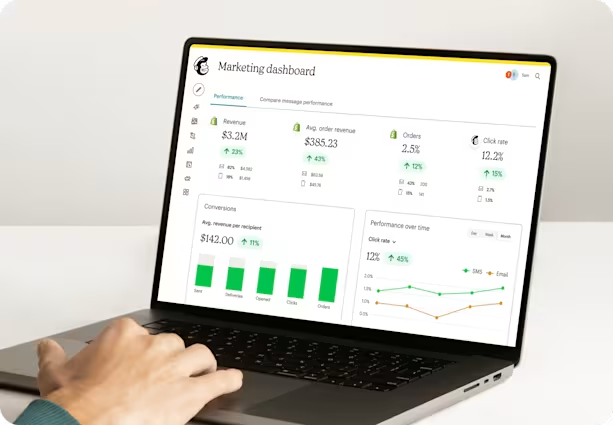
3. Mailchimp - Best Email Marketing Tool for Event Promotion
Verdict: The easiest email marketing platform to start with, and the one most likely to be outgrown. Email marketing is crucial for event promotion success, and Mailchimp is where most event marketers begin.
What It Does: Email campaigns, list management, basic automation, landing pages, and social ads, covering everything a small team needs to promote events and run pre-event digital marketing.
Does Well:
Easiest drag-and-drop email builder in the market
Free tier genuinely covers small event needs
Strong template library with event-specific formats
A/B testing on all paid tiers
Limitations:
Per-contact pricing increases costs rapidly as lists grow
Automation is significantly weaker than ActiveCampaign
Not event-specific, with no native registration or check-in tools
Pricing: Free up to 500 contacts and 1,000 sends per month. Essentials starts at approximately $11/month and roughly doubles for every significant list size increase.
“Mailchimp is more than just an email marketing tool for us. It helps us manage customer audiences, automate repetitive marketing tasks, and track campaign performance through a clean, user-friendly interface. It also integrates smoothly with our marketing stack and stays reliable even when we run large campaigns. On top of that, the AI-powered content suggestions help us draft emails faster without adding extra effort.” –Arvind Kumar S.
Best For: Solo organizers and small teams running regular events with a list under 5,000 contacts.
Not For: Teams needing advanced behavioral automation or multi-event segmentation across a large contact database.
Pro Tip: Use Mailchimp’s free tier for your first three to five events to establish what your email open rates, click rates, and registration conversion rates actually are, then use that data to justify upgrading or switching platforms.
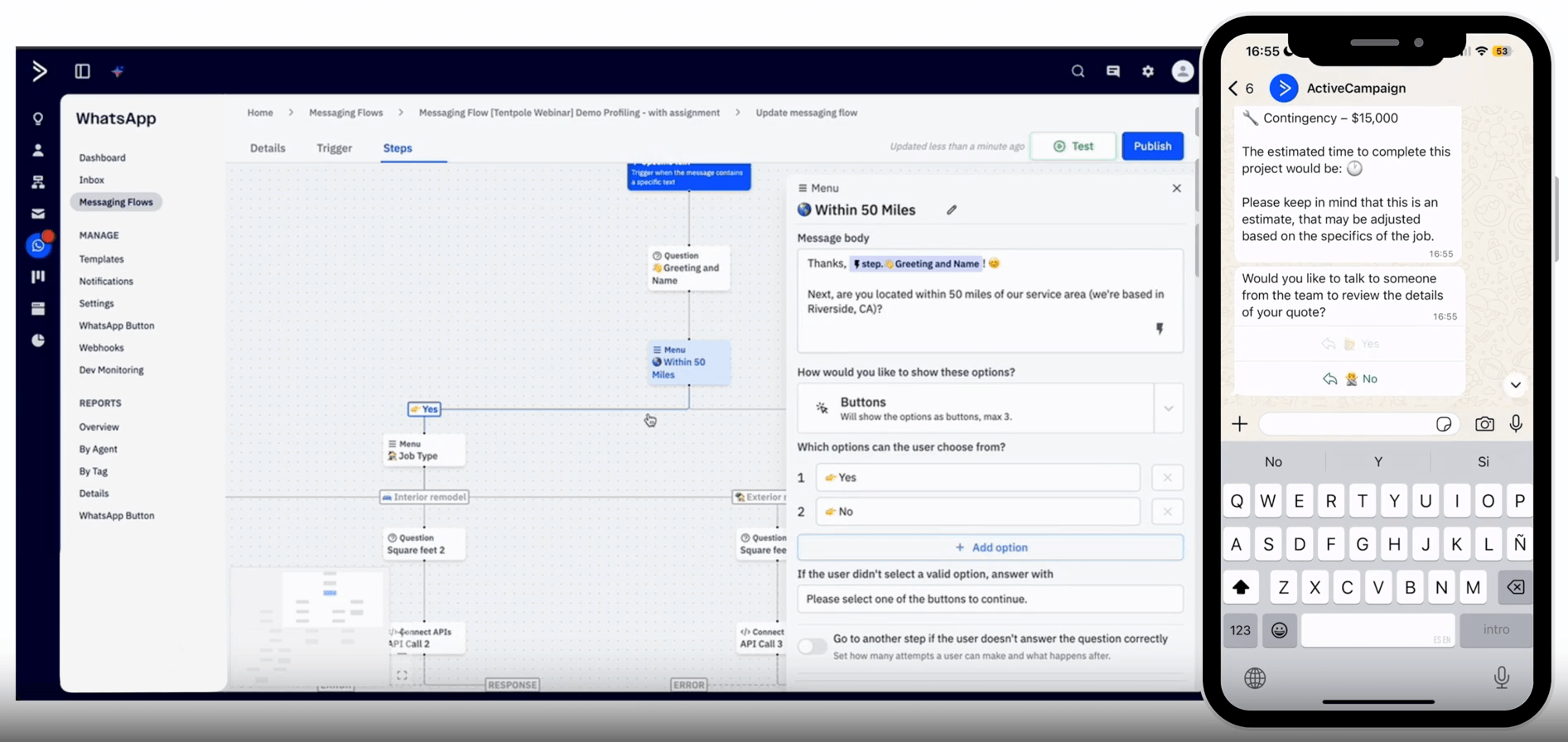
4. ActiveCampaign - Best Automation Platform for Complex Event Follow-Up
Verdict: The most powerful automation tool for post-event follow up, but only valuable to teams willing to invest the setup time.
What It Does: Visual automation builder, deep segmentation by attendee behavior, built-in CRM, email marketing, and SMS. It enables personalized communications based on attendee data across the entire event lifecycle.
Does Well:
Most sophisticated automation builder of any email platform
Conditional logic triggers different follow-up sequences based on specific attendee actions
Deep integration with CRMs including Salesforce and HubSpot
Limitations:
No free plan
Steeper learning curve than other email marketing tools
Costs scale with advanced functionality and contact list size
Pricing: Starts at approximately $29/month for 1,000 contacts and increases with volume and feature tier.
“What I like most is that the UI/UX is very clear and easy to use. It also has one of the best automation systems out there, I use automations a lot, and this is by far the best one I’ve worked with. I also love the CRM management: the way it filters tags and organizes everything about each contact into columns makes it very straightforward and simple to manage.” –Tomás Alejandro M.
Best For: Event teams with a dedicated marketing resource running multiple events per year needing behavior-triggered nurture sequences.
Not For: Small teams without a dedicated marketing resource.
Warning: Budget two to three full days to build and test your first event automation sequence before going live. ActiveCampaign’s power is locked behind setup complexity.
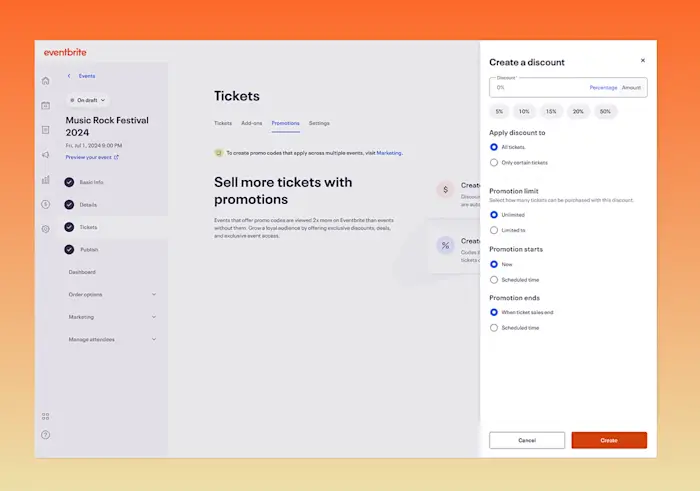
5. Eventbrite - Best for Public Event Discovery and Ticketing
Verdict: The only event platform in this list with a built-in audience of event-seekers, right when marketplace discovery drives registrations, wrong when it does not.
What It Does: Event listing, ticketing, payment processing, and email marketing with access to Eventbrite’s marketplace, useful for attracting attendees to public ticketed events.
Does Well:
Largest event discovery marketplace, which is strong for public-facing events
Free to use for free events
Built-in promotional tools for email and social
Limitations:
Highest per-ticket service fees of any event software in this list
Limited design customization for your event website
Marketplace advantage disappears for private or corporate complex events
Email marketing tools are basic on their own, so organizers who need more often pair Eventbrite with a dedicated tool such as Mailchimp or a Constant Contact integration
Pricing: Free for free events. Paid events attract approximately 3.7% + $1.79 service fee per ticket plus payment processing, per Eventbrite’s Help Center. Total fees can reach 8–10% of ticket face value.
“I have been using it to upload company events and search local events in my area for years. There are thousands of events available in London!” –Kaycee C.
Best For: Public-facing events and community events where organic discovery matters.
Not For: Corporate events or any event where per-ticket fees would meaningfully reduce revenue.
A 200-person event at $50 per ticket generates $10,000 in revenue. At Eventbrite’s fee structure, approximately $700–1,000 goes to platform fees, based on Eventbrite’s published organizer fees. At Eventify’s flat-fee model, that revenue stays with the organizer.
6. Canva - Best Design Tool for Event Marketing Assets
Verdict: The only design tool a non-designer needs for event marketing, right for creating visual assets, wrong for anything beyond creative production.
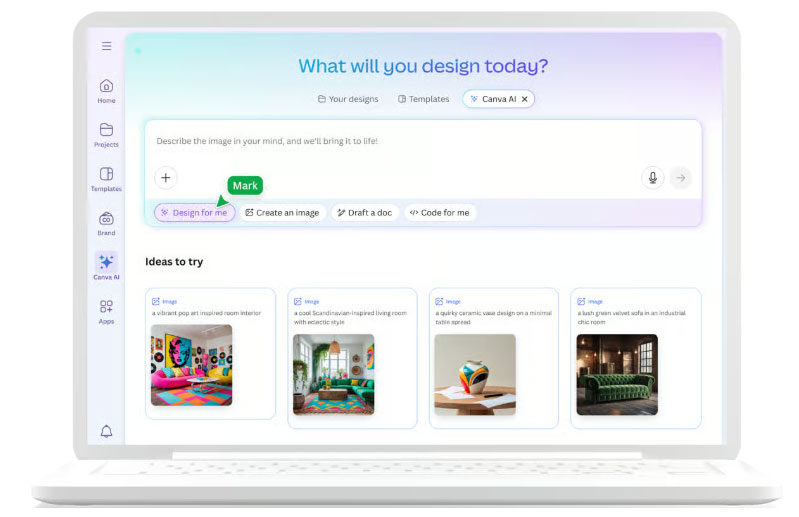
What It Does: Graphic design for social media posts, email headers, event banners, flyers, and printed materials.
Does Well:
Fastest path from brief to finished asset without design skills
Largest template library in the market
Brand kit ensures consistency across all event materials
Limitations:
Not an event marketing platform, since it covers creative production only
Customization ceiling below professional design tools
Pricing: Free tier covers most needs. Pro is available at approximately $10/month.
“My overall experience has been excellent. Canva is an efficient, intuitive, and versatile platform that saves a lot of time for daily content creation, marketing materials, and quick visual projects. I used it for creating IG reels and it has been very easy and fast.” –Elisabetta M.
Best For: Any event team without a dedicated designer.
Not For: Organizations needing custom brand-differentiated design.
Pro Tip: Build a Canva brand kit before creating a single asset. Every team member working from the same kit produces consistent materials without a design briefing.
7. Constant Contact - Best for Beginner Event Email Marketing
Verdict: The most beginner-friendly email marketing software in this list, right for organizations without dedicated marketing staff.
What It Does: Email marketing with a drag-and-drop builder, 200+ templates, basic automation, and event-specific features including registration forms.
Does Well:
Easiest onboarding of any email platform
Best customer support, including phone and live chat
“My overall experience with Constant Contact has been very positive. It provides an intuitive platform for creating professional email campaigns, managing contact lists, and tracking campaign performance without a steep learning curve.” –Stacy S.
Best For: Nonprofits, small business owners, and small teams running occasional events, including many of the same organizations covered in our guide to event software for nonprofits.
Not For: Teams who anticipate needing behavioral segmentation within 12 months.
Warning: Constant Contact’s simplicity is its strength and its ceiling. If you are already comfortable with email campaigns, start with Mailchimp and skip the platform migration you will need later.
8. Hootsuite - Best Social Media Management Tool for Event Promotion
Verdict: The right tool for managing multi-channel social event promotion, wrong as a substitute for email marketing or any other function.
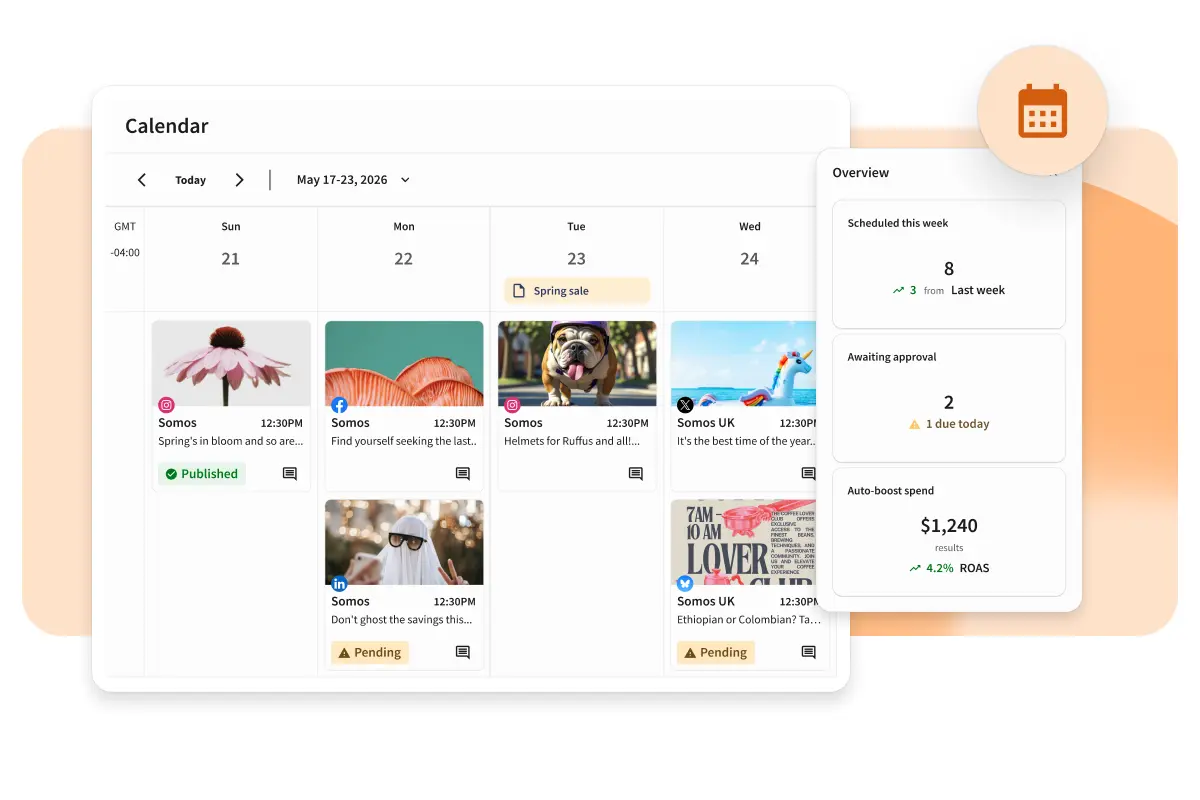
What It Does: Schedule, publish, monitor, and analyze social media content across LinkedIn, Instagram, Facebook, X, and TikTok. Social media marketing can significantly increase event visibility when managed well.
Does Well:
Pre-schedules the entire pre-event social calendar in one session
Social listening to monitor event hashtag performance, since using hashtags can enhance event discoverability on social media
Content analytics to identify which posts drive website visitors and registrations
Limitations:
Not an event marketing platform, since social is one channel
No registration, ticketing, or email capability
High cost relative to single-channel value
Pricing: Professional starts at approximately $90/month, with no free plan beyond a trial.
“Hootsuite lets me keep track of my posts on several platforms without having to switch apps all the time.” –Charles-Stephen L.
Best For: Event teams running sustained social campaigns across three or more platforms to promote events and build brand awareness.
Not For: Teams running social on a single platform.
Pro Tip: Schedule your entire pre-event social calendar in a single two-hour session four to six weeks before the event. Pre-scheduling frees your team for real-time customer engagement during the event itself.
9. Zapier - Best Integration Tool for Event Marketing Stacks
Verdict: Not a marketing tool on its own, but the infrastructure that makes every other tool in your stack work together without manual data exports.
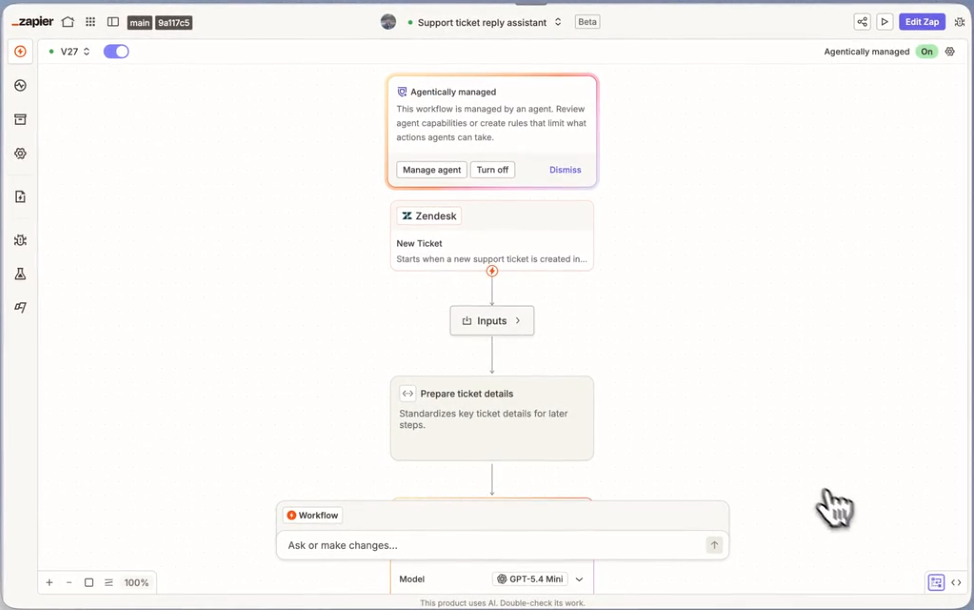
What It Does: Connects 6,000+ apps through trigger-and-action automations. When something happens in one tool, Zapier triggers an action in another.
Does Well:
Eliminates CSV export workflows that waste hours after every event
Connects Eventify to your CRM, Mailchimp, Slack, and hundreds of other tools
Free tier covers common event automation needs
Limitations:
Multi-step automations require a paid plan
Error handling is manual
Not event software on its own
Pricing: Free forever plan with single-step Zaps. Starter is available at approximately $20/month.
“Making our various industrial software programs communicate without native integrations is a daily challenge. Zapier performs this miracle without requiring complex lines of code. I configured simple yet vital automations (Zaps).” –Brad D.
Best For: Any event team using more than two marketing tools who currently exports event data manually.
Not For: Teams using a unified platform where data already flows natively.
Pro Tip: The highest-value automation for event marketers: a new registration in Eventify creates or updates a contact in your CRM with the event name, ticket type, and attendance status. Build this before your first event.
10. Dotdigital - Best Omnichannel Platform for Mid-Market Event Teams
Verdict: The strongest omnichannel capability for teams who genuinely need email, SMS, and paid social working together, wrong for single-channel campaigns.
What It Does: Email, SMS, push notifications, social retargeting, and paid advertising from one analytics platform, with automation workflows connecting all channels.
Does Well:
Only platform here with native email, SMS, and paid social in a single workflow
Strong CRM and ticketing integrations
Configurable automation for complex multi-channel event campaigns
Limitations:
Highest cost of entry of any email-first platform here
Interface less intuitive than Mailchimp
Not purpose-built for events
Pricing: Pricing on request, typically starting at $250–400/month for mid-market plans.
“Dotdigital has a great and intuitive platform that I’ve been using for many years. It has grown and evolved over time, with new features, but continues to be very user friendly. I love how the platform can integrate easily with our website, allowing data to flow in and making for smart segmentation and automation. We’ve seen great ROI on our abandoned basket emails, delivering great engagement and conversion rates. The support teams behind the platform have also been exceptional, and we’ve been put on a plan that has helped us scale usage incrementally, rather than paying for a bigger plan than we needed. The AI tools inside the platform via WinstonAI have been extremely helpful too, making great suggestions for subject lines and content that improved open rate and engagement.” –Mike H.
Best For: Mid-sized event organizations running campaigns across email, SMS, and paid social.
Not For: Any team running email-only campaigns.
Warning: Do not buy Dotdigital unless you have a clear plan to use at least two of its channels from day one. Omnichannel capability that goes unused is an expensive mistake.
11. WordFly - Best Email Platform for Arts, Culture, and Live Events
Verdict: The only email platform purpose-built for arts, culture, and live entertainment, right if you use Tessitura or Spektrix, irrelevant if you do not.
What It Does: Email marketing designed for arts and cultural organizations, with native integrations into sector-specific ticketing systems.
Does Well:
Native data sync with arts-sector ticketing platforms
Event-friendly templates designed for live events context
Support for a branded event website and email experience tailored to the sector
Limitations:
Smaller platform with fewer automation tools
Analytics less configurable than larger platforms
Pricing less transparent
Pricing: Pricing on request, typically mid-market pricing.
G2: 4.0 (23 Reviews)
“The automated ease of sending mailing and SMS messages in an effective way when marketing.” –Josh S.
Best For: Theatres, galleries, museums, and live entertainment venues running Tessitura or Spektrix.
Not For: Organizations not using those ticketing systems.
12. Asana - Best Project Management Tool for Event Marketing Teams
Verdict: Not event marketing software itself, but the project management layer that prevents campaigns from falling apart when they are run by a team.
What It Does: Task management, project timelines, team collaboration, and workflow automation for event planning and event logistics coordination.
Does Well:
Visual project boards and timelines for the event marketing calendar
Shareable with external vendors and stakeholders
Automation for recurring campaign tasks
Limitations:
No email, registration, or promotion capability
Useful automation requires paid plans
Adds overhead for solo organizers
Pricing: Free forever plan for basic task management. Premium is available at approximately $10/user/month.
“Overall, I am probably a lifetime Asana user. I’ve been using it for the last 6-7 years. As well, the few times I’ve needed customer service, they have been pretty quick and easy to work with, even though I’m just using the free version at the moment.” –Michelle E.
Best For: Event teams of three or more managing campaigns across spreadsheets.
Not For: Solo organizers.
Pro Tip: Create a single Asana template for every event marketing campaign. New events start from the template with all tasks, owners, and deadlines pre-populated, saving three to four hours per event.
13. Cvent - Best for Enterprise Event Management at Scale
Verdict: The enterprise leader for organizations running large-scale programs across multiple events, wrong for any team that does not need venue sourcing, compliance, and multi-event governance.
What It Does: Full-suite event management platform covering venue sourcing (300,000+ venues), registration, on-site operations, exhibitor management, and enterprise analytics.
Does Well:
Most comprehensive venue sourcing network in the market
Advanced compliance, security, and multi-event program management
Deep enterprise CRM integrations with Salesforce and HubSpot
Limitations:
Enterprise packages range from $15,000 to $100,000+ per year, with complex implementation and a steep learning curve
UI sometimes criticized as dated
Support for smaller clients can lag
Pricing: Custom quotes only. Expect $15,000–$100,000+/year depending on scope.
“Cvent event marketing and management has streamlined our entire event process. It’s efficient and improves our company’s ability to create and manage events. Every department in my company holds conferences, and they all report the time savings they see when using Cvent. That efficiency also frees people up to be more productive in other aspects of their jobs.” –Patrick M.
Best For: Large organizations or associations running many complex events per year with 1,000+ attendees who need full operational control.
Not For: Small or mid-sized teams, since the cost and complexity far exceed what most event professionals need.
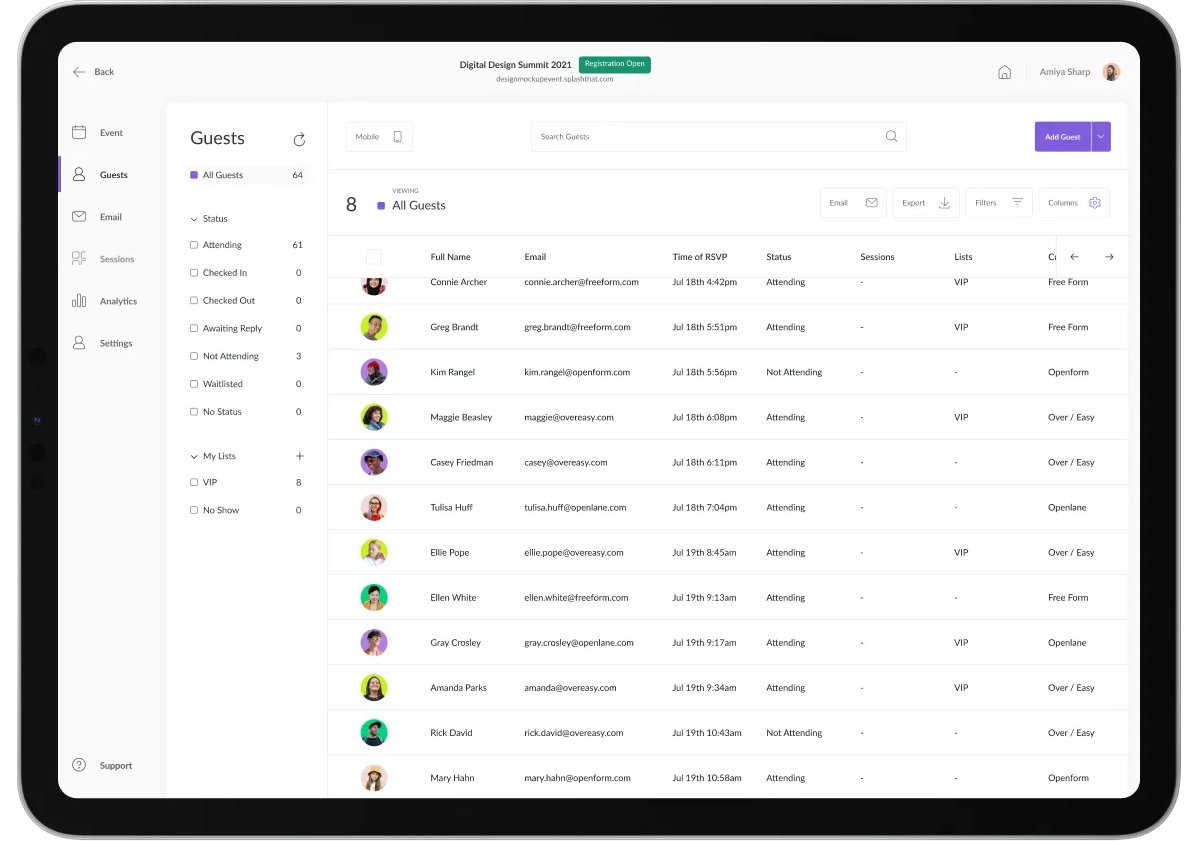
14. Splash - Best for Brand-Centric Event Experiences
Verdict: The strongest creative control for event landing pages and experiences, wrong if you need robust on-site operations or virtual event tools.
What It Does: Brand-centric event experience platform focused on compelling event landing pages, invitations, and visual design for marketing events and product launches.
Does Well:
Strongest creative and design control of any event platform here
Beautiful templates for different event formats
Good CRM integrations for lead capture and qualified-lead tracking
Limitations:
Less strong in on-site operations, such as badge printing and check-in
Limited mobile event app and virtual features
Often requires pairing with separate tools for a full stack
Pricing: Custom pricing, with typical corporate use starting around $20,000+/year.
“Used Splash for a Cvent Masterclass on Event Led Growth. Great overall experience and would recommend to a colleague.” –Traci S.
Best For: Marketing teams where brand experience and visual design are central to event marketing goals.
Not For: Teams needing heavy operational event support or attendee management at scale.
15. Hopin / RingCentral Events - Best for Virtual and Hybrid Events
Verdict: Purpose-built for virtual and hybrid events, right if digital delivery is your primary format, less competitive for in-person-first programs.
What It Does: Virtual event platform with streaming, networking, expo areas, session management, and audience engagement tools. Event attendee engagement tools include live polling, Q&A sessions, and gamification, which increase participation and deepen engagement in virtual events.
Does Well:
Strong virtual event rooms with breakout sessions and networking features
Built-in expo and sponsor areas for webinar events and virtual conferences
Supports different event formats with audience engagement tools
Limitations:
In-person event logistics features lag behind Eventify and Cvent
Platform has undergone brand transitions, so it is worth checking the current feature set
Pricing can be opaque for larger programs
Pricing: Medium to high range, with custom pricing for enterprise. Free trials are available for smaller events.
“Webinar, seminar, or conference, whenever you need it and wherever you need it, just use it.” –Christina P.
Best For: Organizations whose primary format is virtual or hybrid and who need strong networking tools and digital engagement.
Not For: Teams running primarily in-person events who need on-site operations as their core.
What Event Marketing Software Stack Do You Actually Need?
Most event teams need three to four tools, not fifteen. The right stack depends on your event type, team size, and the marketing channels you actually use. Building your stack strategically saves budget and reduces complexity.
Event Type
Team Profile
Registration
Email
Design
Automation
Integration
Regular webinars
Solo/small
Eventify
Mailchimp
Canva
Mailchimp
Zapier
Annual conference
Mid-size
Eventify
ActiveCampaign
Canva
ActiveCampaign
Zapier
Brand/launch events
Mid-size
Eventify + Splash
HubSpot
Canva
HubSpot
Native
Trade show
Mid-size
Eventify
HubSpot
Canva
HubSpot
Native
Arts/culture events
Any
Eventify
WordFly
Canva
WordFly
Tessitura
Virtual events
Any
Eventify
Mailchimp
Canva
ActiveCampaign
Hopin/RingCentral
Enterprise multi-event
Large
Cvent or Eventify
HubSpot
Canva
HubSpot
Native + Zapier
Stack-Building Rules
Start with registration first; every other tool depends on the data it captures.
Add email second. This is where the majority of event promotion happens.
Add automation only when manual follow-up becomes the bottleneck, not before.
Pro Tip: The most common stack mistake is buying automation software before you have a process to automate. Run three events manually first, identify the tasks consuming the most time, then buy the tool that eliminates those specific tasks.
Choose Eventify if you are after comprehensive registration and attendee management, no per-ticket fees, and you care about event data staying clean and flowing into your CRM and email tools.
Choose HubSpot if you want full marketing automation, and you have the people, time, and dedicated resources to build and maintain the bigger, more complex workflows.
Choose Mailchimp if you are just getting into email marketing, you have a small list, and you want the quickest route to promoting your next event.
Go with a combination approach if you want the best event marketing platforms and tools for every piece of the puzzle. The most successful teams usually pair a registration platform with an email tool, then add a design tool, and finally an integration layer, so everything clicks together.
The global event management software market is growing fast, projected to reach USD 17.33 billion by 2030 at a 13.2% CAGR according to Grand View Research. The market is growing because event professionals are demanding more from their event tech, and settling for less is no longer an option.
Event Marketing Software Works Best When It Starts With Clean Data
The best event marketing software depends on how your event looks, who your team really is, and what you are trying to get out of event marketing. There is not one magic tool that can fully replace a solid set of pieces put together, even if it sounds like it should.
Most successful event teams run three to five connected tools instead of endlessly hunting for one perfect solution. Start with your registration and attendee management platform, the base layer. Eventify does that part cleanly without per-ticket fees, then you layer in email and automation tools that actually connect back to it.
The one thing that matters most is that the tools integrate properly. If event data flows in a clear way from registration to CRM to email to analytics, you can handle events more effectively, show ROI with less drama, and make smarter decisions that improve each next event. If it does not, you end up wasting hours on CSV exports and lose the attribution needed to justify the budget for your event marketing.
Event marketing software helps promote events, manage registrations, communicate with attendees, and analyze event performance through integrated tools like email marketing, ticketing, and analytics.
What is the best event marketing software for small teams?
For small teams, Eventify combined with Mailchimp and Canva offers a simple, cost-effective stack covering registration, email promotion, and design without overwhelming complexity.
What is the difference between event management software and event marketing software?
Event management software focuses on logistics like registration, check-in, and onsite operations, while event marketing software emphasizes promotion, attendee engagement, and post-event follow-up.
Do I need separate tools for registration and email marketing?
Often yes. Registration platforms capture attendee data, while email tools handle promotion and communication. Integration between these tools is key for seamless workflows.
What is the best free event marketing software?
Mailchimp provides a generous free tier for email marketing, and Eventify offers cost-effective registration without per-ticket fees, making them ideal for budget-conscious teams.
How do I choose between HubSpot and Mailchimp for event marketing?
Choose HubSpot if you need advanced automation and CRM integration at scale. Mailchimp suits smaller teams wanting easy-to-use email promotion with a free tier.
What event marketing tools integrate with Salesforce?
Platforms like HubSpot, ActiveCampaign, and Eventify offer native or Zapier-powered integrations with Salesforce to sync event data with sales pipelines.
How much does event marketing software cost?
Costs vary widely, from free tiers for small teams to enterprise packages costing tens of thousands annually. Pricing often depends on contact list size, event scale, and feature needs.
Is Eventbrite an event marketing platform?
Eventbrite primarily focuses on ticketing and event discovery but includes basic promotional tools. It suits public-facing events but lacks advanced marketing automation.
What is the best platform for virtual event marketing?
Hopin and RingCentral Events specialize in virtual and hybrid events, offering engagement tools like live polls, networking, and digital expo areas.
How do I build an event marketing stack on a small budget?
Start with essential tools: a registration platform like Eventify, a free email tool like Mailchimp, and Canva for design. Add automation and integrations as your needs grow.
What hidden costs should I watch for in event marketing software?
Watch for per-ticket fees, contact list overage charges, integration costs, and setup fees that can significantly increase total expenses beyond advertised prices.
What is the best online event marketing software?
There is no single best online event marketing software for every team. For most organizers, an online event marketing tool that pairs a registration platform like Eventify with an email tool like Mailchimp or Constant Contact covers the core promotion and sign-up workflow without unnecessary complexity.
How do you compare event management software?
When you compare event management software, look past the feature list and check ease of use, integration depth, pricing model (flat-fee versus per-ticket), and whether the platform is actually built for your event type. Reading G2 and Capterra reviews alongside a free trial is the fastest way to see the best online event management software for your specific use case.
What is event marketing management software?
Event marketing management software, sometimes called marketing event management software, is the broader category covering event marketing technology used to plan, promote, and analyze events end to end. It typically spans event promotion tools and event promotion software (email, social, registration) plus the automation and analytics layer that ties them together.
What are the best event promotion tools?
The best event promotion tools depend on channel: Mailchimp and Constant Contact lead for email, Hootsuite for social scheduling, Eventbrite for marketplace discovery, and Canva for the creative assets that make each promotion look professional.
Found this useful? Get Eventify in your Google results.
Choosing Eventify as a preferred source means our articles are more likely to show up for you in Google Search.
We'll Convince you!
We're Event People.
Totally Obsessed To Make Your Event Succeed!
Please Fill Out The Form To Request A Demo & Let us Convince You Why You Must Switch To Eventify! * PS: Nobody can match our pricing :-)
Similar posts
The latest insights and trends from the world of event marketing and event technology.





.webp)
.webp)
.png)