

Choosing a reliable webinar tool matters as much as defining your agenda and marketing your webinar. We have reviewed and listed the 14 best webinar software options for 2026, so you can pick the one that fits your next session.
This is not a "best to worst" ranking. Dive in to compare your options and find the virtual event platform that suits your needs.
Whether you are searching for a full webinar application, browser based webinar software with no downloads, or simply the cheapest webinar platform that still includes recording, this guide covers every major webinar solution worth comparing for 2026.
Key Takeaways
Attendance and follow-up are where most webinar programs actually win or lose. Across more than 2,000 webinars and 325,000 attendees, the average live attendee engagement rate sits at just 49%, according to Univid’s 2026 webinar statistics report. And once people do show up, 92% of them expect a live Q&A session, per Contrast’s benchmark analysis of over 1 million registrants. Software that cannot support real-time interaction, or a strong event marketing software stack to fill the room in the first place, is starting from behind.
14 Best Webinar Software for 2026 Reviewed
The 14 Best Webinar Software Platforms, Reviewed In Detail
Livestorm
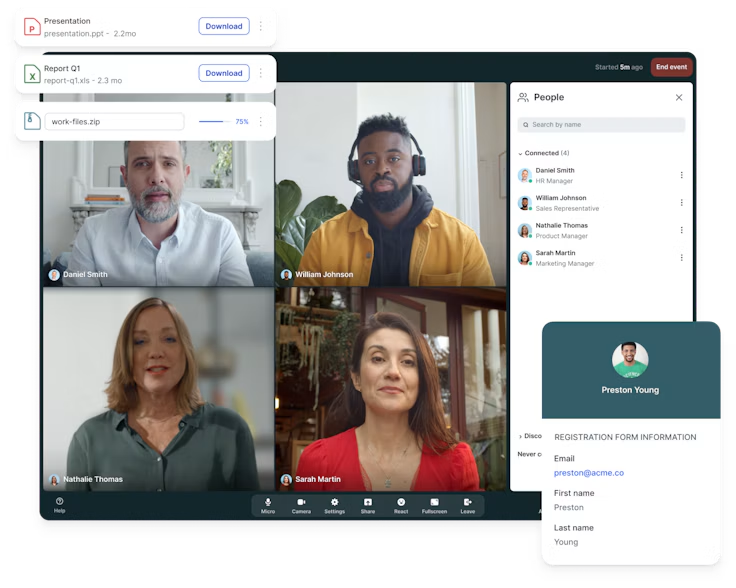
Livestorm lives up to its name by providing an all-in-one platform that goes beyond the standard script of just managing a live or a pre-recorded webinar. This platform can be used for product demos, training, internal meetings, and so on.
Features
- Live webinars: present to your audience live
- Automated webinars: play a pre-recorded session as a webinar
- Custom branding: keep your webinar experience on brand
- AI features: make use of live translations and AI transcriptions
- Rich integrations: make it work with leading CRMs
Ideal for
Livestorm is the closest thing to a complete webinar software that you can use for hosting webinars both live and automated, or conducting internal events such as employee onboarding. It is simple and powerful enough to use for both daily or once-a-year webinar hosting needs.
Zoom Webinars

Zoom is a tool used by almost every business. But not everyone might know about Zoom Webinars, a tool that goes beyond the standard "video meeting" service. It has the same easy-to-use interface but comes with all the additional features you will need in a webinar app.
Features
- Familiarity: an interface that nearly everyone already knows
- Flexibility: enables hosting a single or multi-session event
- Content repurposing: allows recording and transcription for marketing use
- Rich engagement: provides all the necessary audience engagement tools you need
- Integrations: easy to connect with leading CRM tools
Ideal for
Zoom Webinars is a solid option for anyone looking for a webinar tool that provides easy registration and also allows attendees to interact with hosts during the webinar. Whether you are hosting your first webinar ever or arranging one for an audience of hundreds of thousands, Zoom Webinars packs in the features required.
EverWebinar
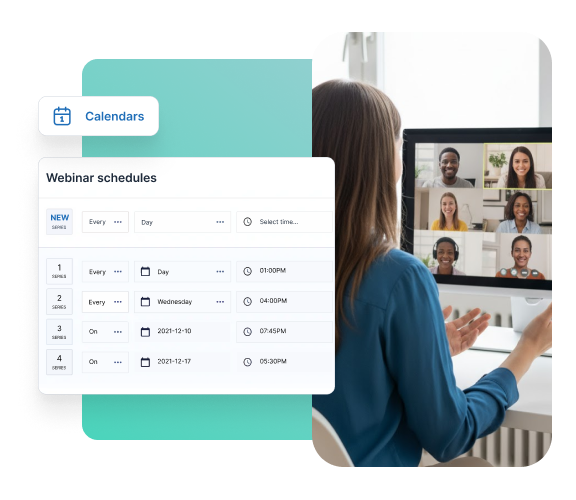
This is the platform to use if you are hosting automated webinars. A pioneer in the webinar automation space, it comes with engagement, scheduling, and marketing tools that are hard to match.
Features
- Easy onboarding: takes the difficulty out of webinar recording and scheduling
- Seamless delivery: makes your recorded webinar feel as interactive as a live one
- Marketing-focused: improves conversions to make your webinar efforts profitable
- Enhanced personalization: automatically schedules your webinars per time zone
- Extensive training: provides all the help required for getting started
Ideal for
EverWebinar is built for anyone striving for automation. Using this tool lets you set your webinar once and let EverWebinar handle the rest while conversions roll in.
Wistia
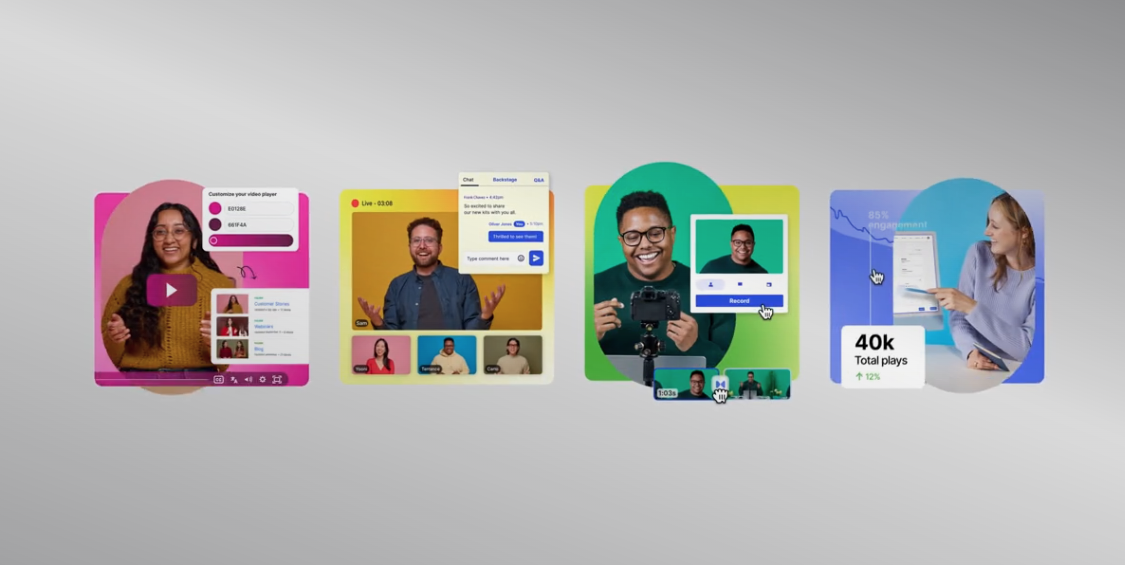
Wistia offers an all-in-one video platform that enables you to create videos, host webinars, and track analytics from one place. Put simply, Wistia aims to become your preferred webinar software and replace your existing stack of video creation tools.
Features
- Simplicity: intuitive and enjoyable webinar hosting features
- AI integrations: solid connectivity with leading AI platforms
- Ad-free video player: highly customizable and fast private video hosting
- Enhanced personalization: branded embeddable pages that increase engagement
- Editing features: solid video editing tools for effective content repurposing
Ideal for
Using Wistia can eliminate the hassle of webinar hosting and content creation. This one platform lets you host webinars and also create content for your socials and various marketing needs.
WebinarJam
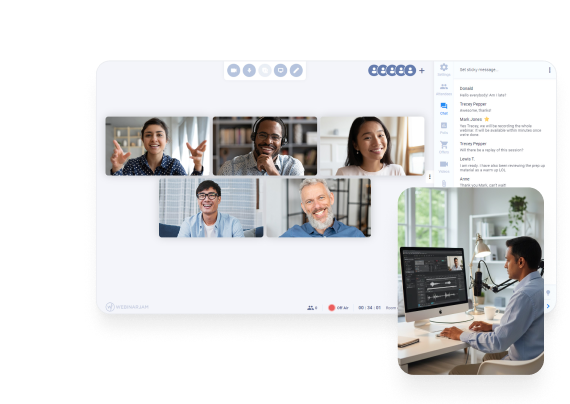
WebinarJam makes hosting and attending a live webinar easy for both host and attendees. It is built for hosting anywhere from ten to tens of thousands of people, without the usual webinar setup headache.
Features
- Quick setup: one-click configurations to start your live webinar painlessly
- Assisting tools: on-screen annotations that keep your attendees engaged
- Rich analytics: all insights in one place to better track webinar results
- Rich communication: email and SMS support to send reminders and boost sales
- Control panel: easier access to every feature you need for hosting webinars
Ideal for
You should go with WebinarJam if you like the interface of EverWebinar but feel overwhelmed by the features it offers. With WebinarJam, you get every feature needed to host engaging live webinars.
GetResponse
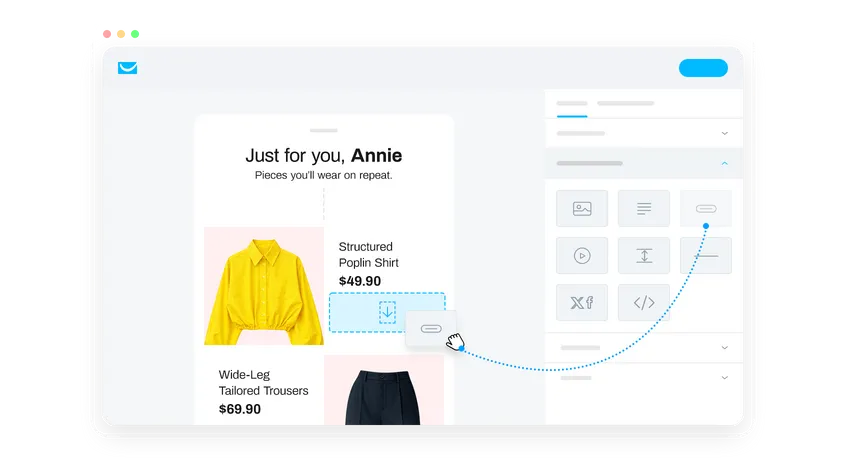
GetResponse is a strong option if you are coming from an email marketing background and want to test the waters of hosting webinars. It lets you provide an on-brand experience to your attendees.
Features
- Simple setup: ideal for going live on the go
- Content engagement: share files to keep attendees hooked
- Seamless collaboration: let ideas flow by sharing the webinar stage
- Feedback collection: get all the data you need for making decisions
- Rich sales: comes with CTA buttons and features that boost sales
Ideal for
People who want their webinars to convert into sales, and who have audiences that respond well to email marketing, will get the most from GetResponse. It has strong email deliverability features that help keep you out of the spam folder.
ClickMeeting

ClickMeeting is a powerful webinar software that is ideal for hosting webinars and video meetings alike. You can use it to host both live and automated webinars to meet the needs of every audience segment.
Features
- Enterprise-ready: comes with features like white label and SLA Standard
- Payment integration: a simplified ticketing system paired with secure payment gateways
- Interactive classroom: teach and engage with your audience the right way
- Supercharged marketing: time-tested marketing tools that increase attendees
- Versatility: ideal for major industries like finance, tech, and consulting alike
Ideal for
ClickMeeting suits people looking for a sophisticated webinar hosting platform that does not cut corners. It comes with unique features like Subaccounts for delegating webinar duties, or dynamic presentation features like EduMode that take hosting webinars up a notch.
RingCentral Events

RingCentral, a household name in the VoIP industry, offers RingCentral Events primarily to corporate clients. It has a unique blend of features that make it useful for hosting both webinars and hybrid events.
Features
- Boosts ROI: provides reliable hosting, content creation, and analytics
- Reliable integrations: allows access to APIs that enable superior personalization
- AI-ready: equipped with AI features for content creation and Q&A management
- Enhanced engagement: comes with branding and promotion tools that make sales easier
- Hybrid events: live webinar hosting with features like badge printing for on-site attendees
Ideal for
RingCentral has reliable servers and time-tested VoIP tools, making it a reputable option in the communication industry. Go with RingCentral Events if you are willing to spend a bit extra to potentially avoid connectivity hiccups.
Univid
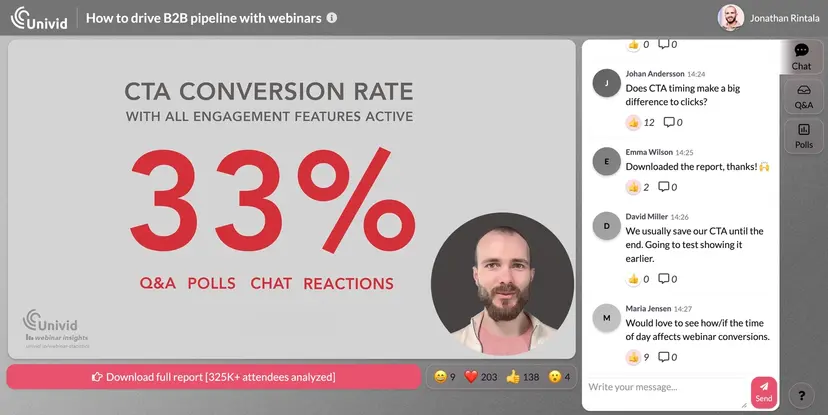
Univid aims for a sweet spot where functionality does not come at the cost of user-friendliness. It comes with robust branding, engagement, and conversion features that make it one of the more capable webinar software tools on the market.
Features
- Beautiful branding: simple yet effective branding tools that make attendees go "Wow!"
- Effortless engagement: polls, Q&A, reactions, and lead scoring to keep attendees engaged
- Simplified tracking: check watch time, CTA clicks, reactions, and more for attendees
- Rich integrations: easy to connect with leading tools to extract useful data
- Webinar spaces: dedicated web pages to keep upcoming and previous webinars in one place
Ideal for
Univid is a good fit for someone looking for alternatives to leading tools like Demio, who wants easy-to-use software that does not lack features like event analytics or customizations. Univid can also work well for brands that focus on community engagement and user-generated content more than corporates, like beauty brands or art clubs.
Contrast

Contrast is a webinar platform built for HubSpot users. If you are already in the HubSpot ecosystem, you will like using this webinar tool. It comes with AI features like content repurposing, subtitles, and video repurposing for better marketing.
Features
- Personalized experience: polls and Q&A features that keep attendees engaged
- Marketing ready: comes with strong email marketing and video clipping features
- On-brand webinars: provides branding options that make your webinars memorable
- Intuitive experience: smooth layouts and rich transitions that leave attendees impressed
Ideal for
Contrast is built for someone who uses HubSpot and wants to send every webinar data point directly into HubSpot for better tracking. It also comes with most of the features you would look for in a webinar platform.
StreamYard On-Air
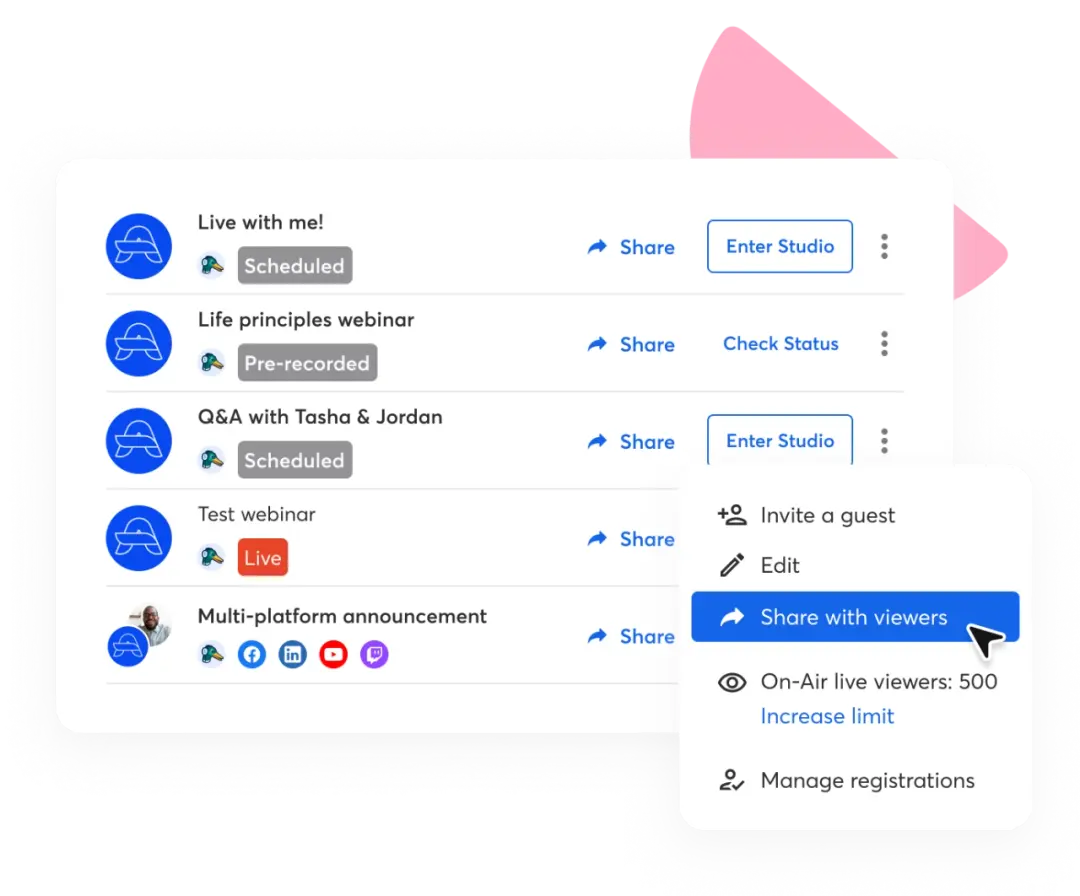
If you are looking for a simple live webinar platform that lets you get live in minutes, StreamYard On-Air is a solid option. It comes with all the basic features you need to make yourself heard and engage your audience.
Features
- Simple setup: easy to use straight from your web browser
- Highly stable: forget about server hiccups or quality glitches
- Collect data: gather emails and keep your audience hooked from the same platform
- Basic branding: host on-brand webinars and make them memorable
- Trusted platform: used by enterprises and startups alike
Ideal for
StreamYard On-Air is a good fit for someone who is just getting started with hosting live webinars. It comes with all the basic features that can make your live webinar engaging and easy to host, with no complex setup required.
Webex Webinars
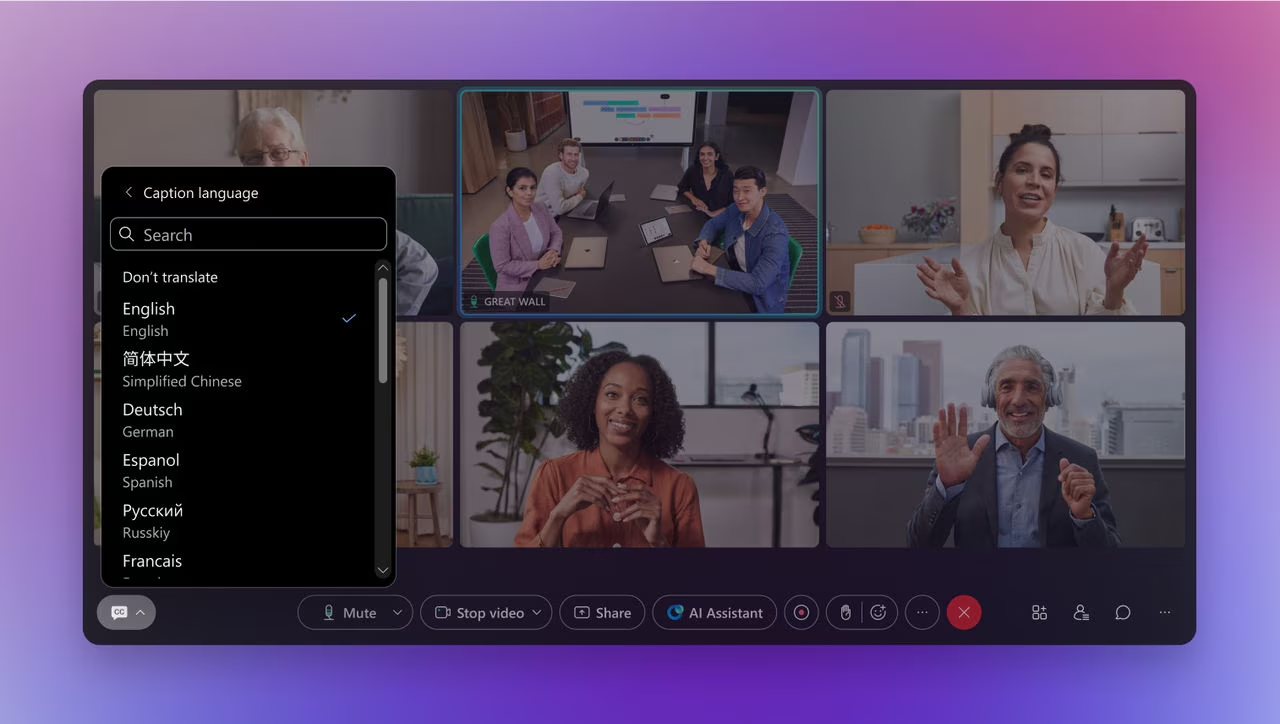
Webex Webinars is a live webinar tool with a polished interface and useful features that are ideal for hosting corporate webinars. It has one of the best live translation options around, making your webinars inclusive for a global audience.
Features
- Reliable translations: enterprise-grade live translation in over 100 languages
- Superior hosting: allows you to host up to 100,000 attendees
- Immersive presentations: comes with features that help you stand out as a speaker
- Seamless integration: connects easily with the apps you already use
- Dedicated support: skilled professionals are just a click away
Ideal for
Made by Cisco, this tool is a strong option if you are hosting webinars in a corporate setting or expect corporate attendees. It should be your go-to option if you already use Cisco products.
Demio
.avif)
Demio is ideal for ROI-focused marketing teams that want a webinar tool focused on engagement and, ultimately, conversion. It comes with strong live and evergreen webinar hosting features alongside marketing features that stand out.
Features
- Attendee engagement: use polls and other tools to keep attendees hooked
- Webinar ROI: make your efforts count by gauging their effectiveness
- Engagement analytics: check what works and what does not to better host webinars
- Intent identification: better understand your attendees and cater to them accordingly
- Boost sales: use sales features that increase your ROI
Ideal for
Marketers who have a deep understanding of their audiences and want to convert prospects into repeat customers get the most out of Demio. It comes with nearly all the features you would want in a webinar hosting software.
WebinarNinja
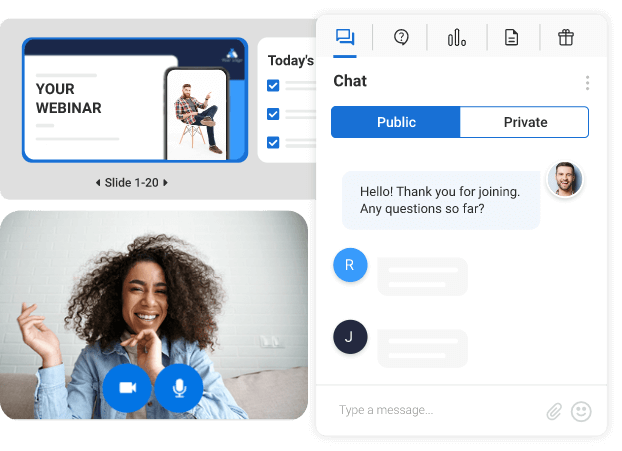
WebinarNinja is one of the most popular and highly recommended webinar hosting platforms. It lets you host live or evergreen webinars so you can stay connected with your audience however you like.
Features
- Enterprise-ready: comes with features suited to established businesses
- Sales engine: offers lead generation and sales features that bring results
- Live teaching: provides features needed for effectively teaching online
- Robust security: comes with SOC 2 Type 2 certification
- Smart integrations: lets you connect with leading CRM tools
Ideal for
WebinarNinja is a strong option for those who have already tested the effectiveness of hosting webinars. It is a complete tool that comes with the features needed for hosting all types of webinars.
Choosing the Webinar Software That Suits You
There is no single webinar software that is fit for all. That is why it is worth researching a few interesting options, weighing the pros against the cons, and seeing which one offers the best bang for your buck.
Once you find the right mix of features along with the above three, all you need to do is make sure its payment plans align with your budget, and you are good to go.
Still deciding on the rest of your event tech stack? Compare your options in our guides to the best virtual event platforms for hybrid and fully online formats, and the best event apps for keeping attendees engaged before, during, and after your webinar.
Frequently Asked Questions
What is the best free webinar software?
There is no single best free webinar software for everyone, since the right free webinar platform depends on your attendee count and how often you host. That said, Livestorm, Wistia, GetResponse, ClickMeeting, RingCentral Events, Univid, Contrast, and StreamYard On-Air all offer usable free plans, making them some of the best free webinar platforms to start with before you commit to a paid tier.
Is there a free webinar platform for 500 participants?
Not on a free plan. Most free webinar tools cap attendance well below 500, with RingCentral Events’ free tier topping out at 1,000 attendees among the platforms reviewed here. If you specifically need a free webinar platform for 500 participants, RingCentral Events or a paid tier of WebinarJam (which supports 500 attendees on its Basic plan) are the closest fits.
What is the cheapest webinar software available?
Livestorm, WebinarJam, and EverWebinar are among the cheapest webinar software options to get started with, with WebinarJam and EverWebinar both offering a $1 trial. If affordable webinar software is the priority over advanced features, start with a free-plan tool like ClickMeeting or Contrast and upgrade only once you outgrow the limits. Call it a webinar creation tool, software for webinar hosting, or just a webinar tool free of charge to start with: several webinar platforms free at the entry tier, like ClickMeeting and Contrast, prove that cheap webinar software rarely means fewer features these days.
How do I host a webinar for free?
Free online webinar software makes it possible to host a free webinar without spending a cent, and most free webinar hosting sites follow a similar process, whether you search for how to do a webinar for free or how to hold a webinar free elsewhere. Hosting a free webinar is straightforward on most of the platforms in this guide. Here is a simple process that works across free webinar platforms:
- Pick a free webinar tool that supports your expected attendee count (Livestorm, Wistia, and ClickMeeting all work well for small audiences).
- Create your registration page and set a date and time.
- Send registration confirmations and reminder emails to reduce no-shows.
- Run the live session with polls or Q&A enabled to keep attendees engaged.
- Share the recording or a replay link with anyone who registered but could not attend live.
Is there good free automated webinar software?
Most dedicated evergreen automation, like EverWebinar’s, sits behind a paid plan, but several platforms offer automation-adjacent features on their free tiers. Demio and WebinarNinja both support automated and evergreen webinars, though not on a free plan, while Wistia’s free tier includes AI-assisted features that reduce manual setup work.
Which webinar software includes free recording?
Livestorm, Zoom Webinars, Wistia, WebinarJam, Webex Webinars, and WebinarNinja all include recording as standard. If free webinar software with recording matters most to you, check the storage duration limits carefully. GetResponse, for example, caps recordings at 10 hours of storage and ClickMeeting at 14 hours, while Univid and Demio offer unlimited recording. If free webinar recording software specifically is the priority, and you do not need every one of these webinar tools free of every other limit too, Univid and Demio’s unlimited recording makes them the safer bet.
What is the difference between a webinar platform and a general meeting tool?
A webinar meeting platform is built around one-to-many broadcasting: a host or panel presents to a large, mostly passive audience, with registration pages, automated reminders, and post-event analytics built in. A general online meeting tool like a standard video call is built for smaller, more collaborative groups where everyone can speak and share their screen. Zoom Webinars is a good example of a platform built specifically to add that one-to-many layer on top of familiar video conferencing.
What should I look for in browser-based webinar software?
For browser-based webinar software, prioritize platforms that do not require attendees to download an app, since download friction is one of the biggest drivers of no-shows. Livestorm, StreamYard On-Air, and GetResponse all run entirely from the browser for both hosts and attendees, which is worth checking before you commit to any video webinar software that expects a separate download. This matters whether you think of it as webinar streaming services, webinar scheduling software, or simply online webinar hosting: a video webinar service that lives entirely in a tab beats webinar software free of charge but locked behind a heavy desktop install.
How do these webinar platforms compare on pricing?
Pricing varies widely across this webinar platform comparison. Entry-level plans span from free (Livestorm, Wistia, GetResponse, ClickMeeting, RingCentral Events, Univid, Contrast, StreamYard On-Air) to enterprise quote-based pricing (Webex Webinars, Zoom Webinars at scale). For an accurate webinar pricing comparison, always check the attendee limit and session length tied to each tier, not just the sticker price, since a cheap plan with a short session cap can end up costing more once you upgrade.
What is the best webinar software overall in 2026?
Among the 14 best webinar software platforms covered in this guide, Livestorm stands out for teams that need both live and automated webinars in one place, Demio for ROI-focused marketers, EverWebinar for pure evergreen automation, and Webex Webinars for large-scale corporate audiences. The best platform for hosting webinars ultimately comes down to your audience size, budget, and whether CRM integration or AI-assisted content repurposing matters more to your team. If you are comparing the top webinar platforms or the best platforms for webinars more broadly, treat pricing tiers, attendee limits, and automation support as the real differentiators between competing webinar solutions, not the marketing copy on each vendor’s homepage; for a lighter starting point, the best free webinar tools on this list (Livestorm, Wistia, and Contrast) cost nothing to trial.
.png)