.png)


By Umamah, Content Strategist at Eventify. Last updated based on vendor documentation and third-party reviews through August 2026.
Key Takeaways
Virtual and hybrid events are often considered harder to organize than in-person events because attendee engagement is tougher to sustain. You know it is a disaster when you start losing attendees in the first hour of the webinar, and that risk is real: practitioners on PCMA's Catalyst community have reported free-webinar attrition as high as 40 to 50%, with drop-off accelerating after the first 45 minutes, according to PCMA. Understanding the resources required for such events is exactly why virtual event management platforms exist.
A good platform handles registration, ticketing, attendee engagement, and networking while you deliver a webinar that generates leads. Some platforms bolt on features like interactive expo booths and virtual worlds for attendees to explore. Whether you call it a virtual conference platform, an online event platform, or plain virtual event software, the job is the same: keep people engaged long enough to convert.
In this list, we discuss the top 11 virtual event platforms, evaluated on functionality, pricing transparency, and reviews from third-party sites like G2 and Capterra.
The 11 Best Virtual Event Platforms Compared: A General Overview
How I Evaluated These Virtual Event Platforms
Every platform on this list was evaluated using the highest-tier free demo or trial available. Functionality and pricing details are supplemented by documentation each vendor provides, plus third-party review data from sites like G2 and Capterra, current through August 2026.
Several platforms, including vFairs, ON24, and Goldcast, don't publish pricing on their website; it's quoted based on each organization's requirements. Any pricing or package estimate here is based on vendor documentation or third-party sources, and pricing is solely the vendor's responsibility to update, so confirm current rates directly with them before you buy. Notes on usability and "learning curve" reflect my own hands-on experience unless another source is cited.
When I started evaluating these virtual event platforms, I quickly realized I had to ask myself some specific, practical questions to separate the real event solutions from the pretenders. Here's exactly what I looked for and how I thought through each one.
Is this actually built for events, or is it a meeting tool with event features tacked on?
This was my gut-check question right out of the gate. Some big names on my list, like Google Meet and Microsoft Teams, are clearly video-conferencing tools at heart; they have webinar or town-hall modes layered on top if you pay for the higher tiers. Others, like Eventify, Hubilo, and vFairs, were designed around the full event lifecycle from the start. Neither approach is automatically right or wrong, but knowing where a platform started changes what you should expect it to do well without extra effort on your end. For more on this distinction, see our guide to choosing event management software built for the job rather than bolted on after the fact.
Does it handle registration, ticketing, and branding without forcing me into workarounds?
For me, a platform isn't truly usable unless I can build a customizable registration page, segment attendees into different ticket types, and brand the whole experience so it doesn't look like a generic meeting invite. I made a point of checking whether these features were native to the platform or whether I'd have to bolt a third-party form tool on top just to get people in the door.
Is this platform actually safe for our attendee and organizer data?
This was a non-negotiable question for me. I checked whether the platform takes data protection seriously, not just in marketing copy but in its actual infrastructure. I specifically looked for recognized industry standards like ISO 27001:2022 and SOC 2 Type 2 certification, which point to robust security controls, regular third-party audits, and clear data-handling protocols. I also verified how each platform handles GDPR coverage, since attendee data often spans multiple regions and comes with strict privacy requirements that carry massive fines if violated. The platforms with these certifications and clear GDPR policies moved straight to the top of my list.
How transparent and predictable is the pricing, really?
This is where I got frustrated. Several platforms in this space, including ON24, Goldcast, Hubilo, and vFairs, don't publish a single number anywhere. You get a quote only after a sales call, and that number tends to shift based on attendee volume, how often you run events, and whatever add-ons you ask for. Platforms with published, flat, or tiered pricing made my budgeting process easier, especially when planning for a full year of events rather than a one-off.
What does this platform do for lead generation and post-event data?
Most of us aren't running virtual events just for logistics; it's a marketing and sales play. According to Bizzabo's 2026 State of Events Benchmark Report, 40% of event organizers still find it difficult to prove ROI in 2026, down from 70% in 2025, which tells you how much ground is still being made up here. So I dug into how well each platform integrates with CRM and marketing automation tools like Salesforce, HubSpot, and Marketo, and whether it hands back real event ROI insights or just a pile of raw numbers to make sense of yourself.
What do independent reviewers actually say?
I know better than to trust glossy marketing pages at face value. So I spent time on G2, Capterra, and GetApp to see what real users were saying. Those reviews were my secret weapon for poking holes in vendor claims, especially around support quality, how complicated the interface really is, and whether people felt they got their money's worth. Those three areas are where marketing promises and daily user experience tend to diverge.
The 11 Best Virtual Event Platforms Reviewed In-Depth
1. ON24

ON24, by Cvent, is built specifically for enterprise webinars. It supports live, simulated-live, and on-demand formats, and its engagement hubs help hosts build content and experience during the webinar and after.
The standout feature for me is attendee behavior tracking: it feeds data gathered from attendees into CRM systems like Salesforce or HubSpot to generate leads. ON24 also has an ACE AI engine that turns webinar content into written and video formats automatically, which is part of why it's treated as one of the more established virtual conference software options for large-scale broadcasts.
ON24 has more than 20 engagement features, including live Q&A, polls, and chat, with security certifications like SOC 2 Type II, ISO 27001:2022, ISO 27701:2019, and APEC PRP for data protection. Pricing is quote-based, so you'll need to narrow down what you want before contacting the team.
Pricing: Not publicly available. ON24 has a three-tier plan structure (Essential, Standard, Advanced) based on the features required, quoted upon contact. It does not offer a free plan.
2. Goldcast
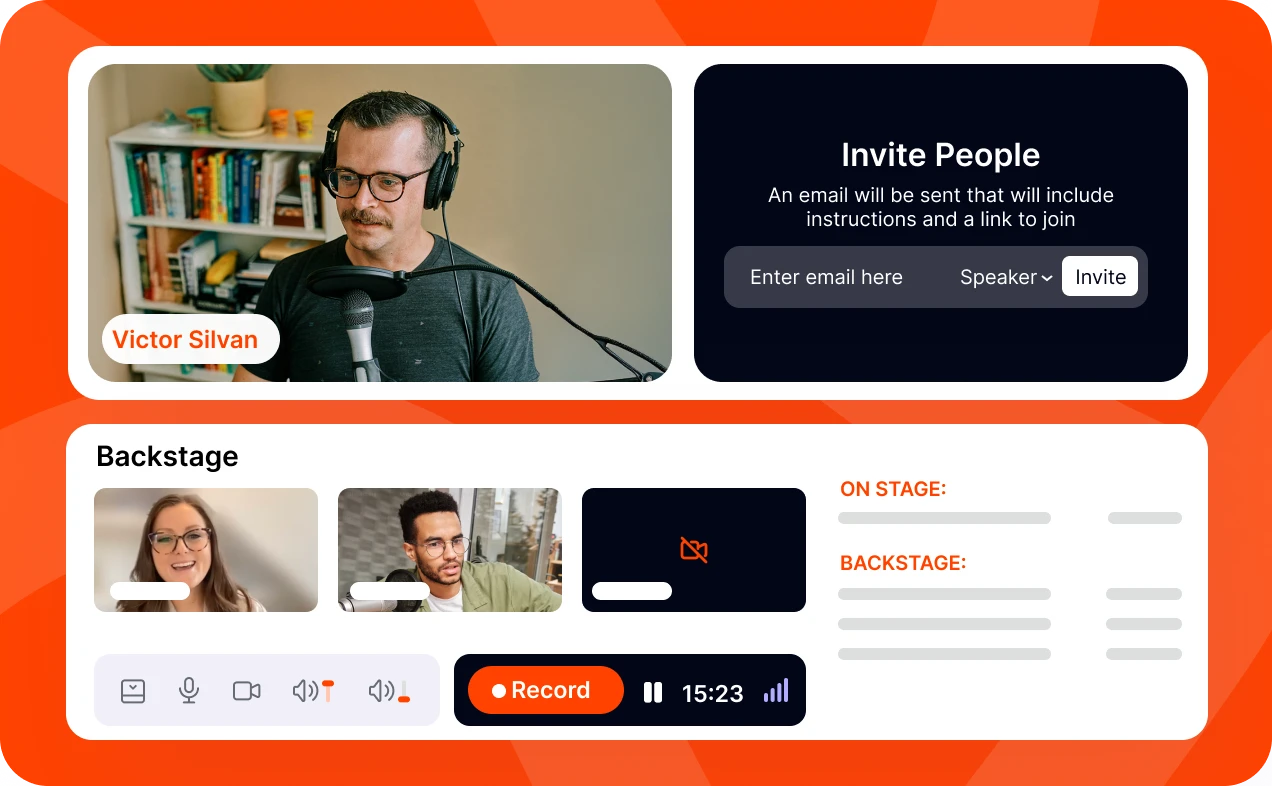
Goldcast, also by Cvent, is a B2B-focused virtual event platform designed to pipeline the event process, with broadcasting as part of it. It helps organizers interact with attendees directly for a better revenue impact, which is worth weighing against our broader look at running B2B events if demand generation is the main goal.
The dashboard is intuitive and helps organizers interact with attendees through customizable rooms and networking lounges. It also offers AI tools for turning event highlights into clips for social media.
Goldcast holds SOC 2 Type 2 certification and follows the EU-U.S. Data Privacy Framework Principles for data safety and privacy. Pricing is quote-based, like ON24, and according to user reviews on G2 and other third-party sites, the price can climb with attendee count, so it's a better fit if you're prioritizing marketing reach over a tight budget.
Pricing: Not publicly available. Goldcast lists three tiers, Content Lab, Recording Studio, and Digital Events, each quoted based on the features you need.
3. Expo Pass
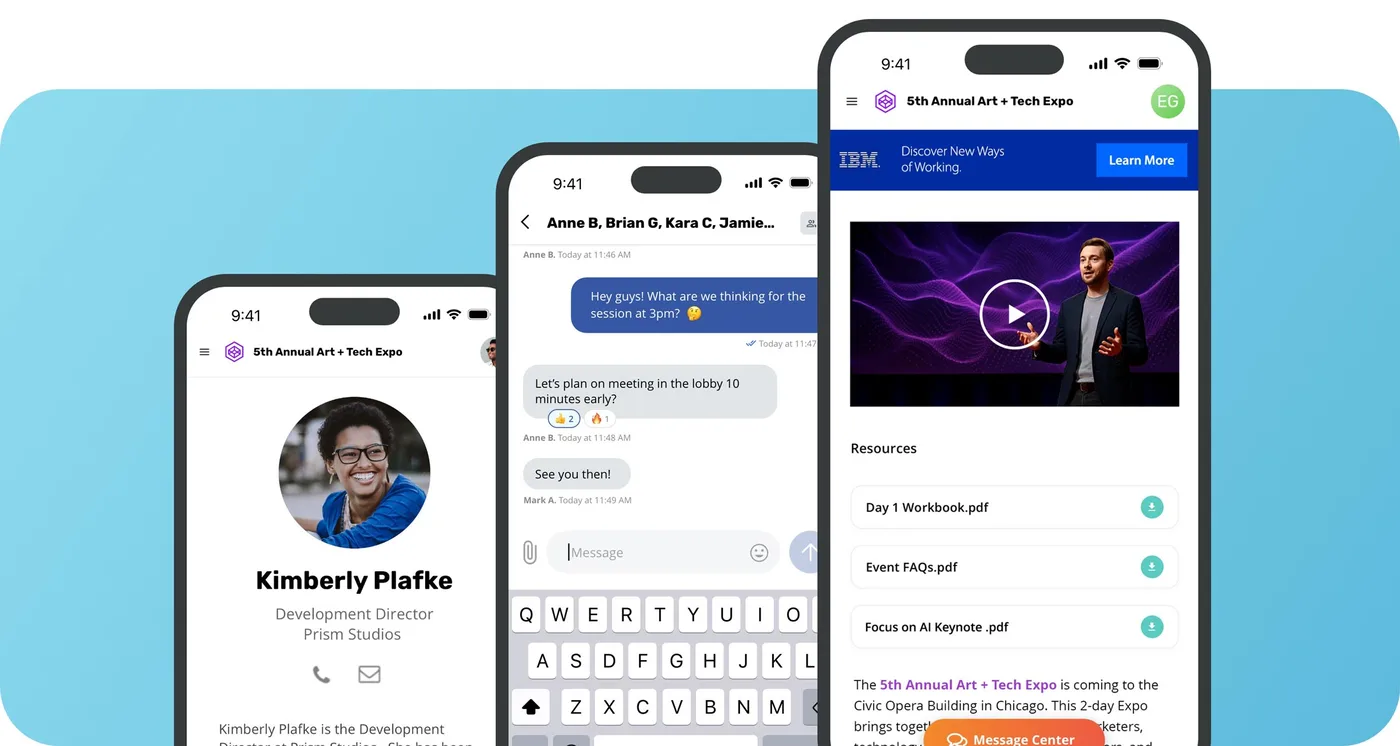
Expo Pass is built for virtual and hybrid events with a focus on audience engagement, backed by an easy-to-use event mobile app for both organizers and attendees. The app handles schedules, updates, and networking opportunities, alongside real-time Q&A, interactive polling, and digital sponsor or exhibitor spaces, functioning well as virtual expo software for sponsor-heavy formats.
Its lead retrieval tool helps turn attendee data into new leads, with CRM integration options including Swoogo and Avery. Expo Pass doesn't carry an advanced security certification for live data beyond PCI DSS Level 1 compliance for secure registration payment processing via Stripe.
Pricing is quote-based, but one reviewer on G2 put it well: "ExpoPass is a bit pricey, but it is worth every penny," adding that "the ExpoPass team members help you with everything."
Pricing: Not available publicly.
4. Virtual Pro (Formerly Hubilo)
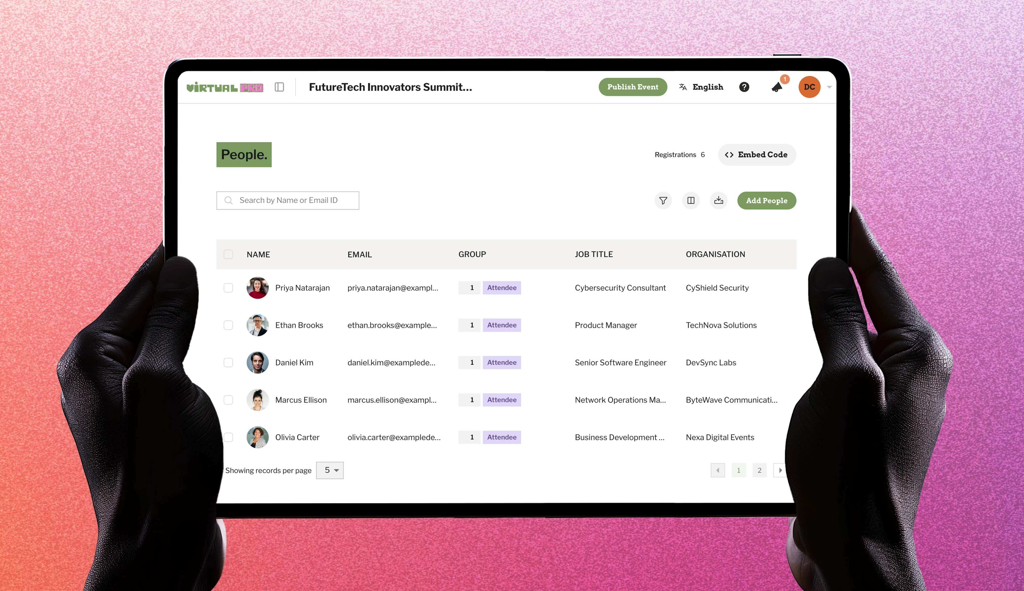
Hubilo is designed for virtual events chasing sponsor ROI. It has an easy drag-and-drop event builder and landing page, capturing attendee attention early with custom designs. The platform supports mobile apps, personalized agendas, AI-driven networking lounges, and sponsor or exhibitor tools for branded virtual booths.
It carries SOC 2 Type II attestation and ISO/IEC 27001 certification for its information security management, making it a reliable choice. The standout feature for me is the CRM integration list: Salesforce, Captello, Interprefy, Kahoot, Kudo, Mailchimp, MootUp, and more, which, paired with the networking lounges, positions it as a virtual event networking platform rather than just a broadcast tool.
From my own experience, I found their site rebranded as "Virtual PRO," and it's a lot to take in visually, with a flash of vibrant colors that can feel disorienting. I've also seen reviews flagging "performance lagging during large-scale events," which suggests it's better suited to mid-sized events focused on sponsors and exhibitor booths. Like other platforms on this list, pricing is quoted upon contact.
Pricing: Not publicly available. Contact the team for quote-based pricing.
5. Eventify
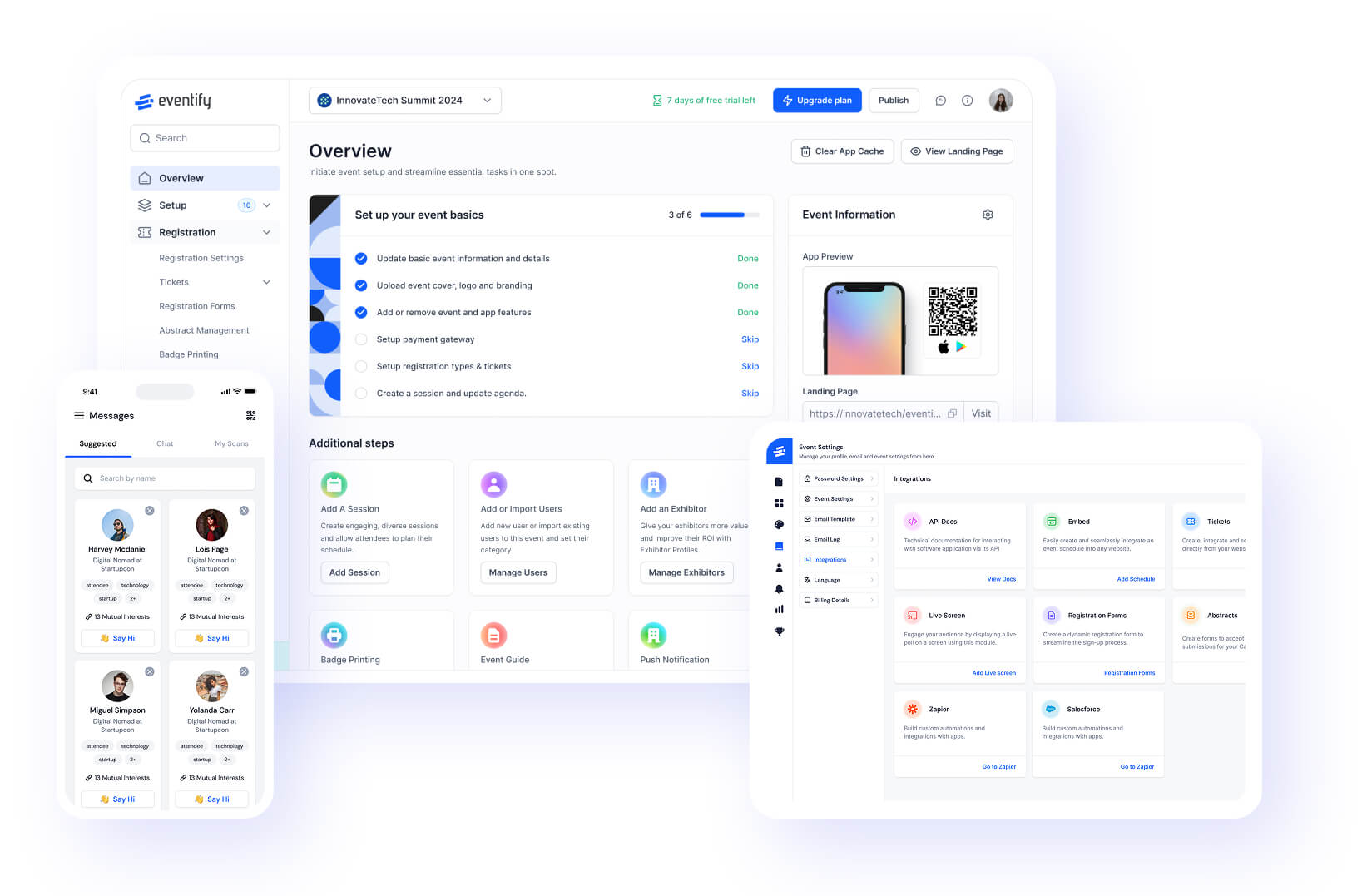
Eventify's virtual event platform is a complete event solution whether you're running a virtual, hybrid, or in-person event. You manage every event type through a single dashboard, so you're not shuffling between different calendars; if hybrid is the format you run most often, our hybrid event platforms guide digs deeper into that comparison.
For the virtual side specifically, Eventify offers live streaming video, Q&A, live polls, live chat, and a 1:1 virtual networking space. A real plus is AI-powered matchmaking that pairs attendees based on interest or region.
Sponsors and exhibitors can set up virtual booths with photos, videos, upcoming products, and more, while gamification features keep attendees engaged with lively energy throughout. It automatically tracks attendee data, engagement, and event details in one consistent database. As one of the more complete virtual event companies on this list, Eventify pairs that single virtual event management dashboard with its own virtual event app, so attendees and organizers aren't working from two different systems.
Eventify has its own streaming infrastructure, but its virtual event app also integrates with leading platforms including Zoom, YouTube Live, Vimeo, and WebinarJam, a strong consideration if your organizers have trouble switching between apps. On pricing, Eventify charges a flat monthly rate rather than a per-attendee or per-ticket fee, so you can run an event with 100 or 1,000 attendees while paying only for the app features you use.
Another standout for me was the security posture: Eventify offers ISO 27001:2022 and SOC 2 Type 2 certification, plus GDPR coverage for both hosts and attendees.
Pricing: Plans start at $99 per month; contact the team for pricing on specific features. A 14-day free trial is also available.
6. Airmeet
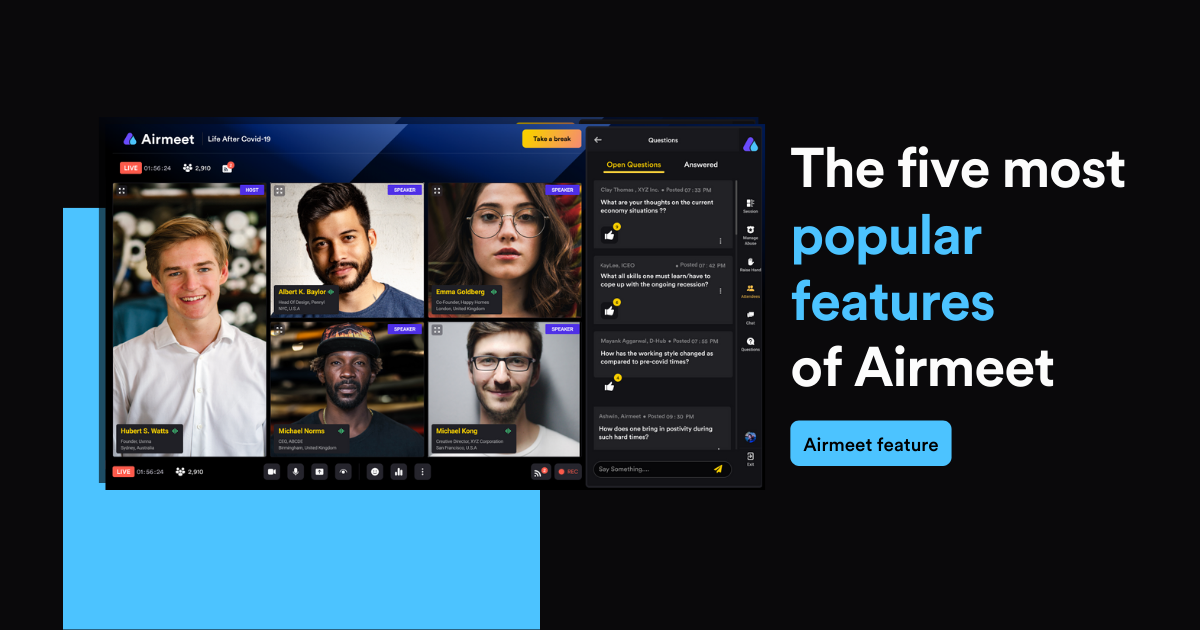
Airmeet is built to make virtual events feel less passive, with virtual tables, breakout rooms, and networking lounges that mimic being in person. Its engagement and networking tools stand out, and I've seen users say these features make the platform "a great differentiator" from others.
I like their AI assistant, AirGenie, which handles event content, taking real work off your plate. Airmeet holds ISO 27001:2022 information security certification and is SOC 2 Type 2 attested, with CRM integrations available for Zoom, Salesforce, HubSpot, Mailchimp, Eventbrite, Stripe, PayPal, Google Calendar, Zapier, and more.
The dashboard is a bit complex and takes time to learn. Beyond that, the AI tools help with event insight both during and after the event, and the overall experience leans more toward virtual event management built around people than a straight webinar tool.
Pricing: Airmeet has three tiers, starting at $199 per month for two organizers with 100 attendees (scalable to 1,000), while the other two tiers are quote-based. A free sign-up option is available without a credit card.
7. vFairs
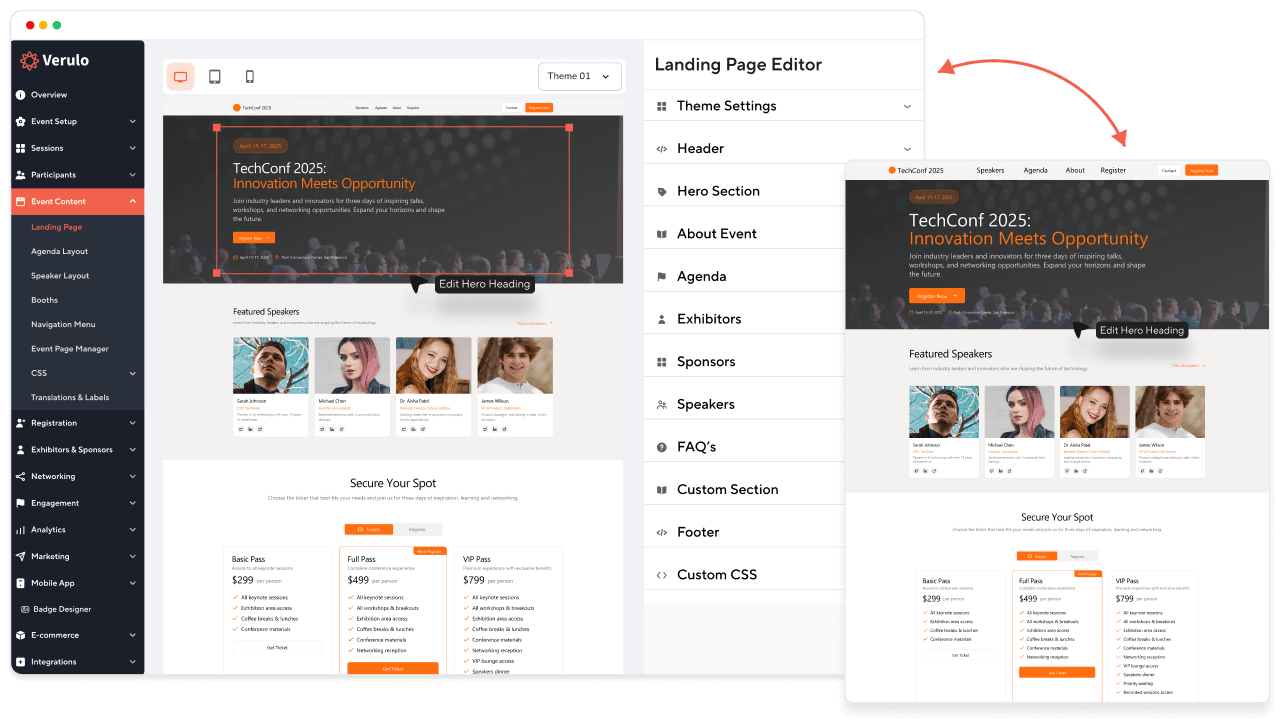
vFairs is a great option for sponsors and exhibitors, with a 3D virtual lobby and booth space that stands out for interactivity. The platform also offers structured one-to-one networking through its mobile app, useful for trade show booth style events run online.
CRM integration is effortless, according to reviewers on Capterra and G2. It captures engagement data but expects your CRM and marketing automation tools to handle their own lead management.
vFairs holds major enterprise-grade security certifications and compliance standards, including SOC 2 Type II, ISO 27001, PCI DSS, and Microsoft SSPA. Like other platforms here, pricing is quote-based. Between the 3D lobbies and the booth depth, it functions as much as a virtual convention platform as a conventional webinar tool.
Pricing: Not publicly available.
8. Google Meet

Google Meet isn't an event-dedicated platform; it's a video-conferencing tool inside Google Workspace. There's no automated registration page, ticketing, or booth setup, but you can sync it with Google Calendar or Drive for a low-friction meeting experience. It works fine as a bare-bones online event platform for internal sessions, but nothing more.
The platform is easy to use for a basic webinar or lecture with limited attendee interaction. What stood out to me was the live translation and captions, paired with strong video and audio quality.
Google Meet, via Google Workspace, holds major global security and compliance certifications, including SOC 2/SOC 3, ISO 27001, ISO 27017, ISO 27018, FedRAMP Moderate, and support for HIPAA compliance through a Business Associate Agreement.
Pricing: The free tier gives 60 minutes for 100 attendees. Paid tiers include Business Starter (24-hour calls, 100 attendees) at about $7 per user per month, Business Standard (24 hours, 150 attendees, breakout rooms) at about $14 per user per month, and Business Plus (24 hours, 500 attendees, breakout rooms) at about $22 per user per month. The Enterprise tier, for 1,000 attendees as a broadcasting tool, is custom-priced. All plans include cloud storage.
9. Microsoft Teams
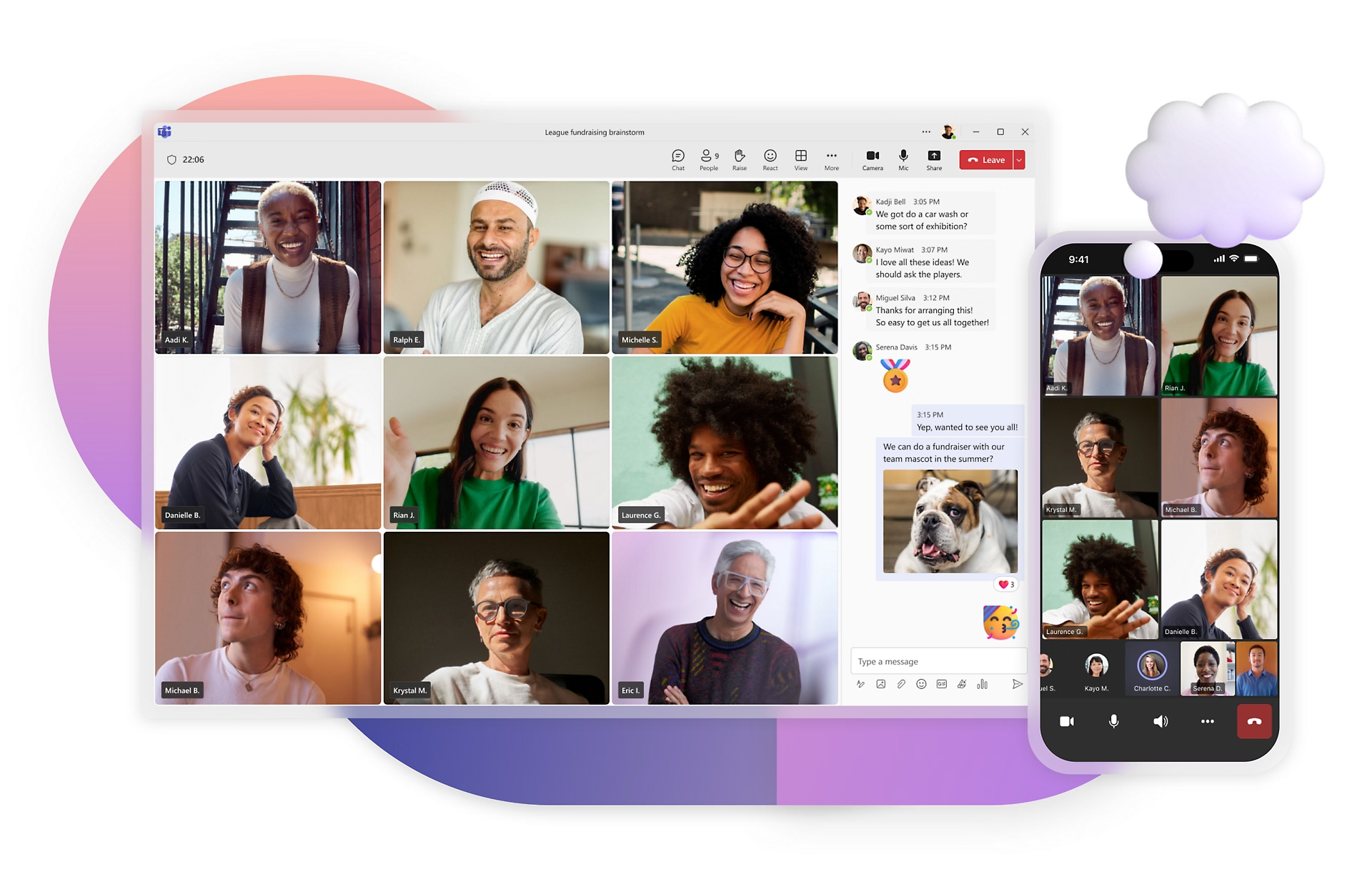
Microsoft Teams is sold as part of the Microsoft 365 suite, not separately. It offers webinar and town-hall features, with Copilot built in for easy meeting recap generation. What sets it apart is a registration waitlist feature along with presenter bios and custom branding for the meeting, making it a professional, straightforward space, ideal for one-to-one corporate meetings, webinars, and educational lectures.
On data security, Microsoft brings its own credentials, including managing security settings, compliance policies, and information barriers within Teams. It's a capable event platform online for internal town halls, though it was never built as dedicated virtual event management software.
Pricing: A basic free plan covers 60 minutes for 100 attendees, similar to Google Meet. Other plans span Individual, Business, and Enterprise tiers, further divided by number of attendees, add-ons, and cloud storage, with room capacity scaling to 10,000 attendees on higher tiers.
10. Zoom Events
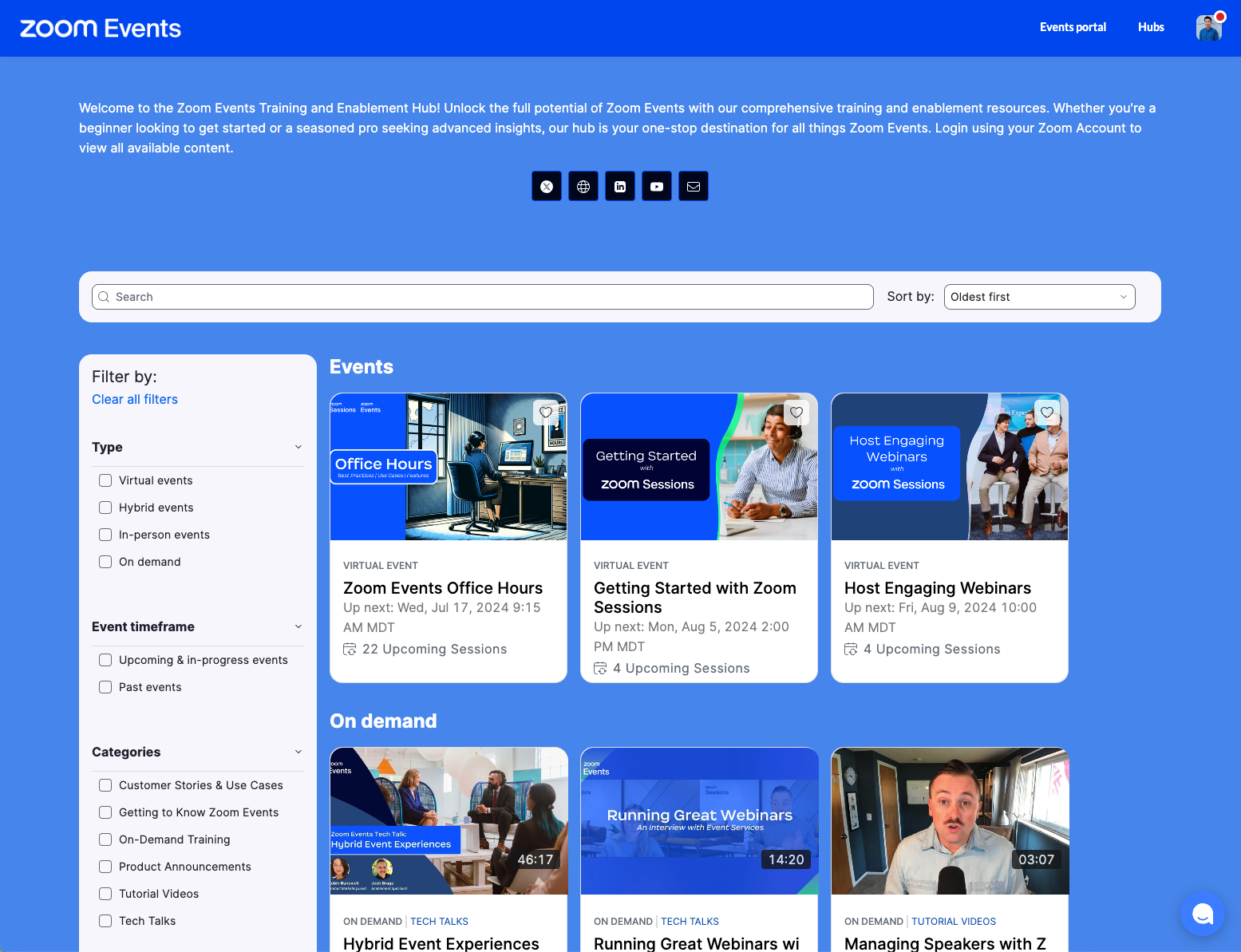
Zoom Events is Zoom's video streaming infrastructure upgraded with an event management layer, essentially turning it into a virtual conference platform built on top of a tool teams already use. It comes with customizable registration, ticketing, chat-enabled networking lobbies, and expo or exhibit booths.
You can build a multiday or multitrack event on the platform rather than a single long broadcast, with a mobile app for both organizers and attendees. It also holds global data security certifications like ISO 27001 and SOC 2 Type II.
Pricing: A basic free plan covers 100 attendees. For the Event plan, you can pay based on attendee volume or a monthly-to-annual subscription, with add-ons billed separately. As a reference point, the Event plan for 100 attendees runs $149 per month before add-ons.
11. GoTo Webinar
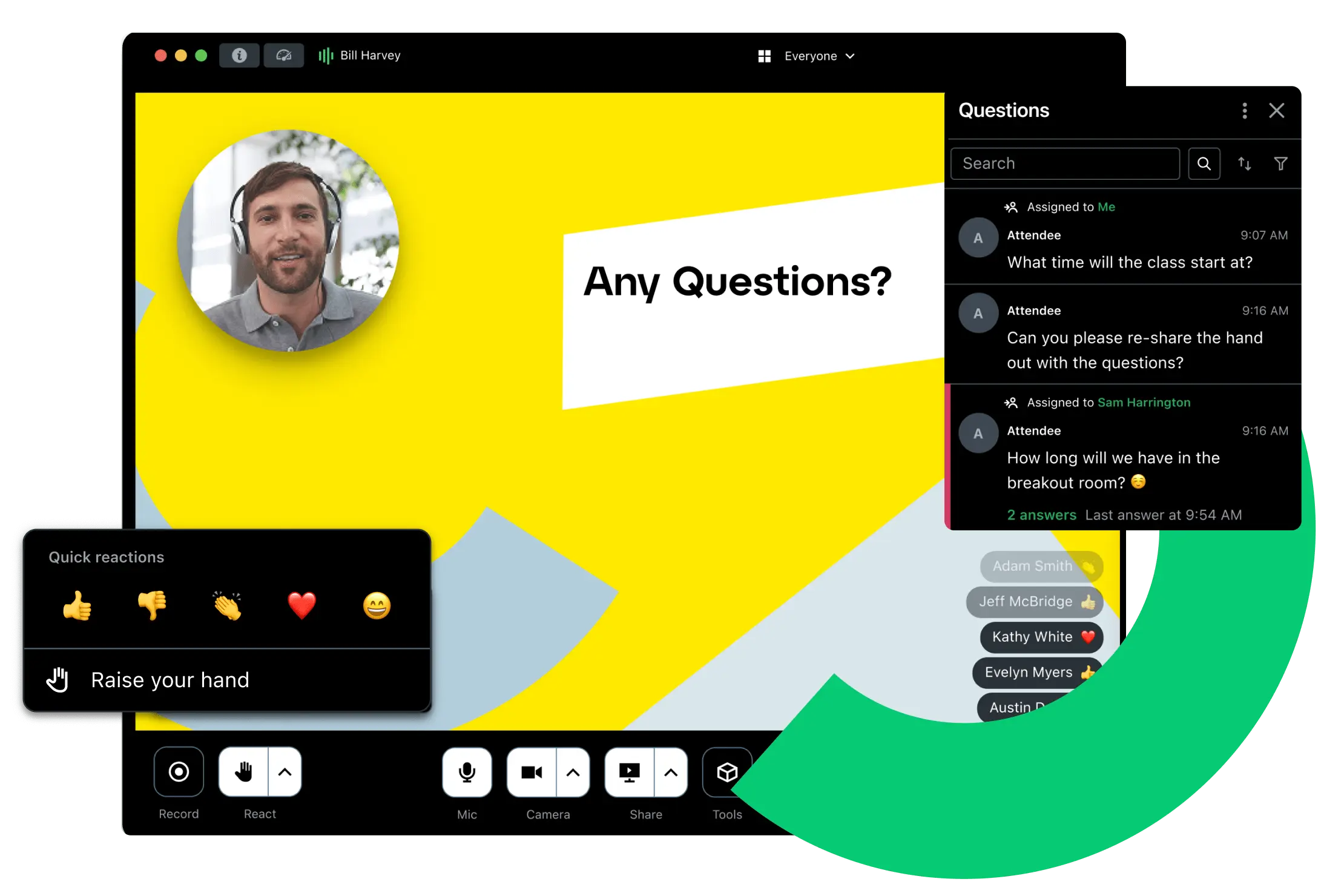
GoTo Webinar is built for pre-recorded and recurring webinars: corporate training, educational lectures, customer webinars, and lead-generation sessions. Its long track record, paired with live Q&A, polls, and live analytics, makes it a solid option for recurring webinars. CRM integration is reviewed by users as "smooth."
The platform maintains compliance frameworks including SOC 2 Type II and ISO 27001 for data security. It has no automated marketing or AI content tools, making it more of a basic tool for less complex, pre-defined webinars, a straightforward piece of virtual events software rather than a full event platform. If webinars, rather than a full-scale event, are specifically what you need, our roundup of the best webinar software covers more dedicated options.
Pricing: Plans split into three tiers. The basic "Reach" plan starts at $69 per month for 500 attendees, "Elevate" starts at $129 per month for 1,000 attendees, and the Complete plan is quote-based, accommodating up to 3,000 attendees.
Choosing the Right Virtual Event Platform: An Expert Evaluation Framework
The optimal virtual event platform, whatever you call it, virtual conference software, an online event platform, or virtual event management software, isn't the one with the most extensive feature set; it's the one that aligns with your event format, audience size, and strategic objectives. Before booking demos, assess each platform against the criteria below.
The Virtual Event Platform That Does the Job You Actually Have
Don't overthink this; match the platform to your actual reality. Running internal town halls? Google Meet or Teams, a plain online event platform, handles it cheaply. Chasing leads? ON24 or Goldcast are built for that. Hosting multiple virtual events a year? Eventify's flat fee keeps costs sane, unlike per-attendee models that punish you for success.
The best video quality means nothing if registration feels clunky, data is useless, or you're juggling five tools. Stop shopping for flashy features. Shop for the workflow you actually live in every day.
.png)