Nederlands
 Deutsch
 Français
 Español
 Italiano
 Svenska
 Português (Brasil)
 Português (Portugal)
 العربية
 Türkçe
 Polski

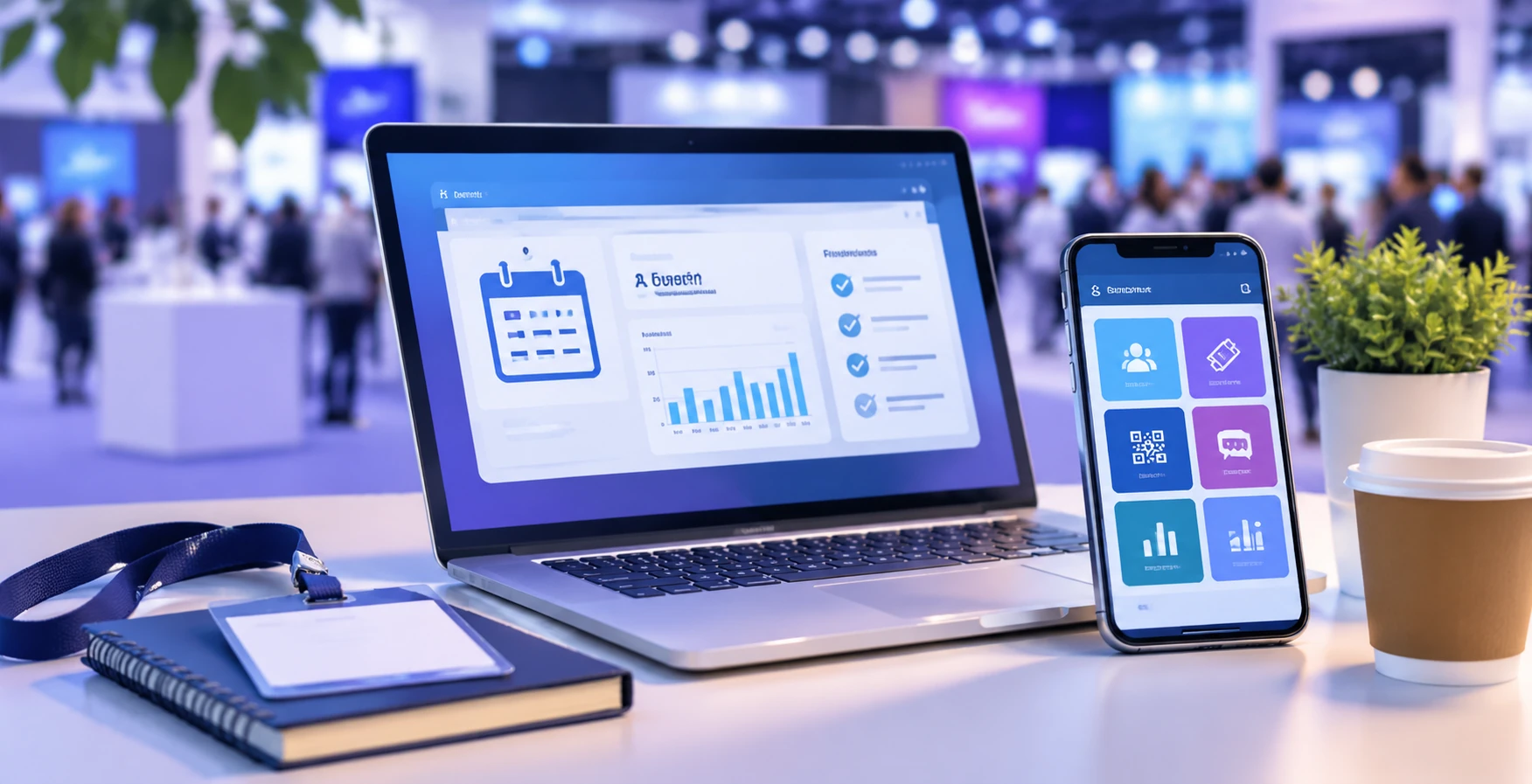


Organizing an event involves more than booking a venue and preparing a schedule. Event professionals need to manage registrations, coordinate teams, communicate with attendees, organize speakers, handle onsite operations and measure event performance. When these activities are spread across multiple tools, keeping everything organized becomes difficult.
That is why apps for event organizers have become an important part of modern event management. The right event organizers platform can bring essential workflows together, helping teams manage events from initial planning and registration to attendee engagement and post-event reporting.
However, different events have different requirements. A corporate meeting may need registration and scheduling tools, while a large conference may require speaker management, attendee networking, QR code check-in and badge printing. Trade shows need exhibitor management and lead capture, whereas festivals may prioritize ticket scanning and entry management.
This guide explains what event organizer apps do, which features matter for different event types and how to choose event organizer software that fits your team's requirements.
What Is an App for Event Organizers?
An app for event organizers is a digital tool that helps event professionals plan, manage and coordinate events. Depending on the platform, it can bring activities such as registration, ticketing, attendee communication, scheduling, check-in and reporting into one system.
Instead of maintaining separate spreadsheets, email lists and applications for every activity, organizers can use event management software to manage connected workflows.
An event organizer app may support different stages of the event lifecycle, from preparing an event and collecting registrations to coordinating onsite activities and reviewing performance.
Whether you are planning a corporate meeting, conference, trade show, exhibition, festival or hybrid event, the right event organizer app can make complex event operations easier to manage.
What Can Organizers Manage Through an Event App?
An event app can help organizers manage several aspects of an event without constantly switching between different tools. Common capabilities include:
Event planning and scheduling: Organize event details, create agendas, manage sessions and update schedules.
Registration and ticketing: Set up online event registration, create registration forms, manage ticket categories and track registrations.
Attendee management: Maintain attendee information, monitor registration status and manage event-related communication.
Speaker and exhibitor coordination: Organize speaker profiles, session information, exhibitor details and sponsor listings.
Event-day operations: Manage attendee check-in, scan QR code tickets and support onsite badge printing.
Attendee engagement: Share announcements, facilitate networking, conduct live polls and manage audience questions.
Event reporting: Review registration activity, attendance information and engagement data to evaluate event performance.
The available capabilities depend on the software. Some platforms cover most of these activities, while others focus on specific tasks such as registration, scheduling or ticketing.
How Do Event Organizer Apps Improve Event Coordination?
Organizing an event involves coordinating attendees, speakers, exhibitors, sponsors, service providers and onsite staff. Everyone needs access to relevant information, and changes must reach the right people at the right time.
Event organizer apps help bring these activities together through shared event information and communication tools.
For example, if a conference session changes rooms, organizers can update the schedule and notify attendees. Registration teams can access attendee records, while onsite staff can use event check-in tools to manage arrivals.
A well-equipped event coordination app can help teams:
Keep event teams aligned: Give staff access to relevant schedules, attendee information and operational updates.
Coordinate event activities: Organize sessions, speakers, exhibitors and other event responsibilities.
Communicate changes: Share announcements and important updates with attendees and relevant teams.
Manage attendee interactions: Support networking, questions, polls and other engagement activities.
Reduce disconnected workflows: Bring registration, attendee management and event-day processes into a more coordinated system.
This is particularly useful for conferences, corporate events and trade shows where multiple teams and activities need to work together.
What Tasks Can Event Organizers Complete From One Platform?
A central event management platform can support practical tasks before, during and after an event.
Event stage
Tasks organizers can manage
Before the event
Create registration forms, configure ticket options, manage attendee lists, publish agendas and organize speaker information
During the event
Scan QR code tickets, check in attendees, print badges, share announcements and manage session information
Attendee engagement
Conduct live polls, manage Q&A, facilitate networking and support one-to-one meeting scheduling
After the event
Review attendance records, analyze engagement activity and generate event performance reports
For example, a conference organizer can manage online event registration before the conference, use QR code event check-in when attendees arrive, coordinate sessions throughout the event and review attendance reports afterward.
The advantage is having connected workflows rather than relying on multiple disconnected applications. When choosing an app for event organizers, look for a platform that supports the tasks your team needs and can accommodate the size and complexity of your events.
Why Do Event Organizers Need Dedicated Apps?
Managing an event through spreadsheets, email threads and separate applications may work for a small gathering. However, as attendee numbers, activities and teams increase, coordinating everything manually becomes more difficult.
Dedicated event planning apps and event management software help organize these responsibilities and give teams a consistent way to manage event operations.
Reduce Manual Planning and Coordination
Event organizers handle recurring tasks such as updating schedules, collecting registrations, sending reminders and coordinating teams.
Managing these activities manually can take considerable time. Event planning software helps organize information and automate selected tasks. For example, registration confirmations and event reminders can be sent automatically when supported by the platform.
This allows event teams to spend less time on repetitive administration and more time preparing the event.
Manage Attendee Information in One Place
Attendee information is central to event operations. Organizers need to know who has registered, which ticket or registration category they selected and whether they have checked in.
Event attendee management software provides a structured way to maintain registration records and attendee details. It can also help teams manage communication and monitor attendance.
For organizations managing multiple events, consistent attendee records can make future planning and reporting easier.
Simplify Registration and Communication
Registration is often one of the first interactions an attendee has with an event. A complicated registration process can create unnecessary friction.
An event registration app can provide online forms, ticket options and registration management tools. Depending on the platform, organizers can also send confirmations, reminders and event updates.
Combining registration management and communication helps teams maintain a consistent experience from sign-up to event day.
Coordinate Event-Day Activities
Event-day operations require teams to work together under time constraints. Registration desks, entry points, speakers, exhibitors and event staff all need accurate information.
An event check-in app can help staff verify attendees using QR codes and record attendance. Some platforms also support onsite badge printing, reducing the need for separate manual processes.
For larger events, these tools can help registration teams manage attendee arrivals more systematically.
Improve Attendee Engagement
A successful event should offer more than a schedule of sessions. Attendees may want to connect with other participants, ask speakers questions, participate in polls and arrange meetings.
An attendee engagement app can provide features such as networking, live polling, Q&A, announcements and meeting scheduling.
These tools give attendees more ways to participate and help organizers create interactive event experiences.
Measure Event Performance
After an event, organizers need to understand what happened and whether the event achieved its objectives.
Event analytics software can help teams review information such as registrations, attendance, session participation and engagement activity, depending on the platform.
Event reporting tools make it easier to evaluate performance, identify areas for improvement and prepare for future events.
What Types of Events Can Event Organizer Apps Support?
Different events have different operational requirements. The best event planning app for professionals should match the event format, audience size, workflow complexity and objectives.
Some event management platforms support multiple event types, while others focus on specific activities or industries.
Business and Corporate Events
Common examples: Conferences, company meetings, annual general meetings, networking events, training sessions and corporate celebrations.
Corporate event management software helps teams organize business events involving employees, customers, partners and other stakeholders.
A corporate event planning app may support:
Online registration and attendee management.
Agenda and session scheduling.
Speaker and presenter information.
Event announcements and reminders.
QR code check-in.
Attendee networking and engagement.
Attendance and post-event reporting.
For internal meetings and company-wide events, organizers may also need calendar integrations, employee communication tools and access controls.
Conferences, Summits and Seminars
Common examples: Industry conferences, leadership summits, professional seminars and multi-track events.
Conferences often involve multiple sessions, speakers, tracks, sponsors and attendee groups. Managing these activities requires more than a basic scheduling tool.
Conference management software can help organizers manage:
Speaker profiles and session details.
Conference agendas and schedules.
Attendee registration and ticketing.
Session management.
Mobile event apps and announcements.
Attendee matchmaking and networking.
Live polling and audience Q&A.
Attendance tracking and event reports.
Conference planning software is particularly useful when attendees need to navigate multiple sessions and connect with other participants.
Trade Shows and Exhibitions
Common examples: Industry expos, business exhibitions, technology showcases and B2B trade fairs.
Trade shows bring together exhibitors, sponsors, buyers and visitors. Organizers need to manage exhibitor information, floor plans, visitor registration and lead-generation activities.
Trade show management software may include:
Exhibitor and sponsor management.
Interactive exhibitor directories and floor maps.
Visitor registration and ticketing.
QR code check-in.
Exhibitor profiles and product information.
Event lead retrieval app capabilities.
Trade show lead capture.
Attendance and engagement reporting.
Exhibition management software can also help visitors discover relevant businesses and connect with exhibitors.
Brand Activations and Product Launches
Common examples: Product demonstrations, press launches, customer events and experiential marketing campaigns.
Brand activations and product launches are designed to create awareness, introduce products and encourage audience interaction.
Event marketing software can help teams manage invitations, registration, attendee communication and event engagement.
Useful capabilities may include:
Branded registration pages.
Invitation and RSVP management.
Attendee segmentation.
Event announcements and reminders.
Interactive polls and Q&A.
Lead capture and attendee follow-up.
Attendance and campaign reporting.
For product launches involving media, influencers or customers, organizers may also need dedicated press management and marketing tools.
Educational and Institutional Events
Common examples: Academic conferences, university events, workshops, orientation programs and student events.
Educational institutions organize events involving students, faculty, researchers, speakers and external participants.
Academic conference management software and university event management software can help manage:
Participant registration.
Speaker and presenter details.
Session and workshop schedules.
Attendee communication.
Certificate-related workflows, where supported.
Event check-in and attendance tracking.
Post-event reporting.
Institutions organizing research conferences may also need specialist abstract submission, peer-review and paper-management systems.
Nonprofit and Community Events
Common examples: Charity events, awareness campaigns, community gatherings and fundraising programs.
Nonprofit event management software can help organizations coordinate volunteers, participants, sponsors and event activities.
A charity event planning software solution may support:
Event registration and RSVP management.
Volunteer and participant coordination.
Ticketing for fundraising events.
Attendee communication.
Event schedules and announcements.
Attendance tracking.
Sponsor and supporter information.
Fundraising event management may also require donation processing, donor management and payment tools. Organizers should confirm whether these functions are included or need a separate platform.
Festivals, Cultural and Sports Events
Common examples: Music festivals, cultural celebrations, sporting competitions and community festivals.
These events can involve large audiences, multiple entry points, scheduled performances, vendors and operational teams.
Festival management software and sports event management software may help organizers coordinate:
Ticket sales and ticket categories.
QR code tickets and ticket scanning.
Attendee registration.
Event schedules and announcements.
Staff and participant information.
Entry and attendance records.
Sponsor and exhibitor details.
An event ticket scanning app can help staff validate tickets at entry points. However, crowd control, venue security, access hardware and emergency management may require specialist operational systems.
Social and Private Events
Common examples: Private celebrations, reunions, family gatherings and weddings.
Social events usually have different requirements from conferences or trade shows. Organizers may focus on guest lists, invitations, RSVPs, seating arrangements and vendor coordination.
A private event planning app may help manage:
Guest lists and invitations.
Event RSVP management.
Guest communication.
Event schedules.
Vendor and service-provider information.
Attendance confirmation.
Wedding event management software may offer additional tools for seating plans, guest preferences, vendor coordination and wedding timelines. These specialist requirements are not necessarily included in general-purpose event management platforms.
Virtual and Hybrid Events
Common examples: Online conferences, virtual workshops, hybrid summits and remote training programs.
Virtual and hybrid events bring together participants who may attend from different locations. Organizers need to manage online registration, schedules, communications and participation across physical and digital environments.
Virtual event management software may support:
Online registration.
Digital agendas and session schedules.
Attendee profiles and networking.
Live polls and Q&A.
Speaker and session information.
Online event communications.
Attendance and engagement reporting.
A hybrid event platform should also help coordinate the onsite and remote attendee experience. If live streaming, video conferencing or webinar hosting is required, confirm whether the platform provides these capabilities natively or through integrations.
Essential Features to Look for in Apps for Event Organizers
Not every event organizer needs the same set of features. A small workshop may only require registration and check-in, while a large conference may need networking, badge printing, exhibitor management and analytics.
Before selecting event management tools, identify the features that support your event objectives and operational requirements.
Event Registration and Ticketing
Registration and ticketing are fundamental parts of many event workflows. An event registration app should make it easy for attendees to register while giving organizers control over registration information.
Look for:
Customizable registration forms.
Multiple ticket types and pricing categories.
Online event ticketing and payment support.
Registration confirmation emails.
Attendee data collection.
Registration management and reporting.
QR code event tickets.
A registration form builder can also help organizers collect relevant information without creating separate forms for every attendee category.
Attendee Management and Communication
An event attendee management software solution should provide a structured way to maintain attendee records and manage communication.
Useful capabilities include:
Centralized attendee information.
Registration status and ticket details.
Attendee categories and segmentation.
Email notifications and reminders.
Event announcements.
Attendee profile management.
Communication history, where supported.
These capabilities are especially important for events with multiple attendee groups, such as speakers, sponsors, exhibitors and general participants.
Event Check-In and QR Code Scanning
Long queues at entry points can affect the attendee experience. Event check-in software helps staff verify registrations and record attendance.
Look for:
QR code event check-in.
Mobile ticket scanning.
Onsite event check-in.
Attendance updates.
Multiple check-in points.
Manual attendee lookup.
Event ticket scanning app functionality.
For large events, test scanning speed, device compatibility and network requirements before event day.
Onsite Event Badge Printing
Badge printing is useful for conferences, trade shows and corporate events where attendees need visible identification.
Event badge printing software can help organizers prepare and print badges using attendee information.
Check whether the platform supports:
Custom badge templates.
Name badge printing software capabilities.
QR codes on badges.
On-demand badge printing.
Different badge formats for attendees, speakers and exhibitors.
Printer and hardware compatibility.
Confirm whether badge printing works through a desktop application, a kiosk or another supported setup. Offline requirements should also be checked before selecting a platform.
Mobile Event App and Agenda Management
A mobile event app gives attendees access to event information through their phones. It can also help organizers communicate updates and manage the attendee experience.
Important features include:
Event agenda and schedule.
Speaker profiles.
Session descriptions.
Push notifications.
Event announcements.
Attendee profiles.
Event information and venue details.
An event agenda app or event schedule app can be particularly useful for conferences and multi-track events where attendees need to plan their sessions.
Attendee Networking and Matchmaking
Networking is an important part of business conferences, trade shows and professional events.
An event networking platform may help attendees discover other participants and connect based on shared interests or professional information.
Look for:
Attendee profiles and directories.
Networking recommendations.
Attendee matchmaking.
Private messaging.
One-to-one meeting scheduling.
Meeting availability and booking tools.
These capabilities can help organizers support meaningful attendee connections rather than relying only on informal networking sessions.
Speaker, Session and Schedule Management
Events with multiple speakers and sessions require organized scheduling and communication.
Session management software can help organizers maintain:
Speaker profiles and biographies.
Session descriptions.
Track and room assignments.
Session timings.
Agenda updates.
Speaker announcements.
Session-related attendee information.
For larger conferences, check whether the platform supports multiple tracks, overlapping sessions and schedule changes.
Exhibitor and Sponsor Management
Trade shows and exhibitions need tools to manage exhibitor information and sponsor visibility.
Useful capabilities include:
Exhibitor profiles and listings.
Sponsor information and branding.
Interactive floor maps.
Booth and exhibitor details.
Exhibitor announcements.
Lead retrieval app functionality.
Trade show lead capture.
A platform that combines exhibitor information with attendee networking can make it easier for visitors to discover businesses and connect with exhibitors.
Live Polls, Q&A and Attendee Engagement
An attendee engagement app can help organizers make sessions more interactive.
Look for features such as:
Live polling for events.
Event Q&A software.
Audience questions and voting.
Event gamification.
Surveys and feedback collection.
Interactive announcements.
These features can help speakers gather audience input and give organizers additional information about attendee participation.
Event Analytics and Reporting
Event analytics software helps organizers evaluate how an event performed.
Depending on the platform, reporting capabilities may include:
Registration numbers.
Ticket sales information.
Attendance records.
Check-in activity.
Session participation.
Engagement activity.
Exhibitor and lead activity.
Post-event reports.
Before choosing a platform, confirm which reports are available and whether data can be exported for further analysis.
Integrations, Automation and Data Management
Event software integrations are important when an organization already uses tools for marketing, customer relationship management, payments or communication.
Check whether the platform supports:
Event CRM integration.
Marketing automation connections.
Payment gateway integrations.
Email marketing tools.
Calendar integrations.
Data exports and reporting.
API access, where required.
Event marketing automation can reduce repetitive tasks, but integrations should be evaluated based on actual workflow requirements. Confirm which integrations are native, which require third-party services and whether additional charges apply.
How to Choose the Right App for Your Event
Choosing an event organizer app should start with your event requirements, not the longest feature list. A platform with many capabilities may still be unsuitable if it does not support your event format or operational workflow.
Use these steps to evaluate your options.
Start With Your Event Type and Objectives
Identify the type of event you are organizing and what you want to achieve.
For example:
Corporate events may prioritize registration, scheduling and attendee communication.
Conferences may need session management, speaker coordination and networking.
Trade shows may require exhibitor management and lead retrieval.
Festivals may prioritize ticketing and entry management.
Hybrid events may need onsite and remote attendee coordination.
Your objectives should determine which features matter most.
Consider Attendee Numbers and Event Complexity
A tool suitable for a small workshop may not be sufficient for a multi-day conference with thousands of attendees.
Consider:
Expected attendee numbers.
Number of sessions and event tracks.
Number of check-in points.
Number of speakers and exhibitors.
Multiple ticket or registration categories.
Onsite, virtual or hybrid participation.
Number of staff members who need platform access.
Ask vendors how their software handles your expected event volume and whether there are usage limits.
Identify the Features You Actually Need
Create a list of essential and optional requirements.
For example, your essential features might include registration, ticketing, attendee management and QR code check-in. Networking, live polling, badge printing and advanced reporting may be additional requirements depending on the event.
This makes it easier to compare event management apps without paying for features your team will not use.
Check Mobile Access and Offline Functionality
Event teams often work from different locations during an event. Mobile access can help staff review attendee information, communicate updates and manage operational tasks.
However, not every platform supports every function offline.
Ask vendors:
Which features work without an internet connection?
Can attendee data be downloaded before the event?
Does QR code scanning work offline?
Can badges be printed if connectivity is unavailable?
How are offline updates synchronized later?
Test these workflows using the actual devices and equipment planned for event day.
Review Integrations and Data Security
If your organization uses a CRM, email marketing platform or payment system, check whether the event software can connect to it.
Also review how the platform handles attendee information, user permissions, data storage, exports and applicable privacy requirements.
Do not assume every integration is included in the subscription. Confirm setup requirements and additional costs.
Compare Pricing and Customer Support
Event management software pricing can vary based on attendee volume, features, event count, user licenses and support arrangements.
When comparing providers, ask for details about:
Subscription or event-based pricing.
Registration and ticketing fees.
Payment processing charges.
Additional user or attendee costs.
Integration and setup fees.
Training and onboarding.
Customer support availability.
Compare the total expected cost for your event rather than relying only on the advertised starting price.
Test the Platform Before Event Day
A product demonstration can show how a platform works, but your team should also test its key workflows.
Create a sample event and try the complete process:
Set up event details and registration.
Configure ticket types or registration categories.
Register test attendees.
Send a confirmation or announcement.
Test QR code scanning and check-in.
Review attendee information and reports.
Test integrations and offline requirements.
Involving the people who will use the platform can help identify practical issues before the event begins.
One Event Management Platform vs. Multiple Event Tools
Event organizers can either use separate applications for individual tasks or manage multiple workflows through one event management platform.
Both approaches have advantages. The right choice depends on the event's complexity, the tools already used by the organization and the level of integration required.
When Do Separate Event Planning Tools Make Sense?
Using separate event planning apps can be useful when an organization has specialized requirements.
For example, a team may use one application for registration, another for email marketing, a dedicated scheduling tool and a separate CRM.
This approach can work when:
The event has specific specialist requirements.
The organization already uses established tools.
Individual applications provide capabilities that a general platform does not.
The team has the resources to manage integrations and data transfers.
However, separate tools can create additional coordination work. Teams may need to maintain information in multiple places, manage different logins and reconcile data after the event.
What Are the Benefits of One Event Management Platform?
A unified event management platform can connect several workflows through a central system.
Potential benefits include:
More consistent attendee information.
Connected registration and check-in workflows.
Easier coordination between event teams.
Centralized event schedules and updates.
Better visibility into available event data.
Fewer manual transfers between applications.
A single platform does not automatically replace every specialist tool. Organizations should check whether it supports their required workflows and whether external integrations are available.
For teams managing conferences, corporate events, trade shows and other recurring programs, connected event management tools can make operations easier to coordinate.
How Eventify Helps Organizers Manage Different Types of Events
Eventify is an event management platform that brings together tools for registration, ticketing, attendee engagement, check-in, badge printing, networking and event reporting.
Its capabilities can support organizers managing conferences, corporate events, trade shows, exhibitions and other events that need connected attendee and operational workflows.
Manage Event Registration and Ticketing
Organizers can use Eventify's registration and ticketing capabilities to collect attendee information, configure registration types and manage event sign-ups.
The platform supports custom registration forms, ticketing options, payment processing through supported gateways and registration APIs.
Explore Eventify's event registration software and event management platform.
Coordinate Attendee Check-In and Badge Printing
Eventify supports QR code-based attendee check-in and onsite badge printing workflows.
Its check-in tools include QR scanning, attendee lookup and kiosk-based entry management. The desktop kiosk can continue scanning and printing badges offline after the attendee list has been downloaded. Check-ins can be synchronized when connectivity returns.
Learn more about Eventify's event check-in app and event badge printing.
Keep Attendees Informed Through a Mobile Event App
Eventify's mobile event app gives attendees access to event schedules, speaker information, personal agendas, announcements and other event information.
It also supports attendee engagement features such as messaging, live polls, Q&A and networking. Live features such as chat and polls require an internet connection.
Explore Eventify's mobile event app.
Support Networking and Attendee Engagement
For conferences and business events, networking can be an important part of the attendee experience.
Eventify provides attendee profiles, tag-based matchmaking, messaging and one-to-one meeting scheduling. Organizers can also use live polls and Q&A to encourage participation during sessions.
Manage Exhibitors and Capture Leads
Trade shows and exhibitions need ways to present exhibitor information and support connections between exhibitors and attendees.
Eventify offers exhibitor profiles, product showcases, interactive floor plans and lead retrieval. Exhibitors can scan attendee QR codes to collect lead information, subject to the event's configuration and attendee permissions.
Explore the Eventify lead retrieval app.
Review Event Activity and Performance
Eventify provides analytics and reporting features to help organizers review available event activity, including registration, ticket sales and attendee engagement information.
These insights can support post-event evaluation and help teams understand how their event performed.
To explore the broader set of features, visit Eventify's event management platform.
Frequently Asked Questions About Apps for Event Organizers
What Are the Best Apps for Event Organizers?
The best apps for event organizers depend on the event type, audience size and operational requirements. Some platforms focus on registration and ticketing, while others provide broader capabilities such as attendee management, check-in, networking, badge printing and analytics.
Before choosing an event organizer app, compare its features, integrations, pricing and support against your event requirements.
What Features Should an Event Organizer App Have?
A good event organizer app should support the workflows that matter to your event. Common features include event registration, ticketing, attendee management, QR code check-in, scheduling, communication and reporting.
Larger conferences and trade shows may also need speaker management, exhibitor tools, networking, lead retrieval and attendee engagement features.
What App Do Professional Event Organizers Use?
Professional event organizers use different event management apps depending on their responsibilities and the events they manage. Some use specialized event planning software, while others choose an integrated event management platform that supports registration, ticketing, attendee communication and onsite operations.
The right choice depends on the team's workflow and event objectives.
Can One App Manage Event Registration, Ticketing and Check-In?
Yes. Some event management platforms combine online event registration, ticketing and event check-in in one system.
This can help organizers manage attendee information across the registration and entry process. However, available features, payment options, integrations and offline capabilities vary by provider.
What Is the Difference Between Event Planning Software and Event Management Software?
Event planning software generally focuses on organizing the preparation and coordination of an event. This may include task planning, scheduling, timelines and team responsibilities.
Event management software often covers a broader set of operational activities, including registration, ticketing, attendee management, check-in, engagement and reporting.
The terms can overlap, and many platforms offer both planning and event management capabilities.
Do Event Management Apps Support Virtual and Hybrid Events?
Some event management apps support virtual and hybrid events through online registration, digital agendas, attendee communication, networking and engagement features.
However, capabilities such as live streaming, video conferencing and webinar hosting may require native functionality or integrations with specialist platforms. Check these requirements before selecting a solution.
Can Event Management Apps Work Offline?
Some event management apps support selected offline activities, but offline functionality varies by provider and feature.
For example, a platform may allow attendee data to be downloaded in advance for offline check-in or badge printing, while messaging, live updates and other features may require an internet connection.
Always test the exact offline workflows your team will need before event day.
How Much Does an Event Organizer App Cost?
The cost of an event organizer app depends on the provider, number of attendees, features, event volume, user licenses and support requirements.
Some tools offer free or entry-level plans, while enterprise event management platforms may use custom pricing. Additional costs may apply for ticketing, payment processing, integrations, hardware and premium support.
Request a detailed quote based on your expected event requirements before making a decision.
What Is the Best Event App for Corporate Events?
The best event app for corporate events should support the activities required by the organization. These may include employee or guest registration, agenda management, speaker information, announcements, networking and attendance reporting.
For larger corporate events, look for a platform that can also support onsite check-in and attendee engagement.
What Tools Do Event Organizers Need for Hybrid Events?
Hybrid event organizers may need online registration, attendee management, digital agendas, communication tools, networking features, live engagement tools and attendance reporting.
They may also need a video conferencing or live-streaming solution, depending on the event format. Check whether these capabilities are included in the event platform or provided through integrations.
How Can I Manage Event Registration and Check-In?
You can manage event registration and check-in through an event management platform that connects registration records with onsite attendance tools.
A typical workflow includes creating a registration form, collecting attendee details, issuing QR code tickets and scanning those codes at the event entrance. The system can then update attendance records, depending on its capabilities and connectivity.
How Do I Choose Event Management Software?
Start by identifying your event type, attendee volume and essential workflows. Compare registration, ticketing, attendee management, check-in, communication, engagement, reporting, integrations and pricing.
Test the platform using a sample event and confirm that it supports your team's requirements before purchasing.
Final Thoughts
Choosing the right apps for event organizers is about finding software that supports the way your team plans, manages and delivers events.
A small corporate meeting, a multi-track conference and a large trade show have different operational requirements. The platform you choose should match those needs, provide the right tools for attendees and staff, and support the workflows your team uses before, during and after the event.
Start with your event objectives, identify the features you need and test the complete workflow before making a decision. Whether you need a focused event planning app or a broader event management platform, the right solution can help your team coordinate activities, manage attendee experiences and evaluate event performance more effectively.
If you are looking for a platform that brings registration, ticketing, check-in, badge printing, attendee engagement and networking together, explore Eventify's event management platform to see how its features can support your next event.