
Key Takeaways
You can spend thousands on booth design, flights and hotels, and still lose the value of a show in the first hour after it ends. Business cards get lost, notes are never typed up, and by the time follow-up starts nobody remembers which conversation was hot. Lead capture apps fix this by turning a badge scan or a card photo into a contact record, with your notes and qualifying answers attached, in your CRM before you leave the floor. This guide compares 10 trade show apps built for lead capture by how they work at real shows, what they cost, what they leave out, and what independent reviews say.
The 10 Best Trade Show Lead Capture Apps: A General Overview
Collecting leads at trade shows well comes down to picking a tool your reps will actually use between conversations, not the one with the longest spec sheet. The ten options below take different approaches to helping teams capture leads at trade shows, from organizer-issued badge scanners tied to one event to independent apps you own across every show you exhibit at. Here is how they compare before the deep dive on each.
Want to see how exhibitor lead scanning works inside a full event platform?
Difference Between Lead Capture and Lead Retrieval Apps
A lead retrieval app is rented from the show organizer and scans only that show’s badges, while a lead capture app is a tool you choose yourself that can work across many shows. Both turn a booth conversation into a contact record. The difference is who controls the tool, what data you get back, and how much it costs over a year of shows.
What is a lead retrieval app?
Lead retrieval is the organizer’s official scanning service, provided by the show or its approved vendor. It comes as a handheld scanner you pick up at the service desk, an app license on your own phone, or a full-service package where the vendor sets everything up. It reads that show’s badges and returns the registration details attendees gave when they signed up, usually delivered in the organizer’s format during or after the event. Each rental covers one show, so you pay again at the next one. Because most lead retrieval apps are built for a single event, exhibitors who work the same circuit every year often end up renting several different ones over a season.
What is a lead capture app?
A lead capture app is independent software you pick and own. It reads badges, QR codes and paper business cards with your phone camera, then lets reps add notes, qualifying answers and ratings at the booth. Many also enrich each scan with details such as verified email, phone, title and LinkedIn profile, and send the lead to your CRM while you are still on the show floor. Coverage varies: some tools work at any show, while others only work at events that run on the vendor’s own platform.
What First-Time Exhibitors Aren’t Told About Lead Capture
Here is what first-time exhibitors rarely hear: official lead capture is expensive, and the prices aren’t hidden. They’re printed in the exhibitor kits. We pulled the 2026 order forms and re-checked them on August 23, 2026.
At ATD 2026, a handheld scanner rental runs $495 to $545, while the app costs $350 to $400 for the first license and $150 to $200 for each extra rep.
At AAOS, handhelds have run in the $605 to $735 range with app activation around $455 to $525, plus additional processing, loss-waiver and booth-delivery fees that we were not able to confirm against a current, publicly posted 2026 order form (the published form we could locate afterward was for the following year’s meeting). Confirm the current fee schedule directly with your show’s lead-retrieval vendor before budgeting.
Using ATD’s confirmed order form alone, a four-person booth on the app license totals roughly $800 to $1,000 per show (one first license plus three additional licenses), and you pay it again at every show; AAOS and other shows with added processing, loss-waiver or delivery fees can run higher still. The cruelest part? What you get back is just basic registration fields: name, company, mailing address. No LinkedIn. No conversation notes. No context. So the official option charges premium prices for the minimum viable lead data. It’s a recurring cost that adds up fast, especially for small teams.
Which one should you use? Choose lead retrieval if you exhibit at one show a year, only need basic registration data, or the organizer restricts full badge data to its official vendor. Choose a lead capture app if you exhibit at several shows, want leads in your CRM the same day, or need richer data and notes than the registration form provides. Many exhibitors use both: the official scanner for the registration record, and their own app for notes and CRM sync. Read your exhibitor kit before the show to see what the organizer allows. Our full guide to lead retrieval software digs deeper into renting an official scanner.
Want a lead capture app built into the rest of your event stack instead of one more standalone tool?
How We Evaluated These Lead Capture Apps
We wanted to separate the tools that hold up on the show floor from the ones that only look good in a demo. Here are the questions we asked on each platform.
Does it work at the show you are actually attending?
This is the question most comparison lists skip. A tool that reads any badge, paper card or QR code is a different product from one that only works when the organizer runs the event on the same platform. We checked how each vendor describes its coverage and flagged the limits.
How good is the data per scan?
A name and company is a scan, not a lead. We looked at enrichment (verified email, phone, title, LinkedIn), custom qualifying questions, notes and lead scoring. Where a vendor quotes an accuracy figure, we label it as the vendor’s own claim.
Does it keep working offline?
Convention center Wi-Fi is unreliable. We checked whether each app captures leads without a connection and syncs later.
How well does it connect to your CRM?
Leads that stay trapped in an app are useless. We looked for native Salesforce, HubSpot, Dynamics, Zoho or Marketo sync, field mapping, and at minimum clean CSV export.
How predictable is the price?
Published per-lead or per-seat pricing beats a quote you only see after a sales call. We noted billing details that change the real cost, such as minimum seats, annual contracts and billing in arrears.
Is attendee data handled responsibly?
We checked for security certifications such as SOC 2 Type II and ISO 27001, GDPR compliance, and any feature that raises consent questions, such as recording conversations. Eventify’s own approach to this is covered in our information security overview.
What do real users say?
We read G2 and Capterra reviews for support quality, ease of setup and how much training reps need. Ratings below were recorded in October 2026.
The 10 Best Trade Show Lead Capture Apps: In-Depth Review
1. Eventify - Trade show lead capture app
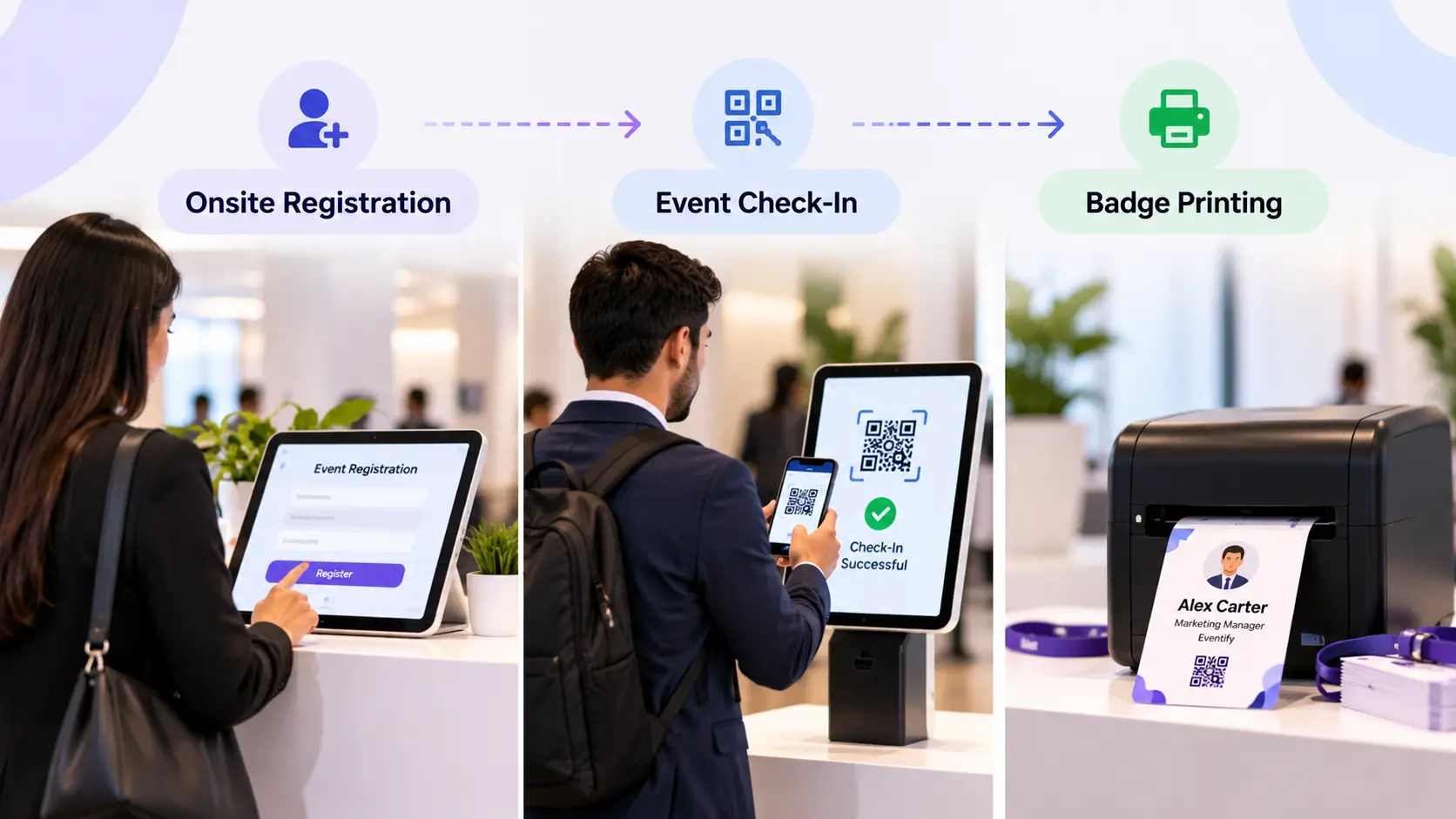
Eventify is a full event platform that includes lead scanning for exhibitors and sponsors, so it works best when the organizer runs the show on Eventify. Organizers get registration, check-in, on-site badge printing, exhibitor and sponsor profiles, agenda management and analytics in one dashboard, and exhibitors scan attendee badges and QR codes from the same system.
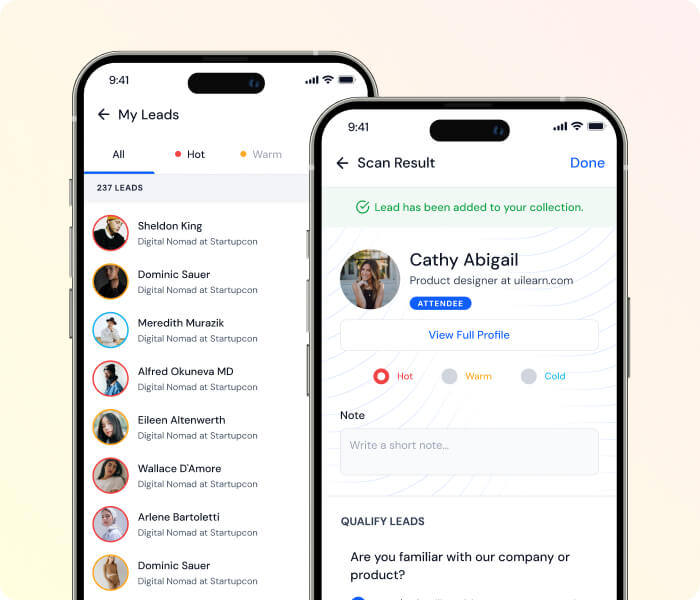
Once scanned, booth staff can instantly qualify leads on the spot by assigning ratings, typing custom notes, or answering pre-configured qualifying questions about budget and timelines. All captured data syncs in real time to a centralized database shared across the entire booth team, complete with a live leaderboard to track individual performance.
The native app keeps schedules, maps and speaker details available when venue Wi-Fi struggles, though Eventify’s own help documentation notes that live lead scanning itself needs a data connection. Lead data can be exported or connected to your CRM and marketing tools through integrations such as Zapier, Salesforce and HubSpot.
Pricing: Eventify offers four pricing tiers, but lead capture is available on the Advance and Ultimate packages. Both are custom-quoted.
See how Eventify handles badge scanning, booth analytics and check-in together before you compare the rest of this list.
2. Cvent iCapture - Lead retrieval app for trade shows
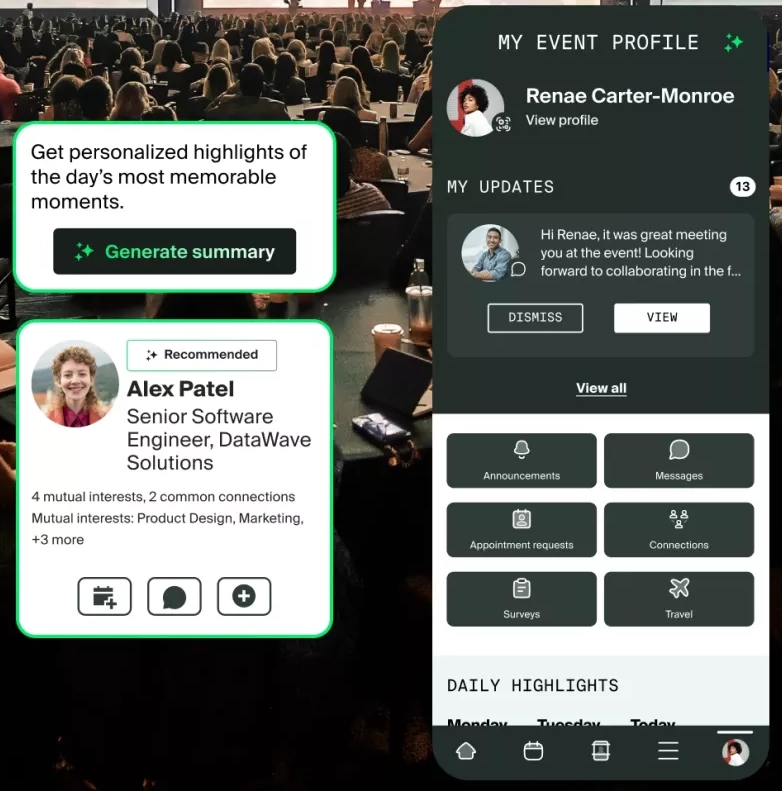
Cvent iCapture, now part of Cvent, is built around depth with official registration data. It integrates with 130+ badge providers, so when a show uses a supported provider you get the organizer’s actual registration record behind the badge rather than an optical-character-recognition guess. It runs on your own phone or tablet, has an offline mode, and syncs to Salesforce, HubSpot, Marketo and Eloqua.
Enrichment relies on the ZoomInfo account you already pay for, AI-suggested emails that are labeled as predictions, and Apollo company data. Pricing sits behind a demo form and is aimed at enterprise budgets. For a side-by-side look at how it stacks up against an all-in-one platform, see our Eventify vs. Cvent comparison, and for what Cvent itself tends to cost, our Cvent pricing breakdown.
Pricing: Request only.
3. Cvent LeadCapture - Trade show lead retrieval
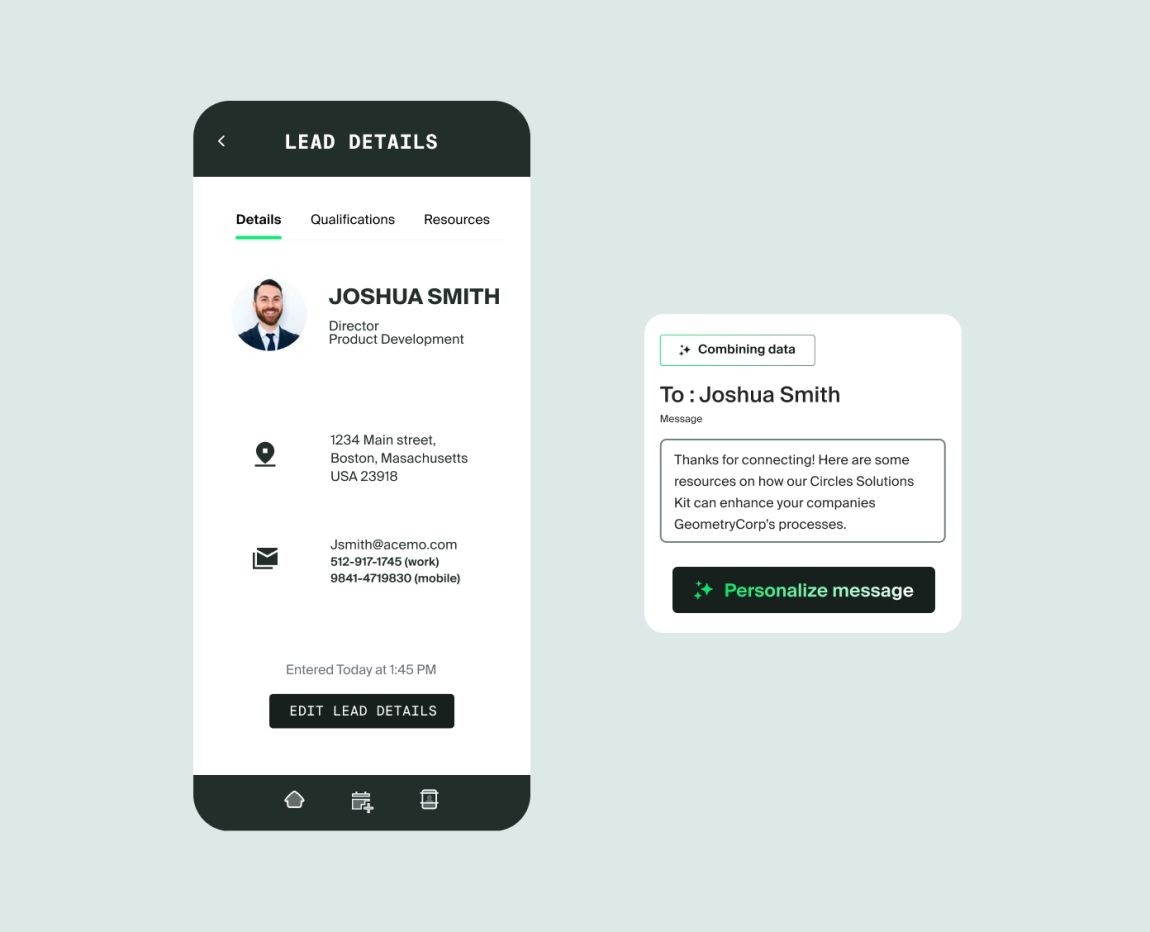
Cvent LeadCapture is the tool organizers hand to exhibitors and sponsors at events managed on Cvent’s event registration software, while iCapture is Cvent’s product for third-party shows. Within that lane it is solid: badge and business card scanning on iOS and Android, custom qualification questions, lead ratings, and an Exhibitor Portal with real-time lead counts and ROI reporting, plus export or CRM integration for follow-up.
The catch is the lane itself. It usually enters your life because the show runs on Cvent, the interface feels corporate, and pricing runs through Cvent contracts rather than a published rate card.
Pricing: Not published; sold through Cvent contracts and event organizers.
4. Swapcard - Conference lead capture

Swapcard is an event platform focused on ROI, best known for AI matchmaking that connects attendees by shared interests rather than dumping every possible contact on them. For exhibitors it adds lead capture with native Salesforce integration, so leads land where sales teams already work. Organizers get per-exhibitor performance analytics, white-label branding, live polls and Q&A, and can manage on-site and virtual sessions from one dashboard.
Swapcard enables exhibitor lead retrieval across any virtual, hybrid or physical event running on its platform. Using the native event app, booth staff can scan attendee badge QR codes or capture business cards to log prospect profiles. Exhibitors can qualify leads on the spot by adding custom tags, scoring interest levels, and completing tailored qualification forms. All captured data syncs in real time to a centralized team dashboard, with manual exports or automatic routing into CRMs like Salesforce.
Pricing: Engagement platform from $610 per year; final price is based on attendee volume. Registration and Management is custom-quoted.
5. Bizzabo (Klik SmartBadge) - Exhibition lead capture

Bizzabo has the most polished interface among the event platforms we reviewed. For lead capture, its standout is the Klik SmartBadge, a wearable that lets attendees and sponsors exchange contact details with a tap. The platform pairs with a native HubSpot integration and a Salesforce connector, feeding attribution reporting that marketing teams can use.
The Klik SmartBadge concept is impressive, but it can get costly for limited-budget events. It suits large enterprise programs where networking and lead capture are the focus, since it is annual-contract software with multi-seat minimums, fitting organizers and sponsors with a regular event program rather than a single show.
Pricing: The Event Experience OS starts at $17,999 per year with a minimum of 3 users. Klik SmartBadge is sold separately. See our full Bizzabo pricing breakdown for tier details.
6. Captello - Trade show lead generation

Captello has grown well past the booth-games tool many people remember. It now positions itself as an event-to-revenue platform with universal lead capture, meeting management, dozens of booth activations and games, and revenue dashboards that tie captured leads to pipeline. It advertises enrichment from 125+ data sources with an up-to-98% match rate, which is the vendor’s own claim, along with SOC 2 Type II and ISO 27001. Integrations are deep, including Salesforce and Marketo.
The games genuinely help if you struggle to draw traffic, but prize-drawing visitors often want the prize rather than your product, so qualify hard. Pricing is demo-gated, and the platform is more than a small scan-and-sync team needs.
Pricing: Not published; demo-gated.
7. Wave Connect - Lead capture app for trade shows

Wave Connect is an any-show lead capture app with a built-in digital business card. Its AI badge scanner reads the printed name and company on a badge, plus paper business cards, QR codes and handwritten notes, so it does not need the organizer’s badge kit or event API. Enrichment adds email, phone, title, LinkedIn and photo. The vendor reports that 91% of scans returned a verified business email in its own August 2026 test, which is a vendor figure we have not independently verified.
It offers offline mode, unlimited users sharing one lead pool, custom qualifiers, and CRM sync with HubSpot, Salesforce, Microsoft Dynamics 365 and Zoho with custom field mapping. The trade-off is that it is app-only: there is no handheld rental and no on-site service desk, and at shows that lock full registration data to an official vendor, it captures the printed name and company instead of the official registration record.
Pricing: Pay as you go at 4 credits ($10) per badge scan with the enriched lead included, and nothing charged when enrichment fails. Volume pricing through sales. Free trial leads on new accounts.
8. Blinq - Lead scanning app

Blinq is one of the biggest names in digital business cards, and its event product is real. As a trade show badge scanner app, its Universal Scanner reads badges, paper cards, LinkedIn QR codes and name tags, enrichment fills in verified contact details, and campaigns tag leads to the right event with custom qualifiers and per-event reporting. CRM sync covers HubSpot, Salesforce, Dynamics and Marketo.
Blinq scales its event lead capture and NFC hardware through a tiered pricing structure. For physical networking, Blinq offers one-time hardware purchases, with a Classic plastic card at $24.99, an Eco card at $29.99, a Metal card at $49.99, and a fully branded Custom Classic card at $59.99. For lead retrieval, teams using Blinq’s custom qualifying forms, surveys and badge scanners pay an additional $9.99 per enriched lead, on top of a mandatory Business subscription seat ($4.99 per user per month) to route captured prospects into CRMs like HubSpot or Salesforce.
Pricing: Business seats at $4.99 per user per month billed annually, or $6.99 billed monthly, plus $9.99 per captured and enriched lead. Bulk discounts are unpublished.
9. Popl - Trade show app software

Popl started as a digital business card company and has moved hard into event lead capture. Its badge scanner reads the printed name and company, so it works even at shows with encrypted QR codes, and AI enrichment fills in the contact. CRM integrations cover Salesforce, HubSpot, Marketo, Dynamics, Zoho and more, and team accounts include a dedicated customer success manager and onboarding program.
The issue is pricing transparency. Plans are custom-quoted licenses through a demo, with no published prices. That can be reasonable for large teams, but at small to mid volumes a flat license can cost more than paying per lead, and you cannot budget for a number you cannot see. Its enrichment accuracy figure is the vendor’s own claim.
Pricing: Custom quote only.
10. momencio - Event lead capture software

momencio is a high-end engagement platform whose follow-up features are distinctive: personalized LiveMicrosites for each lead, a content library reps present from, engagement analytics that show how leads interact with what you sent, and a kiosk and self-capture mode for unattended check-ins.
Beyond standard badge and business card scanning, its offline application lets sales reps qualify prospects using custom branching surveys, dictate voice notes, and present digital collateral directly from the booth floor. Instead of waiting days to follow up, momencio lets reps send personalized emails paired with trackable LiveMicrosites tailored to the exact content the attendee viewed.
It publishes pricing, which deserves credit, but read the footnotes. Standard badge scanning needs the show’s event API, bought from the organizer. Capturing without it means the AI EdgeCapture add-on, which is also where enrichment lives. CRM integrations are add-ons with unlisted prices, contracts are 12-month and non-cancellable, and there is no free trial.
Pricing: Capture at $100, Engage at $130 and Amaze at $170 per seat per month, billed annually with a 5-seat minimum (a $6,000-per-year floor). Add-ons are extra.
How to Choose the Best Lead Capture App for Your Trade Show
With several lead capture apps available, choosing the best one for your trade show can be overwhelming. If you are also evaluating broader trade show apps beyond lead capture, that roundup covers the adjacent categories. Here are some considerations to help you make an informed decision.
Choose for Your Shows, Not Just the Feature List
The best app is not the one with the longest feature list. It is the one that works at the shows you actually attend, keeps capturing when the Wi-Fi dies, and gets qualified leads into your CRM while the conversation is still fresh. If you are assembling a broader stack for the show, our roundups of the best event management apps and best event apps cover the adjacent tools you will likely need too.
A quick way to decide:
- You exhibit at many different shows and want the cost to follow your lead volume: Wave Connect, Blinq, Popl or Captello, after doing the per-lead math.
- You are an enterprise team built around official registration data: Cvent iCapture.
- The show runs on Cvent, Swapcard or Bizzabo: use that platform’s native tool for that show, and keep your own everyday tool for the rest.
- You run the event and want exhibitors to get scanning, analytics and check-in in one place: Eventify.
Whatever you pick, test it before the show: scan a dozen real badges, confirm the CRM mapping, and put the phone in airplane mode to check offline capture. That is the test that counts.
Still deciding which setup fits your show calendar? Talk to our team and we will help you map it out.
Frequently Asked Questions
What is a trade show lead capture app?
A trade show lead capture app lets exhibitors scan attendee badges, QR codes or business cards with a phone or tablet, add notes and qualifying answers, and send the lead to a CRM or export it, replacing paper cards and manual data entry.
What is the difference between lead retrieval and lead capture?
Lead retrieval is the organizer’s official scanner service, rented for a single show. Lead capture is a tool you choose that can work at many shows and sends data to your own systems. See the comparison section above.
How much does it cost to rent a lead retrieval scanner at a trade show?
On the 2026 ATD and AAOS exhibitor order forms, rentals ranged from about $350 for a first app license to $735 for a handheld, before extra fees. Check your own show’s exhibitor kit for exact rates.
Can I use my own lead capture app instead of the show’s scanner?
Usually yes. If the badge has a standard QR code or barcode, many apps can read it, and some read the printed name and company instead. A few organizers limit full badge data to their official vendor, so check the exhibitor kit first.
What is the best lead capture app for small businesses?
For teams exhibiting at several different shows, per-lead apps such as Wave Connect are easiest to budget. Blinq suits teams already using its digital cards. Compare total cost at your expected lead count, including seat fees.
Do lead capture apps work without the internet?
Some do. Cvent iCapture, Wave Connect, Popl and Eventify’s native app offer offline capabilities, but confirm offline scanning specifically for the tool you choose, and test it before the show.
Which lead capture apps integrate with Salesforce and HubSpot?
Cvent iCapture, Swapcard, Bizzabo, Captello, Wave Connect, Blinq and Popl all list native Salesforce or HubSpot connections. Check that the field mapping matches your CRM setup.
Is it legal to record booth conversations with an AI notetaker?
It depends on location. Some US states and other jurisdictions require everyone in a conversation to consent to recording. Get legal guidance and a clear consent process before using any recording feature.
How quickly should I follow up on trade show leads?
Aim for within 24 to 48 hours, while the conversation is still fresh, and use the notes and qualifiers you captured to personalize the message.
What is the best free option for lead capture?
Eventify, Wave Connect and Blinq all offer a trial or free trial leads. Free trials let you test scanning accuracy and CRM sync before committing.
What should I capture besides name and email?
Capture the lead’s interest level, product of interest, timeline and who owns follow-up. Custom qualifying questions at the booth mean your list arrives already sorted.
.png)