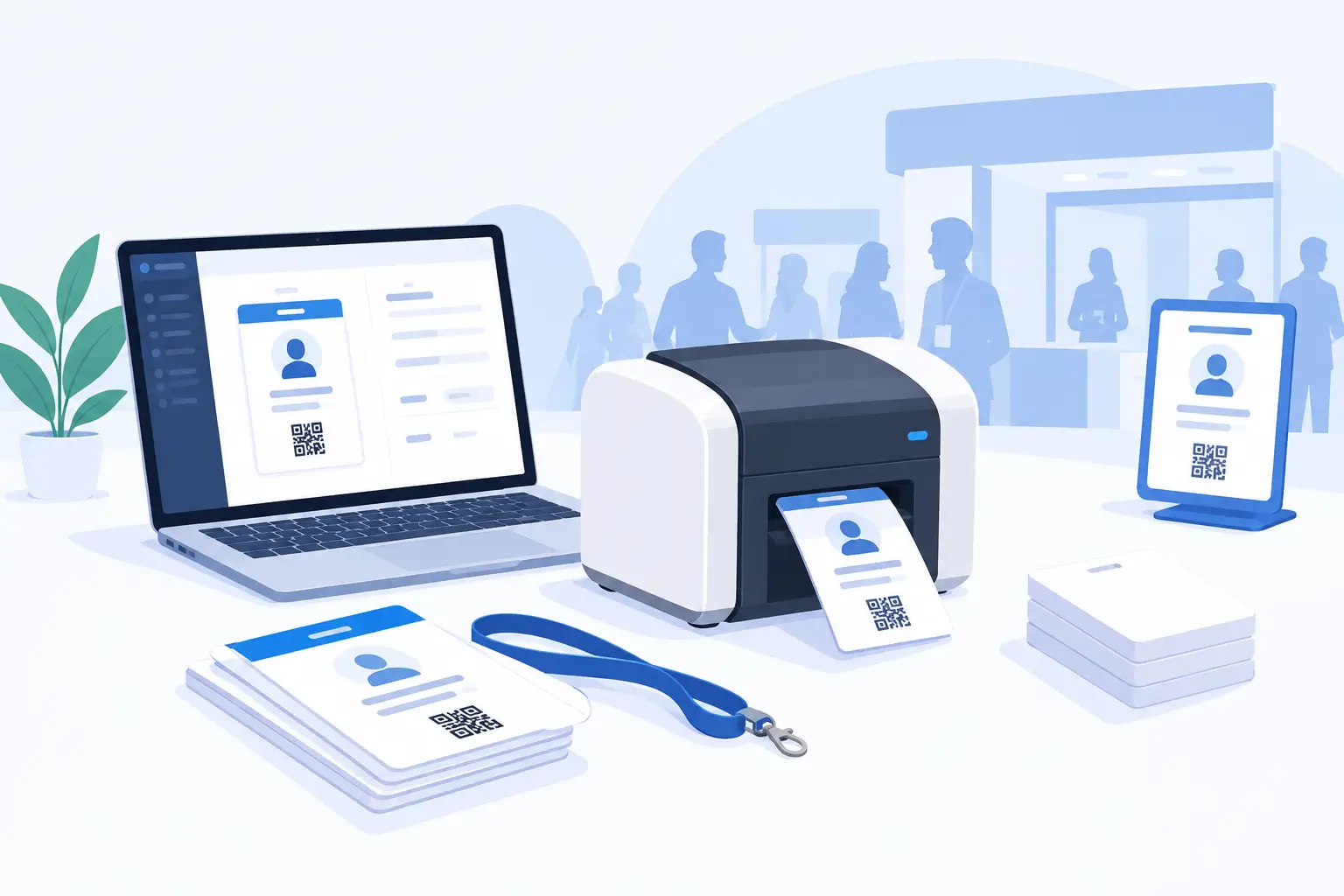


Event badge printing is an important part of managing conferences, trade shows, exhibitions and corporate events. Event badge printing software helps organisers create customised attendee badges, use registration information, manage check-in and print badges before or during an event.
In 2027, event teams need more than a way to put names on event badges. They need a reliable process for handling attendee information, QR codes, different registration categories, printer compatibility, last-minute changes and badge collection.
A connected event badge printing workflow can help reduce manual work at registration desks and give organisers more control over onsite operations.
This guide explains how event badge printing works, what to look for in event badge printing software, which printers to consider, how to choose event badge sizes and materials, and how to prepare an onsite event badge printing setup.
What is event badge printing software?
Event badge printing software allows organisers to design, customise and print identification badges using attendee registration information.
Instead of creating every badge manually, organisers can use attendee records to populate badge templates with information such as:
- Attendee name
- Company or organisation
- Job title
- Registration type
- Attendee category
- Event name and date
- QR code
- Custom registration fields
Depending on the software, badges can be generated individually, printed in batches or produced onsite when attendees arrive.
Some event badge printing platforms also connect badge printing with event registration and check-in. This allows event staff to retrieve attendee details, confirm registration and print the correct badge through a connected workflow.
A conference badge printing system may include several components:
- Event registration software to collect attendee information.
- Event badge design software to create templates.
- A printer and compatible badge stock.
- A event check-in application or kiosk.
- A process for correcting information and reprinting badges.
These components work together to manage badge preparation and distribution.
Why is event badge printing important for conferences and events?
Badges help attendees identify one another and help organisers manage event access and registration activities.
A well-planned printing process can support several areas of event operations.
1. Faster attendee check-in
When badge printing is connected to registration, staff can retrieve attendee details and print event badges during check-in.
This avoids having to search through large collections of pre-printed event badges. It can be particularly useful when many attendees arrive within a short period.
2. Clear attendee identification
Event badges can display names, company details, job titles and registration categories.
This helps attendees identify speakers, exhibitors, sponsors, staff and other participants.
3. Better networking
Name badges make introductions easier at conferences and networking events.
Displaying an attendee's name, company and professional role gives other participants useful information when starting a conversation.
4. QR code-based check-in
A QR code can connect a printed event badge with an attendee's registration record.
Depending on the platform, scanning may support attendee identification, check-in and other event activities.
5. Easier handling of attendee changes
Attendee information can change after registration. Names may need corrections, company details may be updated, or a replacement badge may be required.
An on-demand event badge printing process gives event staff a way to manage these requests without preparing an entirely new batch of badges.
How does event badge printing work?
Onsite event badge printing connects registration, badge creation, event check-in and printing.
Here is a typical workflow.
Step 1: Collect attendee registration information
Attendees register through the event registration system.
The organiser collects the details needed for the badge, such as names, company information, job titles and registration categories.
If custom registration fields are used, the organiser should decide which fields need to appear on the badge.
Step 2: Create the badge template
The organiser creates a badge layout using the badge designer.
The template may include:
- Event logo and branding
- Attendee name
- Company name
- Job title
- Registration category
- QR code
- Event name and date
The layout should be easy to read and should display only the information attendees and event staff need.
Step 3: Configure the printer and kiosk
The event team selects compatible printing equipment and prepares the event check-in station.
This involves confirming the printer model, connection method, media, badge dimensions and software configuration.
The team should test the actual badge output before the event rather than relying only on a preview on the screen.
Step 4: Check in the attendee
When an attendee arrives, they can be identified through the event's check-in process.
Depending on the setup, this may involve staff searching for the attendee, scanning a QR code or using a self-service kiosk.
Step 5: Print and distribute the badge
Once the attendee has been identified, the system can generate the badge using the saved template and attendee information.
The event badge is printed and handed to the attendee or made available through the configured kiosk workflow.
If information is incorrect or a badge is misplaced, staff can follow the supported editing and reprinting process.
What features should you look for in event badge printing software?
The right event badge printing software should support the way your team handles registration, attendee arrivals and onsite printing.
These are the main features to evaluate.
1. Custom badge designer
A badge designer should allow organisers to create layouts that match their event branding.
Look for the ability to add logos, text, attendee information, colours and other supported design elements.
It is also useful to have templates for different participant categories.
2. Registration and attendee data integration
Registration integration reduces the need to enter the same attendee information into multiple systems.
Check whether the software can use attendee records and custom registration fields to populate badge templates.
This is especially useful for events with different ticket types, attendee groups and frequent registration changes.
3. QR code event badge printing
QR codes can connect printed badges to attendee records.
Before selecting a solution, check:
- How QR codes are generated.
- Whether they can be included in badge templates.
- Which check-in devices can scan them.
- Whether scanning updates attendee check-in records.
- Which additional QR-based event workflows are supported.
Test a printed QR code with the actual scanning equipment before the event.
4. On-demand event badge printing
On-demand printing allows event staff to produce badges as attendees arrive.
It can be useful for late registrations, walk-ins, attendee corrections and replacement requests.
Ask whether the system supports individual badge printing and how staff locate attendee records.
5. Bulk event badge printing
Some events prefer to prepare event badges before opening registration.
Check whether the platform supports generating multiple badges, selecting attendees and arranging several badges on a page.
The available options may depend on the software, printer and selected media.
6. Printer compatibility
Printer compatibility should be checked before purchasing equipment.
Do not assume that every model from a supported manufacturer will work with the software.
Confirm the exact printer model, communication method, operating environment and media requirements.
7. Badge editing and reprinting
A practical badge printing system should provide a process for correcting information and replacing misplaced badges.
Check whether administrators can access an attendee's record, update supported details and generate a replacement badge.
8. Self-service and staff-assisted kiosks
A kiosk can provide a dedicated location for attendee check-in and badge collection.
There are two common approaches:
Self-service check-in: Attendees use a configured kiosk to identify themselves, for example by scanning a QR code, and follow the available check-in and printing process.
Staff-assisted check-in: Event staff operate the station, search for attendees, verify information and print badges.
Some events use both approaches, depending on attendee categories and registration requirements.
9. Offline operation
Internet connectivity at event venues is not always reliable.
If offline operation matters, ask the provider:
- Which kiosk functions work without internet access?
- Does attendee data need to be downloaded in advance?
- Which check-in and printing activities remain available?
- What happens when the connection returns?
- Are there any setup or device limitations?
Test the intended offline workflow before relying on it during the event.
Event badge printers: Brother and Zebra compatibility
The printer is an important part of an onsite event badge printing setup.
The right device depends on the badge format, printing volume, media, connection method and software compatibility.
Eventify's published printer documentation identifies selected Brother and Zebra models for its badge printing integrations. It also states that compatible normal printers can be used, so organisers are not limited to those two manufacturers.
Brother printers supported by Eventify
Eventify's published Knowledge Base lists the following Brother printer models:
Eventify's Brother setup documentation describes connecting a supported printer through a Wi-Fi setup and configuring the printer in the Eventify app.
See the Eventify Brother printer setup guide.
Zebra printers supported by Eventify
Eventify's published documentation lists these Zebra models:
- ZD621-HC
- ZD621
- ZD621R
- ZD611-HC
- ZD611R
- ZD611
- ZD510-HC
- ZD421C
- ZD421C-HC
- ZD411-HC
- ZD411
- ZD410-HC
- ZD421
- ZD421-HC
- ZD410
- ZD230
Eventify documents Zebra Link-OS desktop printer integration using Ethernet or wireless communication, depending on the printer configuration.
See the Eventify Zebra printer setup guide.
Can you use a normal printer for event badge printing?
Yes, Eventify's printer compatibility documentation states that organisers can also use normal printers, provided they are compatible.
The exact printer, connection and printing requirements should be confirmed with Eventify before the event.
How to choose a conference badge printing machine
Before selecting a printer, evaluate:
Important: Printer compatibility can change. Check the latest official compatibility list and confirm the exact model with Eventify before purchasing or renting equipment.
Event badge sizes: How to choose the right dimensions
There is no single badge size that works for every conference or event.
The correct dimensions depend on the information displayed, badge attachment method, printer and media.
For example, a corporate meeting may need a simple event name badge, while a trade show may require more room for attendee names, company details, registration categories and QR codes.
Consider these points when choosing badge dimensions:
- How much information needs to appear on the badge?
- Will a QR code be included?
- Does the badge need to display a company logo?
- Will attendees wear it with a lanyard or holder?
- Is the layout portrait or landscape?
- Does the printer support the selected dimensions?
- Is the badge single-sided or double-sided?
Common event badge format considerations
Eventify's badge printing product documentation describes a custom event badge-size option, including width and height settings for different collateral layouts. It advises organisers to contact support to confirm compatibility.
This distinction matters: a design canvas size does not automatically guarantee that every printer and physical media format supports the same dimensions.
Event badge printer paper and materials: Paper, PVC and plastic
The badge material affects durability, appearance, printing requirements and cost.
Before buying badge stock, check the printer's supported media specifications.
Paper badge stock
Paper-based event badges may suit conferences, seminars and short-duration events.
When selecting event badge printer paper, check:
- Paper or label stock dimensions
- Printer-supported media type
- Roll or sheet format
- Adhesive or non-adhesive requirements
- Print quality and readability
- Compatibility with the badge holder or lanyard
The printer and software configuration should be tested using the actual stock planned for the event.
PVC event badge printing
PVC event badges are rigid cards used in some identification and access-control applications.
They generally require a printer designed to handle PVC card media.
Do not assume that a Brother or Zebra label printer automatically supports PVC card printing. Confirm the specific printer and media requirements before selecting this option.
Plastic event badge printing
Plastic event badge formats may be useful when durability is important.
However, different plastics and printing technologies require different equipment. Check whether the selected printer supports the material and whether the software can produce the required layout.
Eventify compatibility note: The published Brother and Zebra badge printer list should not be treated as confirmation that every PVC or plastic badge format is supported. Contact Eventify to verify the exact hardware and media combination.
Single-sided vs double-sided event badge printing
A badge can display information on one side or both sides.
Single-sided event badges
Single-sided badges display attendee details on the front.
They may be suitable when the badge only needs a name, company, role and QR code.
Double-sided event badges
Double-sided badges provide additional space for event information.
For example, the front can display attendee identification while the reverse contains an event schedule, instructions or other useful information.
The printing process depends on the printer and media. Some setups support fanfold badge formats, where the badge design is configured to accommodate the fold.
Eventify has Knowledge Base instructions for double-sided badge design and desktop kiosk printing. Organisers should follow the instructions for their specific printer and media.
Read the Eventify double-sided badge design guide.
Onsite badge printing vs pre-printed event badges
Organisers can prepare badges before an event or print them as attendees arrive.
Neither method is always better. The right choice depends on registration patterns, expected attendance and the event's check-in process.
Some organisers use both approaches.
For example, an event team can prepare event badges for confirmed attendees before the event and keep an onsite printing station available for walk-ins, corrections and replacement requests.
Event badge printing for conferences, trade shows and exhibitions
Different events need different badge layouts and printing workflows.
Conference badge printing
Conference badges often display:
- Attendee name
- Company or organisation
- Job title
- Registration category
- QR code
- Event branding
Organisers may need different templates for speakers, sponsors, exhibitors, VIPs and general attendees.
Trade show badge printing
Trade shows often involve visitors, buyers, exhibitors, sponsors and booth staff.
The badge design should make participant categories easy to identify without overcrowding the layout.
Exhibition badge printing
Exhibitions may have large numbers of attendees arriving throughout the day.
A connected registration and printing workflow can help staff retrieve attendee details and produce badges at the venue.
Corporate event badge printing
Corporate meetings may need a simpler design with names, departments, company details and event branding.
The design should be readable and consistent with the organisation's visual identity.
Event badge printing costs: What should organisers budget for?
The cost of event badge printing depends on the software, hardware, badge materials and event setup.
There is no single price that applies to every event.
Before comparing providers, identify the costs that apply to your requirements.
1. Software costs
Check whether badge printing is included in the event management subscription or offered as an additional feature.
Ask about attendee limits, event limits, kiosk access and any extra charges.
2. Printer purchase or rental
Organisers may purchase compatible printers or arrange rental equipment for an event.
Consider the number of printing stations, expected badge volume and whether the equipment will be used for future events.
3. Badge stock and consumables
Budget for the required paper, labels, rolls or other compatible media.
The cost will depend on the badge format, quantity and material.
4. Kiosk and check-in equipment
A kiosk setup may require a tablet, computer or other supported device, along with a printer and any required accessories.
Confirm which devices are supported by the chosen software.
5. Setup and support
Consider staff training, printer configuration, onsite technical support and any vendor services needed before the event.
6. Replacement and contingency stock
Keep additional compatible badge stock available for reprints, corrections and unexpected registrations.
A useful way to compare event badge printing software is to calculate the expected total cost of the complete setup, not just the software subscription.
How much does event badge printing software matter for check-in queues?
The event badge printing system is only one part of the check-in process.
Queues can also result from too few registration stations, unclear attendee instructions, slow searches, incomplete registration information or equipment problems.
To improve the process:
- Estimate peak arrival periods.
- Prepare separate stations where different attendee groups need different workflows.
- Make sure registration information is accurate.
- Test QR code scanning.
- Confirm the printer and media configuration.
- Train staff on corrections and reprints.
- Prepare a backup process for equipment or connectivity problems.
For larger conferences, test the entire attendee journey with sample registrations before opening the venue.
How Eventify supports event badge printing and onsite check-in
Eventify offers event badge design and printing capabilities as part of its event technology platform.
Its published documentation covers badge templates, attendee data, QR codes, supported printers, kiosk configuration and replacement badge workflows.
Custom event badge design
Eventify's badge designer uses a drag-and-edit interface.
Organisers can create templates using supported attendee data fields such as names, company information, designation, event details, registration type and custom form fields.
Templates can also include logos, text and QR codes.
Different badge templates for attendee groups
Different participants may need different badge layouts.
For example, a conference may use separate templates for:
- General attendees
- Speakers
- Exhibitors
- Sponsors
- Staff
- VIPs
Eventify documents assigning different badges to different user groups.
This helps organisers prepare the appropriate design for each participant category.
Individual and multiple badge printing
Eventify supports generating badges for individual attendees and multiple attendees.
Its badge printing documentation also describes page-size and custom-size options for producing multiple badges.
On-demand printing and reprinting
Eventify supports onsite badge printing workflows.
Its Knowledge Base explains how organisers can reprint or reassign a misplaced badge through an attendee profile or the admin kiosk workflow.
This can help staff handle replacement requests and corrections during an event.
Self-service kiosk check-in
Eventify provides kiosk configuration options for onsite check-in.
Depending on the configured workflow, attendees can use QR scanning or other available identification methods to check in and collect their badges.
Organisers can customise kiosk settings and decide which check-in options are available.
Eventify Kiosk for Desktop
Eventify also documents a desktop kiosk application.
Its Knowledge Base includes setup instructions for Windows and Mac, attendee download and sync, check-in, badge printing, printer configuration and troubleshooting.
This provides another option for organisers planning a desktop-based kiosk setup.
Offline kiosk operation
Eventify's onsite badge printing product page describes offline kiosk operation after setup.
This can help reduce dependence on continuous internet connectivity at the venue.
However, organisers should confirm which functions are available offline, what attendee data must be prepared beforehand and which devices are supported.
Brother and Zebra printer integration
Eventify documents selected Brother and Zebra printer integrations, along with support for compatible normal printers.
The exact printer model and connection requirements should be checked before arranging equipment.
Explore Eventify's onsite event badge printing software to see its badge designer, printing and kiosk capabilities.
How to choose the best event badge printing software in 2027
The best event badge printing software is not necessarily the platform with the longest feature list.
It is the solution that fits your registration process, attendee volume, badge requirements, equipment and onsite operations.
Use this checklist when comparing providers.
Before choosing a provider, request a demonstration using a realistic event workflow.
The demonstration should include registration data, badge design, printer setup, QR code scanning, check-in, badge printing and a replacement badge request.
Common event badge printing problems and how to prevent them
Even with suitable software, organisers need to prepare for practical problems that can occur during an event.
Incorrect event badge dimensions
Why it happens: The badge design and printer media settings do not match.
What to do: Confirm the supported dimensions and test the final layout using the actual printer and stock.
Printer compatibility problems
Why it happens: The selected printer model or connection method is not supported by the software configuration.
What to do: Verify the exact model and setup requirements with the provider before purchasing or renting equipment.
Incorrect attendee information
Why it happens: Registration records contain errors or attendee details change after badge preparation.
What to do: Review registration fields and test how attendee data appears in the badge template. Make sure staff know how to correct records.
QR code scanning problems
Why it happens: The QR code is too small, unclear or difficult to scan.
What to do: Test the printed badge using the actual scanning device and check the QR code's size and placement.
Long event check-in queues
Why it happens: Too few stations, slow attendee lookup or an inefficient printing process.
What to do: Estimate arrival volumes, arrange suitable stations and test the complete event check-in workflow.
Last-minute registrations
Why it happens: Walk-in attendees are not included in the original badge preparation list.
What to do: Plan a process for registering new attendees and printing their badges. Confirm that the software and equipment support this workflow.
Different badge requirements
Why it happens: Speakers, exhibitors, sponsors and general attendees need different information or visual identification.
What to do: Prepare separate templates where required and test that the correct template is assigned to each attendee category.
Internet connectivity problems
Why it happens: Venue connectivity is unstable or unavailable.
What to do: Confirm the software's offline capabilities, complete the required setup and test the process before event day.
Frequently asked questions about event badge printing
1. What is event badge printing software?
Event badge printing software helps organisers create badge designs, use attendee information and print badges. Depending on the platform, it may also support QR codes, check-in, kiosks, attendee categories and replacement badges.
2. What is the best event badge printing software in 2027?
The best solution depends on your event size, registration workflow, printer requirements, badge design needs and check-in process. Compare software based on confirmed features, printer compatibility, ease of setup, support and total cost.
3. How does onsite event badge printing work?
Onsite event badge printing allows organisers to produce badges at the venue. Attendee information is retrieved during check-in, used to generate the badge and sent to a compatible printer.
4. Which printers can I use with Eventify?
Eventify documents selected Brother and Zebra printer models. It also states that compatible normal printers can be used. Check the latest compatibility list and confirm your exact model and configuration before using it.
5. Can I use a Brother printer for event badge printing?
Yes. Eventify documents support for selected Wi-Fi-based Brother printer models. Refer to its Knowledge Base for the model list and setup instructions.
6. Can I use a Zebra printer for conference badge printing?
Yes. Eventify documents support for selected Zebra desktop printers, including Link-OS models. The supported connection method depends on the printer configuration.
7. What is the standard size for an event badge?
There is no single standard size for every event. The dimensions depend on the amount of information, badge format, printer and media. Confirm the physical dimensions with the printer manufacturer and software provider.
8. Can I print custom-sized event badges?
Eventify's badge printing product information describes a custom-size option with width and height settings. Contact Eventify to confirm compatibility with your selected printer and media.
9. Can I print QR codes on event badges?
Yes. Eventify's badge designer documentation describes adding QR codes to attendee badge templates. Organisers should test the printed codes with the scanning devices used at their event.
10. Can I print different badges for speakers, exhibitors and attendees?
Eventify documents assigning different badge templates to different user groups. This can help organisers create distinct designs for speakers, exhibitors, sponsors, staff and attendees.
11. Can event badges be printed in advance?
Yes. Eventify's product documentation describes advance badge preparation as well as onsite printing. The best approach depends on the event's registration patterns and check-in requirements.
12. Can I reprint a misplaced event badge?
Eventify's Knowledge Base explains how to reprint or reassign a misplaced badge through an attendee profile or the admin kiosk workflow.
13. Can event badge printing work without internet access?
Eventify's product page describes offline kiosk operation after setup. Organisers should confirm the required preparation, device support and exact offline functions before relying on it.
14. What is an event badge kiosk?
An event badge kiosk is a station used for attendee identification, check-in and badge collection. Depending on its configuration, it may be self-service or operated by event staff.
15. Is there an onsite event badge printing app?
Some event platforms provide mobile or desktop applications that connect check-in and badge printing. Eventify documents mobile-based printing workflows and a desktop kiosk application. Check the device and printer requirements before selecting a setup.
16. What event badge printer paper should I use?
Choose paper or label stock that is supported by the printer. Confirm the roll or sheet dimensions, media type and printing requirements before buying supplies.
17. Can I use PVC or plastic for event badge printing?
PVC and plastic badges require compatible printing equipment and media. Do not assume that a standard label printer supports these materials. Confirm the exact hardware and material requirements first.
18. Can I print double-sided event badges?
Double-sided printing depends on the printer and badge stock. Eventify provides documentation for designing double-sided badges and configuring supported desktop kiosk workflows. Check compatibility for your selected setup.
19. How can organisers reduce event check-in queues?
Organisers can prepare attendee information in advance, use QR code check-in where supported, arrange sufficient stations, test printers and provide a clear process for last-minute registrations and corrections.
20. How do I choose an event badge printing company?
First decide whether you need a physical badge printing service or software to manage printing at your venue. Compare service providers on materials, design, delivery and production requirements. Compare software providers on registration integration, printer compatibility, kiosks, check-in and support.
Prepare your event badge printing workflow for 2027
Event badge printing involves more than designing a name tag. Organisers need to coordinate attendee information, badge templates, printing equipment, check-in stations and replacement workflows.
The right event badge printing software can connect these activities and give event teams a more organised way to manage badge preparation and distribution.
Before choosing a solution, check the supported printers, badge dimensions, media requirements, kiosk features, offline capabilities and total setup cost. Test the complete workflow before attendees arrive.
If you are planning a conference, trade show, exhibition or corporate event, explore Eventify's onsite event badge printing software to learn how its badge designer, printer integrations and kiosk workflows can support your event.
.png)