
Picture a 2,000-attendee conference in October 2026: early-bird ticket sales are live, VIPs need badge printing, sponsors want lead reports, speakers are changing sessions, and your event planning team is still reconciling spreadsheets.
That is where event management software features matter.
"After working with organizers running everything from 50-person workshops to 50,000-attendee expos, the pattern is consistent: the platforms that fail aren't missing features, they're missing connections between features." Hussain Fakhruddin, CEO, Eventify
This guide breaks down the 15 essential event management software features every modern platform should include, covering booking and registration, event operations, communication, reporting, finance, integrations, and scalability, from Eventify's perspective as an all-in-one B2B SaaS event management system for conferences, trade shows, virtual events, corporate meetings, and hybrid events.
Key Takeaways
- The 15 must-have event software features cover booking, event registration, operations, communication, reporting, financial management, integrations, and scalability.
- The best event management software centralizes registration and ticketing, attendee management, event apps, check-in, analytics, and exhibitor management in one event management system.
- Modern event management software should cover the entire event lifecycle from registration to post-event reporting for in person, virtual, and hybrid events.
- Eventify brings these key features into one event management platform for conferences, trade shows, expos, corporate events, and large scale events.
Curious what this kind of platform actually costs for your event size?
See Pricing PlansWhy Trust This Guide?
This checklist was compiled by the Eventify product and customer success teams based on direct feedback from organizers running events ranging from 50-person workshops to 50,000-attendee expos. Every event management software feature below reflects real operational pain points reported by event professionals, not just marketing copy.
Booking and Registration Features
Booking, event registration, and attendee management tools are the foundation of the event management process. If these are weak, check-in, reporting, ticket sales, and revenue recognition all suffer.
Feature 1: Online Self-Service Booking Portal
A true self-service booking portal lets attendees, sponsors, or internal stakeholders browse dates, select options, confirm details, and complete payment processing without waiting for an administrator. That means more than a "request information" form.
The right event management software should support branded event website creation, live availability, clear pricing, and flexible registration paths for each event type. For example, a corporate team running Q4 2026 sales kickoffs in New York, London, and Singapore should be able to manage rooms, packages, blackout dates, and capacities from one centralized system.
Warning: If every booking request still needs staff confirmation or data re-entry, it is not self-service. It is a digital form.
In practice: Eventify supports event organizers with branded pages, online booking flows, and registration process automation, reducing manual data entry and minimizing errors across upcoming events.
Feature 2: Attendee Registration and Management
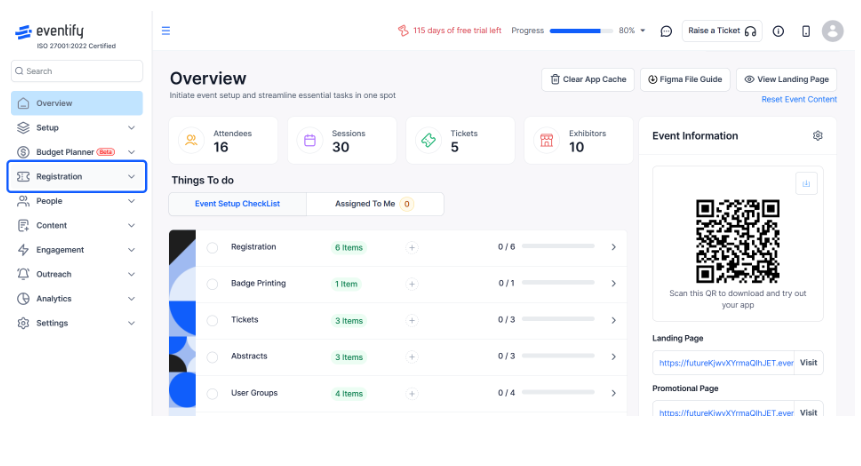
Robust attendee registration goes beyond collecting names and emails. Event registration platforms typically include ticket types, payment processing, and confirmation emails. The strongest platforms add custom registration paths for VIPs, sponsors, students, and group attendees, plus promo codes, capacity rules, and consent checkboxes, each tailored to how that attendee type actually moves through the event.
If attendee data cannot be exported or connected to your CRM, you will rebuild audience lists for every event. That gap is worth testing for in a demo. Eventify's attendee management keeps event data accessible after the event, helping teams remarket to attendees and plan future events with better context.
Feature 3: Room and Venue Management
A room booking tool reserves space. A full venue management system manages spaces, capacities, layouts, blackout dates, and operational dependencies between them. This matters when assigning 40 breakout rooms in a convention center or managing recurring internal meetings inside a corporate headquarters.
The platform should track room attributes such as AV equipment, accessibility, and maximum capacity, and it should support multiple venues and time zones for global roadshows.
Warning: If rooms live in your event planning software but catering, security, and equipment live elsewhere, planners will still use spreadsheets.
In practice: Eventify helps event managers connect venue data with agenda building tools, services, and orders so teams can execute events with fewer last-minute surprises.
Feature 4: Room Diagramming and Layout Tools
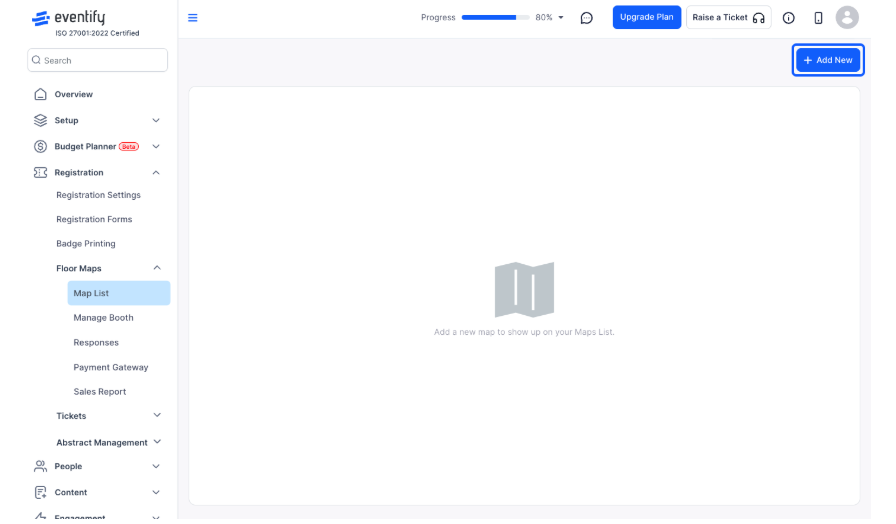
Room diagramming helps teams design floor plans for theater, classroom, banquet, and expo setups. Good tools include drag-and-drop layouts, accurate capacity calculations, fire-code considerations, version control, and comments.
Without diagramming, event logistics tend to move into static PDFs, screenshots, or long email threads, and stay there, since nobody owns the "current" version.
Warning: If diagrams cannot be shared with vendors, exhibitors, or attendees, most of the value disappears.
In practice: Eventify can connect room layouts to sessions, booth assignments, and operational tasks so last-minute capacity changes do not remain trapped in someone's inbox.
Event Operations Features
Many event planning tools handle registration well but break down when logistics, catering, and inventory management become complex. This is where comprehensive event management starts to matter.
Feature 5: Catering and Food and Beverage Management
Catering is not just a meal preference field. A real F&B workflow includes menu libraries, per-head pricing, order cutoffs, and consolidated kitchen reports that reflect last-minute changes.
Imagine a 1,200-person lunch on 14 March 2026. A sponsor lunch, speaker green room, VIP meal, and general buffet all run at the same time. If those orders sit in separate emails, mistakes are inevitable.
Warning: If catering orders are managed by email outside the event management system, wrong-room deliveries, food waste, or shortages are only a matter of time.
In practice: Eventify can tie F&B orders to rooms, cost centers, and invoices, giving operations and finance a clearer picture of spend before the event date.
Feature 6: Inventory and Equipment Management
Inventory management prevents a common event-day failure: discovering that a projector, scanner, kiosk, microphone, stage riser, or branded sign is already in use somewhere else. Concurrent bookings are the real risk, especially for organizers running back-to-back roadshows or trade shows that draw from the same shared equipment pool.
The right platform should show real-time allocation across overlapping events, not just static inventory counts, and flag shortages before the operations team is standing on-site with no backup plan. Eventify helps portfolio teams plan equipment needs across multiple events and avoid emergency rentals that hurt margins.
Feature 7: Workflow Automation and Approvals
Workflow automation prevents the errors that happen when humans must remember every next step. Common workflows include budget approvals, sponsorship package sign-off, and speaker task reminders. Automation can also notify teams when VIPs register or escalate overdue approvals.
Warning: If approvals happen by email outside the platform, there is no audit trail showing who approved what and when.
In practice: Eventify's workflow tools help teams route approvals, track timestamps, and reduce the hidden admin work that slows the event planning process.
Feature 8: Check-In and On-Site Management
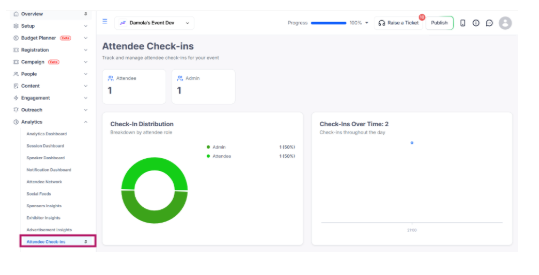
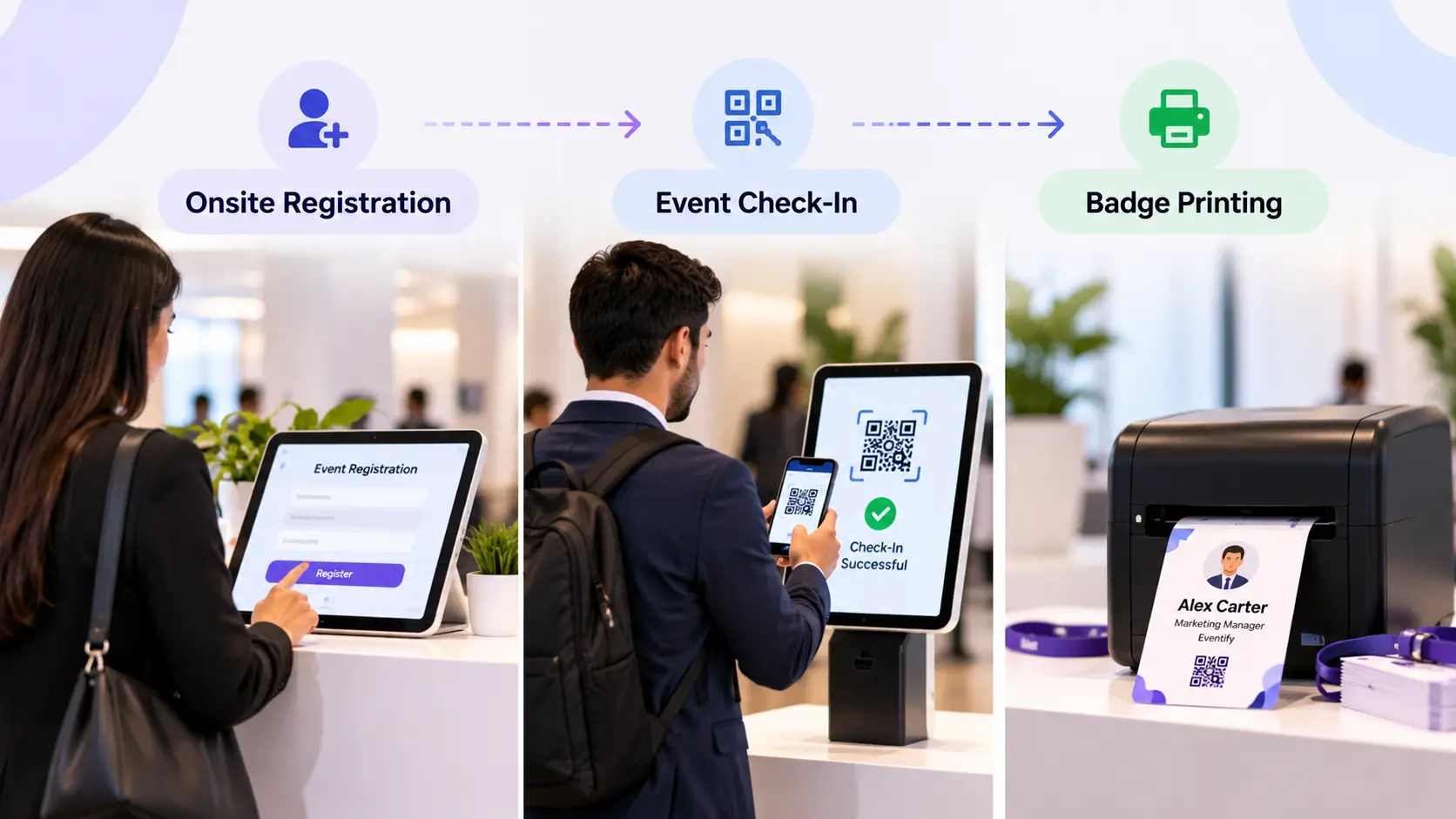
Check-in shapes attendee satisfaction before the keynote begins. On-site check-in systems should support self-check-in kiosks, QR code scanning, and VIP fast lanes, along with offline mode for venues with unreliable wifi.
Warning: A check-in process that relies on printed lists or manual lookups will create queues, even if registration was smooth.
In practice: Eventify's event apps and on-site tools sync attendee status across registration, badge printing, and analytics.
See how registration, check-in, catering, and inventory all connect inside one system.
Explore the Full PlatformCommunication and Collaboration Features
Most event-day issues start with miscommunication between planners, vendors, sponsors, speakers, and attendees. Modern event management tools need to replace scattered emails, phone calls, and spreadsheets with one reliable workspace.
Feature 9: Centralized Communication and Team Collaboration
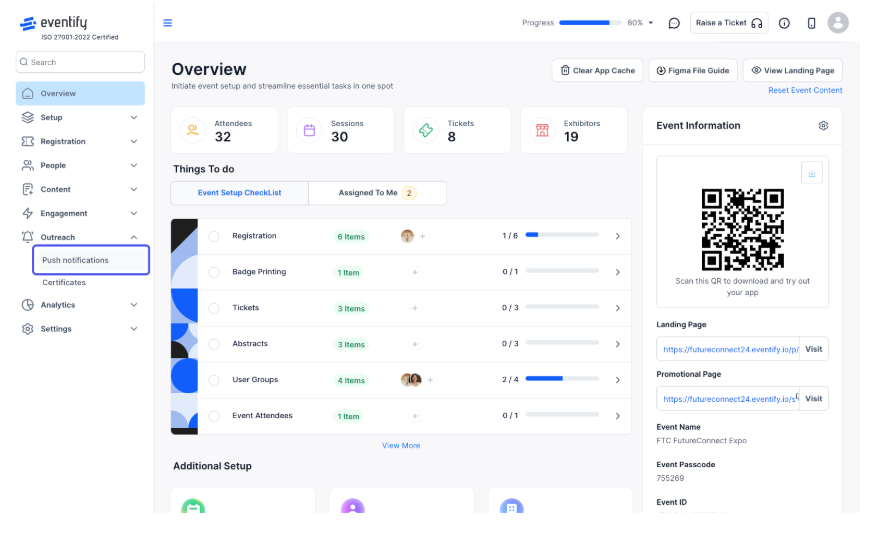
Event teams often coordinate across email, Slack, phone calls, and spreadsheets. That fragmentation creates missed updates about agenda changes, AV requests, or room swaps.
A centralized system needs three things to actually replace that mess. First, shared timelines and task assignments, so nobody is asking "is this still happening" in a side channel. Second, comments tied directly to the session, room, or vendor in question. Third, a change log that shows who changed what, when, and why, so a room swap two days before the event doesn't quietly disappear into someone's inbox.
Warning: If your event planning software does not centralize communication, you are still managing events by email with an expensive database beside it.
In practice: Eventify logs changes around sessions, rooms, and tasks, helping operations, marketing, and sales teams stay aligned.
Feature 10: Attendee Communication and Email Automation
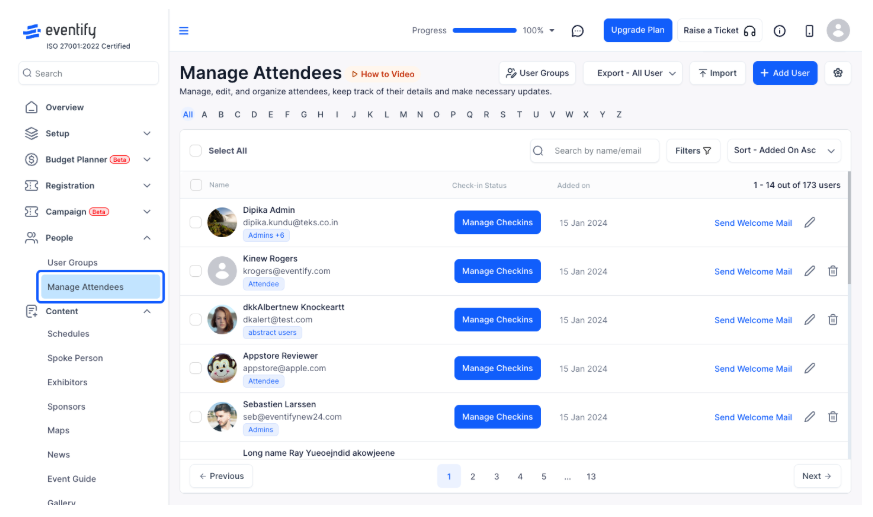
Attendee communication should not depend on manual reminders. Event management software can automate confirmation emails, calendar invites, receipts, reminder sequences, parking instructions, and post-event follow-up.
Segmentation matters: speakers, sponsors, exhibitors, VIPs, and general attendees often need different messages. Push notifications and a customizable event app let attendees access agendas, join live polls, and stay connected without checking email.
Warning: If emails cannot be personalized by ticket type, agenda, or role, the wrong people will receive the wrong information.
In practice: Eventify coordinates email, SMS, and in-app updates to support attendee engagement before, during, and after the event.
Feature 11: Calendar Integration
Calendar integration sounds simple until it fails. The right event management software should sync with Outlook and Google Calendar for both attendees and internal teams, and if a room or session time changes, the calendar invite should update automatically rather than requiring a manual resend.
Weak integration creates shadow calendars: staff stop trusting the system, rooms appear double-booked, and scheduling becomes manual again. One-way calendar feeds are not true integration. Eventify helps corporate teams avoid clashes with internal meetings and speaker availability during planning.
Reporting and Financial Features
Data alone isn't enough. It has to turn into decisions about budget, staffing, and program design for the next event.
Feature 12: Reporting Analytics and Venue Utilization Data
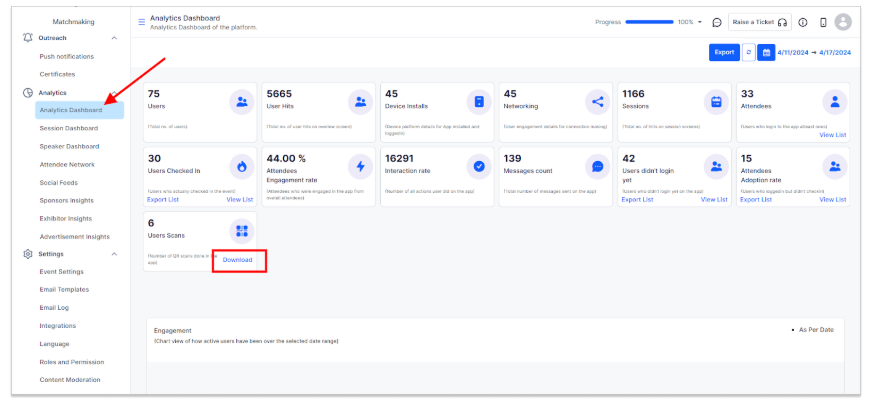
Useful reporting shows what happened, why it happened, and what to improve. Reports should cover registration pace, attendance by ticket type, session attendance, and sponsor ROI. Venue utilization matters too: which rooms were full, which time slots underperformed, which session formats created the strongest engagement.
Warning: If dashboards only show total attendees and revenue, optimization is guesswork.
In practice: A custom report builder that lets teams filter by ticket type, session, or sponsor tier, instead of exporting raw data into spreadsheets, is what saves the post-event debrief from being a week of manual cross-referencing. Eventify's analytics help teams compare event data year over year and decide which tracks, speakers, and formats to expand next.
Feature 13: Financial Management and Invoicing
Event ROI is hard to calculate when revenue and costs are spread across ticketing, sponsorship, catering, and accounting systems. The right platform should manage registration revenue, refunds, multiple currencies, and sponsor packages, and integrate with tools like Xero, QuickBooks, or an ERP system rather than requiring exports and re-entry.
Warning: If financial data must be reconciled manually, leaders will always work from stale numbers.
In practice: Eventify gives teams real-time revenue, cost, and margin visibility before, during, and after the event.
Integration and Scalability Features
Integrations and scalability are easy to underestimate when choosing event management software. They are also two of the most common reasons teams regret buying the wrong platform.
Feature 14: Integrations and System Connectivity
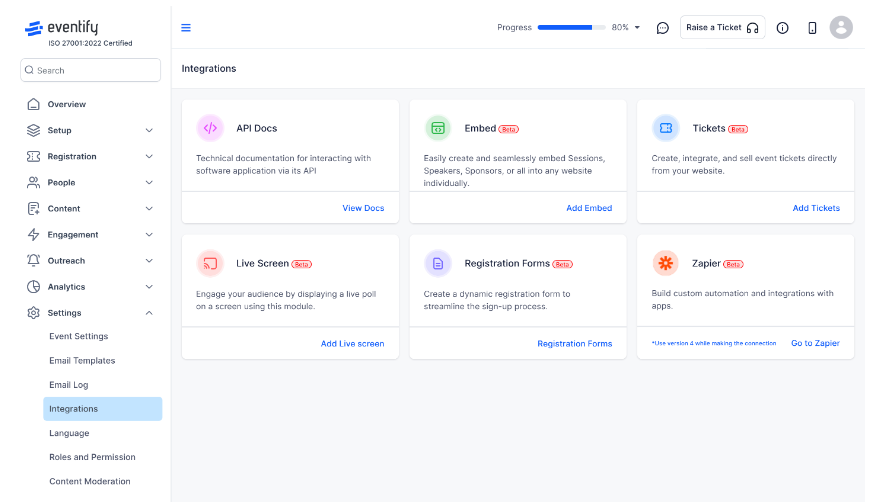
Registration and ticketing features only reach full value when connected to the rest of your stack. Mission-critical integrations include Salesforce or HubSpot for CRM, Zoom or Microsoft Teams for virtual delivery, and your payment gateway and SSO provider.
The key difference is native two-way sync versus a basic one-way push. "We integrate with everything via Zapier" is not the same claim as a native integration: generic connectors can break silently when a partner API changes. Eventify's API and integrations help teams connect event data with CRM, marketing automation, and revenue attribution.
Feature 15: Scalability and Multi-Location Support
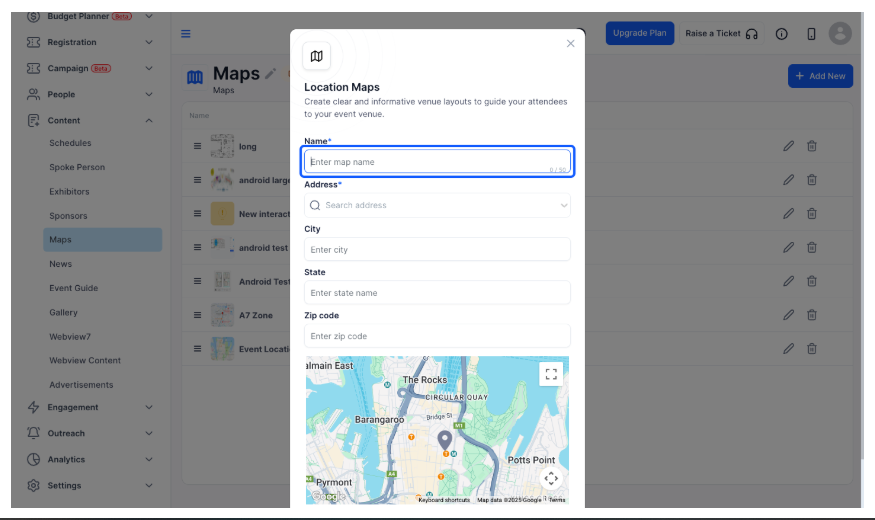
A platform that works for ten events a year may not work for 100. Scalability means handling thousands of attendees, region-specific currencies, and region-specific taxes inside one tenant rather than a patchwork of separate accounts.
Corporate roadshows, association calendars, and global expos all run into this wall eventually: virtual, hybrid, and in-person events each need different tools, and the ideal platform supports all three without forcing teams into separate databases.
Warning: Buying for current volume only can force a painful migration later.
In practice: Eventify is built for organizers running 1,000–50,000+ attendee events, with event apps, sponsor lead capture, and governance designed for scale.
How to Match Event Management Software Features to Your Organization Type
Not every buyer needs every feature at the same priority. Defining your event goals and objectives is a key step in choosing the right event management software, since it helps identify the specific needs and challenges the software should address.
Pro tip
Bring this checklist to every vendor demo and score each platform out of 15. The score alone will not make the decision, but it will make the comparison concrete.
Corporate Event Teams
Corporate teams should prioritize workflow automation, calendar integration, CRM attribution, and check-in for sales kickoffs, regional meetings, and corporate roadshows. They can usually deprioritize abstract management unless they run education-heavy conferences. Eventify supports global marketing and field teams that manage events across regions.
Conference and Association Organizers
Conference and association organizers need attendee registration, room and venue management, session engagement tools, and sponsor reporting. Agenda building tools help manage multi-track schedules or speaker assignments. They may deprioritize advanced internal calendar integrations if events are planned far in advance.
Venue and Hospitality Managers
Venues should prioritize self-service booking, room diagramming, and catering and inventory coordination, the operational backbone for hotels, convention centers, and campuses managing both external events and internal meetings. An attendee-facing mobile app is usually secondary if the venue isn't producing the event itself.
Nonprofit and Community Event Organizers
Nonprofits should focus on low-friction registration, attendee communication automation, and reporting that can go straight into a board deck or grant report. They can often deprioritize advanced inventory tracking if AV and staging are handled by partner venues.
Red Flags to Watch for During a Software Demo
Researching and comparing different event management software options, including reading customer reviews and requesting demos, is essential to evaluate usability and functionality before making a decision. Watch for these warning signs:
- Limited data export: If you cannot export attendee, financial, or engagement data, reporting and vendor migration become risky.
- Vague integrations: "We connect to everything" is not enough. Ask about sync direction, field mapping, and error handling.
- Heavy reliance on professional services: If basic form, email, or agenda changes require vendor help, expect a steep learning curve and slow execution.
- Lag in demo accounts: Slow reports or agendas during the demo may become serious problems at real-world volume.
- Inconsistent UX: Disconnected registration, event apps, analytics, and finance modules often indicate stitched-together solutions.
When selecting event management software, weigh customizable registration paths, attendee management, and integration capabilities against your actual event calendar, including how you'd handle event risk management scenarios, not just the feature list a vendor hands you.
Ready to see all 15 features running in one platform, on your own event?
Book a Free DemoWhy Event Teams Choose Eventify for Their Event Management
Eventify brings the 15 must-have event management software features above into one platform for in-person, virtual, and hybrid events, conferences, trade shows, and corporate meetings alike.
Teams choose Eventify for flexible event website creation, registration and ticketing, fast check-in, badge printing, lead capture, and real-time analytics. Personalized agendas and mobile event apps give attendees a single place to manage their own schedule instead of juggling printed programs and email updates.
Features like gamification and attendee networking, points, leaderboards, and session-level challenges, turn passive attendance into something attendees actively work through, which tends to move engagement numbers more than a feature list does on its own. If you are comparing options, our breakdown of the best event planning and management apps covers how several platforms stack up beyond Eventify.
Frequently Asked Questions
How do I choose the right event management platform for 2026?
Start by writing down your actual constraints, not just your wish list: expected attendee count, whether any events are hybrid or virtual, which CRM or finance tool it has to talk to, and who on your team will own day-to-day admin. Then run the same scenario, a room change two days out, a sponsor invoice, a 500-person check-in, through every vendor demo and compare how many steps and how many people each one takes.
Can one platform handle small workshops and large expos?
Yes, provided the permissions and pricing model scale with you rather than forcing a re-platform at a certain size. Ask vendors directly what breaks first as attendee count grows. Concurrent registrations, report generation speed, or check-in throughput are the usual failure points, rather than taking "yes, it scales" at face value.
Does Eventify support in person, virtual, and hybrid events?
Yes. Eventify uses one data model for registration, engagement, check-in, and reporting across all three formats, so attendee and session data don't have to be reconciled across separate systems after the event.
What are the most important event management software features for a first-time buyer?
Attendee registration, check-in, and reporting cover the core lifecycle of almost any event. Add workflow automation and CRM integration once your event volume or team size grows enough that manual handoffs start causing errors.
.png)