

Quick Answer
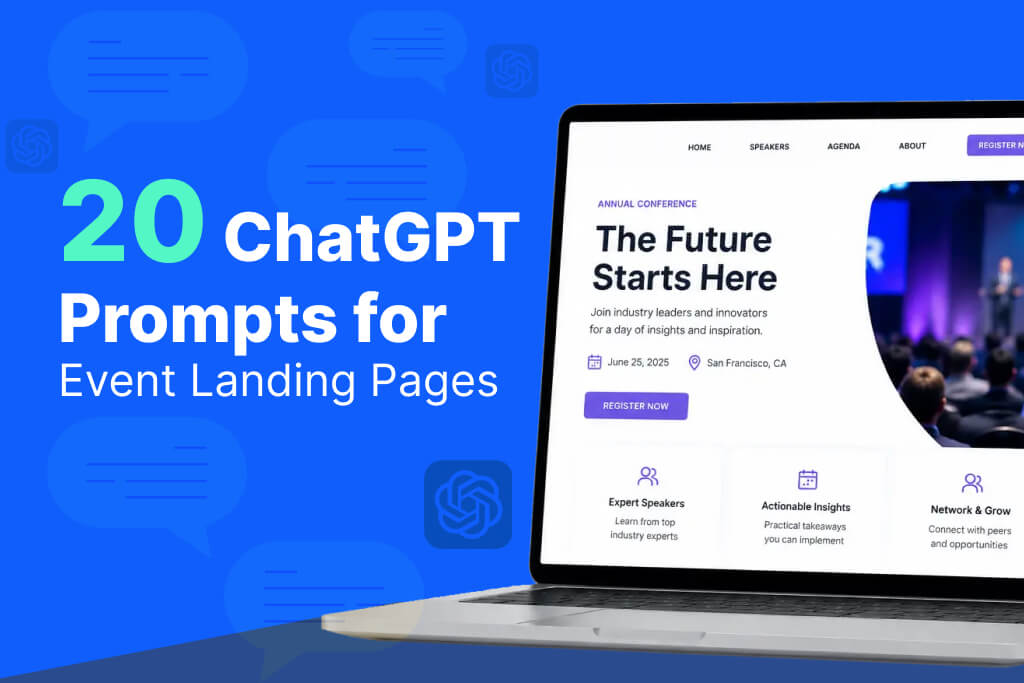
ChatGPT can write every section of an event landing page, hero headline, agenda teaser, speaker bios, FAQ, and confirmation copy, when you give it the event details, audience, and the specific job each section needs to do. The prompts below are broken into 20 sections rather than one long request, since that’s what actually produces usable, specific copy instead of generic marketing language. Treat the output as a strong first draft, then test it against real traffic.
Why Trust These Prompts?
These 20 ChatGPT prompts for event landing pages are built around the actual anatomy of a working event landing page, the same sections you’ll find on pages for conferences, trade shows, corporate summits, and webinars, regardless of industry or ticket price.
None of them were invented from scratch. Each one maps to a section that already exists on event landing pages that convert: a hero that states the value fast, an agenda teaser that builds curiosity without giving everything away, an FAQ that removes hesitation right before the decision point.
The goal isn’t to hand ChatGPT a blank page and hope for the best. It’s to give it the same structure a experienced conversion copywriter would use, broken into prompts anyone can run themselves.
Why Event Landing Pages Are Worth Getting Right
The event landing page is usually where your other marketing effort either pays off or falls apart. Someone clicks an ad, opens an email, or follows a social link, and the landing page decides whether they register or leave.
A few things make this harder than it looks.
Every section on the page has a different job. The headline needs to hook attention in seconds. The agenda needs to build interest. The FAQ needs to quietly remove doubt. Writing all of that well, in one sitting, is a lot to ask of anyone who isn’t a dedicated copywriter.
Weak copy is also easy to miss until traffic actually arrives. A landing page can look polished and still convert poorly, because the event website design is fine but the words aren’t doing their job. That usually isn’t obvious until you’re staring at a low conversion rate with no clear reason why.
Most event marketers are also juggling registration setup, sponsor outreach, and speaker coordination at the same time. Landing page copy is often the thing written fast, late at night, and never revisited before launch.
None of this means AI should design your page or decide your offer. It means the actual writing, section by section, can move faster, which leaves more time for the part that matters most: deciding what the page should say and testing whether it’s working.
Before vs After: Fixing a Weak Hero Section
Most event landing pages fail in the first five seconds, right at the hero section. Here’s what that usually looks like, and what a stronger version does differently.
Weak Version
“Join Us at [Event Name] 2026! Register Now for an Amazing Event Full of Networking and Learning Opportunities.”
This tells a visitor almost nothing. It doesn’t say who the event is for, what they’ll walk away with, or why now matters. “Amazing” and “opportunities” are the kind of words that show up on every event page ever written, which means they carry no real weight.
Improved Version
“Three Days. Two Hundred Product Leaders. One Room to Solve What’s Actually Broken.” Subheadline: “[Event Name] brings product and engineering teams together in [City] this [Month] to work through the problems slide decks usually skip. Reserve your seat before early pricing ends [Date].”
Why the improved version converts better: it’s specific instead of vague. It names who the event is for (product leaders), what makes it different (working through real problems, not another slide deck), and gives a concrete reason to act now (a real deadline). Specificity is what makes copy believable. Generic enthusiasm is what makes visitors scroll past without reading further.
The Prompt Formula: Role, Context, Audience, Goal, Output
The prompts in this guide are all built around one reusable formula. Once you understand it, you can write new prompts for sections not covered here.
Role: who ChatGPT should write as (a conversion copywriter, an event marketer, a B2B SaaS copywriter).
Context: the event itself: name, date, location, format, and what makes it worth attending.
Audience: who’s actually landing on this page and what they care about.
Goal: what this specific section needs to accomplish: hook attention, build credibility, remove a hesitation, or drive a click.
Output: the format and constraints: word count, tone, number of variations.
Here’s what that looks like combined into one working prompt:
“Act as a conversion copywriter for B2B events. [Event Name] is a two-day conference for product and engineering leaders, happening [Date] in [City]. The audience is mid-to-senior product managers evaluating whether this event is worth their time. Write a hero headline and one-line subheadline that communicates the core value in under 25 words combined. Avoid generic phrases like ‘don’t miss out’ or ‘game-changing.’”
Every prompt below follows this same shape, just adapted to a different section of the page.
20 ChatGPT Prompts for Event Landing Pages
Replace placeholders like [Event Name], [Audience], [Date], [Location], [Speaker Name], and [CTA] with your actual event details.
1. Hero Headline Prompt
What it does: Writes the first line a visitor reads on the page.
When to use it: Before anything else on the page is finalized, since everything else supports the headline.
Prompt: “Write 5 headline options for the [Event Name] landing page hero section. Audience: [Audience]. Each headline should communicate the core value of attending in under 12 words. Tone: [Tone]. Avoid generic event language.”
2. Subheadline Prompt
What it does: Adds a specific, concrete detail the headline didn’t have room for.
When to use it: Right after you’ve picked a headline direction.
Prompt: “Write a subheadline for [Event Name] that follows this headline: ‘[headline]’. Add one specific detail, date, format, or outcome, that the headline doesn’t cover. Keep it under 20 words.”
3. Above-the-Fold CTA Copy Prompt
What it does: Writes the button text visitors see before scrolling.
When to use it: Once the hero section is set.
Prompt: “Write 3 short CTA button variations for the [Event Name] landing page, each under 4 words, pushing toward [CTA]. Avoid generic phrases like ‘click here’ or ‘learn more.’”
4. “Why Attend” Section Prompt
What it does: Builds the case for registering with specific reasons.
When to use it: After the hero, to keep visitors reading past the fold.
Prompt: “Write a ‘Why Attend’ section for [Event Name] giving 3 specific reasons [Audience] should register. One short paragraph per reason. End with a line reinforcing [CTA].”
5. Value Proposition Paragraph Prompt
What it does: Explains what makes this event worth attending in one tight paragraph.
When to use it: As a standalone section or folded into the hero area.
Prompt: “Write a 60 to 80 word value proposition for [Event Name] explaining what [Audience] will get out of attending that they can’t get elsewhere. Be specific. Avoid vague claims like ‘valuable insights.’”
6. Agenda Teaser Section Prompt
What it does: Previews the schedule without listing every session.
When to use it: Once your agenda themes are locked, even before the full schedule is public.
Prompt: “Write an agenda teaser section for [Event Name] highlighting 3 to 4 session themes without listing the full schedule. Make it sound worth the time commitment. End with a link to view the full agenda.”
7. Speaker Highlight Section Prompt
What it does: Uses a confirmed speaker’s credibility to build interest.
When to use it: As each major speaker is confirmed.
Prompt: “Write a speaker highlight section for [Event Name] featuring [Speaker Name]. Include their expertise and session topic, and explain why [Audience] should be excited to hear from them.”
8. Speaker Grid Intro Copy Prompt
What it does: Sets up a grid of speaker photos with one short line.
When to use it: Once most speakers are confirmed and ready to display together.
Prompt: “Write a one-sentence intro line for a speaker grid section on the [Event Name] landing page, setting up a list of [Number] speakers without repeating their names.”
9. Testimonial Section Intro Prompt
What it does: Introduces real quotes from past attendees.
When to use it: When you have genuine testimonials ready to display.
Prompt: “Write a short intro line for a testimonial section on the [Event Name] landing page, leading into quotes from past attendees. Keep it under 15 words and avoid a generic transition.”
10. Stats or Social Proof Banner Prompt
What it does: Turns one real number into a short, credible line.
When to use it: When you have an actual, verifiable stat to share, past attendance, years running, satisfaction rate.
Prompt: “Write a one-line social proof statement for [Event Name] using this fact: [insert your real stat]. Keep it under 12 words and make it feel earned, not exaggerated.”
11. Sponsor and Partner Logo Section Intro Prompt
What it does: Adds a short credibility line above sponsor logos.
When to use it: Once sponsor logos are confirmed for display.
Prompt: “Write a one-sentence intro line for the sponsor and partner logo section on the [Event Name] landing page. Keep it brief and credibility-focused.”
12. Early Bird Pricing Section Prompt
What it does: Promotes discounted pricing with a real deadline.
When to use it: As soon as early bird pricing goes live.
Prompt: “Write an early bird pricing section for [Event Name] tickets, priced at [Price] until [Date]. Make the savings and deadline clear without over-explaining. End with [CTA].”
13. Ticket Tier Comparison Copy Prompt
What it does: Writes short, distinct descriptions for each ticket type.
When to use it: Once your pricing tiers are finalized.
Prompt: “Write short descriptions, 2 to 3 lines each, for [Number] ticket tiers for [Event Name]: [list tier names]. Highlight what’s genuinely different about each without repeating the same features.”
14. FAQ Section Prompt
What it does: Removes common hesitations right where visitors are deciding.
When to use it: Before the page goes live, and updated as new questions come in.
Prompt: “Write 5 FAQ questions and answers for the [Event Name] landing page addressing common hesitations: refund policy, what’s included, virtual attendance options, and group discounts. Keep each answer under 40 words.”
15. Urgency Banner Copy Prompt
What it does: Writes a short line for a countdown or deadline banner.
When to use it: In the final days before a pricing change or registration deadline.
Prompt: “Write a one-line urgency banner for the [Event Name] landing page, referencing [Date] as the deadline for [early bird pricing / registration closing]. Keep it factual, not exaggerated.”
16. Video Trailer Intro Copy Prompt
What it does: Sets up an embedded recap or promo video.
When to use it: When you have a real video ready to embed on the page.
Prompt: “Write a short line of copy to sit above an embedded video trailer for [Event Name]. One sentence, giving visitors a reason to watch.”
17. Exit-Intent Popup Copy Prompt
What it does: Offers a last reason to register before someone leaves the page.
When to use it: For paid campaigns where recovering abandoning visitors matters most.
Prompt: “Write exit-intent popup copy for the [Event Name] landing page, offering [a real incentive] to visitors about to leave without registering. Keep it under 25 words total.”
18. Mobile-Optimized Hero (Short Version) Prompt
What it does: Condenses the hero section for small screens.
When to use it: After your desktop hero is finalized, since most event page traffic arrives on mobile.
Prompt: “Rewrite this hero headline and subheadline for mobile: ‘[headline and subheadline]’. Cut it to the shortest version that still communicates the core value of [Event Name].”
19. Virtual or Hybrid Attendance Section Prompt
What it does: Explains the remote attendance option clearly.
When to use it: For any hybrid event offering both in-person and virtual tickets.
Prompt: “Write a short section for the [Event Name] landing page explaining the virtual attendance option, including what virtual attendees get access to. End with a CTA to [CTA] for the virtual ticket.”
20. Confirmation Page Copy Prompt
What it does: Reassures someone right after they’ve registered and gives them a next step.
When to use it: As part of the registration flow, not an afterthought written the night before launch.
Prompt: “Write confirmation page copy for someone who just registered for [Event Name]. Confirm the registration, tell them what happens next, and include one small next step, add to calendar, join a community, or download the app.”
Common AI Mistakes to Avoid
Generic headlines. ChatGPT defaults to safe, broad language unless you push it toward specifics. “Join us for an unforgettable experience” could describe literally any event. Always ask for specificity in the prompt itself.
Invented statistics. AI will confidently generate a percentage or number if you don’t supply one, and it will sound plausible. Never publish a stat you didn’t provide yourself and verify.
Weak CTAs. “Learn More” and “Click Here” are the default output unless you explicitly ask for something sharper. Push for CTAs tied to the actual action and outcome.
Repetitive copy across sections. Without direction, ChatGPT tends to reuse the same phrases (“don’t miss out,” “game-changing”) across multiple sections of the same page. Read the full page together before publishing, not just section by section.
Ignoring mobile users. Most event landing page traffic arrives on a phone, and a hero section that reads well on desktop often runs too long on mobile. Always generate or edit a shorter mobile version separately.
Landing Page Section Checklist
How Eventify Supports What Happens After the Landing Page
Strong landing page copy gets someone to click register. What happens in the next few seconds, how fast the form loads, how many fields it asks for, whether the confirmation feels instant, decides whether that click actually becomes a seat filled.
That’s the part a connected platform handles. Eventify’s event registration software powers the flow your landing page CTA points to, so the page you worked hard on doesn’t lose people to a slow or clunky form. Accurate, real-time event ticketing keeps your early bird and urgency copy honest, since the pricing on the page always matches what happens at checkout.
Once someone registers, Eventify’s mobile event app gives you a natural next step to mention on the confirmation page, keeping attendees engaged well before the event starts. And when they arrive, Eventify’s event check-in software carries that same registration data through to a fast, frictionless entry, so the experience your landing page promised holds up from click to check-in.
Frequently Asked Questions
Can ChatGPT write a full event landing page?
Yes, though it works better broken into sections rather than one large prompt. Asking for the headline, agenda, and FAQ separately produces sharper, more specific copy than requesting the entire page at once.
What’s the most important section of an event landing page?
The hero headline and CTA. Most visitors decide whether to keep reading within seconds, and if that section doesn’t earn their attention, the rest of the page, however strong, may never get read.
Should every event landing page include an FAQ?
Yes, especially for paid events. FAQs remove common hesitations right where someone is deciding whether to register, and they’re one of the easiest sections to get real value from with AI.
Can AI write believable urgency copy?
Only with real details. Give it your actual deadline or ticket count. Invented or exaggerated urgency is easy for visitors to spot and tends to hurt trust rather than drive registrations.
How long should an event landing page be?
Long enough to answer the real questions a visitor has: what it is, why it matters, who’s speaking, what it costs, and how to register. That’s usually longer than people expect, as long as every section still earns its place.
Does AI-written copy hurt SEO for a landing page?
Not inherently. Thin, generic copy without real event details tends to underperform in search regardless of how it was written. Specific details, real speaker names, and genuine value propositions matter more than the writing method.
Can the same prompts be reused for a recurring annual event?
Yes. The structure stays the same each year, you’re just updating the details: new dates, new speakers, new pricing. That reusability is one of the more practical benefits of building prompts around a fixed template.
Final Thoughts
A event landing page is only as strong as its weakest section. A sharp headline paired with a vague FAQ, or a compelling agenda teaser followed by a confusing pricing table, still loses people at the finish line. The 20 ChatGPT prompts for event landing pages above cover the entire page, so no single section gets left as an afterthought.
Save this list before your next campaign. Run each prompt with your real event details, check every claim before publishing, and read the finished page start to finish to make sure it still sounds like your event and not a template with the name swapped in. The registration flow those words point to is what actually turns a click into a seat filled.
More ChatGPT prompts for event organizers
20 ChatGPT Prompts for Event Emails
22 ChatGPT Prompts for Event Social Media Posts
20 AI Prompts to Sell More Event Tickets
AI Prompts for Writing Event Press Releases
.png)