


Methodology: I evaluated each platform using the vendors’ official websites, published pricing pages, product documentation and the third-party reviews available on G2 and Capterra, as of October 2026. Fees change often and differ by country, so confirm the current rate, payment-processing charge and payout terms with the vendor before you commit. Where a platform doesn’t publish pricing, I say so rather than guess. The “Pros” and “Cons” reflect vendor information and independent reviews, unless a source is linked.
Key Takeaways
- The advertised fee is rarely the real cost. Compare the per-ticket fee, the percentage fee and the payment-processing charge together, on your own ticket price.
- Cheapest depends on your ticket price. A flat per-ticket fee wins on higher-priced tickets, while a percentage fee can win on low-priced ones.
- Flat-fee and pay-as-you-go platforms (Ticket Tailor, TicketSpice, Ticketbud, Eventify) suit organizers who want predictable costs. Enterprise platforms (Bizzabo, Accelevents) suit organizers who need ticketing inside a full event suite.
- Eventcube, Checkout Page and Eventify are the lowest-commitment options on this list, with no long-term contract required.
Choosing the best event ticketing software in 2026 is critical; it’s the first touchpoint for your attendees and directly impacts your revenue. I’ve tested and compared 17 top platforms, from simple pay-as-you-go tools to enterprise suites, focusing on what truly matters: the real cost per ticket, payout speed, and check-in efficiency. Forget the headline fees. This guide, updated for 2026, cuts through the marketing to help you find a ticketing platform that fits your event’s size, budget, and specific needs.
I have compared 17 event ticketing platforms based on fees, ticket types, check-in, payout speed and what real users say, so you can shortlist the ones that fit your event, whether you are running tech conferences, community meetups or fully virtual events.
Why fees deserve a closer look: unexpected costs are one of the most common reasons online buyers abandon a purchase at checkout, and ticket buyers are no exception; roughly 6 in 10 walk away when fees at checkout run higher than expected, per ticketing industry research compiled by Celebratix. That’s the real argument for comparing total cost, not the headline rate, before you commit to a platform.
“The fee you see on the pricing page is never the fee you actually pay. Add payment processing, add the cost of the add-ons you’ll end up needing, and add what it costs you in support tickets if check-in breaks on event day. Compare that total, not the number in the hero section.”
Hussain Fakhruddin, Founder of Eventify (LinkedIn)
17 Best Event Ticketing Software: A General Overview
The table below gives a fast snapshot of all 17 event ticketing companies and platforms covered in this guide, before the full reviews.
| Platform | Best For | Fee Model / Starting Price | Free Plan |
|---|---|---|---|
| Eventcube | Organizers who want a ticket store plus memberships and virtual events | Starter: 5% transaction fee, no monthly fee. Pro: $99/month billed annually, 3% fee | Yes (Starter) |
| Checkout Page | Organizers who want to sell through their own Stripe account | Free up to $3K monthly sales; Launch from $29/month | Yes |
| Eventify | Small and large events, all-in-one event management | $1 per ticket for paid tickets; free for free tickets | 14-day free trial |
| Eventbrite | Community events and public discovery | 3.7% + $1.79 per ticket, plus 2.9% processing | Free events only |
| Bizzabo | Corporate and B2B events with a large budget | $17,999 per year, 3-user minimum | No |
| Ticketbud | Simple self-service ticketing, nonprofits and schools | 2% + $0.99 per ticket, plus processing | Free events only |
| Accelevents | Conferences and fundraisers needing workflows | Plan-based, see entry below | No |
| Ticket Tailor | Small events, parks, museums, workshops | $0.65 per ticket, or prepaid credits | Free events only |
| RegFox | Complex registration forms | $0.99 + 1% per paid registrant, capped at $4.99 | No |
| Purplepass | Recurring and multi-day events, sports | 2.5% + $0.99 per ticket | No |
| TicketSpice | Budget ticketing with a page builder | $0.99 per ticket ($0.49 if $5 or less) | No |
| ThunderTix | Theaters, music venues, performing arts | From $20/month including 20 tickets, then $1 each | Trial only |
| Eventzilla | Branded ticket pages with marketing tools | Pro, Plus and custom plans, see website | No |
| Zoho Backstage | Small to mid-size events already using Zoho | Free trial, then paid plans | Trial only |
| Yapsody | Entertainment events with reserved seating | $0.59 + 1.75% per ticket (general seating) | Free events only |
| Nutickets | Global events, festivals, cashless payments | Available on request | No |
| EventBookings | Community events, schools, corporate conferences | Varies by region, see website | No |
Before digging into the details, here’s a quick way to see where a flat-fee model like Eventify’s stacks up against the rest of this list.
How Have I Evaluated These Event Ticketing Platforms?
I evaluated each platform by asking the following questions.
What does it really cost per ticket?
Ticketing platforms charge in four main ways: a flat fee per ticket, a percentage of the ticket price, a monthly subscription, or a combination. Payment processing (typically around 2.9%) is often charged on top. A platform that looks cheap at $0.99 per ticket can cost more than a percentage-based rival once processing and add-ons are included, so I compared total cost rather than the headline rate.
Who pays the fee, the organizer or the buyer?
Some platforms let you absorb the fee, pass it on to attendees, or split it. This matters because buyers notice added fees at checkout, and a fee that looks low to you can feel high to them.
Does it support the ticket types you need?
At minimum, look for multiple ticket tiers, early-bird pricing, promo codes and group discounts, on top of solid event registration basics. If you run seated events, check for reserved seating and seat maps. If you run recurring or multi-day events, check for timed entry and flex passes. Add-ons such as merchandise or parking are an easy revenue boost.
How does check-in work on event day?
QR or barcode scanning from a phone is now standard. Ticket Tailor, Checkout Page and Eventify include check-in tools built in. Some platforms also handle badge printing on the spot. Ask whether scanning works offline.
How fast do you get paid?
Some platforms pay out only after the event. Others pay as tickets sell. Checkout Page sells through your own Stripe account, RegFox offers weekly or monthly payouts, and Zoho offers instant payouts. If you need cash flow to pay vendors before the event, this matters more than the fee.
What do independent users and reviewing websites like G2 and Capterra have to say?
I checked ratings and review counts on G2 and Capterra, and I read comments on support quality, setup effort and hidden fees rather than relying on the star rating alone. Here are the ratings and review counts for each platform, current as of October 2026.
| Platform | G2 Rating (Reviews) | Capterra Rating (Reviews) |
|---|---|---|
| Eventcube | 4.7 (44) | 4.6 (23) |
| Checkout Page | 5.0 (2) | 4.0 (1) |
| Eventify | 4.8 (68) | Not yet reviewed |
| Eventbrite | 4.3 (913) | 4.6 (5,831) |
| Bizzabo | 4.3 (448) | 4.4 (171) |
| Ticketbud | 4.3 (23) | 4.6 (37) |
| Accelevents | 4.7 (177) | 4.7 (164) |
| Ticket Tailor | 4.8 (198) | 4.9 (596) |
| RegFox | 4.7 (572) | 4.8 (148) |
| Purplepass | 4.9 (102) | 4.9 (304) |
| TicketSpice | 4.8 (422) | 4.8 (106) |
| ThunderTix | 4.6 (48) | 4.8 (275) |
| Eventzilla | 4.4 (166) | 4.4 (393) |
| Zoho Backstage | 4.4 (24) | 4.3 (30) |
| Yapsody | 4.7 (13) | 4.5 (69) |
| Nutickets | 4.5 (1) | 4.5 (40) |
| EventBookings | 5.0 (11) | 4.7 (21) |
A note on sample size: a handful of these ratings rest on very few reviews and shouldn’t be read as statistically meaningful on their own: Checkout Page (2 G2, 1 Capterra), Nutickets’ G2 rating (1 review), Yapsody’s G2 rating (13 reviews) and EventBookings’ G2 rating (11 reviews). Eventify does not yet have a populated Capterra listing, so only its G2 rating is shown. Ratings and review counts change continuously, so re-check before you rely on them.
The Best 17 Event Ticketing Software of 2026: Briefly Reviewed
1. Eventcube, Branded Event Ticket Store Software

Eventcube is a ticketing and event management platform that lets you open your own branded ticket store, customize the event page and start selling without a developer. Its ticketing tools cover multiple ticket types such as group packages and VIP tickets, tiered pricing, discount and promo codes, reserved seating, upsells, installment payments, a waitlist for sold-out events and embedded promotional videos. Behind the store, a dashboard handles ticket creation, tier definitions, seat allocation and live sales monitoring, with exportable reports, Pixel ID tracking and customer-journey insight into demographics and purchase patterns.
What sets Eventcube apart is how much control it hands to the organizer. A ticket rep system recruits brand ambassadors to promote your event and tracks what each one sells, and a Sold-Out Marketplace lets buyers resell tickets securely with timely refunds, so a sell-out does not end your revenue. Organizers decide who covers the booking fee, keep full ownership of their customer data, and can pair ticketing with Eventcube’s membership and virtual-event tools. One gap to note: there are no conditional workflows to trigger actions or segment buyers into groups.
Pricing: Eventcube uses a transaction-fee model with an optional subscription that lowers the rate. The free Starter plan has no monthly fee and takes 5% of the transaction total on paid tickets, with Stripe payment-processing fees on top and no Eventcube fee on free tickets. Pro costs $99 per month billed annually ($125 month to month) and cuts the fee to 3%, so it pays for itself once monthly ticket sales pass roughly $5,000 to $6,250. Enterprise pricing is custom and aimed at high-volume organizers and membership clubs.
Pros:
- No upfront cost, you pay when you sell
- Waitlist, installments and ticket reps
- Organizers own customer data
- Works with Eventcube’s virtual event platform
Cons:
- No conditional workflows or buyer segmentation
- The free Starter plan’s 5% fee costs more than a flat per-ticket fee on higher-priced tickets
- Custom domain and removal of Eventcube branding require the Pro plan
2. Checkout Page, Stripe-Based Online Ticket Sales Platform
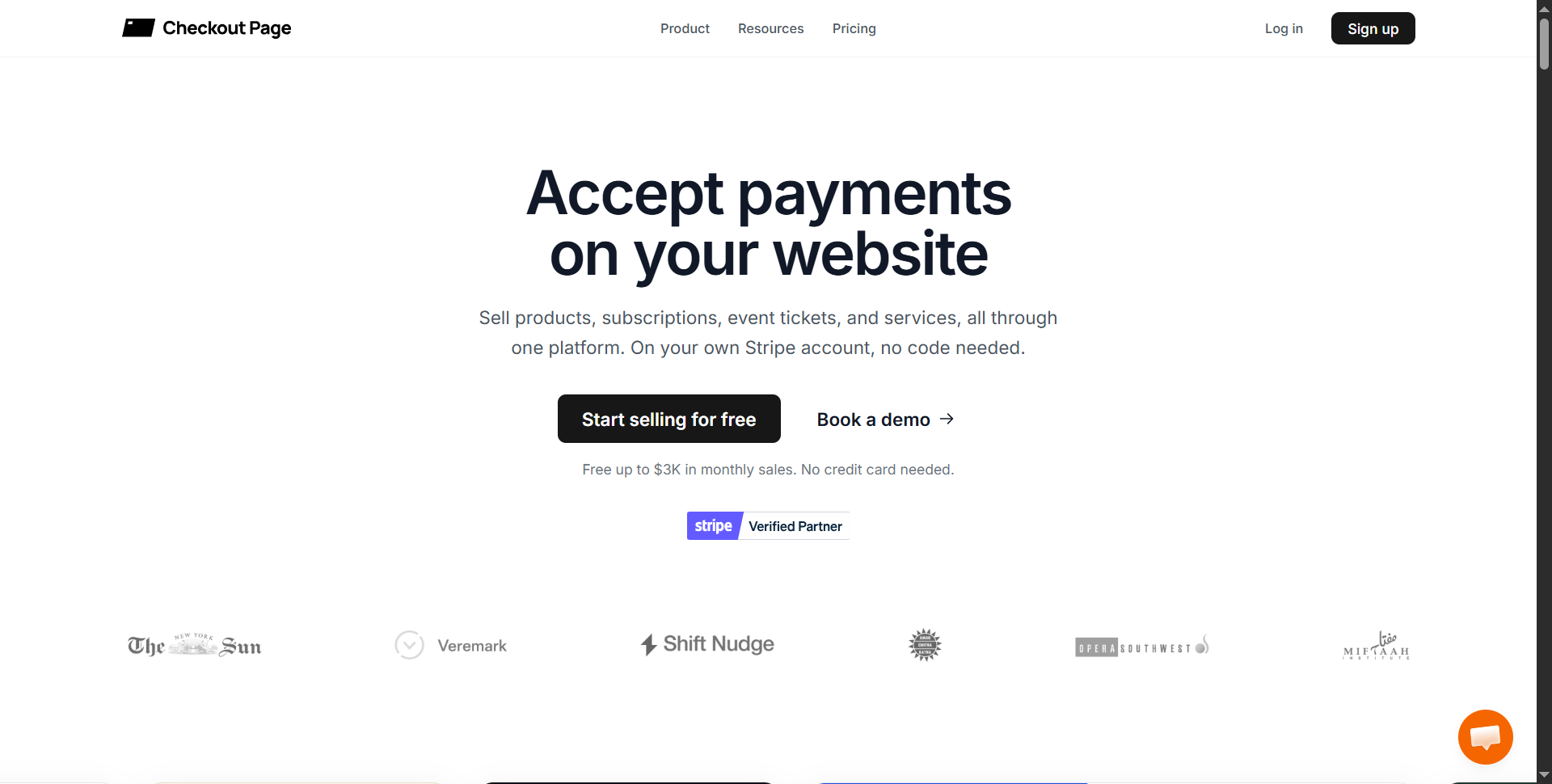
Checkout Page is a no-code checkout and registration platform built on Stripe, making it a flexible online ticket sales option that works for events without being limited to them. You build event pages with multiple ticket types, early-bird and general admission tiers, sales windows and capacity limits, then sell from a hosted page, embed the page on your own site or share a payment link. Buyers receive unique QR-code tickets by email and can pay with Apple Pay or Google Pay without creating an account. Coupons, bulk discounts, order bumps and registration forms raise order value and collect attendee details, and a free mobile check-in app lets staff scan or search guests.
Its biggest difference is that you sell through your own Stripe account. Revenue arrives as tickets sell instead of after the event, you keep the buyer relationship, and Checkout Page takes no per-ticket commission. Unlimited events and ticket tiers, white-label pages and unlimited team members on the check-in app make it a good fit for organizers who run many small events or sell other products alongside tickets. The trade-off is that some tools, such as a custom domain and abandoned-cart recovery, sit on higher plans.
Pricing: Checkout Page charges a flat monthly subscription with 0% transaction fees, so your cost depends on how much you sell, not how many tickets you sell. The free plan covers up to $3K in monthly sales with one team member and Checkout Page branding (Stripe fees apply). Launch is $29 per month ($24 billed annually), Scale starts at $99 per month ($83 billed annually), and Unlimited is $9,990 per year with no sales cap. There are no contracts, so you can move between plans as sales change.
Pros:
- No per-ticket commission, only a flat plan
- Your own Stripe account, so no payout wait
- No contracts
- Free QR check-in
Cons:
- Costs rise with sales volume because plans are tiered
- Custom domain, one-click upsells and abandoned-cart recovery need the Scale plan
- The free plan is limited to one team member and shows Checkout Page branding
3. Eventify, Event Ticketing Platform for Small & Large Events

Eventify is an all-in-one event management platform with ticketing built in, so organizers can sell tickets, publish a branded event page, scan tickets and print badges without stitching together separate tools. Ticketing includes fully customizable registration forms, discount and coupon codes shown on the ticket page, a ticketing widget you can embed on any website, bulk import of attendee lists from Excel and a fast two-step checkout. A dashboard shows attendees and orders, while marketing tools support social promotion and newsletters to keep stakeholders updated. On event day, the ticket scanner checks guests in and prints badges on the spot.
Eventify stands out for pairing ticketing with the rest of the event stack. Tickets connect to a mobile event app, an API and Zapier, and you can run white-label event pages on a custom domain. Payments run through encrypted gateways such as Stripe, and Eventify is ISO 27001 certified. It has been used for over 5,000 events, from small gatherings to large conferences, with 24x7 support.
Pricing: Eventify charges a flat fee per ticket instead of a percentage of the ticket price, with no legal contract, so your cost does not climb as your ticket price rises. Paid tickets are $1 each, and it’s free for free tickets. Payment gateway fees depend on the country.
Pros:
- Flat per-ticket fee instead of a percentage
- Bulk import of attendee lists from Excel, and a fast two-step checkout
- Ticket scanning and on-site badge printing
- White-label pages and custom domains
- Integrates with a mobile event app, API and Zapier
Cons:
- Ticket customization is standard or limited, especially for brand-conscious organizers
Still weighing your options? See how Eventify’s flat-fee ticketing handles your event, live.
4. Eventbrite, Online Event Ticketing Software

Eventbrite is the best-known self-service, online event ticketing software, suited to events and businesses of all sizes. You build a ticketing page with multiple ticket types, list it on Eventbrite or embed it on your own website, and issue e-tickets with QR codes. The organizer app lets you check sales, check in attendees and sell to walk-ins from your phone. Marketing tools include direct social posting, email, analytics, advertising and retargeting messages for abandoned purchases, plus more than 100 apps in its marketplace. Refunds and sale changes can be handled from the dashboard.
Eventbrite’s defining advantage is discovery. Its marketplace lets people browse and buy tickets for events near them, putting your event in front of audiences beyond your own contacts, and it uses interests and location to reach buyers most likely to purchase paid tickets. That built-in audience is why it remains a popular entry point for first-time and community organizers. The trade-offs are higher fees than most flat-fee rivals, limited branding control and variable support response times.
Pricing: Eventbrite combines a per-ticket service fee with a payment-processing percentage. Free events carry no ticketing fees. For paid tickets in the US, the service fee is 3.7% + $1.79 per ticket and payment processing is 2.9% per order, so the total grows with ticket price (verified against Eventbrite’s own published pricing).
Pros:
- Built-in audience through its marketplace
- Organizer app for sales and check-in
- Refunds and sale changes are easy
Cons:
- Higher fees than most flat-fee rivals
- Limited branding control
- Support response times vary
5. Bizzabo, Enterprise Event Management Software

Bizzabo is a comprehensive event experience platform built for corporate, professional and B2B events. Ticketing and registration sit inside a wider event management suite with a refined event website builder, contact management, email campaigns, advanced registration flows and a mobile app. Reporting covers revenue, ticket counts, UTMs and promo codes, and you can customize reports to monitor sales trends, actual turnout and total registrations. Payments run through major providers in the currencies of your choice, and embedded widgets promote ticket sales on any page of your site.
Bizzabo stands out for depth rather than speed. A Ticket Boost tool encourages registrants to refer others, integrations connect to marketing automation platforms, and Klik SmartBadge, sold separately, is wearable technology for onsite networking and lead capture. It is known for exceptional customer service and suits organizations with substantial event programs, though it is more than a one-off event needs.
Pricing: Bizzabo uses annual per-seat subscriptions instead of per-ticket fees. The Event Experience OS costs $499 per user per month billed annually with a three-user minimum, which puts plans at $17,999 per year or more, and the Klik SmartBadge is priced separately. The model rewards teams that run many events a year and is a high entry point for occasional organizers. For a fuller cost breakdown, see our Bizzabo pricing guide.
Pros:
- Advanced analytics and reporting
- Strong event website builder
- Integrates with marketing automation platforms
Cons:
- Expensive for one-off or infrequent events
6. Ticketbud, Self-Service Event Ticketing Platform

Ticketbud is a self-service ticketing tool built to simplify setup and speed up sales. You get custom event pages, registration questions, promo codes, timed entry, attendee management, mobile ticket scanning and reporting. Tickets are delivered by email or SMS, and you can add donation options, sell add-ons such as merchandise, food, drinks and parking, include sales tax and fees, and schedule sales windows when certain tickets are available. It supports Stripe and PayPal, and the whole system can be white-labeled to match your brand.
What distinguishes Ticketbud is its promotion and payment flexibility. Facebook integration and custom URLs let you track which marketing channels convert, point-of-sale lets you take payments at the door, and organizers own their event and attendee data and get flexible payouts. There are no subscription tiers for the core platform, and nonprofits and schools get a discounted rate. The limitation is attendee management, which is lighter than on fuller suites.
Pricing: Ticketbud charges a per-ticket service fee with no subscription for its core platform. Paid events cost 2% + $0.99 per ticket plus payment processing (about 2.9%), and eligible nonprofits and schools pay 1.75% + $0.99. Free events are free. The small percentage keeps fees lower than percentage-heavy models as ticket prices rise.
Pros:
- Low flat-style fees
- Point-of-sale for door sales
- Custom links to track paid-media conversions
- Add-on sales for food, drinks and parking
Cons:
- Limited functionality for managing registered attendees
7. Accelevents, Event Registration and Ticketing Software

Accelevents is flexible ticketing and registration software built for conferences, fundraisers and organizers running many events a year. A mobile-friendly registration page lets guests build their own schedules, and registrations can be captured through a widget or a dedicated page, with Stripe or Square for payments. Features include assigned seating, badge design and printing, session registration, group registrations that bundle several tickets, private access codes for VIP and speaker tickets, and automated reminders to manage turnout. CRM integrations carry custom registration attributes into your own records.
Its edge is workflow control as an event ticket management system. Smart workflows and attendee segmentation make attendee management easier, and brand control extends to email templates, badges and registration pages. It also supports recurring events with timed entry and gives each event its own registration page when you host several. Expect a learning curve for new users.
Pricing: Accelevents sells flat subscriptions rather than percentage fees, and its paid plans are described as carrying no platform transaction fees. Four plans are listed: a per-event plan at $7,500 per event, a business plan at $13,500 per year for unlimited events, and quote-based Enterprise and White-label tiers. A $3 per-attendee fee has also been reported regardless of ticket price. A flat cost favors high-volume events, where it beats per-ticket cuts, and is a large commitment for small ones.
Pros:
- Smart workflows and segmentation
- Built-in seating plan
- Strong brand control across emails, badges and pages
Cons:
- $3 per attendee fee regardless of ticket price
- Steep learning curve for new users
8. Ticket Tailor, Event Ticket Software for Small Venues

Ticket Tailor is an affordable event ticket software for smaller events and budget-conscious planners, popular with parks, museums, galleries and workshops. You get unlimited ticket types, event categories, and private and public listings, plus password-protected tickets, a waitlist, custom URLs for tracking marketing and Zoom links and maps on the ticket page. Checkout is quick and secure with multi-language support, analytics appear as clear real-time charts, and a free check-in app handles event day. White-label branding keeps your name on the ticketing and landing pages.
Ticket Tailor’s pre-paid credit system is its signature: buying credits in advance lowers the per-ticket cost compared with pay-as-you-go, and free events carry no fees. Its simple design makes it easy to launch quickly. The limits are reporting that could be more powerful and limited customization of registration templates.
Pricing: Ticket Tailor charges a flat per-ticket fee with no percentage. Pay-as-you-go is $0.60 per ticket plus payment processing (and VAT where applicable), and free events cost nothing.
Pros:
- Zero fees for free events
- Free check-in app
- Pre-paid credits lower the cost
- Multi-language checkout
Cons:
- Reporting could be more powerful
- Limited customization of registration templates
9. RegFox, Event Registration Software with Custom Forms

RegFox is a budget-friendly registration and ticket management platform positioned as an alternative to Eventbrite and Cvent. Its strength is form-building: customizable ticket forms with conditional logic and advanced fields, group and VIP packages, upsells, a waitlist for sold-out items and membership-level controls such as member discounts. It also offers a built-in seating plan, QR check-in that can be shared with your whole check-in team, CRM integrations and reports on registration volume, upsells and ticket types.
RegFox stands out for flexible money handling. Refunds and cancellations are not charged, you can choose weekly or monthly payouts instead of waiting until the event ends, and a fee cap protects organizers with higher-priced tickets. The flip side is a steeper learning curve and a feature set that can feel overwhelming for simple events.
Pricing: RegFox charges a hybrid per-registrant fee of $0.99 + 1% per paid registrant, capped at $4.99, plus standard card processing of 2.9% + $0.30.
Pros:
- Fee cap protects higher-priced tickets
- Free refunds and cancellations
- Flexible payout schedule
- Detailed analytics
Cons:
- Steep learning curve for new users
- Can be overwhelming for simple events
10. Purplepass, Ticketing System for Recurring Events

Purplepass is a straightforward ticketing system for events suited to service-based businesses and sporting events. It supports free, paid, recurring and multi-day events, assigned seating with seat and venue maps, tiered ticketing (VIP, general admission, front-of-line access), ticket transfers and reschedules, and flex passes that let buyers choose which events to attend under one pass. An easy page builder, custom branding across email templates, badges and registration pages, barcode scanning and add-on sales such as merchandise and parking round it out.
Flex passes and season-style packages make Purplepass relevant for recurring events, while pay-what-you-can pricing suits musical fundraisers and donation drives. It also provides 24/7 US-based phone support and fine-grained user controls that accommodate volunteers. The app is still basic, and few features stand out compared with competitors.
Pricing: Purplepass charges a per-ticket fee made of a percentage plus a fixed amount: 2.5% + $0.99 per ticket for profit events and 2% + $0.99 for nonprofits. Payment-processing fees may also apply, and some sources list an online service fee of 3.0% and a box-office fee of 2.5% + $0.25 per transaction, so check the fee schedule for the channel you will sell through.
Pros:
- Flex passes and recurring event support
- Pay-what-you-can option for fundraisers
- Robust barcode scanning
Cons:
- Basic app; not for complex events
11. TicketSpice, Customizable Event Ticket Software

TicketSpice is an affordable platform for online and onsite ticketing with extensive customization. A drag-and-drop page builder creates the ticketing page, alongside dynamic forms, recurring events with timed entry, reserved seating, donations and merchandise. A box office app sells and scans tickets on-site, and attendees receive tickets as PDFs or free text messages. Automated confirmation and reminder emails, easy refunds with automated steps and fraud monitoring before reservations protect the experience, while optional add-ons include email and SMS marketing, drip campaigns and cashless onsite payments.
Its modular approach is the draw: start with a flat per-ticket fee and add advanced marketing or onsite tools only as you need them. A card-on-file pre-reservation feature helps with unforeseen cancellations. Its registration templates could use a refresh.
Pricing: TicketSpice charges a flat platform fee per ticket instead of a percentage: $0.99 per ticket. Card processing (2.99% + $0.30 per transaction) is charged separately, and optional features such as email marketing and SMS cost extra. The flat fee keeps costs predictable and is especially cheap on low-priced tickets.
Pros:
- Flat per-ticket fee
- Easy page builder
- Free text message ticket delivery
- Fraud monitoring
Cons:
- Registration templates could use updating
12. ThunderTix, Concert & Box Office Ticketing Software

ThunderTix is built for community theaters, musicals, live music venues and performing arts centers as a dedicated concert ticketing software. Custom seating charts mimic your venue, and passes cover variable event schedules, including season subscriptions. A box office dashboard, one of the stronger integrated box office software tools on this list, monitors and processes in-person sales and prints tickets on site, while barcode scanning doubles as an order database for check-in and order retrieval. Group packages, VIP tickets, gift cards, pay-what-you-can fundraising, real-time sales tracking and white-label email and SMS communication are included, and tickets can be sold at the door after online sales.
ThunderTix stands out for venue-style capabilities such as seating, seasons, packages, donations and patron management, which one-off event tools usually lack. It advertises no hidden fees and no percentage of ticket sales. Navigation can feel non-intuitive, and it has few standout features beyond performing arts.
Pricing: ThunderTix uses a per-ticket fee with a monthly minimum and no percentage cut. General admission is $20 per month including the first 20 tickets, then $1 each, and reserved seating is $25 per month including 20 tickets, then $1.25 each. Thermal ticket printing costs extra, and a 14-day free trial is available.
Pros:
- No percentage fee
- Season passes and venue-style seating
- Box office tools for door sales
Cons:
- Navigation can be non-intuitive
- No standout feature outside performing arts
13. Eventzilla, Online Event Ticketing System

Eventzilla packs the essential ticketing features into one online ticketing system for events. You sell through a branded page and can create assigned and reserved tickets or multi-day passes, offer discounts and coupon codes, and set up an auto-pay option for buyers. A marketing suite promotes tickets, discounts and host giveaways on social media, an emailer sends promotional offers, and ticket and event-calendar widgets embed on blogs and other sites. Customized dashboards track check-in, form fills, sales and turnout, including live tracking on event day.
Truly white-label landing pages, embeddable widgets and the live tracker make Eventzilla appealing for organizers who want branding and promotion in one place, and limited-time offers help create urgency. Users do cite a high fee structure and a less than satisfactory app experience.
Pricing: Eventzilla publishes plan-based pricing instead of a single fee. Pro, Plus and custom plans are listed on its website, with the amount depending on the features and scale you choose. The Basic plan starts at $1.50 per registration.
Pros:
- Truly white-label landing pages
- Embeddable widgets
- Live sales tracking on event day
Cons:
- Users report a less than satisfactory app experience
14. Zoho Backstage, Event Ticketing Software for Hybrid Events

Zoho’s event ticketing is mobile, simple and easy to use, and it covers the full ticketing journey. It separates virtual and in-person tickets, which helps you understand the journey for hybrid events, and it gathers attendee preferences through customized registration forms. Organizers can accept digital payments, cash, checks and more, approve registrations and prevent duplicate ticket entries. Zoho Backstage adds gated sessions with premium access, and ticket sales can be pre-set to activate and expire on set dates.
Zoho’s headline is 0% commission on ticket sales together with instant payouts through major payment gateways, which helps event budgets by putting money in your hands as tickets sell. It also fits neatly if you already use Zoho tools. Because it is not a dedicated event platform, form customization is limited, and it suits small to mid-scale events better than large ones.
Pricing: Zoho advertises 0% commission on ticket sales and offers a free trial, after which you choose a paid plan; payment-gateway processing fees may apply. There are four plans; one is free for free events, while other plans start at $99 per month, billed annually.
Pros:
- 0% commission
- Instant payouts
- Duplicate ticket prevention
Cons:
- Not a dedicated event platform, so registration form customization is limited
- Better for small to mid-scale events than large ones
15. Yapsody, Reserved Seating Ticketing Platform

Yapsody is a ticketing platform for small to mid-scale entertainment events, with quick sign-up and no setup costs. White-label ticketing lets you brand the store, tickets, checkout pages and emails, with custom domains. It offers multiple ticket types with add-ons, reserved seating by seat, section and row, support for 14+ payment gateways including Stripe, PayPal and Square, and a box office app and Yapscan QR scanning for entry. A real-time dashboard tracks sales, and fraud controls can block users by email, domain or IP.
Orphan-seat prevention is Yapsody’s distinctive touch: it alerts you to avoid stranded single seats in seating charts, helping you sell more of the room, and add-ons can be promoted by email and social media. Users praise its fast tech support. The main complaints are separate logins for buyers and promoters and a complex add-on setup.
Pricing: Yapsody charges a low per-ticket commission with no monthly fee and no setup fee. General seating is $0.59 + 1.75% per ticket and reserved seating is $0.98 + 2.49% per ticket. Free events carry no fees, and nonprofit events can receive a 50% rebate. The model suits organizers who prefer to pay only when they sell.
Pros:
- Low commission and no setup cost
- Orphan-seat prevention
- Quick, responsive support
Cons:
- Separate logins for buyers and promoters are time-consuming
- Add-ons are complex to set up
16. Nutickets, Global Festival Ticketing Software

Nutickets is a festival ticketing system built for selling tickets at scale to a global audience. It supports multiple currencies and languages, local payment options, and integrations with Stripe, PayPal, Google Pay, Apple Pay and more. Organizers can embed ticketing on their own website or use a standalone landing page, build fully customizable white-label sites, design reserved seating that highlights the best seats, and track attendance with real-time analytics. Quick setup and easy ticket scanning cover the complete ticketing cycle.
RFID wristbands for a secure, cashless experience set Nutickets apart, and it supports a range of event types, from festivals to conferences. Users praise its immediate response to issues, though reviewers cite a complicated interface as a reason for limited adoption.
Pricing: Nutickets does not publish its pricing. Rates are available on request, so ask for a quote that covers the platform fee, payment-gateway costs and any wristband hardware for your event.
Pros:
- Global currencies, languages and payment methods
- RFID wristbands for cashless events
- Fully white-label sites
Cons:
- Users cite a complicated interface
- Pricing is not public
17. EventBookings, Event Ticket Sales Software

EventBookings is an event ticket sales software for events of any size, from community gatherings and school functions to corporate conferences and festivals. A drag-and-drop builder creates branded event pages without technical skills, and you can offer multiple ticket types, early-bird discounts, group rates and promo codes. Payments run through leading gateways in multiple currencies, real-time reports cover ticket sales, revenue, attendance and audience insights, and automated emails and notifications send confirmations, reminders and updates.
What stands out is that registration, tickets and attendee engagement all live in one dashboard, with support for virtual, hybrid and in-person events plus custom branding and domains. Its limitation is advanced marketing automation. Reviews describe the plans as affordable and transparent, but confirm the fee structure for your location before comparing it with the others.
Pricing: EventBookings pricing varies by country or region and is published on its pricing page, so I couldn’t list a single rate here.
Pros:
- Easy to use
- Custom branding and domains
- Supports virtual, hybrid and in-person events
Cons:
- Limited advanced marketing automation
How to Choose the Right Event Ticketing Software
Most organizers pick one of these event ticketing solutions by its headline fee. A better starting point is your own event: your ticket price, your volume and what you need on the day.
Start with Your Real Ticket Price
Flat per-ticket fees hurt most on cheap tickets, and percentage fees hurt most on expensive ones. Here is the service fee on 500 tickets at $25 each ($12,500 in sales), before payment processing:
| Platform | Fee Structure | Service Fee on 500 × $25 |
|---|---|---|
| Ticket Tailor | $0.65 per ticket | $325 |
| Eventcube Pro | 3% (plus $99/month) | $375 |
| TicketSpice | $0.99 per ticket | $495 |
| Eventcube Starter | 5% | $625 |
| Ticketbud | 2% + $0.99 | $745 |
| Purplepass | 2.5% + $0.99 | about $808 |
| Eventbrite | 3.7% + $1.79 | about $1,358 |
Payment processing, usually around 2.9% plus a fixed amount, is charged on top by most platforms.
Decide who pays the fees
If you pass fees to buyers, your ticket looks cheaper to run but more expensive to buy. If you absorb them, your margin shrinks. Choose a platform that lets you do either.
Check ticket types and seating
If you need reserved seating, shortlist ThunderTix, Yapsody, Purplepass, TicketSpice or Nutickets. For recurring events, look for timed entry and flex passes. For group sales, look for group packages and access codes.
Plan event-day check-in
Test QR scanning on a real phone before you commit. If you need badges printed on the spot, confirm it’s included. Ask whether scanning works without a signal.
Check payout timing
If you need to pay vendors before the event, favor platforms that pay out as tickets sell, such as Checkout Page, RegFox or Zoho.
Consider where you are in your event journey
If you are running one-off community events, a simple pay-as-you-go tool is usually enough. If you run conferences, you may want ticketing inside a full event platform with check-in, badges and a mobile app.
Read recent reviews
Check G2 and Capterra for recent comments on support, setup and hidden fees. Be careful with small sample sizes, since a high score from three reviewers tells you very little.
A simple way to decide
Shortlist two or three platforms, then run a test event with your real ticket types. Buy a ticket yourself, check it in on a phone and request a refund. The platform that makes all three painless is usually the right one.
The Right Platform Depends on the Event, Not the Fee
The lowest fee doesn’t always give you the lowest cost, and the longest feature list doesn’t always give you the best experience. A 50-person workshop doesn’t need an enterprise suite, while a multi-day conference will quickly outgrow a basic ticket page. Start with your ticket price, volume and on-the-day needs, then compare total cost across your shortlist.
Once ticketing is sorted, a few things tend to matter next: getting people to the page in the first place, planning the rest of the event, and giving attendees something worth opening on event day. If you’re also rethinking promotion, our roundup of event marketing tools covers that side, our guide to event management apps covers planning tools for the rest of your workflow, and our guide to the best event apps covers the attendee experience once the ticket is bought.
Frequently Asked Questions
What is event ticketing software?
Event ticketing software is an online platform that helps you create events, sell and deliver tickets, process payments and manage entry. Many platforms also include marketing, reporting, check-in and attendee management.
What’s the difference between event ticketing and event registration software?
Ticketing focuses on selling and delivering tickets. Registration software collects detailed attendee information and manages sign-ups, often for conferences. Many platforms, including Eventify, Accelevents and RegFox, combine both. If you are hosting a webinar rather than a ticketed event, see our guide on how webinars work.
Which event ticketing software has the lowest fees?
It depends on your ticket price and volume. On 500 tickets at $25, the platforms with flat per-ticket fees, such as Ticket Tailor and TicketSpice, cost less in service fees than percentage-based ones, but Checkout Page and Eventify may cost less again depending on your plan. Always add payment processing to the comparison.
What is the best free event ticketing software?
Most platforms charge nothing for free events, including Eventbrite, Ticket Tailor, Ticketbud and Yapsody. For paid events, Checkout Page’s free plan covers up to $3K in monthly sales with only Stripe’s fees, and Eventcube’s Starter plan has no monthly fee.
Who pays the ticketing fee?
On most platforms you choose. You can absorb the fee, pass it to buyers or split it. Eventbrite fees are generally paid by buyers unless the organizer covers them.
Can I sell tickets on my own website?
Yes, Eventify, Eventcube, Eventbrite, Accelevents, Eventzilla and Nutickets all offer embeddable widgets or checkout pages for your own site.
Which platform is best for reserved seating?
ThunderTix, Yapsody, Purplepass, TicketSpice, Accelevents and Nutickets all support seating charts. Yapsody also alerts you to orphan seats.
Which platform pays out fastest?
Checkout Page pays into your own Stripe account as tickets sell. Zoho offers instant payouts, and RegFox offers weekly or monthly payouts.
Do I need a contract?
Not always. Eventify, Eventcube and Checkout Page let you start without a long-term contract. Enterprise platforms such as Bizzabo are typically annual.
How do I stop fraud and ticket scalping?
Look for fraud detection (TicketSpice, Yapsody), duplicate ticket prevention (Zoho), unique QR codes per ticket and controlled transfer or resale options (Eventcube’s Sold Out Marketplace).
.png)