


Live events present difficulties that spreadsheets cannot prepare you for. You realize things are going wrong when the WiFi fails during check-in, leaving three hundred attendees waiting in a line with no way to find their badges. Event management software is specifically designed to address this problem. It manages sign-ups, entry, participant interaction, and data analysis, letting you concentrate on running the event itself. Some platforms include additional features such as AI matchmaking or immersive virtual booths; deciding whether these are worthwhile depends entirely on the specific requirements of your event. This guide examines 13 event planning and management platforms, assessing them by their features, pricing transparency, reliability, and reviews from outside sources.
Methodology: Every platform on this list was evaluated using the highest-tier free demo or trial available. For platforms we could get hands-on with at a live event, we tested them directly across 13 events, switching between registration dashboards, check-in flows, and attendee apps under real conditions. For the rest, functionality and pricing are supplemented by vendor documentation and third-party review data from G2 and Capterra, current through August 2026. Several platforms, including Cvent, Bizzabo, Swoogo, and Vfairs, don't publish full pricing on their site; it's revealed only on a quote basis once you talk to sales. Any pricing estimate here is based on vendor documentation, published contract data, or third-party sources, and vendors can change their pricing at any time, so it's worth confirming current rates directly before you sign anything. Aspects like usability or ease of setup reflect our own hands-on experience unless otherwise noted.
Key Takeaways
The 13 Best Event Planning and Management Apps: A General Overview

How I Evaluated These Event Planning and Management Apps
When I created this list, I wanted to answer some truly practical questions to identify which platforms actually perform on event day versus those that merely excel during a demo. This is what I evaluated and how I reasoned through each item.
Is this designed to cover the complete event process or is it a single feature acting like a platform?
My baseline assessment for each tool was simple: what purpose does this tool actually serve? Eventify, Cvent, and Whova are all built to accommodate the entire event lifecycle from pre-event registration through post-event reporting, while RingCentral Events and vFairs focus specifically on virtual delivery. Both approaches are acceptable, but the difference between a platform that serves as a one-stop shop versus one that requires you to layer in several other tools before it is functional dictates what you can realistically expect it to accomplish on its own.
Can it function with a physical location?
This is something few review sites ask, and something I found critical to my evaluation. An event platform can have the most aesthetically pleasing interface possible, but that won't help when 2,000 attendees check in simultaneously while venue WiFi struggles to keep pace. I sought out user feedback, or actually tested each platform myself where I could, to determine how it performed under real event conditions rather than a tightly controlled demo environment.
Are attendee and organizer data secure?
This wasn't negotiable. I reviewed each platform for security certifications including SOC 2 Type II and ISO 27001, and checked how each vendor managed GDPR compliance. Attendee data is often international, and certain jurisdictions carry strict data privacy standards with hefty fines for noncompliance. Vendors that were vague on this subject, or whose commitment to GDPR wasn't clear until several pages into a trust center document, were penalized.
How transparent are prices?
This is where several vendors began to lose favor. Cvent, Bizzabo, Swoogo, and others don't list a specific price on their website. You'll receive a quote only after speaking with a representative, and your final price depends on attendee count, the number of events per year, and any extras you've requested. Pricing that's clearly stated, or at least easy to predict, made budgeting far more straightforward, particularly for organizers running multiple events a year rather than one large-scale event.
What can be done with event data after the event concludes?
I wanted to know whether platforms provided genuinely useful analytics, or whether I'd have to spend time interpreting a dashboard of raw event data, and whether that data could be exported cleanly if I chose to move to a different platform down the road.
What are actual users saying?
I spent considerable time reading reviews for each platform on G2 and Capterra, whether I had tested it myself or not. These reviews are where the line between marketing copy and daily usage becomes apparent, particularly around customer service quality and the amount of training staff need to get past the sales demo. Here are the ratings and review volume as seen on September 10, 2026:
The 13 Best Event Planning and Management Apps: In-Depth Review
Eventify
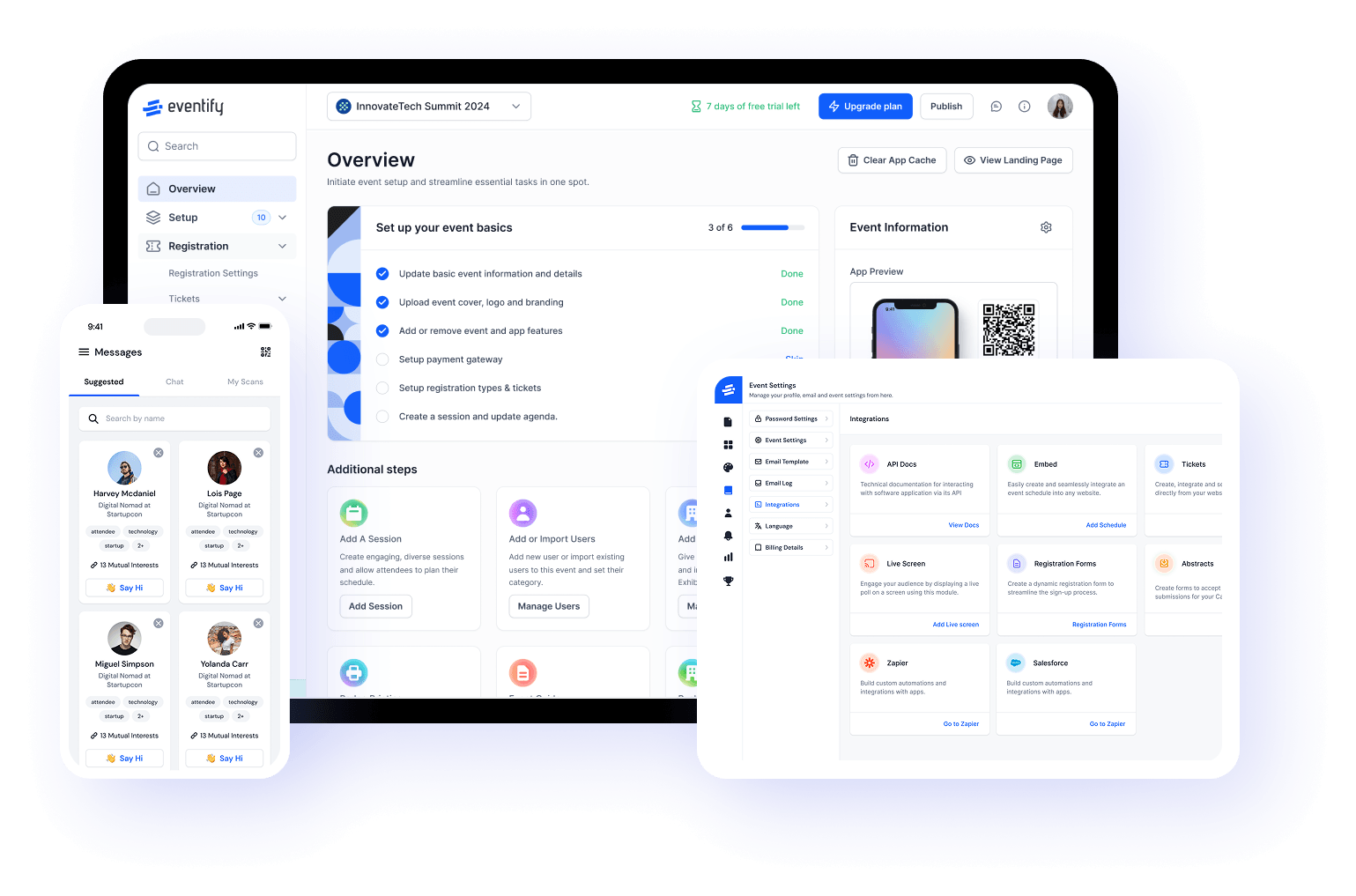
Eventify offers a complete set of event management tools for in-person, virtual, or hybrid gatherings. Users control everything from one central dashboard, avoiding the need to switch between different calendars for each event type. During our tests across 13 live events, reliability stood out as its best feature. The native app kept schedules, maps, and speaker details available even when venue WiFi struggled under the load of many attendees, which is often when other platforms on this list begin to fail. The in-built Email Campaign feature help you send out important announcement and reach out to the attendees on a single click!
Registration, badge printing, check-in, and analytics are all found in the same dashboard. Custom branding takes around two hours to set up, not the full day some competitors quote. Attendees benefit from AI-powered, tag-based matchmaking for networking. Exhibitors get lead retrieval built in, removing the need for a separate program. The system tracks everything, from a 100-person meetup to a 15,000-person conference, in one consistent database. The best part is that the dashboard is highly intutive. Even if you feel like getting stuck between the feature process, you can always ask the AI Helpdesk for instant solution. This is so convient since you don't have to contact the support team to get help while your event process is stranded. Pricing follows a flat monthly or per-event fee rather than per-attendee charges, which is very helpful when scaling an event, since it prevents your software costs from increasing with your success.
Pricing: Eventify offers a Free trial. It has four pricing planning according to required features for the Event starting at ****.
Watch a quick overview of how Eventify's event app works in practice:
Cvent
.webp)
Cvent is a prominent name in event management and planning software. Most enterprise event planners lean on Cvent because of its procurement management and its reliable integration options. Where it truly shines is venue sourcing through the Cvent Supplier Network, plus deep, native integrations with Salesforce and HubSpot that genuinely don't need custom development to work well.
It also offers advanced, rule-based registration workflows, session and attendance tracking, and on-site check-in and badge printing as add-ons. Another highlight is Cvent's email marketing and attendee tracking for better event reporting. The mobile event app supports agenda browsing and basic networking, and everything consolidates into post-event reporting and ROI analytics, backed by enterprise-grade security and compliance certifications.
Pricing is quote-based, and many reviews mention it gets pricier for small to medium events with basic registration and planning requirements. The dashboard also has a learning curve for new users, but it remains a strong option for organizations running frequent, complex events.
Pricing: Quote-based custom pricing, though Cvent offers packages for specific purposes like registration, marketing, and more.
Whova
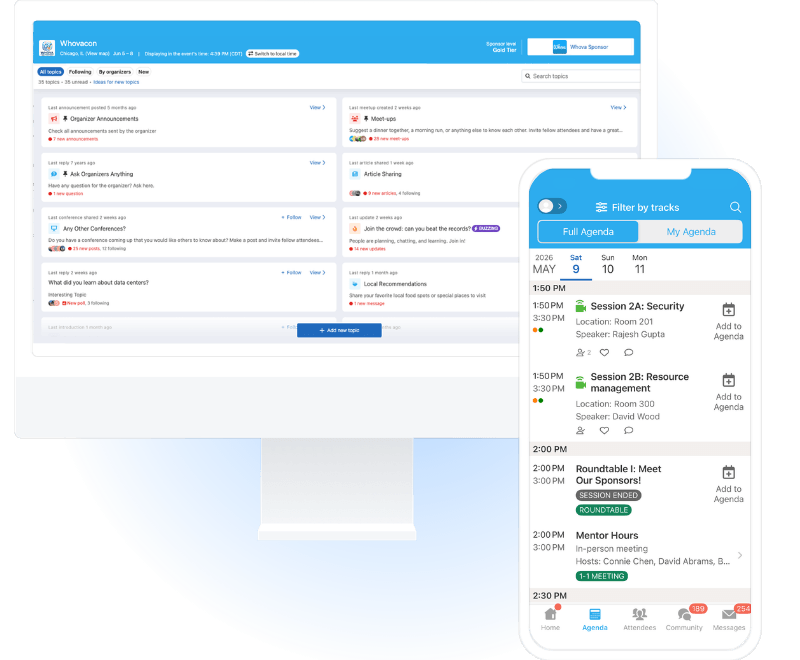
Whova's main focus has always been attendee-community features as an event management and planning app. Its standout feature is the social wall and community boards, which sparked real conversation between sessions and made interaction feel organic rather than forced.
It handles live polling, session feedback, attendee-to-attendee messaging, and multi-track agenda management with calendar sync, and all of it works well as long as connectivity holds. This is where users are most concerned about Whova, since it is web-based and lacks a native offline mode. When venue WiFi is strained, performance suffers exactly when attendees need it most. Otherwise, speaker and sponsor profiles, along with gamified leaderboards, drive engagement across multi-day events, and everything feeds into an event analytics dashboard.
Pricing: Quote-based pricing tailored to the event's requirements, roughly 3% plus $0.99 per paid ticket.
Eventbrite
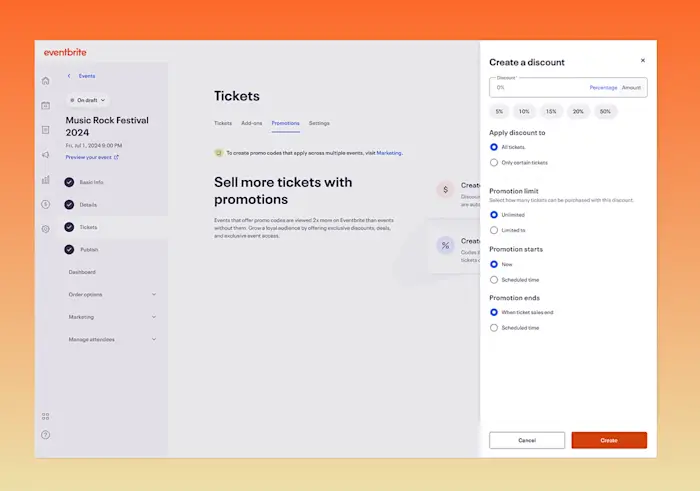
Eventbrite offers the most straightforward value proposition for simple events. It features online ticketing and registration pages, built-in event discovery and social sharing, and payment processing with advance payouts. It includes basic email marketing tools, attendee list export, and check-in through a mobile scanner app, plus analytics on ticket sales and traffic sources, but nothing beyond that in terms of engagement or networking. It's a better fit for public events with little focus on networking.
The dashboard is easy to use, and you can set up your event in minutes by answering a few questions. Eventbrite also offers zero upfront cost for free events, with built-in discovery through Eventbrite's own marketplace.
Pricing: Free for free events. Paid tickets run roughly 3.7% plus $1.79, plus a 2.9% payment processing fee on top.
Swapcard
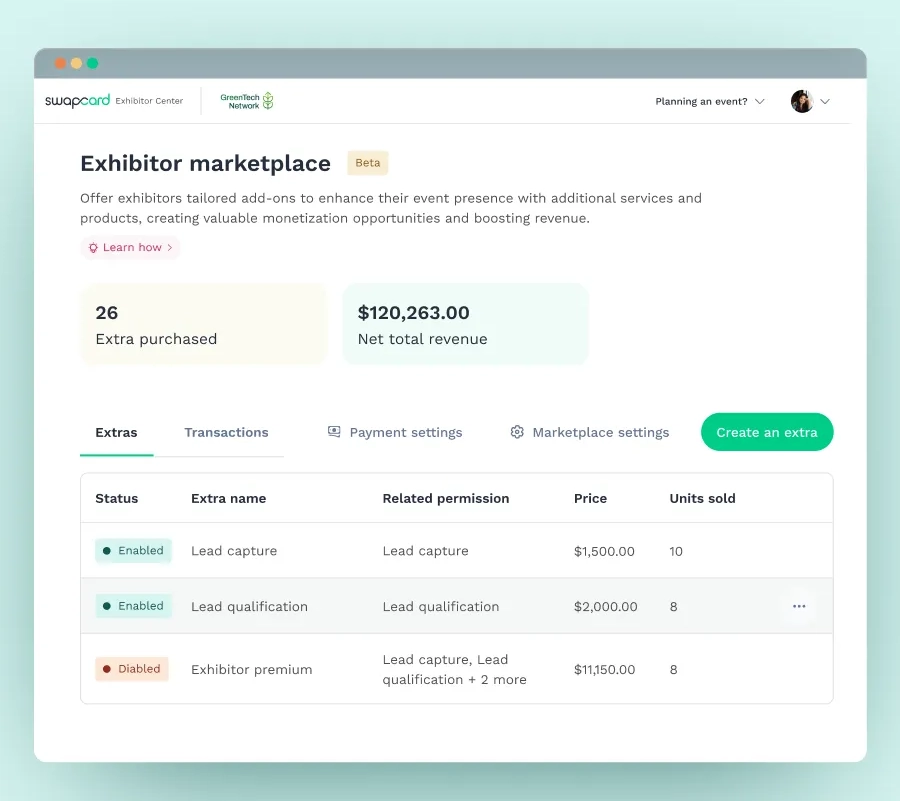
Swapcard is a full event management platform with a main focus on ROI. It features many standard event management and planning tools like agenda planning, registration, and ticketing, but the standout is its AI-powered matchmaking. Having tried it, it doesn't just dump all the connections onto attendees and call it networking; connections are made based on common interest.
Since the platform is focused on ROI, it offers advanced lead capture for exhibitors. You can also manage on-site and virtual sessions from the same dashboard, along with native Salesforce integration, so leads land where sales teams already work. Organizers get per-exhibitor performance analytics, white-label branding, and live polls and audience Q&A.
Pricing is split into two packages: one for basic registration and management, and a full Engagement plan starting at $610 per year, which is a genuine value for ROI-focused and virtual events with more than 1,000 attendees.
Pricing: The Engagement plan starts at $610 per year, while the Registration & Management plan is custom-quoted.
Brella
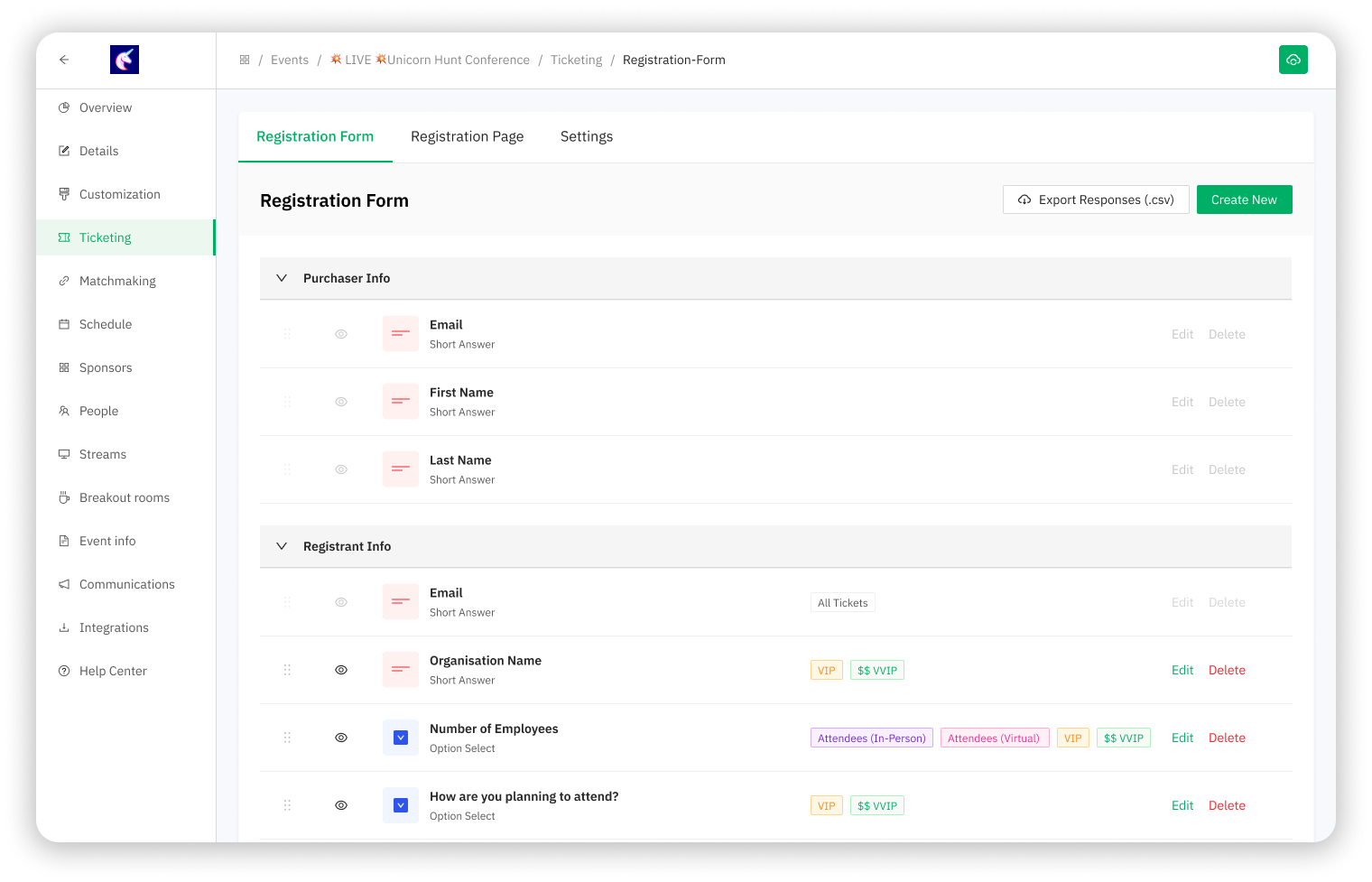
Brella is an event management and planning platform with a main focus on scheduling one-on-one meetings. It's a great way to kick off event planning by scheduling meetings across an entire team. Beyond meetings, the structure and value proposition of the platform is reflected in the networking options it gives both organizers and attendees.
The platform uses AI to match attendees for 1:1 meetings based on their profiles, with built-in scheduling and calendar sync. It supports virtual participants for hybrid events, includes a session agenda and speaker directory, and gives organizers and sponsors meeting analytics and ROI tracking to show whether networking actually led to conversions.
According to the reviews I've seen, the platform is a great option for high-engagement audiences, but each attendee has to complete their profile first for better AI matchmaking, which can feel like extra work for attendees.
Pricing: Custom quote-based pricing.
Hopin (RingCentral Events)
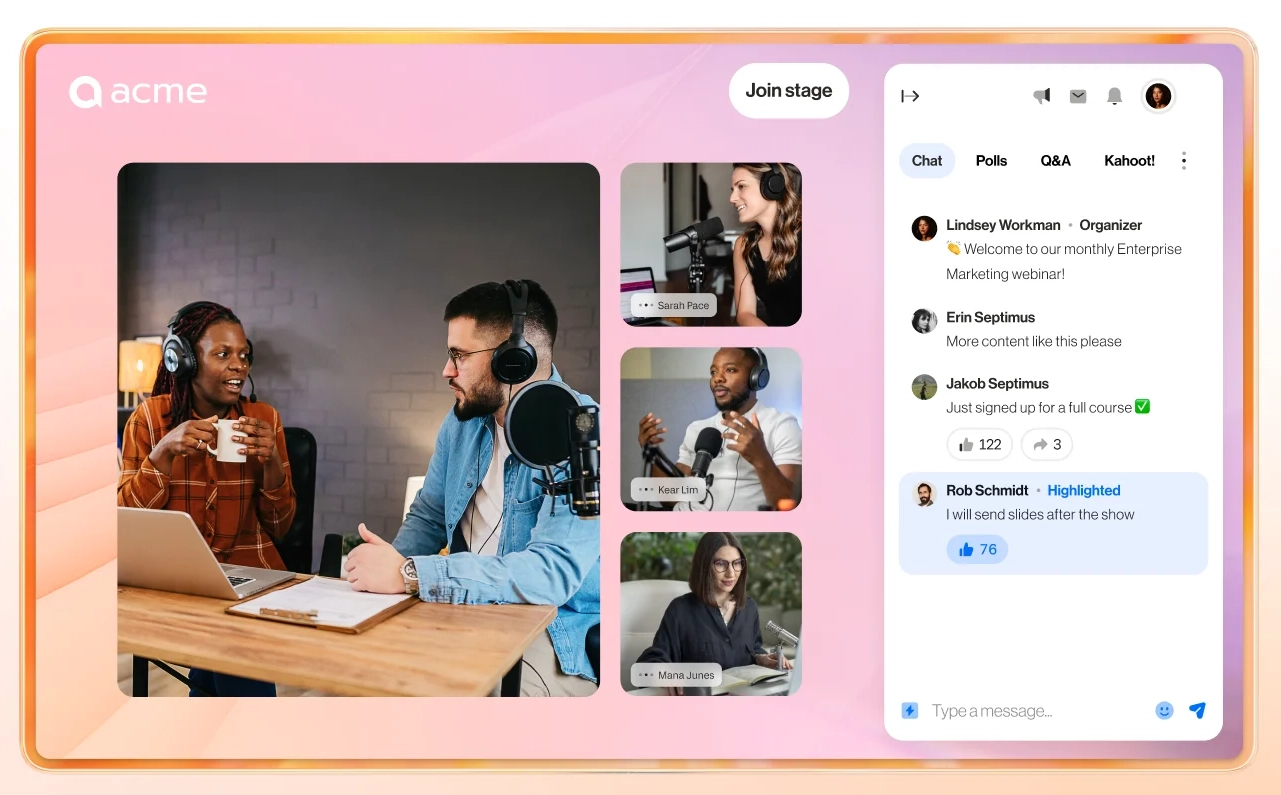
RingCentral Events (formerly known as Hopin) is a strong event management and planning app for virtual and hybrid formats. It centralizes registration, ticketing, agendas, email marketing, and branded landing pages in one dashboard. Hosting tools include professional live streaming, breakout rooms, virtual networking, speed networking, and exhibitor booths with analytics. Organizers can record sessions, manage on-demand content, and scale to large audiences.
Engagement features include polls, Q&A, chat, and AI-powered matchmaking. CRM and marketing integrations plus a mobile app streamline planning. That said, setting up virtual booths can have a learning curve for first-time users, according to reviews. As for pricing, it offers a free trial along with three paid event tiers starting at $99 per month.
Pricing: A free 30-day trial, with paid plans starting at $99 per month for Event Pro, $199 per month for Event Pro+, and $299 per month for Event Enterprise.
Accelevents
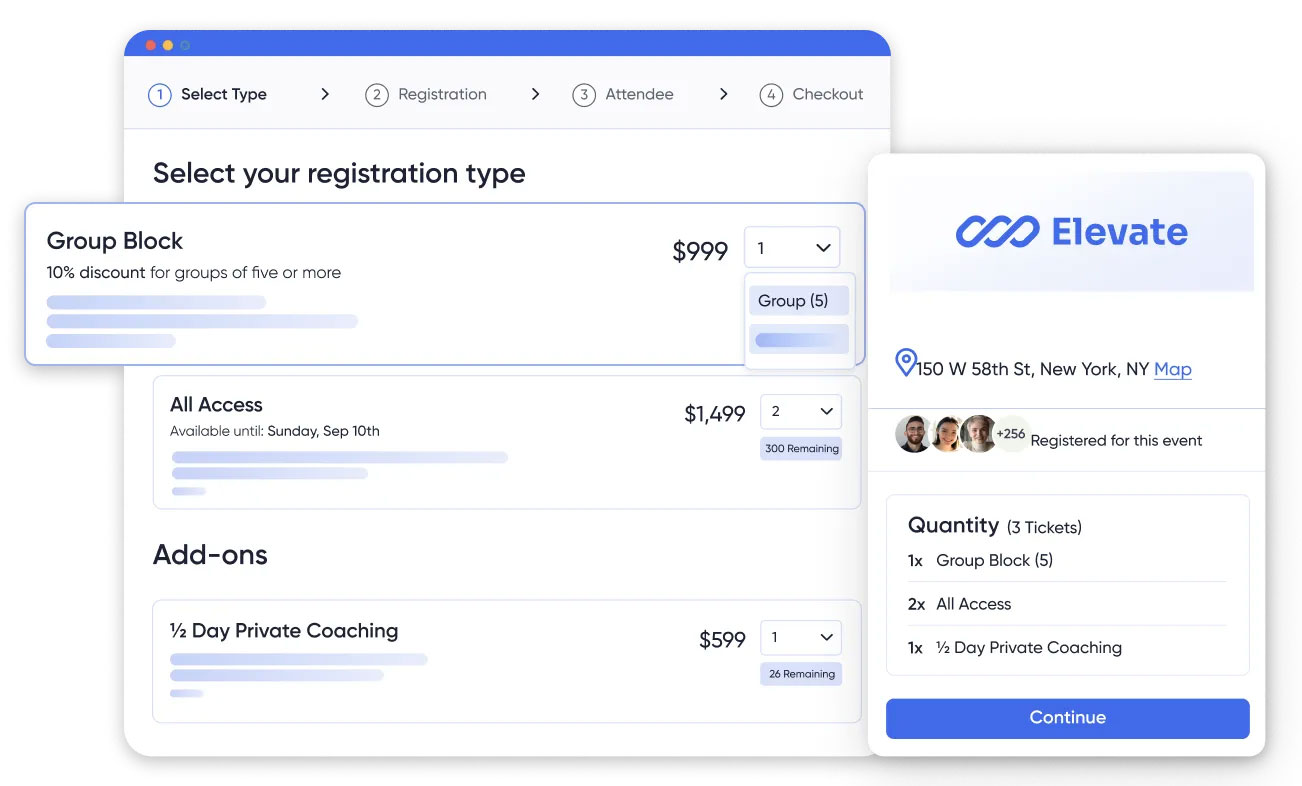
If your event includes a virtual component, Accelevents blends in-person and virtual attendees more seamlessly than most platforms reviewed here. But if your event is entirely in-person, you're paying for features you'll never use.
It manages in-person, virtual, and hybrid events from a single dashboard, with native Zoom integration for streaming and virtual exhibitor booths that include visitor analytics. Registration, ticketing, badge, and check-in tools sit alongside live streaming and session recording, and it also bundles silent auction and fundraising features, making it a strong fit for nonprofit events as well.
Although it's a great option for exhibitors, many reviewers on G2 and Capterra mentioned customization limitations and reliability issues. Otherwise, it offers flat subscription plans with zero platform transaction fees, which is a real differentiator for organizers running a high volume of attendees.
Pricing: Four price plans starting at $7,500 per event. The Business plan runs $13,500 per year for unlimited events, while Enterprise and White-label tiers are quote-based.
Bizzabo
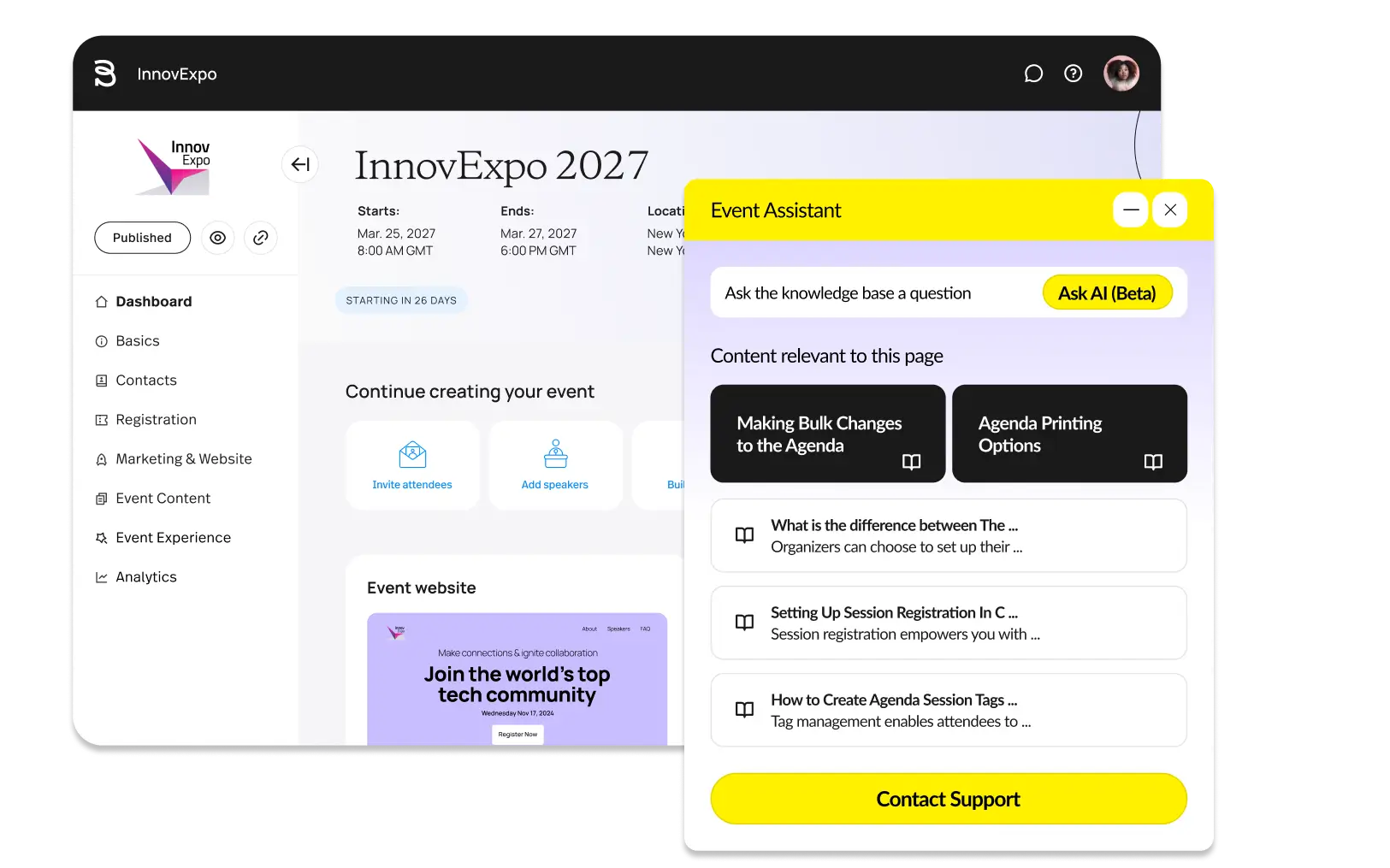
Bizzabo offers the most refined interface among the platforms reviewed here. The platform includes an event website and registration page builder, on-site check-in and badge printing, plus session and speaker management.
The Klik SmartBadge stands out: it's a wearable device that lets sponsors capture leads through tap-to-exchange contacts, a genuinely smart way to network and interact. The management tools can also be paired with native HubSpot and Salesforce integrations, feeding post-event analytics and attribution reporting that marketing teams can actually use.
Pricing is paid annually with a multi-seat minimum, which makes it a better fit for teams running frequent events rather than occasional ones.
Pricing: The Event Experience OS starts at $17,999 per year for a 3-user minimum, while the Klik SmartBadge is sold separately.
EventMobi
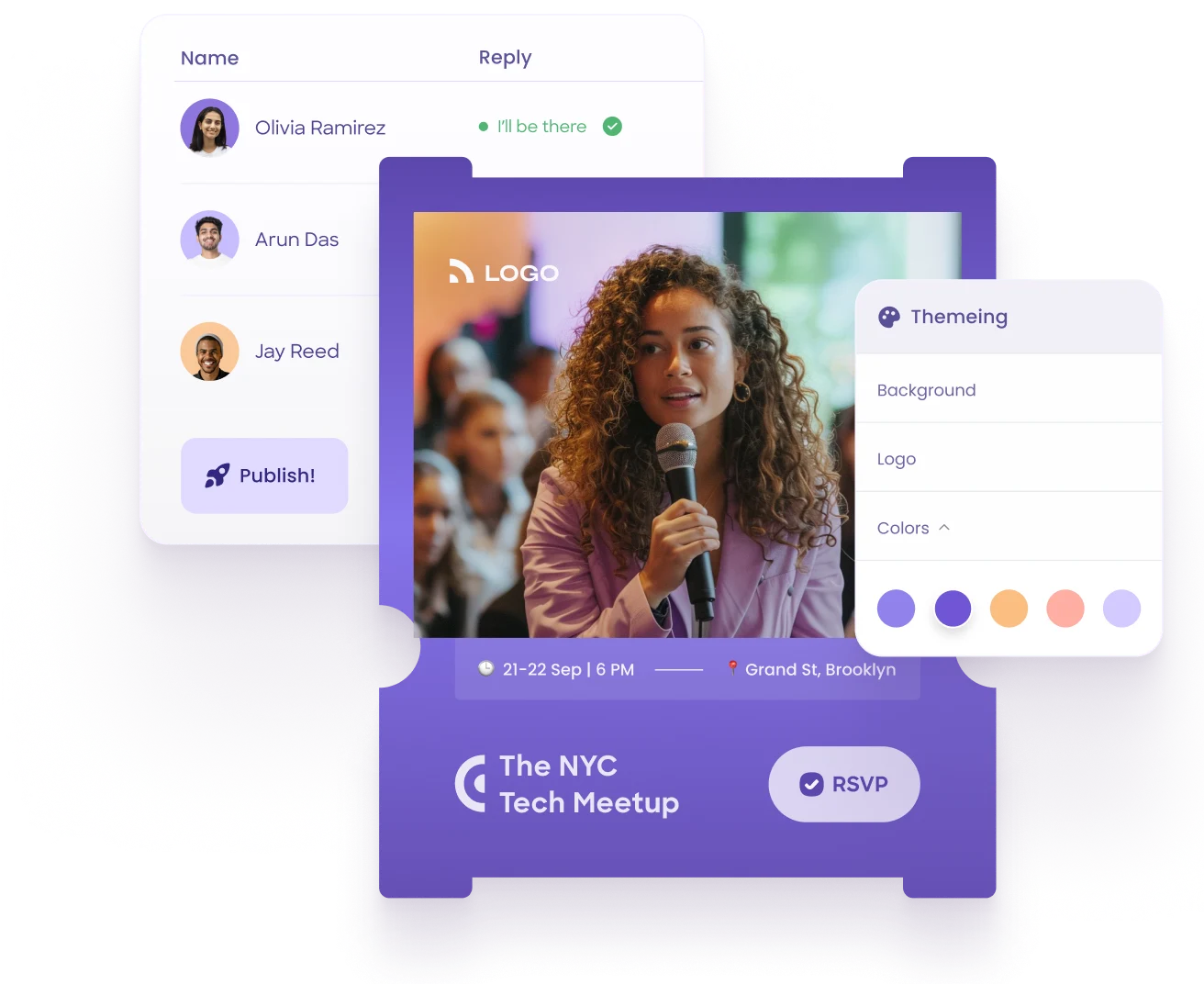
EventMobi is more customizable than nearly any other platform tested here. That's both its greatest strength and its biggest pitfall. The flexibility is genuine, but so is the setup effort it requires. Teams without a dedicated event technology person often end up using only a fraction of what they're paying for.
Its native mobile app is fully customizable and keeps schedules, maps, and speaker details accessible offline, while adding gamification through points, badges, and leaderboards. It supports video networking and virtual attendees for hybrid formats, delivers real-time content updates, and handles custom registration workflows along with session polling and live Q&A.
Pricing: Starting at $1 per product per attendee, with add-ons priced separately. Unlimited-event plans with all products are available at custom pricing starting at $3 per attendee, billed annually.
Guidebook
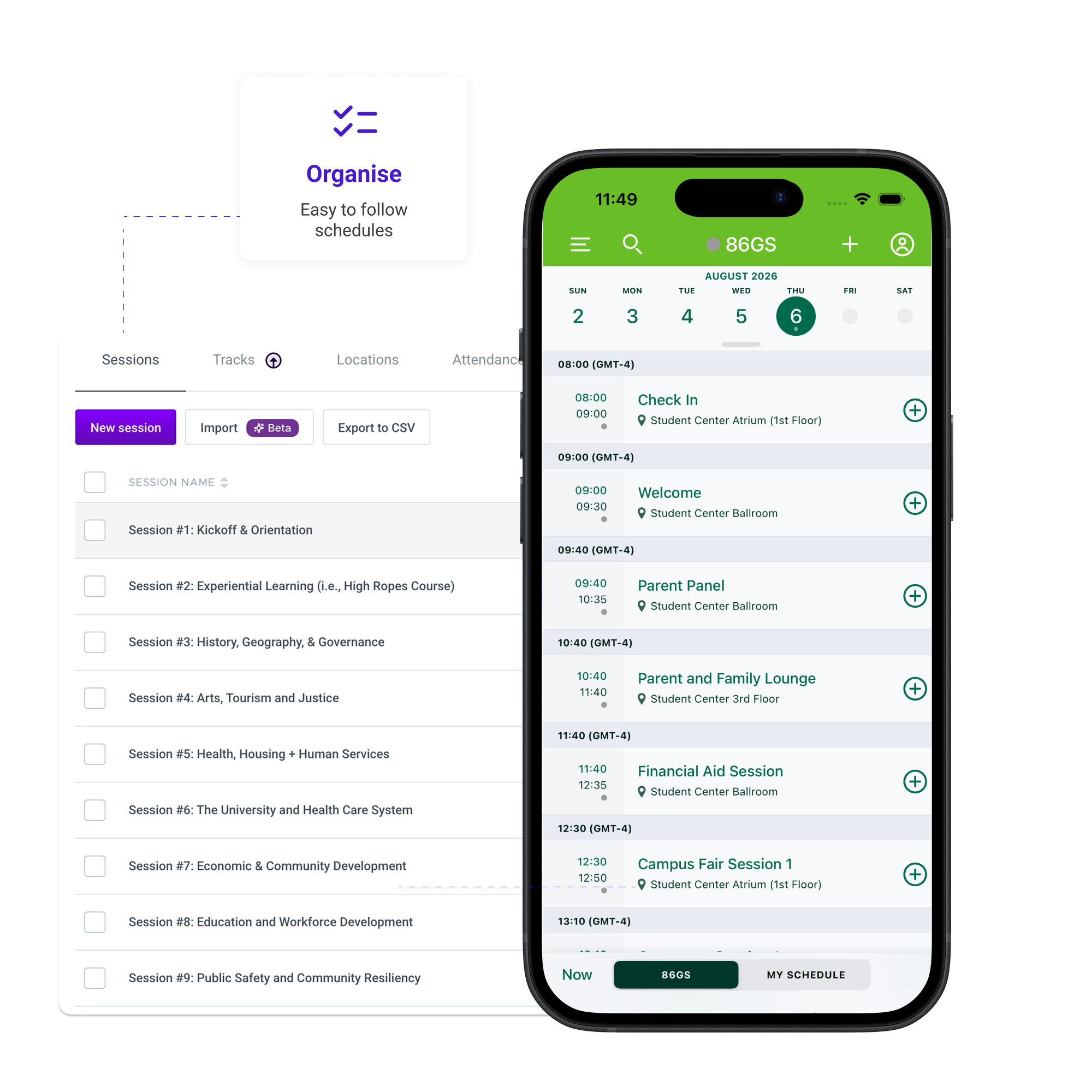
Guidebook is marketed as an event app and event tech platform. Its native offline app is among the most dependable tested here. Its standout feature is the unlimited-events pricing model, the only platform on this list that becomes cheaper per event the more you run, rather than scaling against you.
The app builder is genuinely no-code, letting you create a custom-branded app for each event without engineering support, and it supports push notifications and in-app messaging. Networking remains a simple attendee directory rather than anything matchmaking-driven, but it does cover session surveys, feedback forms, and analytics on app downloads and engagement.
Many reviews mention that its AI-matchmaking and networking features are fairly basic compared to other event management platforms, but it's a good fit for organizations running repeat, similar-format events.
Pricing: Pricing isn't publicly listed, but Guidebook offers annual, biannual, and single-event plans.
Swoogo
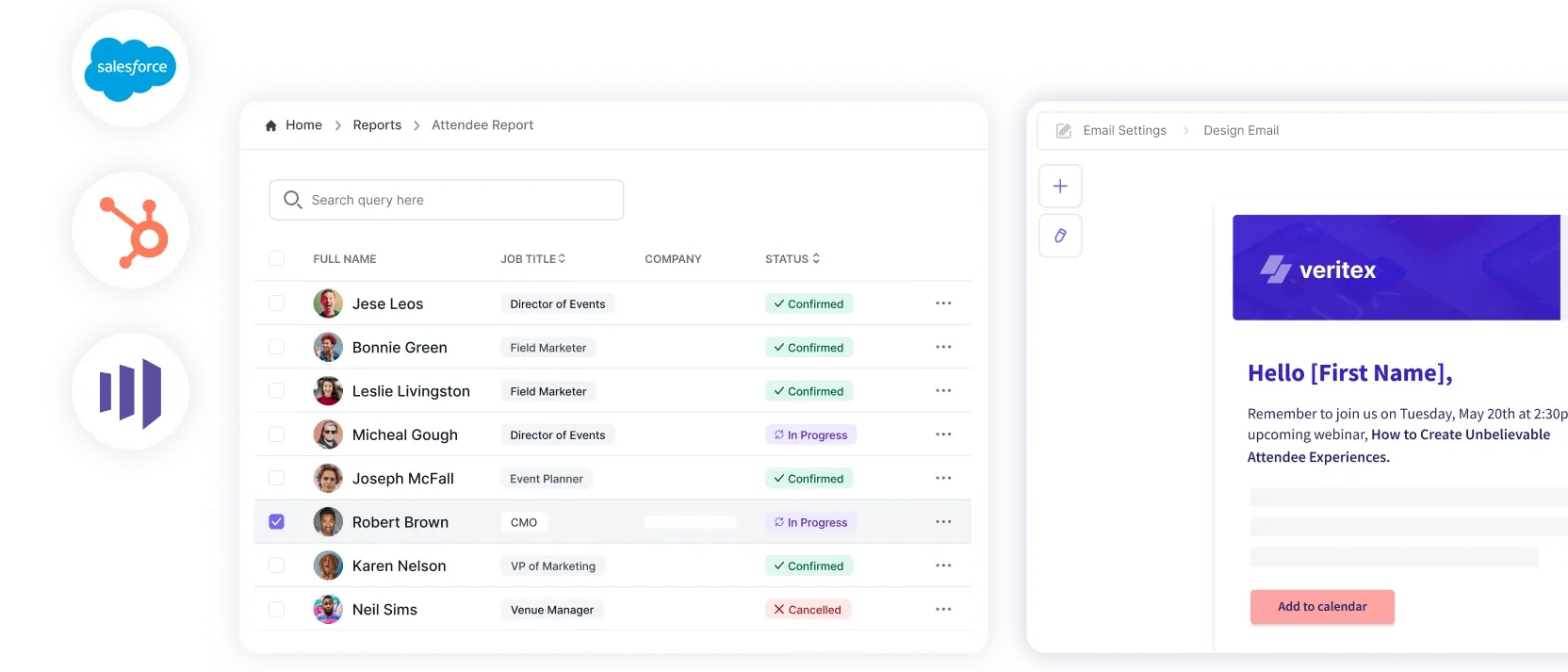
Swoogo is aimed at organizers who need registration forms with genuine conditional logic, branching questions, custom pricing rules, and hotel-booking add-ons, features most platforms on this list don't offer.
Beyond the registration engine, it includes a drag-and-drop event website builder and hotel booking or travel management integration. Built-in attendee tracking and segmentation sit alongside email marketing, automated reminders, basic exhibitor management tools, and a reporting dashboard that consolidates data across multiple events.
It's clearly built for teams running many events each year rather than one-off events, and its pricing reflects that. Many reviews mention it's a great value for larger events, though there's a learning curve, and you may need a technical team to use its features to their full potential.
Pricing: Two tiers: Professional starts at $11,800 per year for unlimited events and registration for one user. Enterprise pricing is custom-quoted.
Vfairs
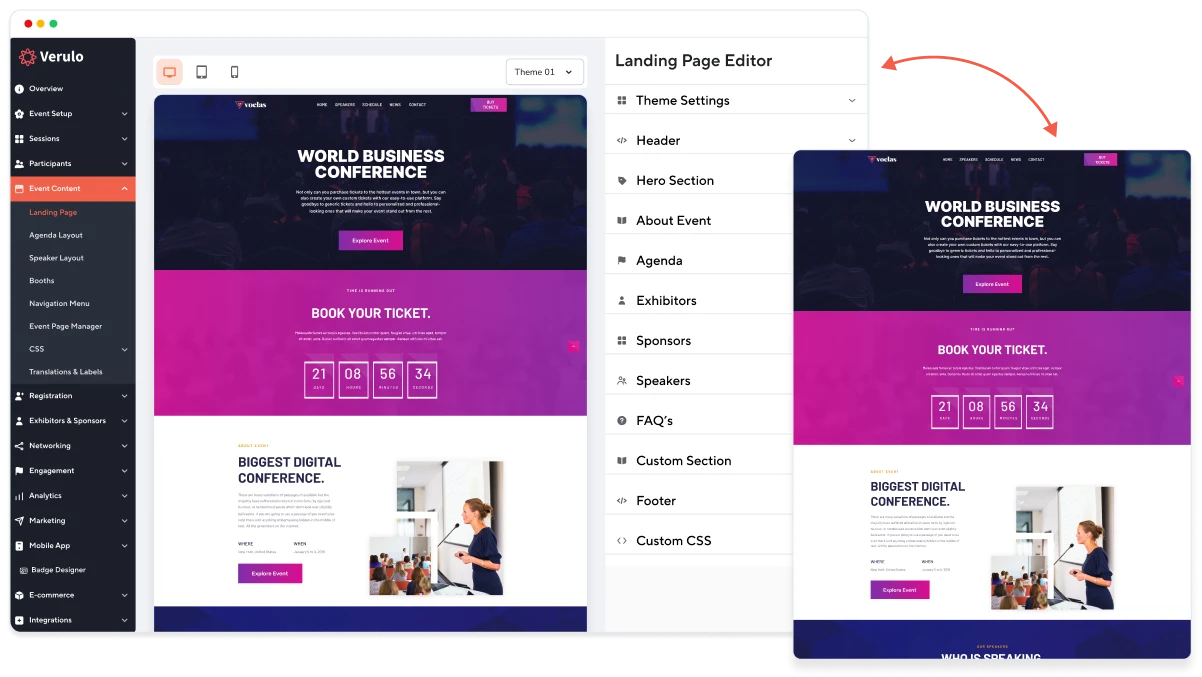
vFairs goes all-in on visual appeal, offering immersive 2D/3D virtual environments for trade shows and conferences that most rivals don't even try to match. If appearance and atmosphere matter as much as functionality, it's a genuine differentiator to see how strong an atmosphere it can build within a 3D or 2D space.
The immersive lobby and booth spaces are the main draw, backed by structured 1:1 meeting scheduling via the mobile app and custom-branded event webpages. It supports both in-person and virtual attendees, while exhibitor booths include built-in content, video, chat, and basic CRM and engagement data capture. It comes with a significant price premium, though, and reviewers have called out mobile app management and data export as weak areas.
Pricing: Pricing isn't publicly available.
How to Choose an Event Planning and Management App
Most organizers choose event software after watching a polished demo, getting excited by a long feature list, and signing a contract. The problems show up later—often on check-in day, when the demo can no longer help. A better approach is to evaluate event platforms against the realities of running an event, not just the promises made during a sales call.
1. Start with the event format
The type of event you run should shape every other decision. An in-person conference needs fast check-in, badge printing, and an app that stays usable when a crowded room overwhelms the WiFi. A virtual event needs streaming, breakout rooms, and virtual booth tools. Hybrid events need both and platforms built mainly for one format often treat the others as secondary. Before comparing products, be clear about whether your event is in-person, virtual, or hybrid.
2. Separate must-haves from nice-to-haves
Make two lists. The first should include only what you cannot run the event without: registration, ticketing, and check-in, for example. The second should include everything else: gamification, AI matchmaking, immersive 3D booths, and similar extras. It is easy to pay for the second list and never use it. If a feature will not improve the attendee experience or deliver real value to sponsors, it should not drive your decision.
3. Calculate the true cost
The advertised price rarely tells the whole story. Per-ticket fees can work for small public events but become expensive as ticket sales grow. Per-attendee pricing means your software costs rise every time your event grows. Flat-fee or unlimited-event plans are easier to budget if you run events regularly. If a vendor only gives pricing after a sales call, ask for the full cost in writing including setup, add-ons such as badge printing or lead retrieval, additional users, and payment processing fees.
4. Test it under imperfect conditions
This is the question many review sites overlook. Venue WiFi fails more often than people admit, usually right when hundreds of attendees try to connect. Ask whether the app works offline and whether check-in can continue without a connection. Then test it during your trial using real devices and a realistic crowd—not sample data.
5. Check integrations and data portability
Look for native integrations with your CRM, email platform, and payment provider. Just as important, ask what happens to your data after the event. If you cannot export complete attendee and engagement data cleanly, switching platforms later will be painful.
6. Evaluate security and event-day support
Check for SOC 2 Type II and ISO 27001 certifications, along with a clear GDPR position—especially if you have international attendees. Then ask about support hours on event day. A slow response while doors are opening is a serious risk, no matter how strong the software looks otherwise.
7. Listen to real users
Read recent G2 and Capterra reviews, focusing on support quality and setup effort rather than just star ratings. Ask each vendor for a reference customer with an event similar in size and format to yours. Also involve the people who will actually use the admin tools on event day in the trial.
8. Use a simple comparison method
Shortlist three platforms and score each one from 1 to 5 on core features, reliability, total cost, integrations, and support and security. Give the most weight to reliability and core features. That will keep you honest when a flashy extra feature tempts you.
Choose for Event Requirement, Not Just for the Feature List
The real question isn't which event platform has the longest feature list; it's which one fits the event you are actually running. A beautiful dashboard means nothing if check-in collapses when the room fills up, or if your team never gets trained on the admin tools before event day.
Stop shopping for the most impressive demo and start shopping for the workflow your team will actually live in when it matters most. Reliability, usable processes, and confident staff will always beat an overflowing feature checklist. You can start your event planning and management with Eventify, since it is the all-rounder, or otherwise choose the platform that works under pressure, not just in the sales pitch. That's the test that counts.
.png)