Methodology: I have evaluated each platform in this article based on information published on vendors’ official websites, product documentation, and third-party reviews available on G2 and Capterra as of August 2026. Most platforms on this list don’t publish pricing publicly. Beyond that, it’s advised to confirm attendee limits, budget, and integration counts with the vendor before proceeding with your event. The “Usability” and “App Features” notes reflect independent reviews available online rather than personal opinion or hands-on deployment, unless a source is linked.
Key Takeaways
- An event app must get attendees to open it, personalize their agendas, and use offline-reliable interactive maps. It should support low-friction networking and maximize attendee and speaker engagement; otherwise it’s not worth using.
- Native event apps are generally preferable to web-based ones because of availability and connectivity: a native app stays usable even without a stable internet connection.
- Eventify, Cvent Attendee Hub, and Guidebook are the strongest native options for full-scale conferences, where offline reliability matters most. Whova is the pick if community engagement is your priority, as long as the venue has dependable Wi-Fi.
Choosing an event app isn’t a narrow decision ; it touches the full event management cycle. An mobile event app doesn’t just help organizers track attendees and capture leads; it’s also the medium of interaction with attendees. A common issue I’ve heard from event organizers is that attendees abandon the event app when it doesn’t fit the event. The event app isn’t just an interactive tool; it’s more like the face of the event, shaping how attendees experience it. If you’re still weighing whether you need one at all, here’s why your event needs an event app in the first place.
Understanding the complexity of events and event apps, I’ve compared 11 of the best event apps based on their transparency, availability (native or web-based), price, and networking features, so you can easily shortlist the right event app for conferences, corporate meetings, or trade shows.
11 Best Event Apps Comparison
| Event App | Best For | Starting Price | Free Plan | App Type |
|---|---|---|---|---|
| Eventify | Multi-event organizations | Flat event fee starting from *** | Yes | Native |
| Whova | Associations and academic events focused on communication and engagement, where venue Wi-Fi is reliable | Not disclosed publicly | No | Web-based |
| Cvent Attendee Hub | Large enterprise events | Not disclosed publicly | No | Native |
| Bizzabo | Corporate or product launch–focused events | Starts at $17,999 per year for 3 users minimum | No | Native |
| EventMobi | Mid-to-large events | Starts at $3,500 per event for 7 days, or $7,500 per year for unlimited events | No | Native and web-based |
| Guidebook | Brand-focused, multi-event organizations or universities | Not disclosed publicly | Limited | Native |
| Swapcard | B2B trade shows, expos, and conferences | Not disclosed publicly | No | Native and web-based |
| Accelevents | Hybrid and virtual events | Starting at $7,500 per event; Business plans at $13,500 per year for unlimited events | No | Native |
| Brella | Conferences or events focused on structured 1-on-1 meetings | Not disclosed publicly | No | Native |
| SpotMe | Pharma and life science–related events | Not disclosed publicly | No | Native |
| Eventleaf | Small or budget-conscious events, including nonprofits and universities | Free up to 100 attendees; paid at $1 per attendee | Free | Web-based |
Before digging into the details, here’s a quick way to see where Eventify stands against the rest of this list.
How Have I Evaluated These Event Apps?
I evaluated each mobile event app based on these questions:
Is it a native event app or web-based?
Event apps come in three types: native (dedicated iOS/Android app), web-based (via a browser), or hybrid (offering both). The main difference between native and web-based apps is internet connectivity. A native app caches details for offline use, while a web-based app’s functionality depends entirely on venue Wi-Fi and connectivity. Native apps are best if available and resilient; web-based apps work fine for virtual events with a stable individual internet connection, or for small events with reliable connectivity. Some platforms (such as EventMobi and Swapcard) offer both.
Can the event app be purchased separately?
Most event platforms include the event app in their event management suite. For a free trial, you may need to check whether the app is included; on paid plans, the event app is generally included. What you pay will depend on attendee volume or add-on features, so it’s important to lay out your budget and event type first, then match those against the features you actually need.
How does the event app facilitate attendees?
Event management apps serve as the “face of the event,” shaping the attendee experience. Here are the core event app features that make the biggest difference for attendees:
- Offline access to cached schedules, interactive maps, and speaker profiles (in native apps).
- Personalization through custom agendas, essentially a built-in event agenda app, and AI-driven content recommendations.
- Networking via AI matchmaking (e.g., Eventify, Whova, Swapcard, Brella) that connects people based on real engagement data or common interests.
- Engagement tools like live Q&A, live polling, in-session surveys, gamification, and real-time notifications.
- Practical features like on-site event check-in, session reminders, and messaging with speakers or other participants. The goal is to reduce friction so attendees actually use the app rather than abandon it.
How does it facilitate exhibitors, and what tools does it offer?
Exhibitors are supported primarily through lead capture and visibility tools. Common features include:
- Lead scanning (e.g., badge scanning, or tap-to-exchange via wearables like Bizzabo’s Klik SmartBadge).
- AI-powered matchmaking that connects exhibitors with relevant attendees based on live engagement data (as seen in Eventify and Swapcard).
- Exhibitor booths and sponsor visibility tools (e.g., Whova, Accelevents) that work for in-person, hybrid, or virtual events.
- Self-serve exhibitor marketplaces (a Swapcard highlight) that let sponsors proactively gather leads and generate real revenue. Essentially, the app turns exhibitors into active participants in the networking ecosystem rather than passive booth holders.
What do independent users and review sites like G2 and Capterra say?
Based on independent reviews from G2 and Capterra, user feedback is generally positive but varies by platform and event requirements. Here are the ratings and review counts for each platform, current as of September 2026:
| Event App | G2 Rating | G2 Reviews | Capterra Rating | Capterra Reviews |
|---|---|---|---|---|
| Eventify | 4.8/5 | 69 | No rating (0 reviews yet) | 0 |
| Whova | 4.8/5 | 1,927 | 4.8/5 | 2,485 |
| Cvent Attendee Hub | 4.3/5 | 219 | 4.6/5 | 35 |
| Bizzabo | 4.3/5 | 448 | 4.4/5 | 171 |
| EventMobi | 4.6/5 | 266 | 4.7/5 | 105 |
| Guidebook | 4.4/5 | 369 | 4.7/5 | 65 |
| Swapcard | 4.6/5 | 228 | 4.3/5 | 6 |
| Accelevents | 4.7/5 | 174 | 4.7/5 | 164 |
| Brella | 4.6/5 | 71 | 4.3/5 | 3 |
| SpotMe | 4.7/5 | 203 | 4.4/5 | 14 |
| Eventleaf | 4.7/5 | 111 | 4.8/5 | 184 |
A note on sample size
Swapcard’s and Brella’s Capterra ratings are based on a small number of reviews (6 and 3, respectively), so those scores carry less statistical weight than platforms like Whova’s 2,485 Capterra reviews.
The Best 11 Event Apps of 2026: Briefly Reviewed
1. Eventify - Event App
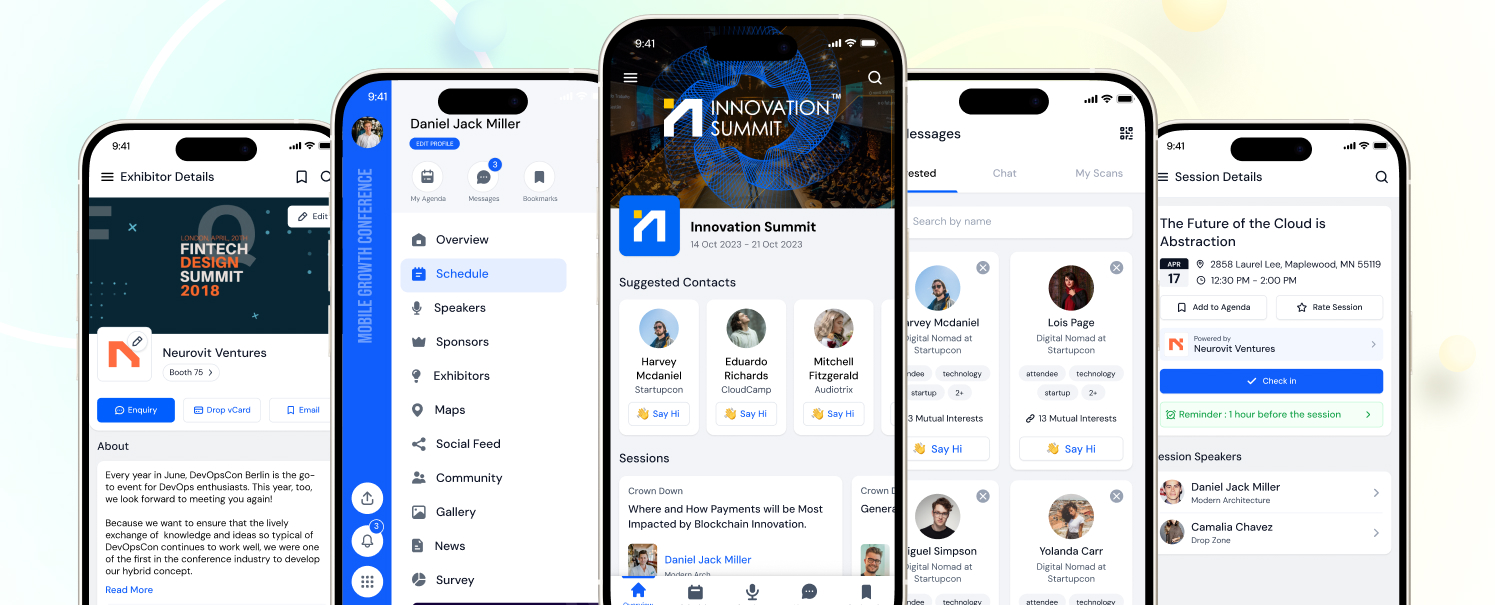
Eventify is an all-in-one event management solution that pairs its full system with a native mobile app. It’s a great option for organizers to run their entire event workflow through Eventify if they’re juggling multiple event management tools. The app caches schedules, maps, and speaker details for offline use. It also has an AI business matchmaking feature that scans leads and helps with networking among attendees and exhibitors. This works on live, real engagement data rather than static data, making it efficient.
The app also has event gamification options, live Q&As, easy agenda setup, and on-site event registration and event check-in for smooth events.
The pricing structure is a standout, since Eventify charges flat monthly with no extra charges based on attendee volume. You pay for the features regardless of attendee count or number of events during your subscription. Reviewers on G2 and Capterra also mention there are no hidden charges or branding baked into the app’s headers or footers, making it a great option for brand-conscious organizers.
Pricing: The Register plan starts from ***. For the event app specifically, you may need the Engage, Advance, or Ultimate plan, depending on features like lead scanning or AI-based networking.
Pros:
- Easy-to-navigate event app
- Built-in AI-based matchmaking, networking, and lead scanning
- Gamification options
- Sponsor and exhibitor booth setup for in-person, hybrid, and virtual events
- Flat pricing with unlimited-event options available
Cons:
- Not available as a stand-alone app
2. Whova - Event App
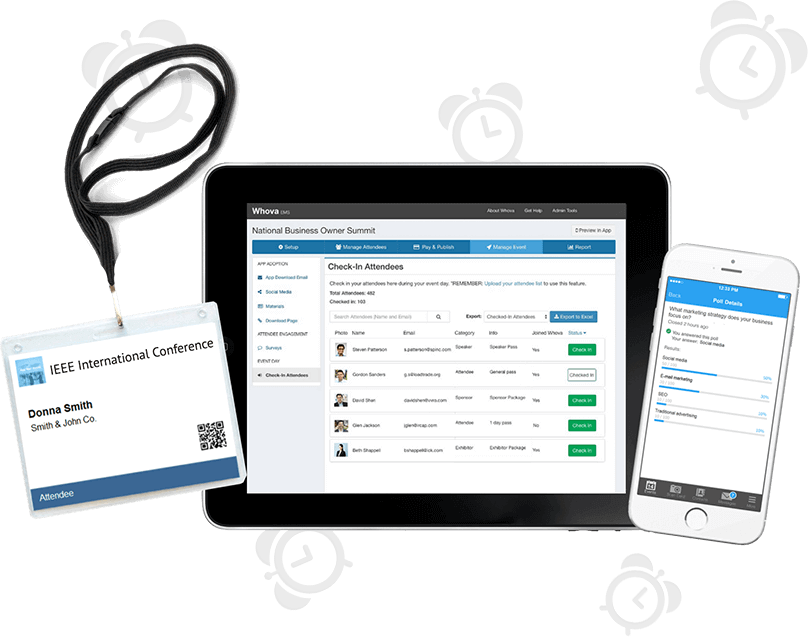
Whova is more focused on engagement and attendees. It offers a social wall and discussion panels for attendees, driven by AI matchmaking. As for the mobile event app itself, Whova is web-based rather than native. You can access all features, including event ticketing, event registration, agenda building, and sponsor visibility tools, alongside the app.
The main drawback is performance: the web-based event app depends entirely on connectivity, unlike native apps with offline access. You need strong, stable connectivity at the venue to run everything smoothly. If your venue has reliable, tested Wi‑Fi, or your event is small enough that load isn’t a concern, Whova’s engagement tools can outweigh this drawback. For larger in‑person events, pair it with a backup plan or choose a native app instead.
Pricing isn’t listed on their website, but our Whova pricing breakdown found it follows a per-attendee and ticket fee structure rather than flat pricing.
Pricing: Not publicly available.
Pros:
- Best-in-class community engagement features
- Built-in gamification
- Strong marketing tools for boosting attendance
Cons:
- Web-based event app needs stable Wi-Fi connectivity
- May be pricier for small events
3. Cvent Attendee Hub - Event App
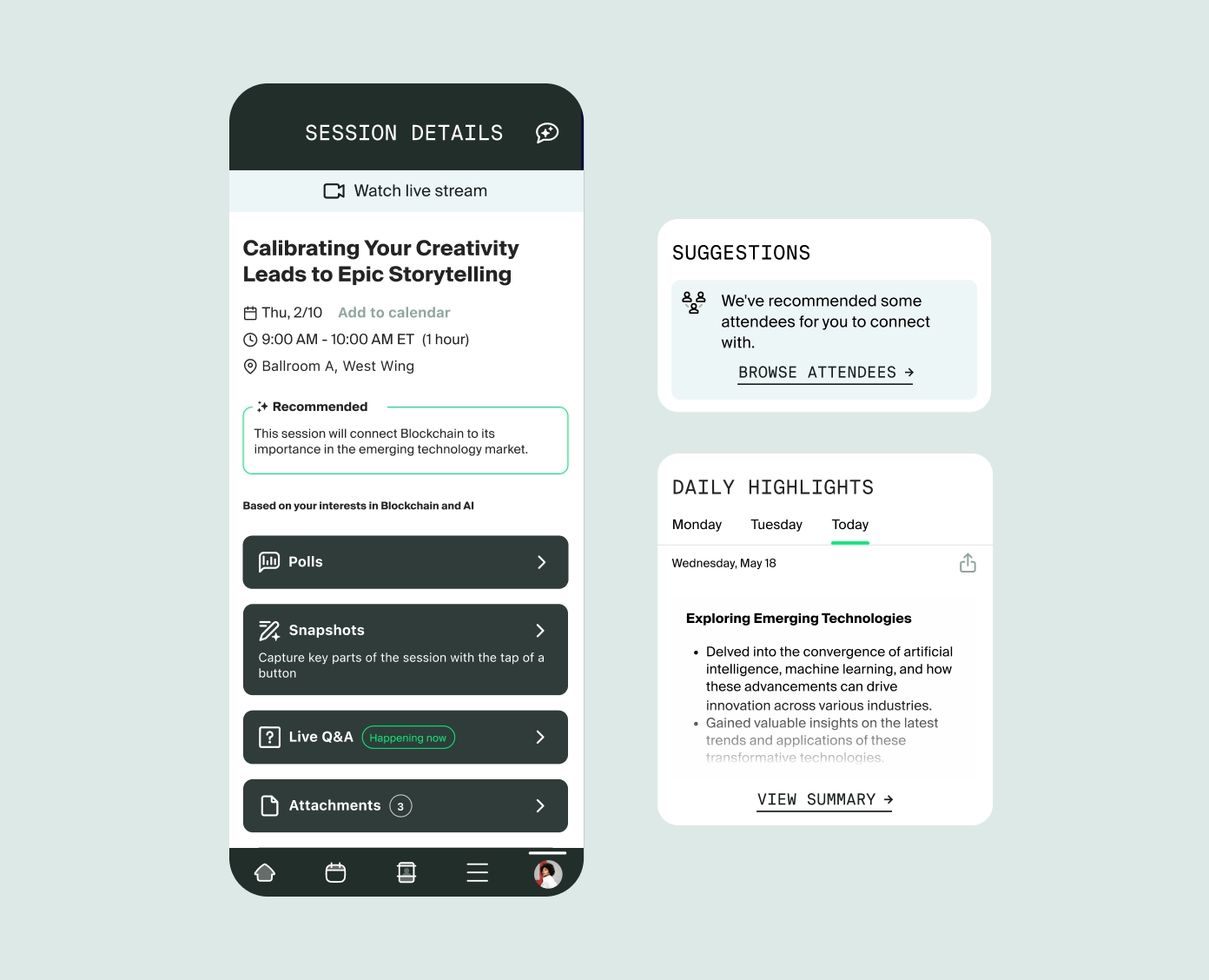
Cvent Attendee Hub is one of the more established enterprise event apps, and a great choice for organizations already using the Cvent ecosystem. Among all the platforms here, Cvent has over 200 CRM integration options available, along with a sales procurement process built for larger organizations. If you’re weighing the two directly, see our Eventify vs Cvent comparison.
Equipped with CventIQ, the app helps attendees find relevant content, connect with the right people, and engage with sponsors in meaningful ways, all while delivering a personalized, engaging event experience. It offers customized agendas across in-person, virtual, and hybrid events based on each attendee’s preferences and registration details, along with real-time networking, live polling, chat, Q&A, and in-session surveys. The platform also supports ongoing group discussions, in both video and text, that continue beyond the end of a session.
Pricing for the app or its features is quote-based (see our Cvent pricing breakdown for what to expect). I’ve read on both G2 and Capterra that it’s a great option only if you’re already using Cvent for registration or venue sourcing; otherwise it’s expensive. Still, it comes with a full event solution and support.
Pricing: Not publicly available.
Pros:
- Deep integration with 200+ CRMs
- Reliable at enterprise scale and uptime
- Strong procurement and compliance track record
Cons:
- Expensive for new clients
4. Bizzabo Event App
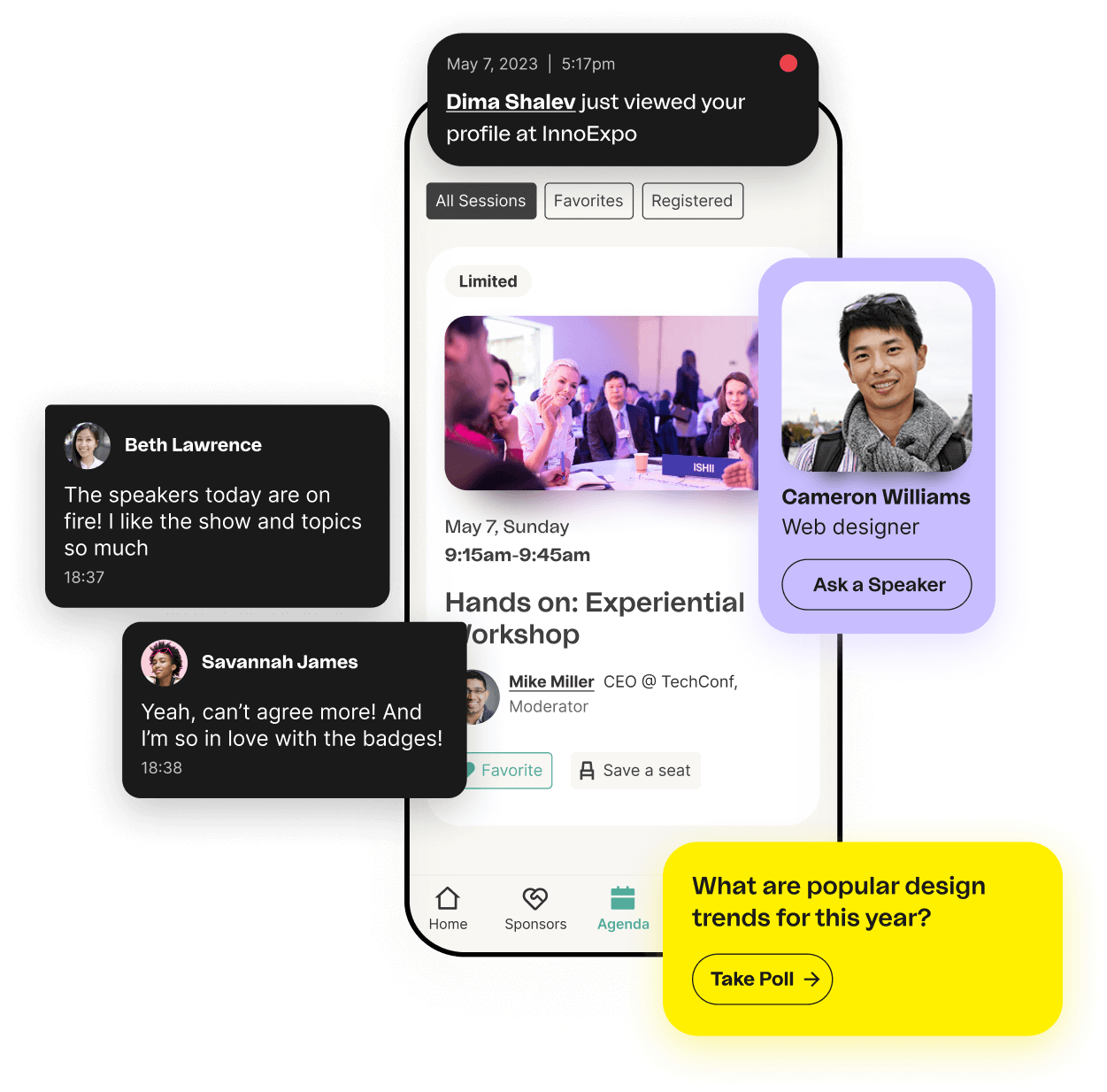
The Bizzabo event app, a popular choice among corporate event apps, is the most intuitive on this list. The native app gives attendees access to the event agenda, session locations, and other event details. It also shows a list of other attendees and lets users view their profiles. Features include private messaging between attendees, real-time updates on sessions, speakers, and offers, live polls and surveys, and social media sharing. Organizers can customize the app’s branding, and updates made on the web platform sync automatically to the mobile app.
The event app is part of the Bizzabo ecosystem, and it offers the Klik SmartBadge, sold separately. I genuinely liked the concept of the Klik SmartBadge: it’s wearable technology that lets sponsors capture leads via tap-to-exchange contacts. It’s a smart way to network and interact.
On pricing: it’s paid annually with a multi-seat minimum (see our full Bizzabo pricing breakdown), which is a reasonable option for smaller or occasional events run by larger teams.
Pricing: The Event Experience OS starts at $17,999 per year for 3 users minimum. The Klik SmartBadge is sold separately.
Pros:
- Very intuitive event app interface
- Klik SmartBadge for smart lead capture and networking
- CRM integration options available
Cons:
- Expensive for single or infrequent events
- Users report “limited customization” for registration and ticketing
5. EventMobi - Event App
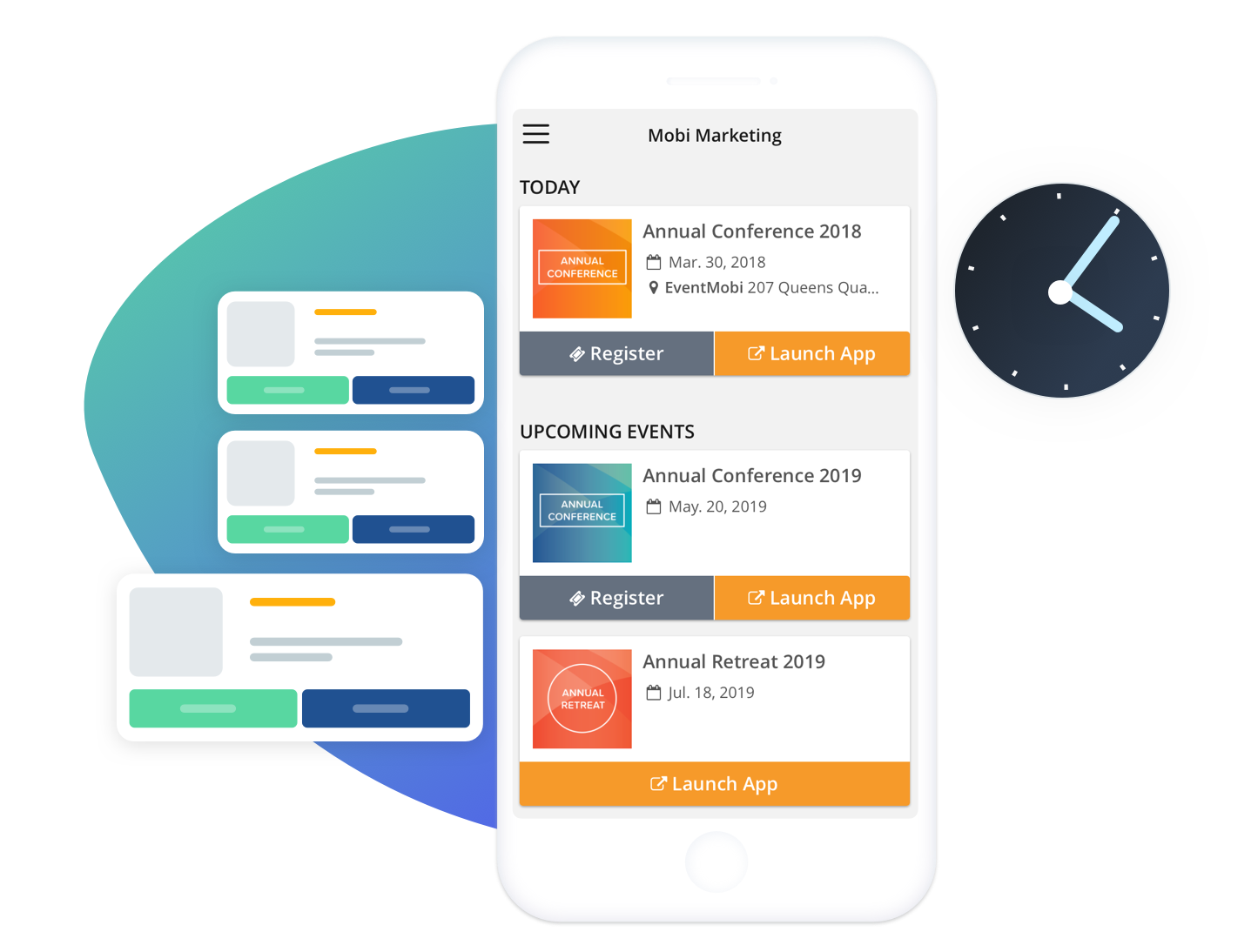
EventMobi has been providing event management solutions since 2009, and they’ve grown it into a well-rounded mobile event technology platform with features like interactive maps, virtual event hosting, and agenda planning. The best part is that it’s both web-based and native: if an attendee doesn’t have the app, they can still use it in web mode through a browser link.
Reviews also praise EventMobi’s customer support, and the interface is easy to navigate for both attendees and organizers. Setup can be challenging, though, since there are enough technical features to feel overwhelming. Pricing is based on the features you select.
Pricing: Starts at $3,500 per event with a 7-day usage limit; unlimited events with all features costs $7,500 per year.
Pros:
- Great CRM integration options
- Works well for in-person, hybrid, and virtual events
- Highly responsive customer service
Cons:
- Expensive for a single event
6. Guidebook - Event App
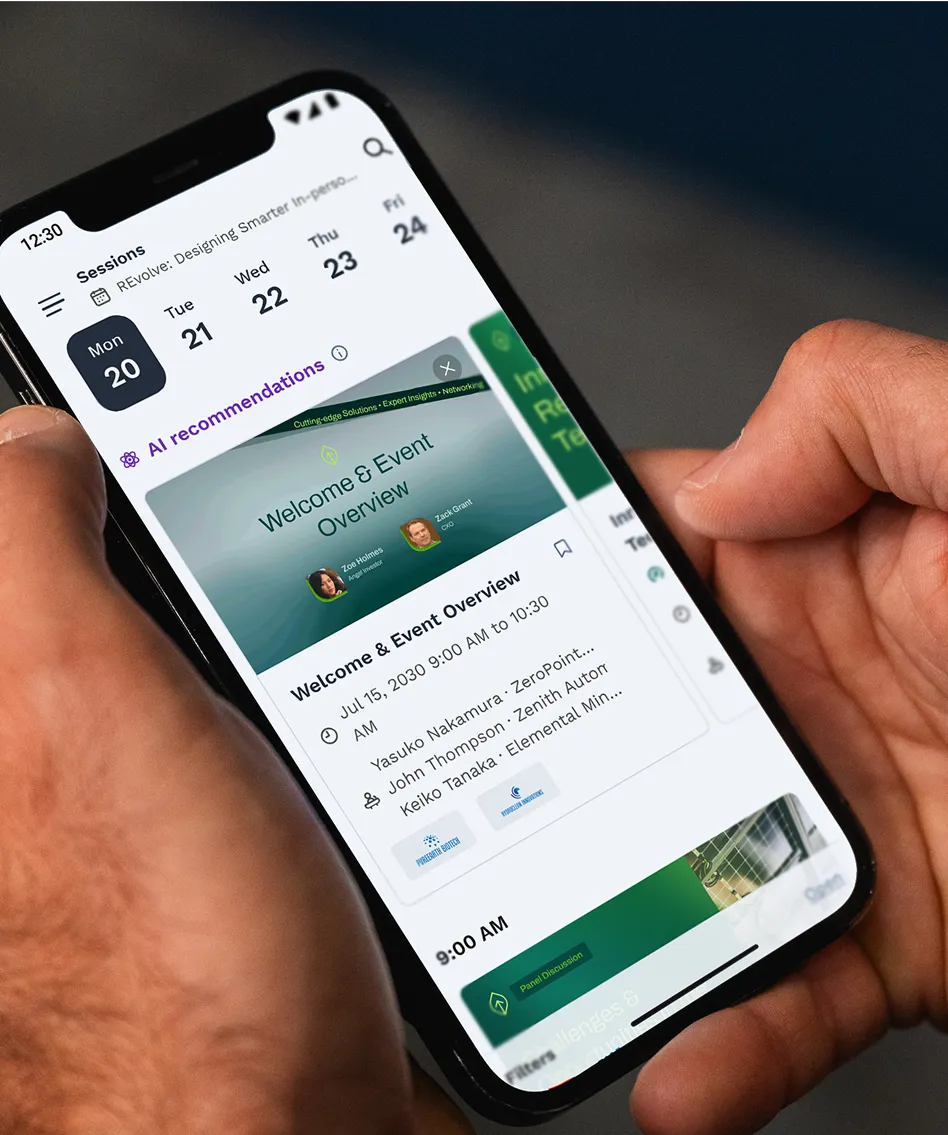
Guidebook is a no-code, custom event app builder, made to cater to organizers without a dev team. They’ve worked with major brands, and feedback on the platform is genuinely strong, especially around custom branding.
The offline native app features advanced scheduling, registration, QR check-in, gamification, in-app messaging, and networking, all in one place with an intuitive interface. The one drawback I’ve observed is that AI matchmaking isn’t as advanced as Whova’s or others’. At least pricing gets cheaper on multi-event plans. If you’re focused on brand customization, it’s a great option.
Pricing: Not publicly available, but they offer annual, biannual, and single-event plans.
Pros:
- Strong and reliable offline app access
- No-code, drag-and-drop app builder
- Built-in gamification, revenue reporting, and check-in
- Custom branding options available
Cons:
- Basic networking and AI matchmaking
Still weighing your options halfway through this list? See how Eventify handles your event, live.
7. Swapcard - Event App
Swapcard leans heavily into AI-driven business matchmaking and monetizing your event. It’s marketed as a self-serve exhibitor marketplace for sponsors to gather leads and generate revenue. At every step of the event process, you get AI suggestions and recommendations that reviewers like. If you’re a beginner, this can help you understand the event rather than feel like a bolt-on. Swapcard also offers registration, CRM integration, attendee engagement options, an exhibitor management portal, and analytics.
Swapcard does have a free plan, but the event app itself is a paid add-on. Reviewers say the price keeps climbing because of add-on features, so it might be pricier for small events.
Pricing: Swapcard has three plans with add-on features, plus a free “Starter” trial plan, but the event app costs extra. None of the plan prices are disclosed on their website.
Pros:
- Strong AI recommendations and matchmaking
- Self-serve exhibitor marketplace for real revenue
- CRM integration available
- Both native and web-based app
Cons:
- Positioned for mid-to-large professional events; a bit pricier for small ones
- Add-on pricing can be unpredictable
8. Accelevents - Event App
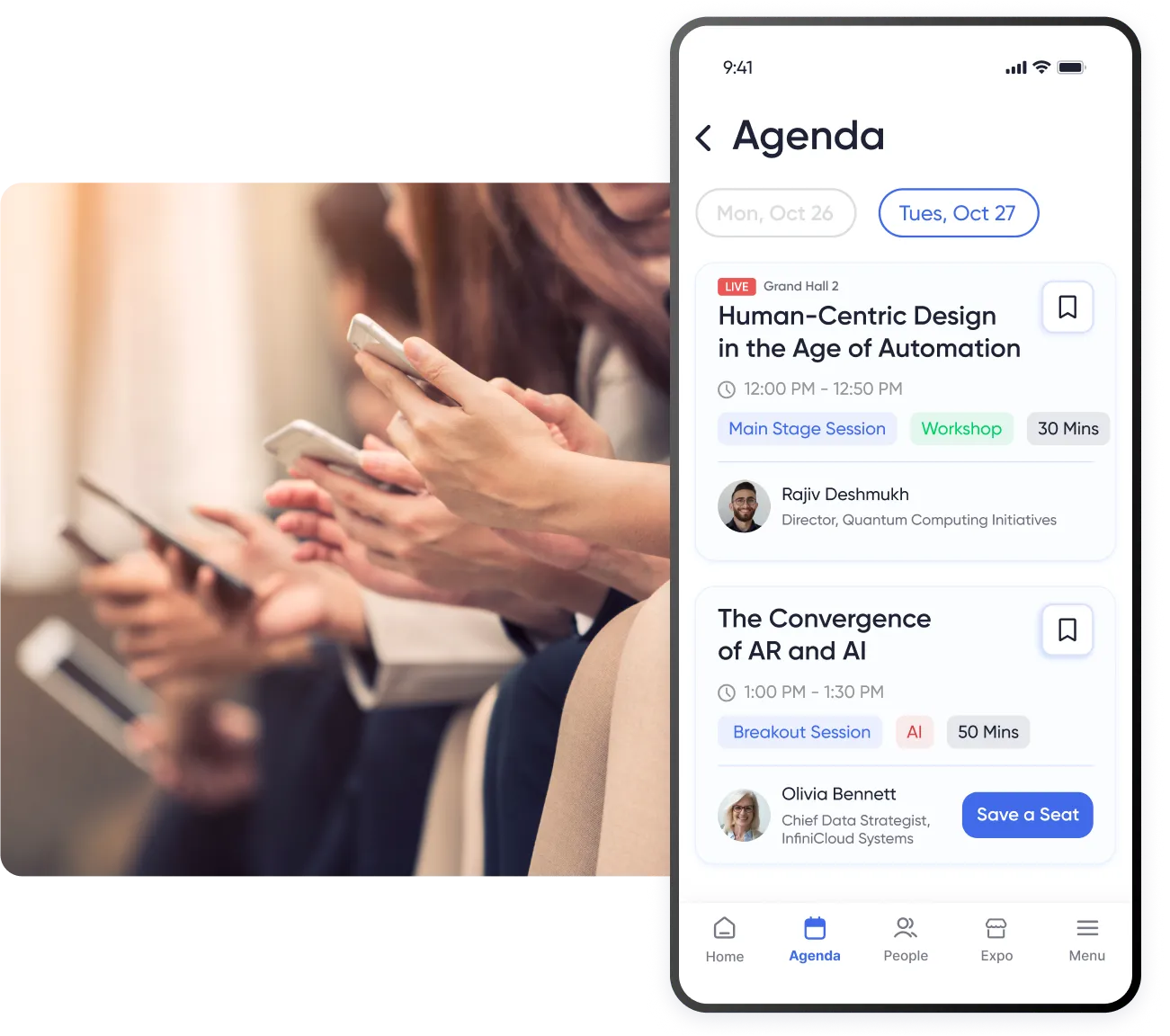
The Accelevents event app is a mobile event companion within the Accelevents all-in-one event management platform, positioning it among the more flexible business event apps on this list. It’s a solid choice for in-person, virtual, and hybrid events. This app stands out for its attendee interaction options across multi-day events: for example, attendees can build their own agenda, ask speakers questions, take part in live polls, and connect with speakers via in-app messaging. The app also offers live streaming, exhibitor and sponsor information, and live session notifications for virtual sessions, plus on-site tools like badge scanning for lead capture and retrieval.
It’s a strong option for exhibitors, though several reviewers on G2 and Capterra have flagged customization limits and occasional reliability issues. On the upside, Accelevents offers flat subscription plans with zero platform transaction fees, which can be a real differentiator for organizers running high attendee volumes.
Pricing: Four price plans: starting at $7,500 per event; Business plans at $13,500 per year for unlimited events; Enterprise and White-label are quote-based.
Pros:
- Flat pricing with zero platform transaction fee
- Strong onsite and lead-scanning tools
- Great for attendee-engagement-focused events
Cons:
- Limited customization options
- Not ideal for purely in-person events
- Some reviewers report reliability issues
9. Brella - Event App
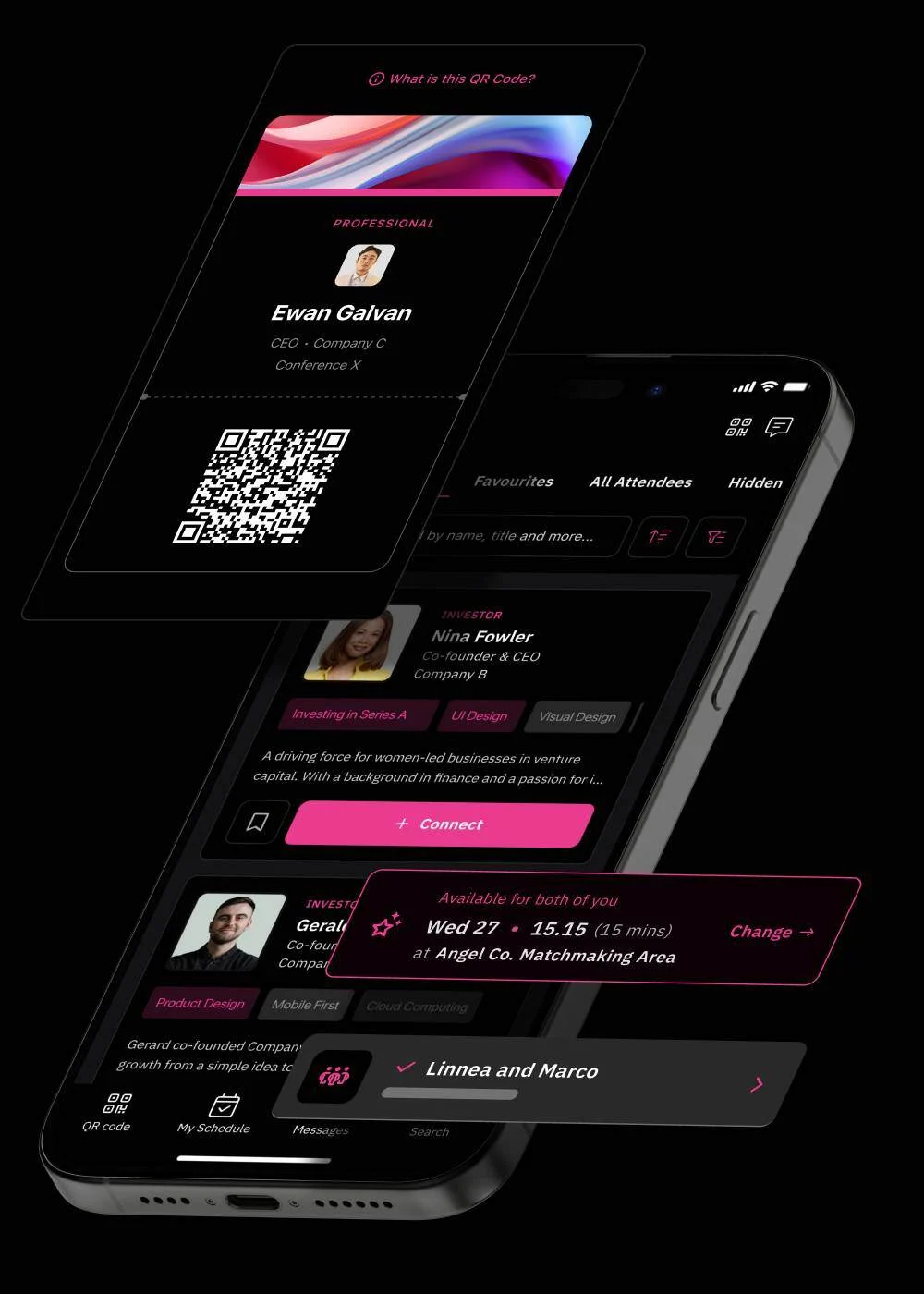
Brella is one of the best event networking apps for mobile, built for business events and conferences, whether in-person, virtual, or hybrid. AI matchmaking is its most distinguishing feature, connecting attendees with the most relevant professionals based on common interests and goals. Users can schedule one-on-one meetings and networking time slots in advance, send messages, and join video calls to interact remotely. Brella can also surface high-value contacts automatically, making it a strong choice for networking-first events, and it integrates easily with other event management platforms many organizers already use.
Pricing: Not publicly available.
Pros:
- Best for 1-on-1 meetings and intent-based matchmaking
- Native iOS and Android app with a responsive web option as well
- Detailed analytics for maximizing ROI
- CRM integration options available
Cons:
- Just a networking app for events, not a comprehensive event management platform
10. SpotMe - Event App
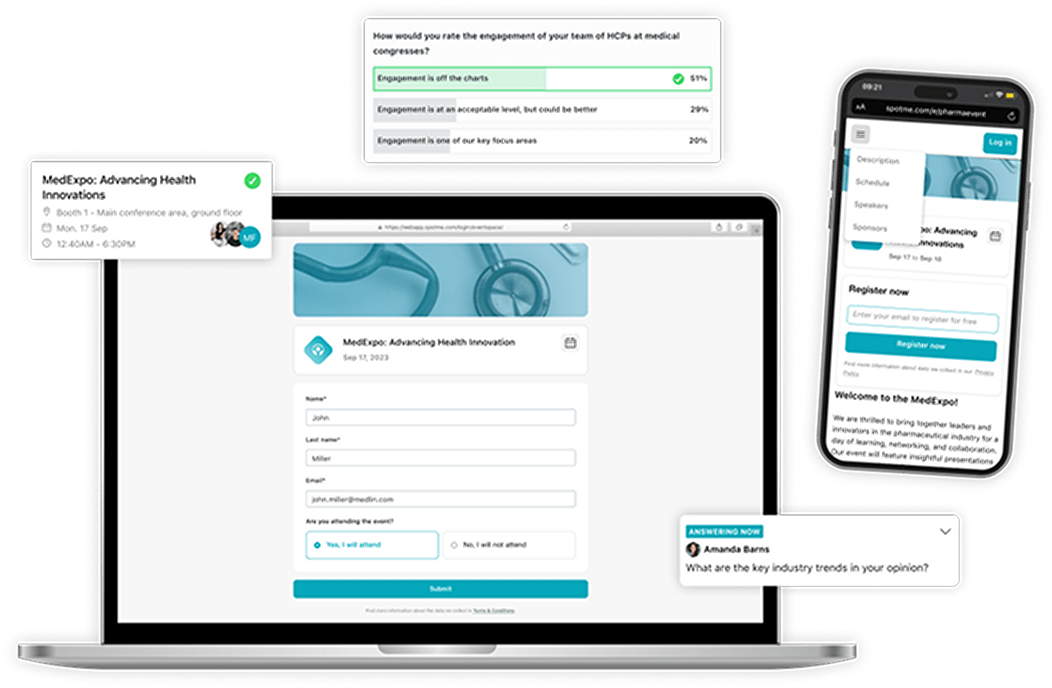
SpotMe is one of the more compliance-focused enterprise event apps, used for everything from large medical events to small business meetings. It’s backed by compliance certifications like 21 CFR Part 11 audit trails, SOC 2 Type II, and GDPR e-consent: these aren’t just features, they’re requirements for trusted platforms in regulated industries.
The SpotMe app makes event sessions interactive, two-way experiences. Attendees can live stream, join video breakout rooms, chat and video with others, exchange digital business cards, and schedule meetings on the spot. It also offers live polls, live Q&A, on-screen polling, customizable agendas, and browsable speaker and attendee profiles. It also has CRM integrations, virtual resource libraries, case studies, note-taking tools, and the ability to save content for later use.
SpotMe specializes in enterprise events, but pricing is quote-based. If you’re organizing large events throughout the year, it’s a great option.
Pricing: Not publicly available.
Pros:
- Genuine regulatory and international compliance certifications
- Strong interactive app overall
- CRM integration options available
Cons:
- Overkill for straightforward corporate events
11. Eventleaf - Event App
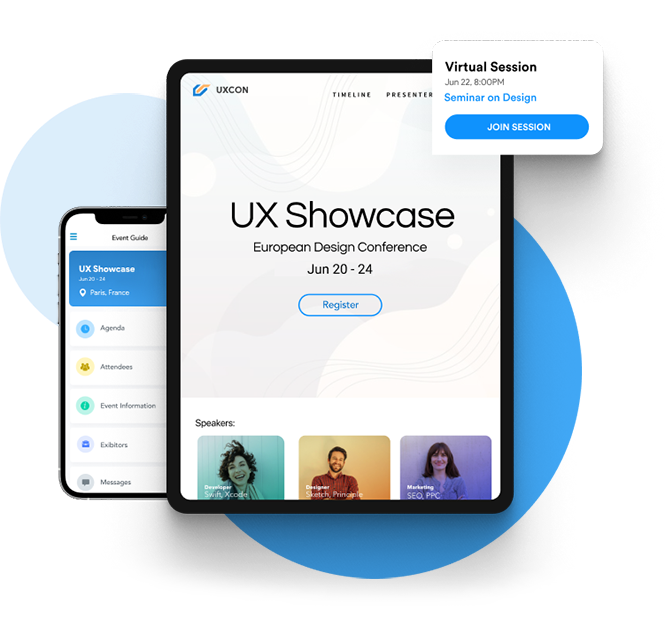
Eventleaf is one of the best free event apps for smaller gatherings, a web-based option that can cover 100 attendees. It handles registration, badge printing, and basic mobile access. The app lets attendees view the entire event schedule and session information, access supporting documents, and even complete check-in from their mobile devices.
Attendees can also browse speakers, exhibitors, and sponsors, vote in polls and surveys, and connect with other participants to set up meetings or exchange contact details. Built-in messaging makes it easy to reach both attendees and speakers, and session and speaker ratings give organizers real-time feedback. An event message board encourages attendees to share photos and updates, backed by social media integration and live updates throughout the event.
Pricing: Four price tiers: Starter is free for 100 attendees; Basic is about $1 per attendee with a 500-attendee minimum; Professional is $2 per attendee with a 1,000-attendee minimum; Ultimate is quote-based.
Pros:
- Free tier for small events
- Straightforward registration, badge printing, and check-in
- Intuitive app interface
- Good attendee engagement tools
- Discounts available for nonprofit and university events
Cons:
- Not built for scalability
- Web-based rather than native: needs stable connectivity
How to Choose the Right Event App for Your Event
Most organizers choose an event app the way they choose a phone: by comparing feature lists. A better starting point is how attendees will actually use it. An app that looks impressive in a demo but gets abandoned on day one is the most expensive option, no matter what it costs.
Will the venue’s Wi-Fi hold up?
Start with connectivity. It determines whether you need a native app or a web-based one. Research shows that 93% of conference venues experience WiFi issues, with overloading, poor bandwidth, and authentication walls being the most common problems. Native apps store schedules, maps, and speaker details on the device, so they keep working when hundreds of people hit the network at once. Web-based apps rely entirely on the connection. For in-person events around 1,000 attendees or more, lean native. For virtual events or small gatherings with dependable Wi-Fi, web-based can be enough. Ask any vendor to demonstrate offline mode with Wi-Fi turned off.
What do attendees need the app to do?
Be specific about what will make people open it. For most conferences, that means a personalized agenda, interactive maps, session reminders, and easy networking in a conference and event app. Industry benchmarks suggest a strong adoption rate is 80% or higher for multi-day conferences, with top-performing events reaching 90%+ when the app becomes the default hub across several days. If networking matters most, examine how matchmaking works in practice: does it use real engagement data, or only profile tags attendees may never complete? The more friction an app adds, the faster people stop using it.
What do exhibitors and sponsors need?
If exhibitors are involved, look for lead scanning, booth profiles, and sponsor visibility tools. Ask how leads move from the app into sponsors’ CRM systems, and whether exhibitors can use the tools without extra training. Sponsors who cannot see a return rarely renew.
Is the app included, or an add-on?
Many platforms bundle the app into their event management suite, but some charge extra or offer it only on higher tiers. Before comparing prices, confirm which plan includes the app, lead scanning, and AI networking.
What will it cost once everything is added up?
Pricing varies widely. Event-only platforms typically run $1,000 to $20,000 per year, often priced per event or per attendee, with exact figures given after a demo call. Cvent, for example, charges a $4 per-attendee fee after the first 100 attendees, plus a 2.5% transaction fee on paid registrations. ConferenceTap offers one event from $2,500 flat, or unlimited events from $10,000. Ask for the total, including setup, add-ons, extra users, and support. If you run several events a year, unlimited-event plans are often much cheaper than paying per event.
Does it meet your industry’s requirements?
For regulated events, such as pharma and healthcare, check compliance certifications like SOC 2 Type II, ISO 27001, and GDPR consent handling, plus any industry-specific audit requirements. Vendors such as Whova, Webex Events, and RSVPify publish SOC 2 Type II, ISO 27001, GDPR, and CCPA compliance information. For everyone else, confirm basics such as SSO and data export.
How much setup can your team handle?
Highly customizable platforms reward teams with a dedicated event technology person and overwhelm those without one. No-code app builders are faster to launch, but customization may be limited. Match the platform to the people who will actually run it.
What do real users say?
Read recent G2 and Capterra reviews. Look beyond the star rating to comments about support, setup, and reliability. Be cautious with small sample sizes: a high score from three reviewers tells you very little.
A Simple Way to Decide
Shortlist two or three apps, then run a live demo using your actual agenda and registration data. Test offline mode, check-in, and the attendee sign-up flow on real phones. The app that holds up under those conditions is usually the one attendees will actually use.
The Right App Depends on the Event, Not the Feature List
The “more the merrier” rule doesn’t always apply to the app you select for your event. A 200-person internal staff meeting doesn’t need exhibitor booths, but a 3,000-person expo will quickly run into trouble on a purely web-based solution. Consider your attendee count, venue bandwidth, and main objectives first (networking, compliance, and so on), and then evaluate your options against those, instead of chasing the flashiest feature list.
Before you commit, run live demos with two or three shortlisted platforms using your actual registration data. The app that survives contact with reality on day one is the one attendees actually use.
Ready to test-drive the app yourself before deciding?
Frequently Asked Questions
What’s the difference between an event app and event management software?
An event app is the attendee-facing layer: agendas, networking, notifications, and real-time updates. Event management software covers the organizer side: registration, ticketing, logistics, and reporting. Several platforms here, including Eventify, EventMobi, and Accelevents, combine both in one system.
Do I need a native app, or will a web-based app work?
For in-person events with 1,000 or more attendees, native apps consistently deliver better offline reliability once venue Wi-Fi is under load. Web-based apps work fine for virtual events where attendees have stable individual internet connections, or for small in-person gatherings with reliable venue connectivity.
How much does an event app typically cost for a 1,000-person conference?
Costs vary widely by model. Flat-fee platforms like Eventify and Accelevents can land in the low thousands per event or a few hundred dollars a month; per-attendee models can run roughly $1–$25 per attendee depending on the feature set; enterprise platforms like Cvent, Bizzabo, or SpotMe are typically quote-only and can run well into five figures annually. Always request total cost of ownership, including setup and support, not just the sticker price.
Can event apps work offline?
Native apps (Eventify, Guidebook, Bizzabo, EventMobi’s native mode) cache agendas, maps, and speaker details for offline access. Web-based apps (Whova and Eventleaf) rely on browser caching, which has real limits in crowded venues. Ask any vendor to demo offline mode with Wi-Fi disabled before you sign.
What is the best free event app?
Eventleaf’s free tier, up to 100 attendees, is the most functional genuinely free option here. Eventify also offers a free plan for smaller registrations if you want native app capability without an upfront cost.
What’s the best event app for large trade shows?
Swapcard is the strongest pick, since it provides AI-driven lead capture and exhibitor monetization.
What’s the best event app for regulated industries like pharma?
SpotMe specializes in this, with 21 CFR Part 11 compliance, GDPR e-consent handling, and certifications (SOC 2 Type II, ISO 27001) built specifically for pharmaceutical and healthcare event requirements.
Can I use the same app for multiple events throughout the year?
Yes. Eventify and Guidebook both offer unlimited-events pricing models built for this, which is meaningfully cheaper than paying per-event or per-attendee if you’re an association, university, or agency running several events a year.
What security certifications should I look for?
SOC 2 Type II and ISO 27001 are the baseline for enterprise events; SSO via SAML/OAuth and AES-256 encryption should be standard at that tier. Regulated industries need additional certifications like 21 CFR Part 11, which is where SpotMe specializes.
How do I make sure attendees actually use the app?
Give them something they can only get inside the app (exclusive speaker content, session reminders, networking access), keep login friction low, distribute a QR code at registration, and train onsite staff to direct people to the app instead of answering logistics questions manually. Avoid over-notifying: reviewers and vendors alike report that attendees who receive too many pushes on day one disable notifications entirely.
.png)