

.jpg)
I've been running Eventify for over a decade, and I'm still learning new things about why people don't download event apps.
Let me start with a confession: for years, we built features nobody used.
We'd add this beautiful networking module, or a gorgeous interactive floor plan, or AI-powered session recommendations - and then watch adoption rates sit stubbornly at 35-45%. Event organizers would call us frustrated: "We promoted it everywhere! Why aren't people downloading?"
The breakthrough came when we stopped thinking about promotion and started thinking about architecture.
Around 2022, I started noticing something in our analytics. A few events - maybe 8-10% of our client base - were hitting 85-95% adoption rates. Not because they had bigger marketing budgets or better graphics. They were doing something structurally different with how attendees interacted with the event itself.
So I did what any obsessive founder would do: I called them. All of them. Asked what they were doing differently.
What I learned completely changed how we advise clients now.
.jpeg)
The Real Problem (That Nobody Wants to Admit)
Your attendees don't download the app because they don't need to.
I know, I know. You've got the agenda in there. The speaker bios. The interactive map. But here's the thing - they can get the agenda from your website. They can Google the speakers. They can ask someone where Room 3B is.
The app is a convenience, not a necessity. And convenience loses to inertia every single time.
The events that crack 90% adoption aren't offering convenience. They're creating dependency.
That sounds slightly evil when I say it out loud, but stay with me.
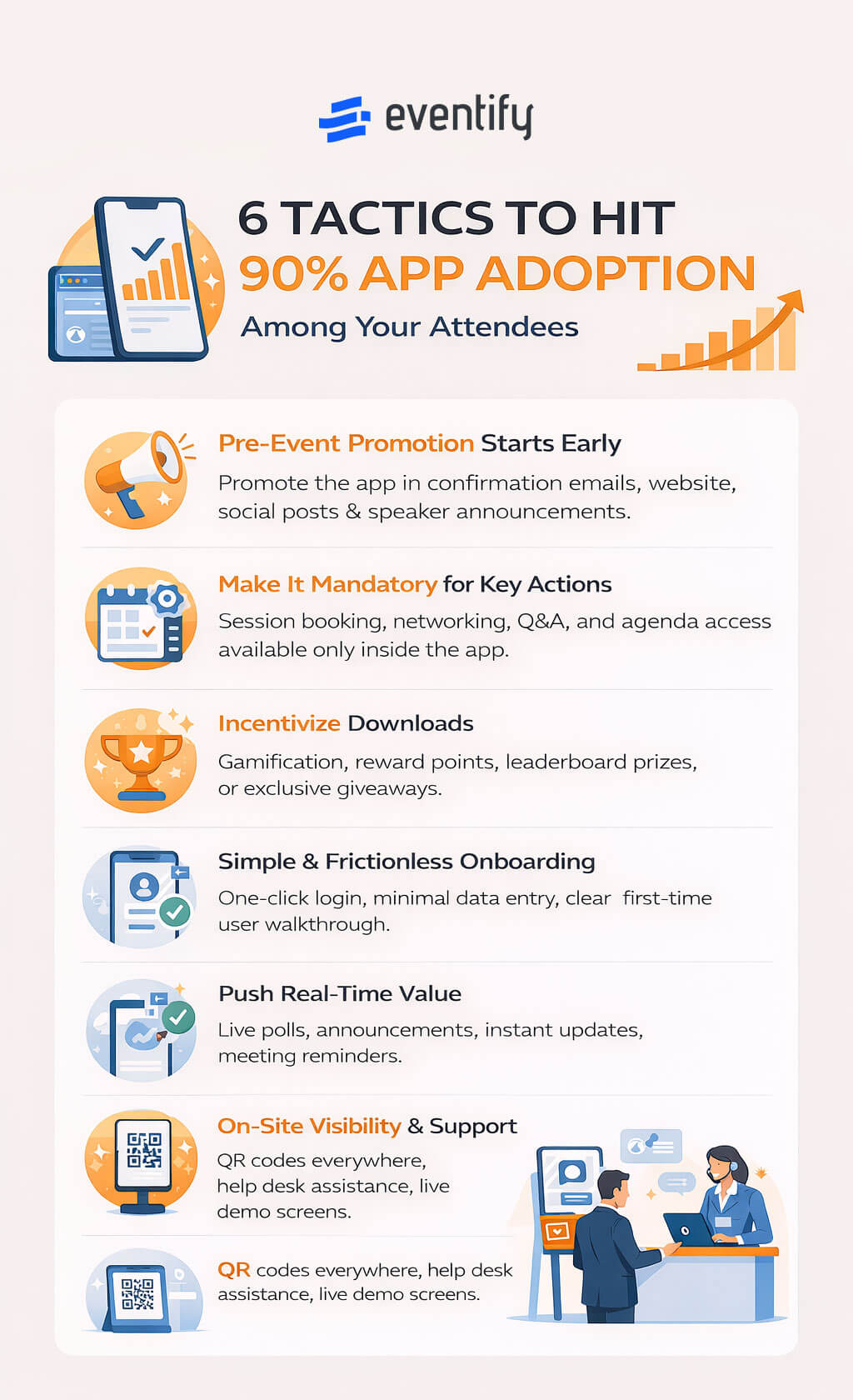
The Six Tactics (Plus One That Completely Bombed)
Alright, here's what actually works. I'm organizing this somewhat logically, but honestly, these tactics overlap and sometimes contradict each other. You'll figure out which ones fit your event.
Tactic 1: Merge Registration and App (Or Break One of Them)
This is the most obvious thing we should've figured out earlier, but somehow it took us years.
One of our clients - a medical association in Singapore running a 2,400-person conference - came to us in 2023 with a problem. They'd spent $15K on a custom mobile app the previous year. Adoption: 51%. Their board was threatening to cut the app budget entirely.
We suggested something that sounded insane at the time: make registration impossible to complete without downloading the app.
Not "download the app for a better experience." Not "get the app to access premium features." Just: you literally cannot register without the app installed.
Their marketing director fought us on it. "What about people without smartphones?" (Valid question - we'll get to that.) "What about accessibility?" (Also valid.) "What about just... I don't know... sending them a PDF ticket?"
We compromised: you could register on the website, but your ticket - the QR code you needed to actually get into the venue - was only accessible through the app. No email confirmation with a barcode. No "print your ticket" option. App or nothing.
Adoption went to 94%.
Now, before you email me about edge cases: yes, they had five tablets at the registration desk for people who genuinely couldn't install the app. Over 2,400 attendees, 11 people needed them. Mostly international attendees with phone storage issues.
The implementation reality:
If you want to try this, here's what you actually need to do:
1. Week -8: Set up registration flow that either lives entirely in the app, OR completes on web but generates app-only ticket access
2. Week -6: Test the hell out of it - What happens if someone deletes the app after registering? Can they re-download and still access their ticket? Does the QR code work offline?
3. Week -4: Prepare your support team - Write FAQs for "I can't install the app", train registration desk staff on tablet backup process, have a printed backup list (badge names only) for absolute emergencies
4. Event day: Clear signage: "Tickets in app only", staff ready to help with downloads (takes 60 seconds per person)
The mistake I see constantly: Event organizers make registration buttery-smooth on the website, send beautiful PDF tickets, and then beg people to "also download the app for updates!" You've already solved their problem. Why would they download anything?
Tactic 2: The Two-Week Activation Window (Or: Why Sending Reminders Doesn't Work)
Here's something that surprised me in the data.
Events that send app download reminders starting four weeks out get worse adoption than events that go completely silent until two weeks before.
I didn't believe this at first. We ran the analysis three times. But it's real, and here's why:
Four weeks before an event, nobody's thinking about the event yet. Your email is clutter. It goes into the mental "deal with later" pile. Then you send another reminder at three weeks. Two weeks. One week. By the time the event is actually imminent, you've trained them to ignore your emails.
The events that crack 90%? They do something different.
They wait until exactly 14 days before the event. Then they create what one of our clients calls an "activation moment" - a specific, time-sensitive action that requires the app and delivers immediate value.
Let me give you a real example that worked stupidly well.
A trade show in Dubai (about 3,500 attendees) sent this email at the two-week mark:
We've just released your personalized event schedule in the app. Here's what you can do right now:
- Book 1-on-1 meetings with exhibitors (some are already 60% booked)
- Reserve your seat for the opening keynote (general admission is standing room)
- See who else from your company is attending
Download the app → [link]
Note: Meeting booking closes in 72 hours.
Three things happened:
1. They created genuine urgency (meeting slots were actually limited)
2. They made it personal ("who else from YOUR company")
3. They gave people something to DO immediately, not just "get ready for later"
Adoption hit 89% within 48 hours of that email.
Quick implementation guide:
What you need to set up by Week -3:
- Meeting booking system (Eventify has this built-in)
- Attendee directory with opt-in profiles
- Session capacity tracking for "limited seating" claims
The email components:
- One thing people can book NOW (meetings, premium sessions)
- One social element (see who's attending from your network)
- One countdown (72-hour deadline)
Important: The scarcity has to be real. Don't fake "limited seating" if sessions are open. People will call you out, and you'll lose trust.
Tactic 3: The WiFi Hack (That Venues Hate)
Okay, this one is borderline sneaky. But it works so well that I feel obligated to share it.
You know how hotel WiFi works? You connect, and then a portal pops up asking you to accept terms or enter a room number?
Some of our highest-performing events do this, but they make the portal redirect to the app download page.
So the flow is:
1. Attendee arrives at venue
2. Tries to connect to WiFi: "EventCon2026"
3. Portal opens: "Download the EventCon app to access WiFi"
4. After app download + login: WiFi credentials appear automatically
I won't lie - this pisses off some venue IT managers. And you need to coordinate it carefully (have a backup network for speakers, AV teams, and staff). But the adoption rate when you deploy this is basically 100% among people who want internet.
One caveat: you must have an escape hatch for elderly attendees, people with flip phones, or anyone with genuine technical issues. We recommend having the WiFi password printed on cards at the registration desk, available on request. Just don't advertise it on signage.
A healthcare conference in Mumbai did this last year. They were terrified it would backfire. Instead, adoption went from 61% to 93%, and the most common feedback was "that was smart."
Technical setup (this is where it gets real):
You'll need:
- Venue IT cooperation (or control of WiFi infrastructure)
- Captive portal setup (splash page technology)
- Two separate networks: Public: "EventName2026" (requires app), Staff: "EventName_Staff" (direct access)
The splash page needs to:
- Detect OS (iOS vs Android)
- Redirect to correct app store
- Handle "already installed" users (auto-login)
- Include a "Need help?" link for edge cases
Cost: Usually $500-$2000 depending on venue complexity. Worth it for 90%+ adoption.
Why this works: People need WiFi more than they dislike downloading apps. You're not forcing anything - you're just making the path of least resistance go through your app.
Interlude: The Tactic That Completely Failed
Alright, since we're being honest here, let me tell you about something that bombed spectacularly.
In 2023, we tried a "social pressure" tactic with a tech conference in Bangalore. The idea: attendees who downloaded the app got a special colored badge lanyard. Green = app user. Red = non-app user.
The theory was sound: create visible social proof, make non-downloaders feel left out, drive adoption.
What actually happened:
Day 1, morning: About 40% of people had green lanyards. The rest had red. Some people asked where to get green ones, downloaded the app.
Day 1, afternoon: Someone tweeted: "Why am I being color-coded for not downloading an app? This is manipulative UX design."
Day 1, evening: The tweet went viral. Conference organizer got roasted in replies. The whole thing became a PR nightmare.
By Day 2, they'd removed the colored lanyards entirely. Final adoption: 47%. Lower than if we'd done nothing.
What went wrong:
1. The visual distinction was too obvious (public shaming vibes)
2. We underestimated how privacy-conscious tech audiences are
3. The "punishment" (red lanyard) was more salient than the reward (green)
The lesson: Social proof works when it's aspirational, not punitive. Leaderboards showing "most connected attendees" = good. Color-coding people who didn't download your app = bad.
I'm including this because every founder loves to talk about wins, but the losses teach you more. Don't make my mistake.
Tactic 4: Gamification That Isn't Embarrassing
Let's talk about gamification, because most event gamification is... not good.
"Visit 10 booths and win a prize!" Okay, but I'm here to find solutions for my business, not play Pokemon Go.
"Scan QR codes to earn points!" Cool, what do I do with points?
The gamification that actually works isn't about points. It's about status.
One of our events - a developer conference in Berlin, about 1,800 people - did something brilliant. They set up a live leaderboard on screens in the main hallway showing the "most connected attendees."
How did you rank? By meetings booked through the app.
That's it. No points. No prizes. Just public recognition that you were actively networking.
Within six hours, people were frantically booking meetings to get on the leaderboard. Adoption went from wherever it was (honestly, I forget) to 87% by day two.
Why did this work?
Because at a professional conference, being seen as "well-connected" has real value. The leaderboard wasn't a game - it was social proof.
Setting this up:
What you need:
- Large displays in high-traffic areas (lobby, coffee stations)
- Auto-updating leaderboard (refresh every 30 min)
- Metrics that matter: Meetings booked (for networking events), Sessions checked into (for multi-track conferences), Profile completeness (for communities)
The scoring logic:
Don't make it complex. Here's what works:
- Complete profile (photo + bio): 50 points - One-time barrier to entry
- Check into a session: 10 points - Drives in-app engagement
- Book a meeting: 25 points - Highest-value behavior
- Scan a sponsor booth: 15 points - Benefits sponsors
- Share to social media: 20 points - External marketing
Top 10 get a premium prize (free pass to next year's event). Everyone over 500 points gets something small (coffee voucher).
The key: make the threshold achievable. If only power users can hit 500 points, you'll get 50 people participating. If normal attendees can hit it by engaging genuinely, you'll get 80%+ participation.
What NOT to do:
Don't gamify behaviors people hate:
- "Answer this survey to earn points" → surveys should be opt-in
- "Watch this sponsor video" → feels like forced advertising
- "Share 5 times to LinkedIn" → spammy
Gamify things people already want to do, but might need a nudge to start.
Tactic 5: Make the Physical Space Depend on the App
This is the most controversial tactic, and honestly, it doesn't work for every event. But when it does work, it's devastating.
The idea: design your physical event environment so that navigating it without the app is painful.
I saw this executed perfectly at a conference in Kuala Lumpur. Multi-building venue, 4,000+ attendees, dozens of simultaneous sessions.
Here's what they did:
Session room signs showed only: "Room 3A"
No session name. No time. No speaker. Just the room number.
To know what was happening in Room 3A, you had to open the app.
Every attendee badge had a QR code that deep-linked to your personal schedule. Every hallway sign had a QR code to the venue map. Every sponsor booth had a QR code to their profile.
The app wasn't a nice-to-have. It was the interface to the event.
Adoption: 91%.
Now, was this user-hostile? A little bit, yeah. Did people complain? A few. But most people adapted within an hour, and by Day 2, it was just how the event worked.
Where this doesn't work:
- Small events (under 300 people)
- Single-venue conferences
- Events with older demographics
- First-time attendees who might get frustrated
Where this crushes:
- Large multi-track conferences
- Complex venues
- Tech-forward audiences
- Annual events where people expect an app
Wait, doesn't this contradict Tactic 3?
Kind of, yeah. Tactic 3 (WiFi gate) forces download at arrival. Tactic 5 (physical dependency) forces download through frustration.
If you do both, you might be over-optimizing. Pick the one that fits your venue and audience. Or do both if you're feeling aggressive.
I'm giving you all the tools. You decide how to use them.
Tactic 6: Make Sponsors and Speakers Do Your Marketing
Here's something I figured out late: event organizers are the worst people to promote the app.
You know why? Because you're sending emails about hotel blocks, and parking, and dietary restrictions, and "don't forget to download the app!" It's just another line item in a wall of logistics.
Sponsors and speakers, on the other hand, have actual influence with your attendees.
So instead of promoting the app yourself, make it essential to sponsors' ROI.
One of our clients - a pharma conference, around 2,000 attendees - did this:
Three weeks before the event, they sent sponsors an email:
Your booth leads are only accessible via the event app. Here's how it works:
1. Attendees scan your booth's QR code in the app
2. Their contact info + custom notes flow directly to your CRM
3. You can book follow-up meetings with hot leads on-site
Important: If an attendee doesn't have the app, you cannot capture their lead.
Make sure your booth staff mention: 'Scan our booth in the app to get our whitepaper/enter our raffle/book a demo.'
Access your sponsor dashboard: [link]
The result? Every sponsor became an app evangelist. Booth staff were literally saying: "Do you have the app? No? Here, let me help you download it - takes 30 seconds."
Same principle for speakers:
"Your session Q&A is only available in the app. During your talk, mention: 'Submit questions in the app - I'll answer the top-voted ones in the last 15 minutes.'"
Now you've got 40 speakers all independently promoting the app as part of their session mechanics.
The sponsor onboarding flow:
Email 1 (Week -3): "Lead retrieval is app-only" (creates urgency)
Email 2 (Week -2): "Set up your booth profile" (with deadline)
Email 3 (Week -1): "Train your booth staff" (includes talking points)
This turns sponsors into app evangelists because their success depends on attendee adoption.
The Stuff That Doesn't Work (That Everyone Still Does)
Before I wrap up, let me save you some time by listing tactics that sound good but have negligible impact:
❌ Sending more reminders - After email #2, open rates crater. You're training people to ignore you.
❌ Making the app "prettier" - Nobody downloads apps because of aesthetics. Function > form.
❌ Adding more features - More features = more complexity = lower adoption. Start minimal.
❌ Offering prizes for downloading - You get people who want free stuff, not engaged users. They'll download, claim the prize, delete.
❌ Celebrity endorsements - Unless the celebrity is speaking at YOUR event, nobody cares.
❌ Pre-event webinars about app features - The 12 people who join already planned to download it.
What works is structural, not promotional.
Your 6-Week Implementation Roadmap
Alright, you've read 3,000 words. Here's the actual checklist you can hand to your team:
Week -8: Foundation
- Decide which tactics fit your event (not all will work)
- Integrate registration with app OR gate ticket access
- Set up gamification mechanics (if using)
- Design minimal signage (if using Tactic 5)
Week -6: Tech Setup
- Test registration → app flow end-to-end
- Coordinate WiFi authentication with venue (if using)
- Set up sponsor lead retrieval system
- Brief speakers on app-based Q&A
Week -4: Content & Coordination
- Write sponsor onboarding emails
- Prepare staff training materials
- Create backup plans (tablets, printed passwords, edge cases)
Week -3: Stakeholder Activation
- Email sponsors: "Lead retrieval is app-only"
- Send speaker guidelines with app instructions
- Final signage review and print
Week -2: The Activation Moment
- Launch meeting booking / early access / limited feature
- Send ONE high-value email with clear CTA
- Monitor adoption dashboard
Week -1: Final Prep
- Train on-site staff on app support
- Test all QR codes and deep links
- Prepare registration desk backup tablets
Day 0: Launch
- Deploy QR codes on all signage
- Station volunteers for first 2 hours
- Monitor adoption in real-time
- Be ready to troubleshoot
During Event:
- Update leaderboards (if using gamification)
- Send targeted push notifications
- Have staff help non-downloaders (it's faster than arguing)
What We're Testing Now
I'll be honest - we still don't have this fully solved.
Current experiments:
Pre-event AI matchmaking: We're testing a feature where the app suggests meetings based on attendee profiles before the event starts. Early data shows it increases pre-event adoption by about 30%, but we're seeing some "match fatigue" where people get overwhelmed by too many suggestions.
Progressive feature unlock: Instead of showing all features at once, we're testing a flow where features appear as you need them. Day -14: Networking unlocks. Day -7: Agenda unlocks. Day 0: Live polling unlocks. Hypothesis: reduces cognitive overload. Verdict: TBD.
Venue beacon integration: Some clients are testing Bluetooth beacons that trigger app notifications when you walk past session rooms or sponsor booths. Results are mixed - it works great at tech conferences, feels invasive at healthcare events.
If you want to be a guinea pig for any of these, hit me up.
One Last Thing
The biggest mistake I see event organizers make is treating the app as a "marketing problem."
It's not.
It's an experience design problem.
If your event works fine without the app, your adoption will never break 50%. You're asking people to do extra work for marginal benefit.
But if you design the event so that the app is the nervous system - the thing that connects all the pieces - then adoption becomes automatic.
The tactics above aren't silver bullets. They're architectural choices. Some will work for your event. Some won't. Some will piss people off. That's fine.
The goal isn't to force everyone to download an app. The goal is to create an event experience that's genuinely better with the app than without it.
And if you can pull that off, 90% adoption is just a side effect.
Want to see how Eventify makes this easier?
We've built features specifically for the tactics above: integrated registration, WiFi authentication, sponsor lead portals, gamification engines, and a bunch of stuff I didn't mention here because this is already too long.
P.S. If you try any of these tactics, let me know how it goes. Especially if it fails spectacularly. I collect failure stories.


.png)

.jpg)


