


I still remember watching a check-in desk freeze while attendee data sat in one platform, badge records in another, and session changes in a third. That is the moment event management software stops being nice to have and becomes the difference between a smooth event and a line of frustrated attendees standing in a corridor wondering what is happening.
This guide covers 20 event management software platforms evaluated across real conferences ranging from 500 to 15,000 attendees, trade shows with 100+ exhibitors, and hybrid events. Project management tools like Asana, Trello, Slack, and Basecamp are excluded. They are not event management software regardless of how many listicles include them, and including them wastes your time when you are trying to make a real buying decision.
Key Takeaways
- Eventify is best for conference and trade show organizers running multiple events annually who need a native offline event app and all-in-one event management software without per-event pricing surprises
- Cvent is best for large enterprises already invested in the Cvent ecosystem with dedicated IT teams and budgets exceeding $20,000 per year
- Whova is best for academic conferences and associations in venues with reliable WiFi where attendee networking is the primary goal
- Eventbrite is best for public events under 500 attendees that need zero upfront cost and same-day setup
- The best event management software depends entirely on your event type, venue connectivity, and budget reality, not on the longest feature list
What Event Management Software Actually Is
Event management software is a platform that helps organizers plan, promote, register, run, and analyze events from one system. True event management platforms include attendee-facing features such as event registration, badge printing, attendee tracking, event apps, lead capture, session tracking, and post-event analytics.
A project management tool may help with internal task coordination but it will not replace a real event management platform. For in-person events, native app versus web-based access matters significantly because venue WiFi failures can break check-in, schedules, and attendee engagement at exactly the moment you need them most.
How We Evaluated These 20 Best Event Planning Platforms
We evaluated event planning platforms across conferences from 500 to 15,000 attendees, trade shows with 100+ exhibitors, corporate events, academic events, and three hybrid events where virtual attendance exceeded 40% of total registrants.
Our weighted scoring rubric:
We tested offline mode with WiFi disabled on device, contacted support outside business hours to verify response times, and requested full pricing quotes including setup fees, white-labeling, and per-attendee charges. G2 and Capterra ratings were used as a starting point only, not the primary evaluation method. Platforms were only included if tested at a live event, not just demoed.
Quick Comparison
All-in-One Event Management Platforms
1. Whova - Event Engagement Platform
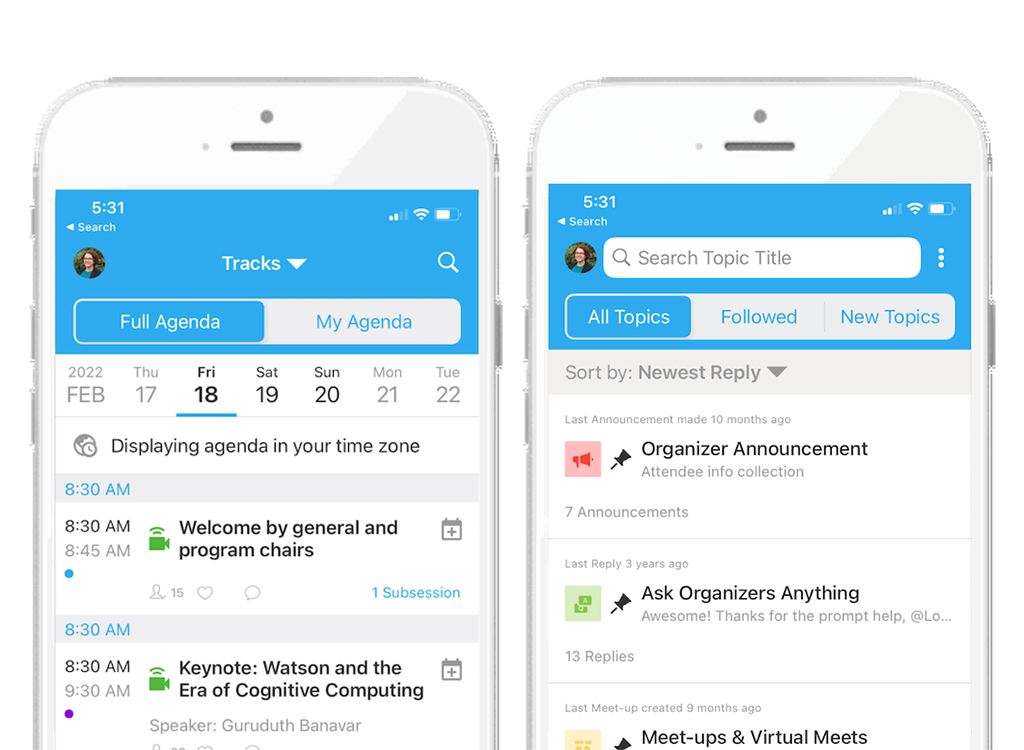
Whova builds the best attendee community features we tested. The social wall and community boards genuinely drive conversation between sessions in a way other platforms do not replicate. The critical weakness is that it is web-based, which means in any venue where WiFi gets stressed, the experience degrades fast. We have seen this happen at busy convention centers and it is not a minor inconvenience.
Key strengths: Community boards, attendee-to-attendee messaging, multi-track agenda support, live polling and session feedback.
Where it falls short: Web-based so fails in poor WiFi venues. UI feels dated when managing high-volume social feeds. Pricing is unpredictable: $2,000 to $15,000 per event, $15,000 to $80,000 annually, plus approximately 3% plus $0.99 per paid ticket.
Best avoided if: Your venue has unreliable WiFi or you need strong white-labeling capabilities.
Our verdict: Excellent for academic conferences in well-connected venues. A meaningful risk everywhere else.
2. Cvent - Enterprise Event Management Software
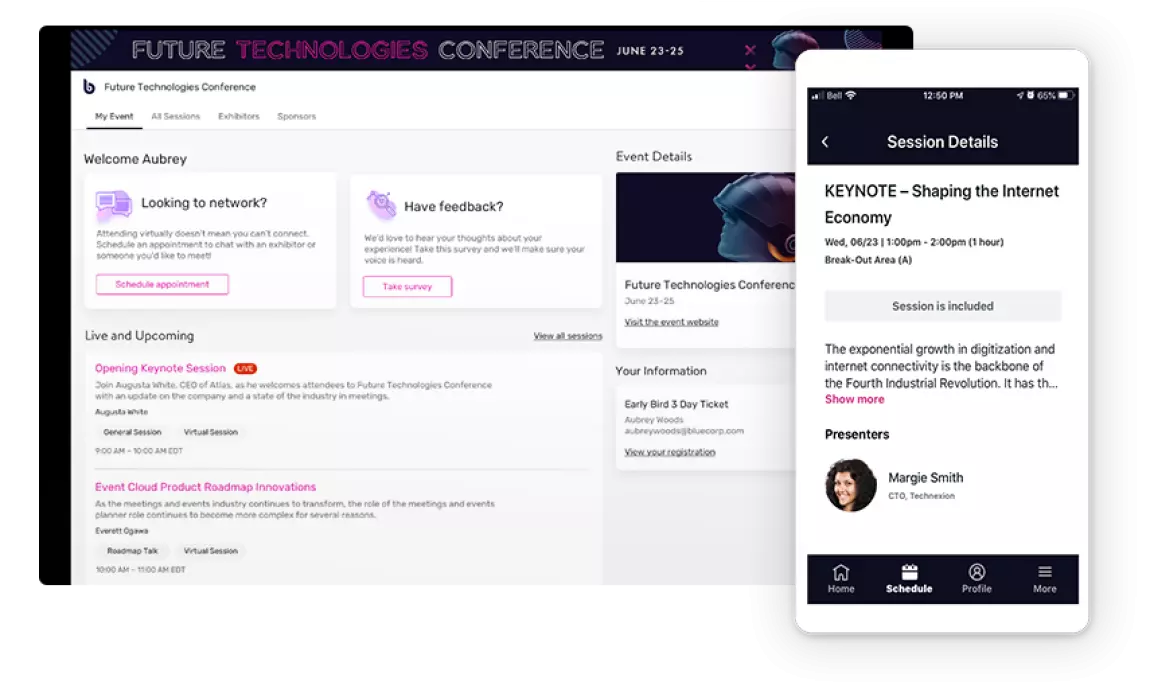
Cvent is the safe enterprise choice with 200+ integrations, reliable uptime, and a sales team that knows how to navigate procurement departments. The honest reality is you are paying significantly for the brand name and ecosystem lock-in. If you are not already using Cvent for registration and venue sourcing, starting with just the attendee app is an expensive entry point.
Actual pricing: Median smaller enterprise usage runs approximately $19,550 per year. Per-registrant fees sit at roughly $7 per registrant per event. Implementation fees range from $5,000 to $50,000. Total cost of ownership over three years can exceed $100,000.
Time to value: 6 to 8 weeks on average, with significant admin training required.
Best avoided if: You need setup under two weeks, have limited technical resources, or are not already invested in the Cvent ecosystem.
Our verdict: Only makes sense if you are already in the Cvent ecosystem. For everyone else, the learning curve and cost rarely justify the investment.
3. Eventify - Event Management Platform
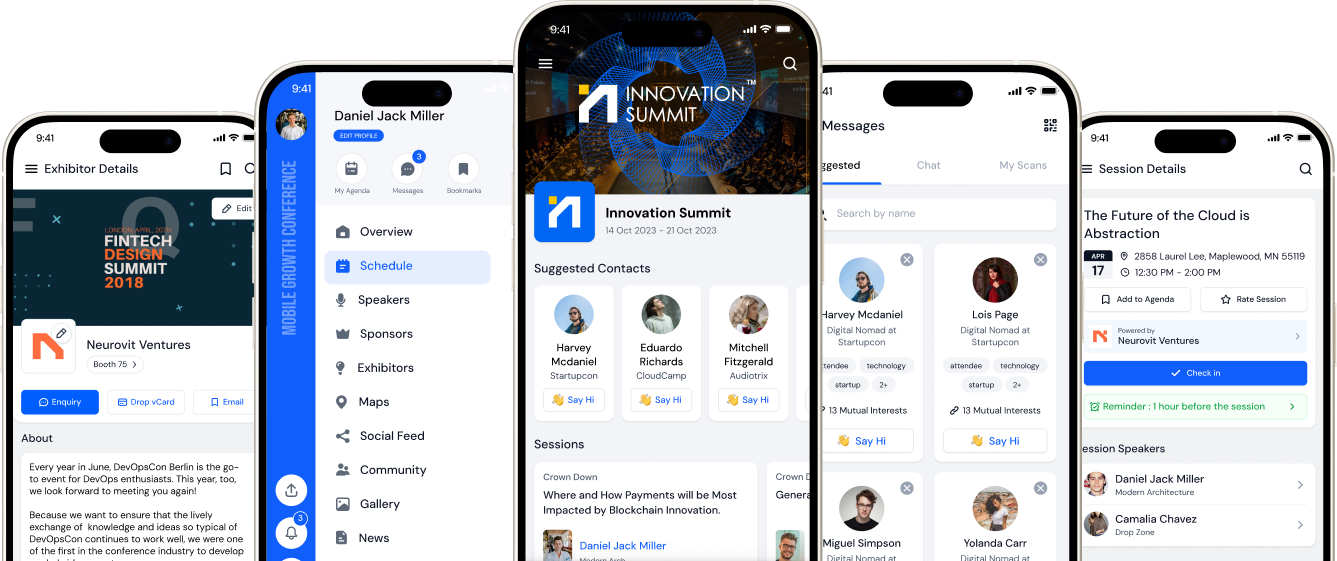
Eventify stands out for its native mobile app with advanced networking features and the only unlimited events pricing model we tested. Custom branding takes approximately 2 hours to implement, not the 24 hours competitors typically claim. You can update sessions, speakers, and sponsor content in real time without developer involvement. The offline reliability is real: schedules, maps, and speaker details remain accessible when venue WiFi fails.
Eventify's event management software combines the attendee app with full back-end management in one platform, covering event registration, badge printing, AI-powered matchmaking, gamification, and real-time analytics.
Key strengths:
- Native offline app, fully functional without WiFi
- Unlimited events model with no per-event renegotiation
- Integrated badge printing and check-in without external hardware
- Tag-based attendee matchmaking via Eventify AI
- Transparent pricing with no hidden add-on fees
- WCAG 2.1 AA compliant
Where it shines: Offline reliability during venue WiFi failures. Unlimited events model that gets cheaper per event as volume scales. Custom branding in hours not days.
Where it falls short: Setup time of 3 to 4 weeks is a real commitment for first-time users. Not the right fit for events under 150 attendees where most features go unused.
Best avoided if: You need a simple single-feature app or are organizing small meetups under 150 people.
Time to value: 3 to 4 weeks from contract signing to first live event.
Our verdict: The strongest all-rounder on this list for teams running four or more events per year who have someone dedicated to app management.
Eventify Pricing
4. Bizzabo - Event Experience Platform
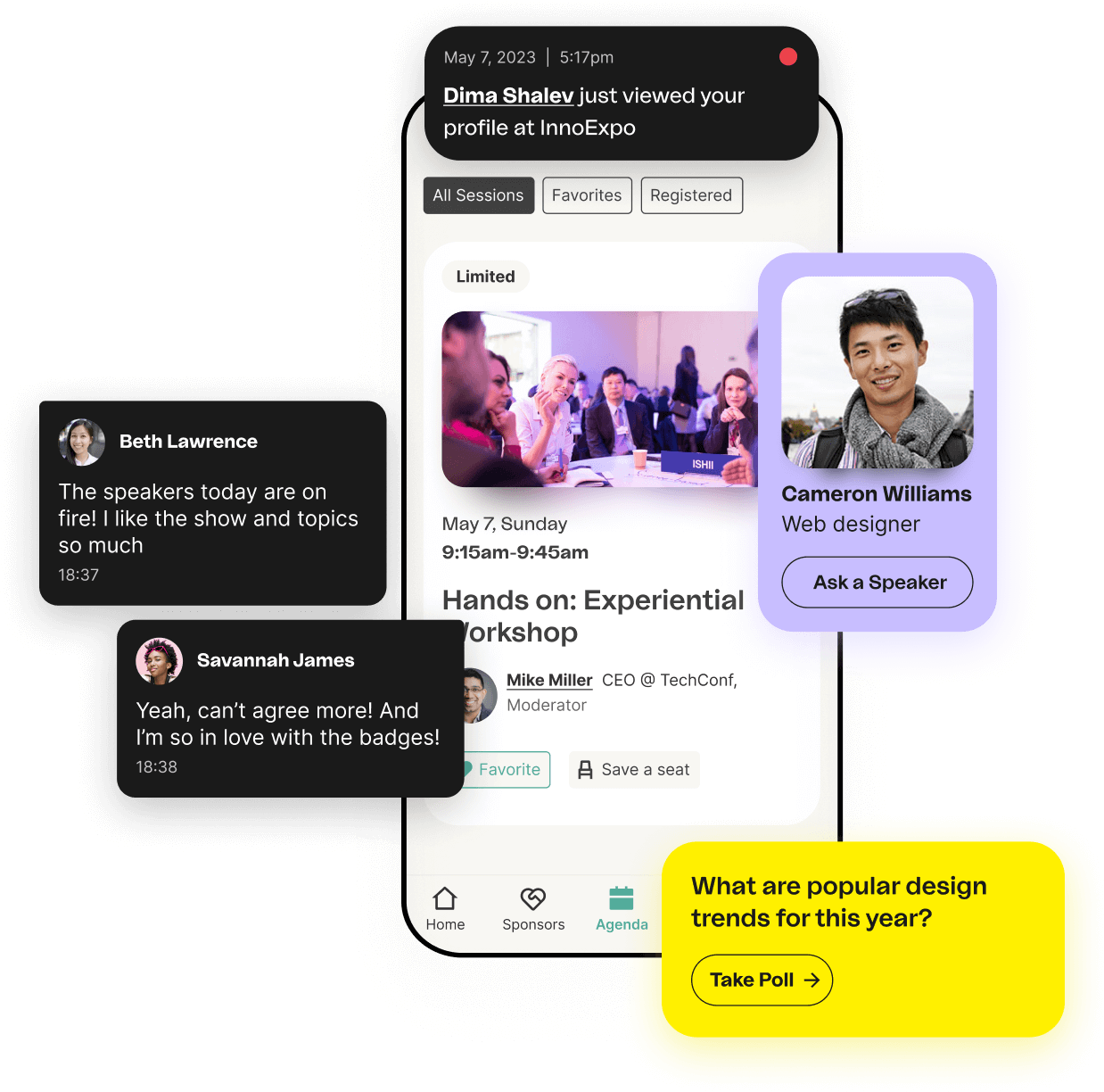
Bizzabo's UI is genuinely the most polished of any platform we tested. The HubSpot and Salesforce integrations work cleanly without custom development. SmartBadge wearables increased lead retrieval effectiveness for sponsors by approximately 4x compared to app-scan only methods in our testing. What it lacks is depth in networking features.
Pricing: $17,999 per year minimum. Average contract value sits around $30,499 per year.
Best avoided if: Networking features are your priority over branding, or you only run one or two simple events per year.
Our verdict: Best for marketing teams running corporate events where brand experience and sponsor ROI data outweigh networking depth.
5. Eventbrite - Event Ticketing Platform
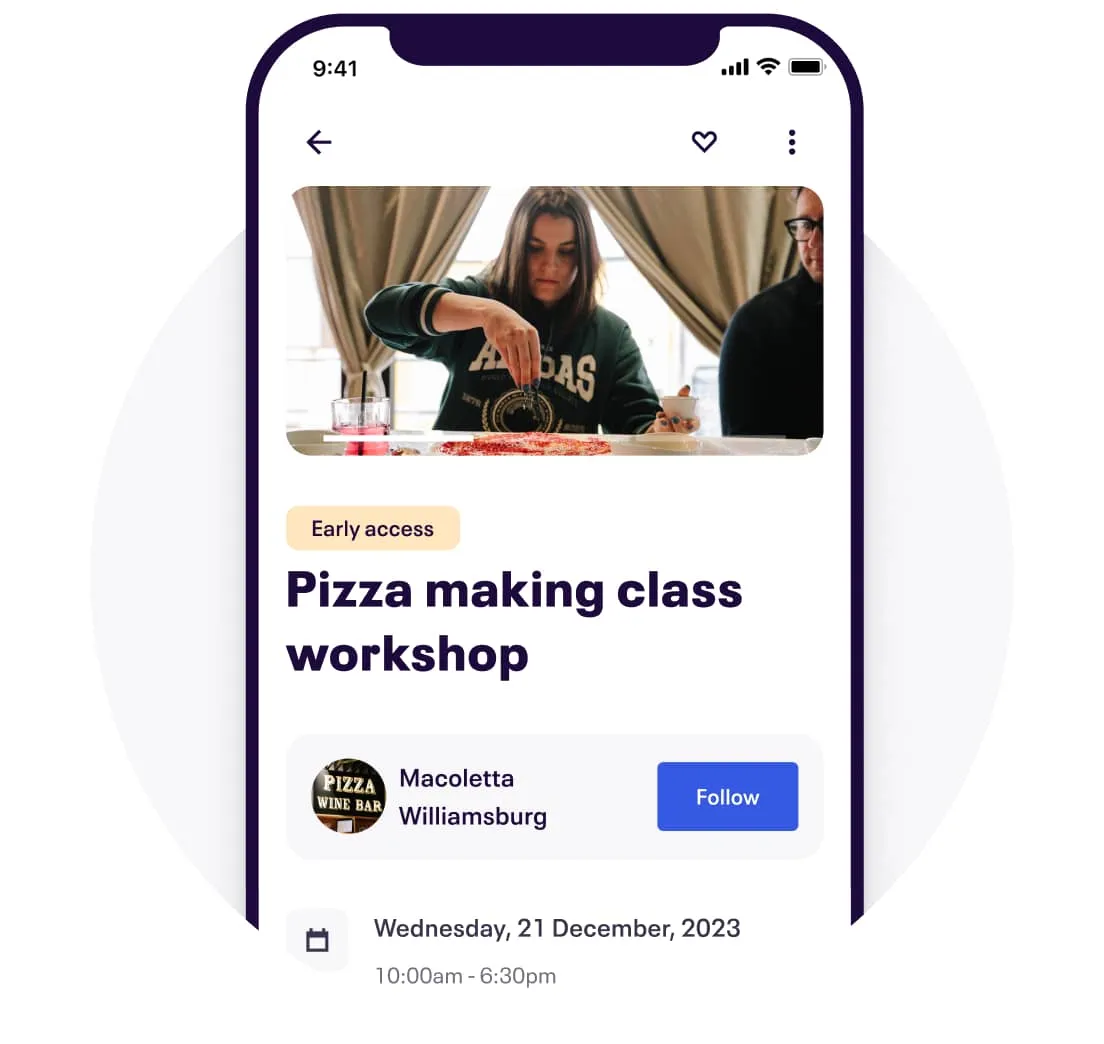
Eventbrite is the most honest value proposition for small and public events on this list. Zero upfront cost for free events, built-in marketplace discovery, and same-day setup. The fee structure becomes expensive fast as ticket prices rise and there is no meaningful attendee engagement once people are registered.
Pricing: Free for free events. Paid tickets incur 3.7% plus $1.79 per ticket plus 2.9% payment processing.
Time to value: Same day. Most organizers are live within a few hours.
Best avoided if: You need advanced networking features, white-labeling, or are managing events over 500 attendees where you will outgrow the platform quickly.
Our verdict: Worth using to test whether your attendees will adopt an app before spending $10,000+ on a full platform. Not a substitute for one.
Registration and Ticketing Specialists
6. Swoogo - Event Registration Software
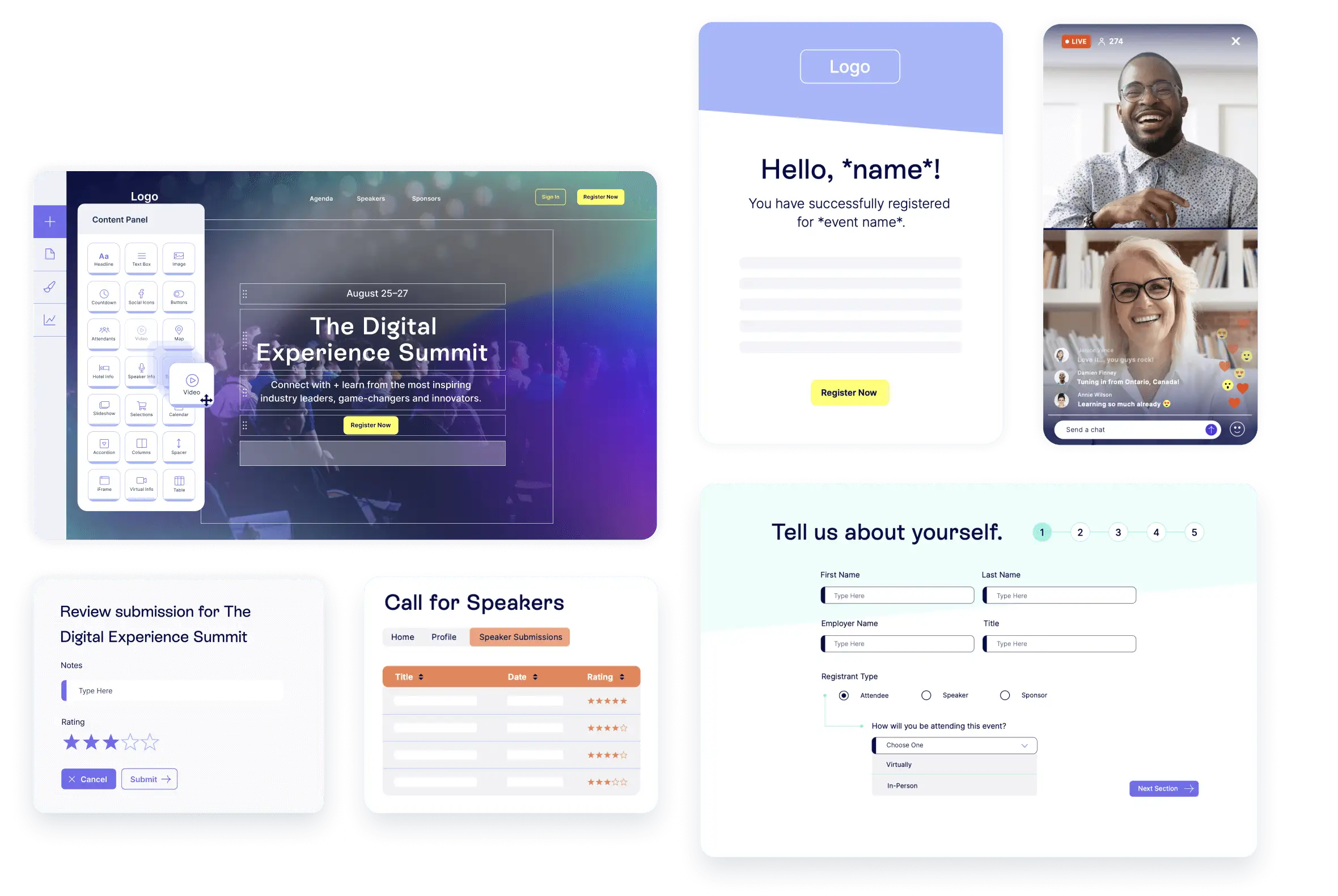
Swoogo focuses on customizable event websites, conditional registration forms, hotel booking management, and flexible branded registration flows. Teams that run multiple events and need control over registration logic find it genuinely useful. The limitation is that it is not the strongest platform for exhibitor management or interactive engagement tools and requires more technical comfort than simple ticketing tools.
Pricing: $11,800 per user per year.
Best avoided if: You need strong exhibitor management, simple setup, or rapid deployment.
7. Eventleaf - Event Registration Software
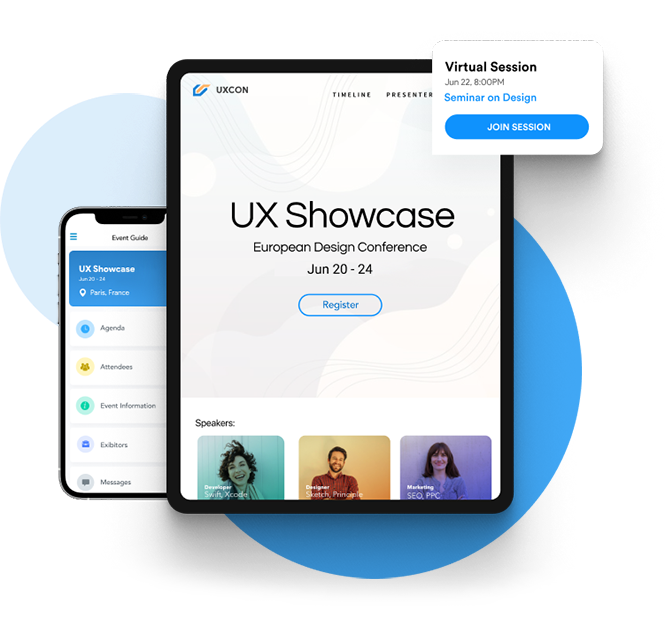
Eventleaf is popular amongst small business enterprises for its budget pricing and registration tools. The free tier genuinely works for events under 50 attendees. Beyond that scale it starts showing limitations in customization and advanced features. The three dedicated apps included cover Event App, Check-in App, and Lead Tracking App which gives more utility than Eventbrite at similar price points.
Best avoided if: You need advanced networking, exhibitor management, or are planning events over 500 attendees.
Attendee Engagement and Networking Platforms
8. Swapcard - Event Networking Platform
Swapcard's AI matchmaking is genuinely impressive at scale. It surfaces relevant connections rather than dumping a list of 500 attendees on you. The lead capture tools for exhibitors are among the best for trade show apps. The budget requirement puts it out of reach for most mid-size events.
Pricing: $610 entry for engagement platform. Enterprise tier starts around $20,000+.
Best avoided if: Budget is under $15,000 or event has fewer than 1,000 attendees.
Our verdict: Worth every dollar for large B2B trade shows. Hard to justify below 1,000 attendees.
9. Splash - Event Marketing Software
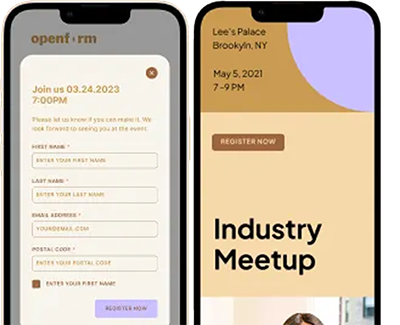
Splash is primarily an event marketing platform that excels at branded event pages, AI-powered attendance forecasting, and guest management. Enterprise brands use it to create aesthetically appealing event pages quickly without needing designers. Where it falls short is registration flexibility and onboarding support needs improvement.
Best avoided if: You need complex registration logic or strong exhibitor management tools.
Virtual and Hybrid Event Platforms
10. vFairs - Virtual and Hybrid Event Software
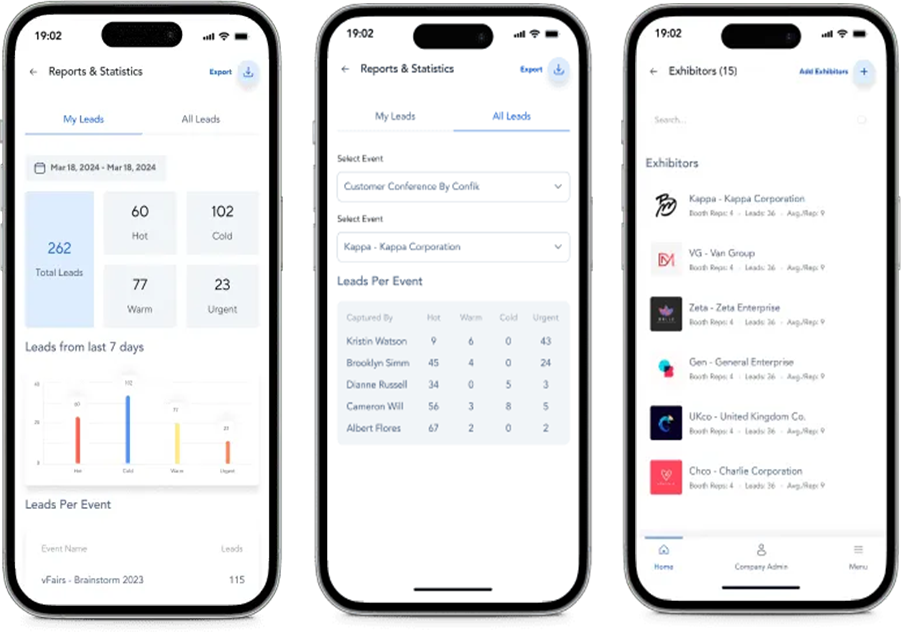
vFairs is built for immersive virtual and hybrid experiences, especially career fairs, trade shows, and virtual exhibitions. Its 3D environments and virtual booths are useful when exhibitor presence matters. The drawback is the attendee learning curve and a mobile app that is less polished than the desktop version.
Best avoided if: You need a simple mobile app experience or are running in-person only events.
11. RingCentral Events (formerly Hopin) - Virtual Event Solution
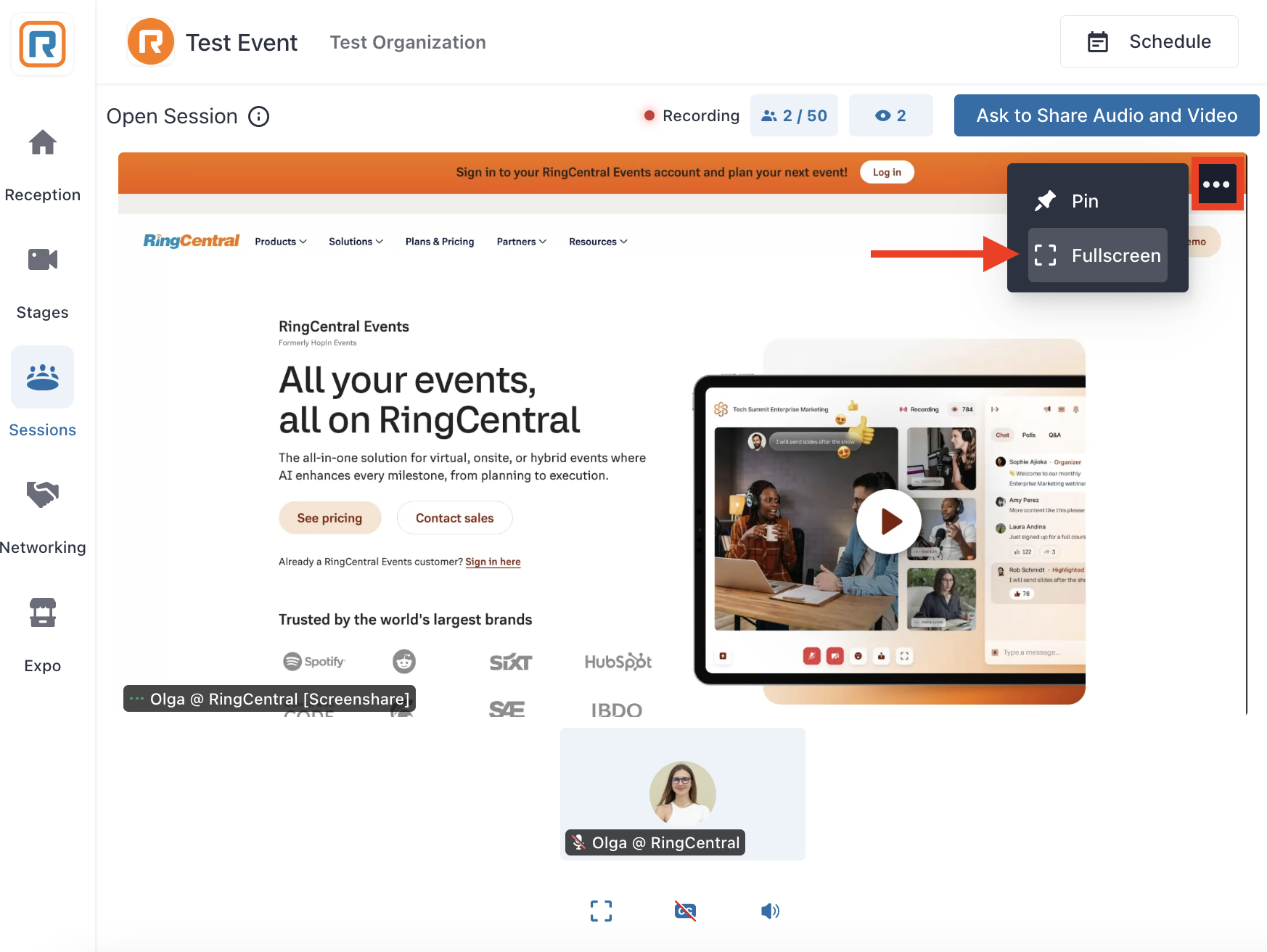
RingCentral Events is a virtual-first platform for breakout rooms, virtual booths, global sessions, and large-scale online experiences. Enterprise buyers should review the 2024 data exposure incident documentation carefully before putting sensitive attendee data into the platform.
Pricing: $1,490 per year for 100 attendees to $9,490 per year for 1,000.
Best avoided if: In-person is your primary or only format.
12. Accelevents - Hybrid Event Management Platform
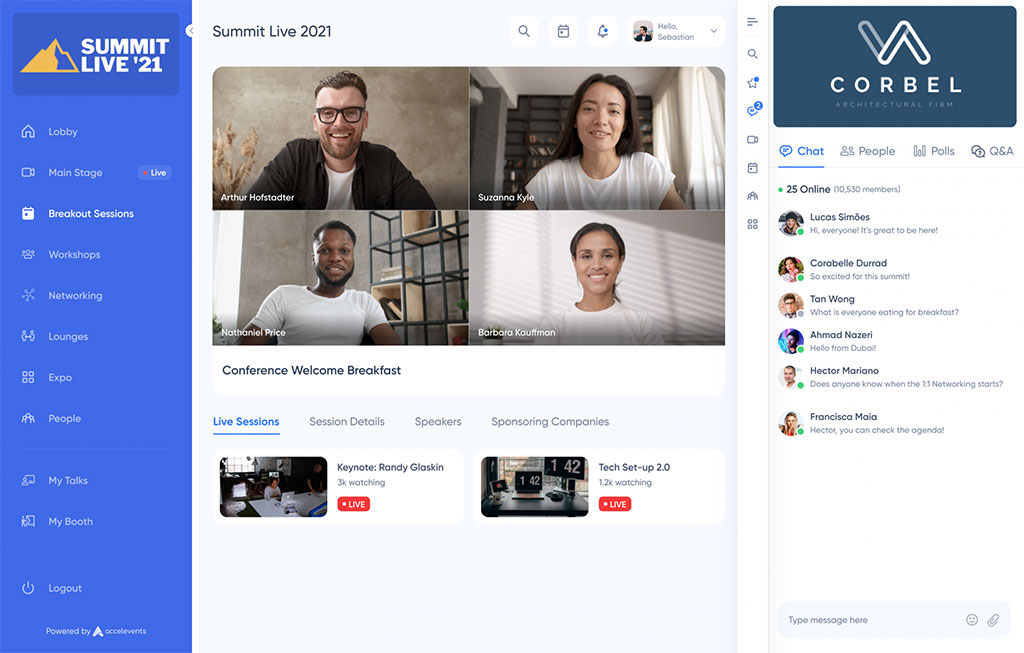
Accelevents handles the in-person and virtual integration more seamlessly than most platforms we tested. For purely in-person events you are paying for capability you will never use.
Pricing: Professional plan starts at approximately $7,500. Business plans begin around $13,500.
Best avoided if: Running purely in-person events or needing deep branding customization.
13. BigMarker - Online Event Platform
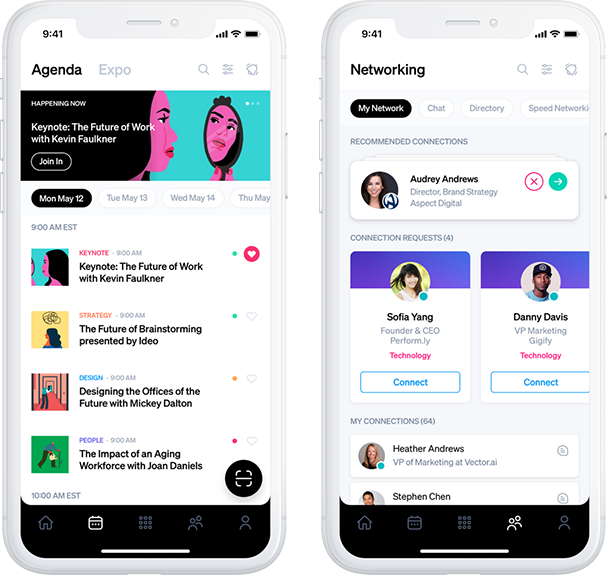
BigMarker is a cloud-based webinar platform designed for hybrid or virtual events. It includes a scene builder for visual production that adds genuine polish to webinars. The limitation is connectivity issues during sessions even with stable internet.
Best avoided if: You need in-person event management features or reliable connectivity is a concern.
Specialist and Point Solution Tools
14. EventMobi - Conference Management Software
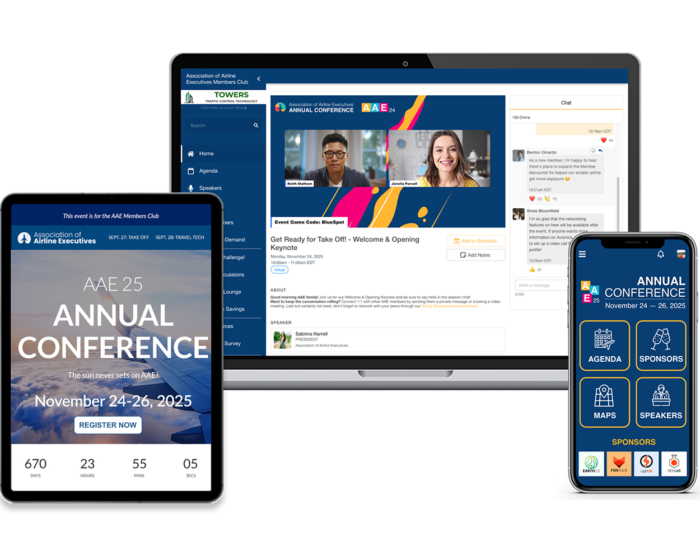
EventMobi gives you more customization options than almost any other platform, which is both its strength and its trap. Teams without a dedicated event tech person often find themselves overwhelmed and end up using 20% of what they paid for.
Best avoided if: You need rapid deployment or do not have dedicated event tech capacity.
15. InEvent - Corporate Event Platform
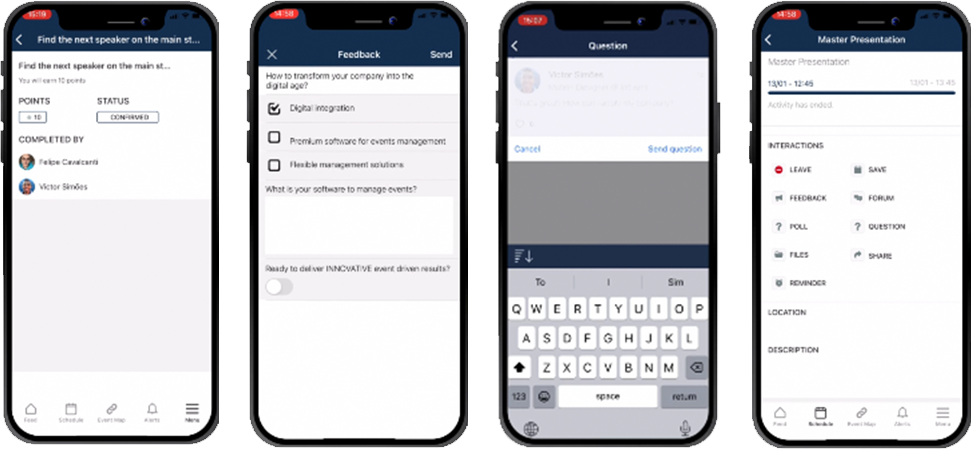
InEvent is a strong fit for enterprise companies hosting hybrid, in-person, or virtual events. The Live Studio feature for professional broadcasts is genuinely useful. The limitation is significant time and effort required to learn and navigate.
Best avoided if: Your team has limited technical capacity or needs rapid deployment.
16. Slido - Meeting and Event Engagement Software
Slido is a point solution for polls, Q&A, surveys, and audience interaction during sessions. It is not full event management software. The free plan covers up to 100 participants which makes it useful for testing engagement before committing to a platform with built-in polling.
Pricing: Free up to 100 participants. $200 per month for up to 5,000 participants.
Best avoided if: You need comprehensive event management rather than a specialized engagement tool.
17. Stova - Enterprise Event Technology Platform
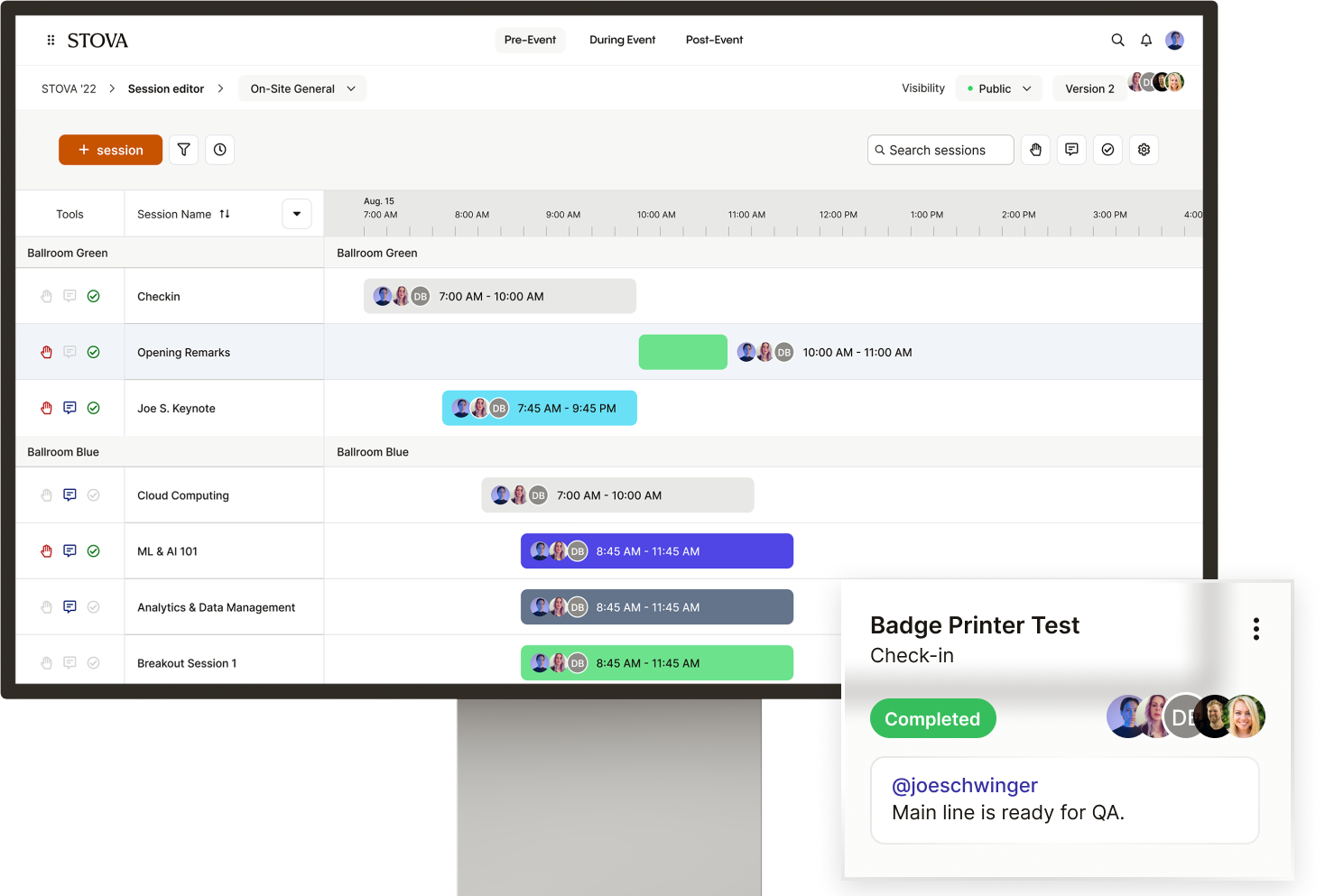
Stova is an end-to-end event management platform covering meeting management, registrations, networking, and analytics. Initial setup can be challenging for first-time users, but customer service is a consistent strength.
Best avoided if: You need immediate deployment or have a team that struggles with complex initial setup.
18. Eventzilla - Event Registration and Ticketing Software
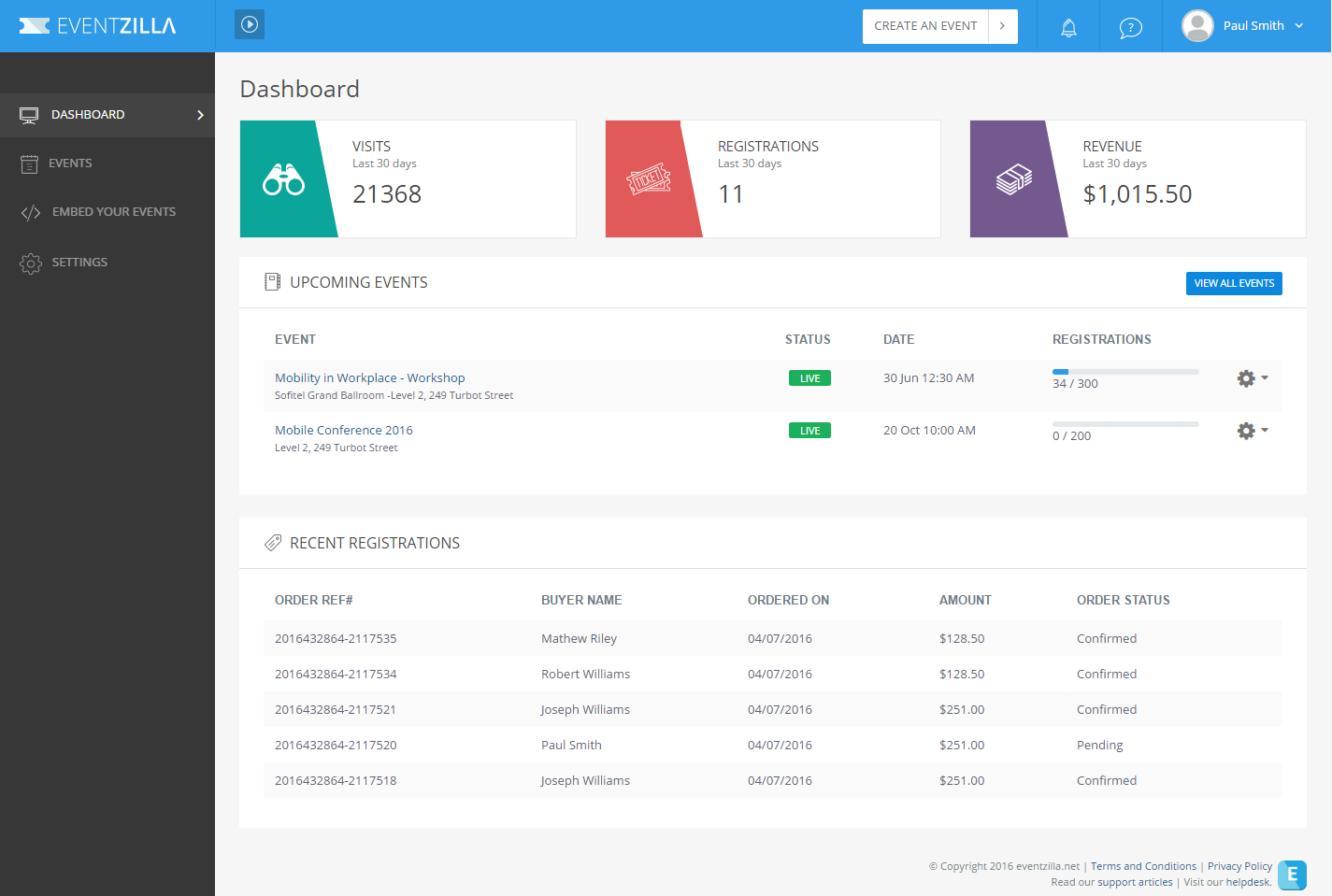
Eventzilla is an all-in-one event registration and marketing platform trusted by more than 50,000 organizers worldwide. The straightforward setup and user-friendly interface make it accessible for first-time organizers. It lacks advanced features required for more complex events.
Best avoided if: You need advanced engagement features, exhibitor management, or are planning events over 500 attendees.
19. Nunify
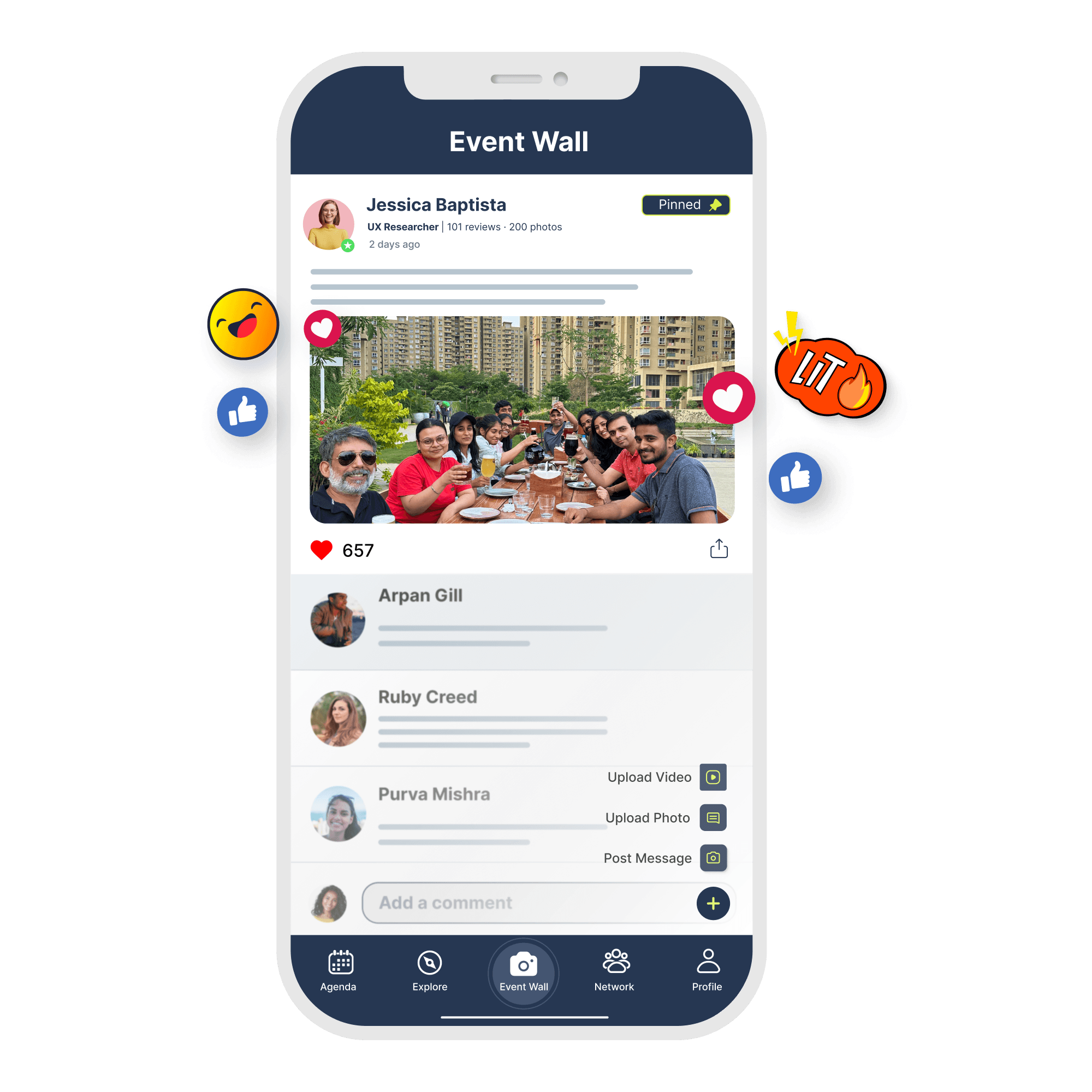
Nunify is an all-in-one event management software for in-person, hybrid, and virtual events. The AI-powered matchmaking, gamification, and contactless check-in with instant badge printing make it a strong competitor for mid-size events. GDPR compliance and industry-standard encryption are confirmed.
Best avoided if: You have a team without technical capacity for initial onboarding.
20. Guidebook - Mobile Event App Platform
Guidebook's native offline app is one of the most reliable we tested in poor connectivity conditions. The unlimited events pricing model makes it the only event platform that gets cheaper per event as volume scales. Networking features are basic compared to Whova but offline reliability and predictable pricing make it the obvious choice for universities and associations.
Pricing: $99 per month for unlimited events.
Best avoided if: Advanced AI networking is essential to your event's value proposition.
Our verdict: The obvious choice for universities and associations running multiple events annually on a predictable budget.
Total Cost of Ownership for a 1,000-Person Event
Costs are estimates for a single 1,000-person event. Always request a full quote including support fees, onboarding costs, integrations, white-labeling, and event-day support before signing.
What Changed in Event Management Software in 2026
- AI matchmaking is now standard across most platforms, not a premium feature
- Pricing is shifting toward flat fees over per-ticket percentages for better cost predictability
- WCAG 2.1 AA compliance is now expected by enterprise buyers, not optional
- Virtual and hybrid support has matured with multi-language streaming becoming common
- Data portability terms are now a standard contract negotiation point after several high-profile data incidents
Recommendations by Event Type
- All-in-one conferences and trade shows: Eventify
- Enterprise events with venue sourcing: Cvent
- Academic and association events: Whova or Guidebook
- B2B trade shows with AI networking: Swapcard
- Corporate marketing events: Bizzabo or Eventify corporate event app
- Hybrid events: Accelevents
- Virtual-first global events: RingCentral Events
- Universities and associations running multiple events: Eventify or Guidebook
- Nonprofits with limited budgets: Eventbrite or Guidebook
- Pharma and regulated industries: SpotMe
Nonprofit and University Recommendations
Per-event pricing models punish high-volume nonprofit operations. Universities running orientation, alumni events, department conferences, and campus tours cannot afford to renegotiate pricing every time a new event is created. Eventify and Guidebook both offer unlimited events pricing that gets cheaper as volume scales. Eventbrite works for small nonprofits under 500 attendees with zero software budget. For larger nonprofit conferences needing full management, Eventify covers registration through post-event analytics without per-event surprises.
Common Mistakes When Choosing Event Management Software
- Buying based on a polished demo without testing offline mode under real conditions
- Signing annual contracts without running a pilot event on the platform first
- Underestimating training time before the first live event
- Ignoring attendee communication strategy which leads directly to low app download rates
- Overlooking data portability and cancellation terms in the contract
- Not asking what happens to attendee data when the contract ends
When Standard Event Software Advice Doesn't Apply
Most event management software recommendations assume stable WiFi, predictable attendee behavior, and straight forward operational requirements. Real events rarely operate under those conditions. The most expensive software mistakes happen when buyers evaluate features before identifying the constraints that will shape the event experience. These seven scenarios are where that mistake becomes expensive.
Scenario 1: Your Venue Has Unreliable WiFi
Venue WiFi specs on paper rarely survive contact with a real event. A venue that performs well during a site visit can behave very differently when thousands of attendees, exhibitors, event badge printers, registration kiosks, and mobile devices connect simultaneously. If your venue is unproven at your scale, offline capability is a requirement, not a feature. Ask event management software vendors to demonstrate it live with WiFi disabled, not in a controlled demo environment. For venue-dependent events, offline reliability should be the first filter applied to any event platform shortlist, before engagement features or networking tools.
Scenario 2: Your Agenda Changes Within Two Weeks of the Event
"Lock content early" assumes speakers confirm early. Academic conferences, medical boards, and executive summits routinely don't. The less obvious problem is that many platforms send a push notification to every attendee each time the schedule is republished, turning a simple room change into thousands of unnecessary alerts. Silent updates exist on some event planning platforms but are rarely discussed during sales demos. If your event carries a high risk of last-minute changes, content update workflows deserve the same attention as agenda-building features.
Scenario 3: You're Running a Regulated-Industry Event
SOC 2 and GDPR are the starting point, not the finish line. Pharmaceutical companies hosting healthcare professional events often require Sunshine Act attendance records, approval workflows, audit trails, and additional documentation that many general-purpose platforms do not provide. Before evaluating vendors, ask your compliance team to define the reporting and approval requirements. Use those requirements to build the shortlist. Compliance fit should be confirmed before the demo stage, not discovered during contract review.
Scenario 4: Attendees Are Joining From Countries With App Store Restrictions
A native app published through standard channels cannot be downloaded everywhere. App store access varies by country and can change over time. If more than 15% of your attendees are international, ask vendors where their app is actively available and whether a progressive web app fallback exists. A platform marketed as global may still have regional limitations. For internationally distributed events, app availability should be verified before evaluating mobile features.
Scenario 5: Your Attendee Database Turns Over 40% or More Between Events
AI event matchmaking performs best when attendee profiles and historical engagement data already exist. When 40–60% of attendees are new each year, which is common for public conferences, student events, and festivals, those systems have far less context to work with. The same challenge affects annual per-seat pricing models because many contacts never return. In high-turnover environments, registration simplicity, onboarding experience, and cold-start matchmaking quality usually matter more than advanced historical intelligence.
Scenario 6: Your Event Runs in More Than One Language
Platform UI translation and content translation are different capabilities. Many platforms can translate navigation menus and buttons, but session descriptions, speaker bios, exhibitor listings, and sponsor content often require separate handling. Before assuming multi-language support meets your needs, ask vendors to demonstrate bilingual content entry and attendee language preferences. For multilingual events, content localization depth should rank higher than networking features during evaluation.
Scenario 7: Some Attendees' Presence Is Confidential
At most events, a visible attendee directory improves networking. At investor forums, executive summits, government gatherings, and other sensitive events, it can create risk. Many event managgement platforms offer either full directory visibility or no directory at all. Granular controls that hide specific attendee groups are less common and may require custom configuration. For high-sensitivity events, directory access controls should be treated as a hard requirement rather than an optional setting.
Expert Note: Many event management software purchases fail because teams compare features before validating operational requirements. A event planning platform can score highly in demos and reviews while still create problems around connectivity, compliance, attendee privacy, or content management. Identify your operational constraints before building a shortlist. The table below highlights the questions that reveal those constraints during vendor evaluation.
Use the table below as a quick checklist when comparing vendors. If any of these scenarios apply to your event, they should influence your shortlist before pricing or feature comparisons.
Quick Reference: When Standard Advice Produces the Wrong Answer
Contract Red Flags to Watch
- Additional fees may apply without specifics in the contract
- Vendor retains ownership of attendee data after the contract ends
- Premium support charges for issues that arise during the live event
- Mandatory vendor logo display on your branded app
- Auto-renewal without 60 plus days notice
- Long-term commitment with no pilot event option
Questions to Ask Before Signing
- What offline features work without connectivity and how does sync occur when devices reconnect
- What is the total cost including setup, support, and per-attendee fees
- Can you show a real post-event report from a similar event, not a dashboard screenshot
- Which integrations are native versus requiring custom development
- What happens to our attendee data when the contract ends
- Can you demonstrate offline mode right now with WiFi disabled on a device
How to Drive App Adoption
78% of businesses using an event app report positive ROI, but only when attendees actually use it. Send app instructions two weeks before the event, remind attendees one week out, and promote app-only content such as personalized scheduling, attendee messaging, and session updates.
During the event, use push notifications carefully. More than three per day causes fatigue. We have seen attendees disable notifications entirely by day two of a three-day conference when this rule is ignored. Target 70% plus app downloads before event day and 50% plus daily active users during the event.
After the event, measure downloads, daily active users, meetings booked, poll participation, and feedback completion to build the case for your next event's platform investment.
Event Management Software Feature Checklist
- Registration and ticketing with customizable forms
- Customizable event websites and landing pages
- Attendee check-in and badge printing
- Mobile event apps with offline mode
- Live polling, Q&A, surveys, and session feedback
- Networking and AI matchmaking
- Exhibitor and sponsor management with lead capture
- Virtual and hybrid streaming
- Real-time analytics and post-event reporting
- Security certifications: SOC 2, GDPR, SSO
- Data portability and export options
- WCAG 2.1 AA accessibility compliance
How to Choose the Right Event Management Software
Before committing to any platform, run a pilot event, disable WiFi during the demo, request a full cost quote, and export sample post-event reports. These four steps reveal more about a platform than any sales presentation.
Define Your Goals First
Categorize your event goals into constant goals that remain the same across all events and variable goals that change per event. The software you choose should support both without requiring workarounds.
Set a Realistic Budget
Include setup fees, support costs, per-attendee charges, and white-labeling fees in your budget, not just the headline subscription price. Event budgeting software can help you model total cost of ownership before signing.
Test the Interface Before Committing
Your team and your attendees both need to navigate it under pressure. Request a trial period and put actual staff through the setup process before making a final decision.
Verify Integration Reality
Ask specifically which integrations with your existing CRM, marketing tools, and payment systems are native versus which require custom development or a third-party connector. The answer changes the true cost significantly.
Check Data Security
For corporate events, require SOC 2 Type II certification, GDPR compliance, SSO via SAML, and role-based access controls at minimum. For pharma events, require 21 CFR Part 11 compliance documentation before signing.
Frequently Asked Questions
What is event management software?
Event management software helps organizers plan, promote, register, run, and analyze events from one system. It covers attendee-facing features like event apps, registration, badge printing, networking, session tracking, and post-event analytics.
How is it different from an event app?
An event app is one component of a full event management platform. A complete platform also handles registration, marketing, exhibitor management, analytics, integrations, and the broader logistics of running an event from start to finish.
What does native app versus web-based mean for my event?
A native app stores schedules, attendee details, and maps locally on the device and works without internet. A web-based app depends on live connectivity and fails when venue WiFi gets overwhelmed by thousands of concurrent users. For in-person events with over 500 attendees, native offline access is non-negotiable.
How much does event management software cost for a 1,000-person event?
Expect anything from $999 for Eventify's Engage plan to $100,000+ for full Cvent implementation. Always request total cost of ownership including setup, support, per-attendee fees, and white-labeling before comparing platforms.
Can these platforms work offline?
Some can. Native apps like Eventify and Guidebook cache agendas, maps, and attendee details locally. Web-based platforms like Whova have limited offline capability. Always ask vendors to demonstrate offline mode with WiFi disabled before signing.
How far in advance should I start evaluating platforms?
Start 8 to 12 weeks before a mid-sized conference. Enterprise events require earlier evaluation. Native apps need 4 to 6 weeks for app store approval alone.
What accessibility features should I require?
Require WCAG 2.1 AA compliance as the minimum standard. This includes VoiceOver support, high contrast modes, keyboard navigation, captions, and accessible registration forms.
How do I measure ROI after the event?
Track attendance versus registration count, lead capture results per sponsor, meetings booked through the app, session attendance correlation with in-app scheduling, and post-event survey scores. The best platforms surface this automatically in their analytics dashboard.
What happens to my attendee data if I cancel?
Your contract should state export formats, data deletion timelines, and ownership rights explicitly. Never sign without this clause. Some vendors retain data ownership by default, which is a contract red flag to address before signing.
Which platform is best for nonprofits?
Eventbrite works for small free or low-cost public events. Eventify or Guidebook fits larger nonprofit conferences that run multiple events annually and need unlimited events pricing without per-event renegotiation.
Which platform is best for universities?
Guidebook and Eventify are strong options because universities need multiple events, offline access, and predictable pricing that does not penalize high volume. Per-event pricing models are the wrong fit for university event calendars.
What are the most common implementation mistakes?
The biggest mistakes are late setup leaving no time for testing, signing annual contracts without a pilot event, poor staff training before event day, weak app promotion leading to low download rates, and skipping offline testing before committing to a platform.
Final Thoughts
The best event management software is not the one with the longest feature list. It is the platform that fits your event size, format, audience, budget, and internal team capacity.
Before signing any contract: demo at least three platforms with your actual event data, test offline functionality in conditions similar to your venue, verify total cost of ownership including setup and support, check references from events similar to yours in size and type, and ask what happens to your attendee data when the contract ends.

.png)





.png)


