We have gone from a system that worked to one that actually guides, engages, and converts. Across the new UI, almost every core interaction has been rethought, not just redesigned. Here’s a structured breakdown of what changed.
In this update:
1. Navigation & structure
The old UI was functional but flat. Everything lived in one long sidebar; users had to figure out where things were. The new UI introduces structure. Navigation is now grouped into logical systems, making it easier to understand how the platform works at a glance.
What changed:
- Clear separation between user actions vs event content
- Better visual hierarchy in sidebar
- Reduced cognitive load when navigating
eventify.io
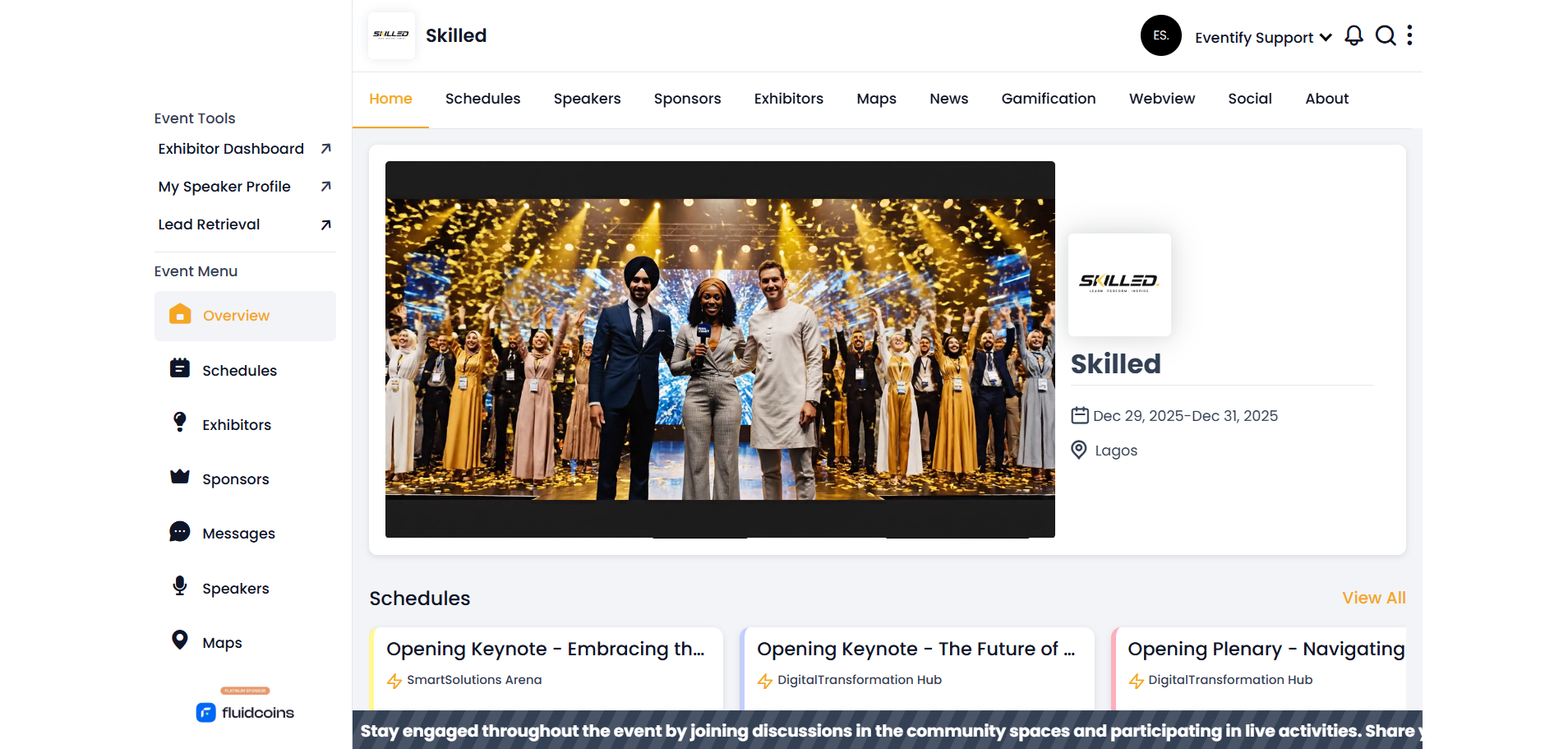
OLD UI
eventify.io
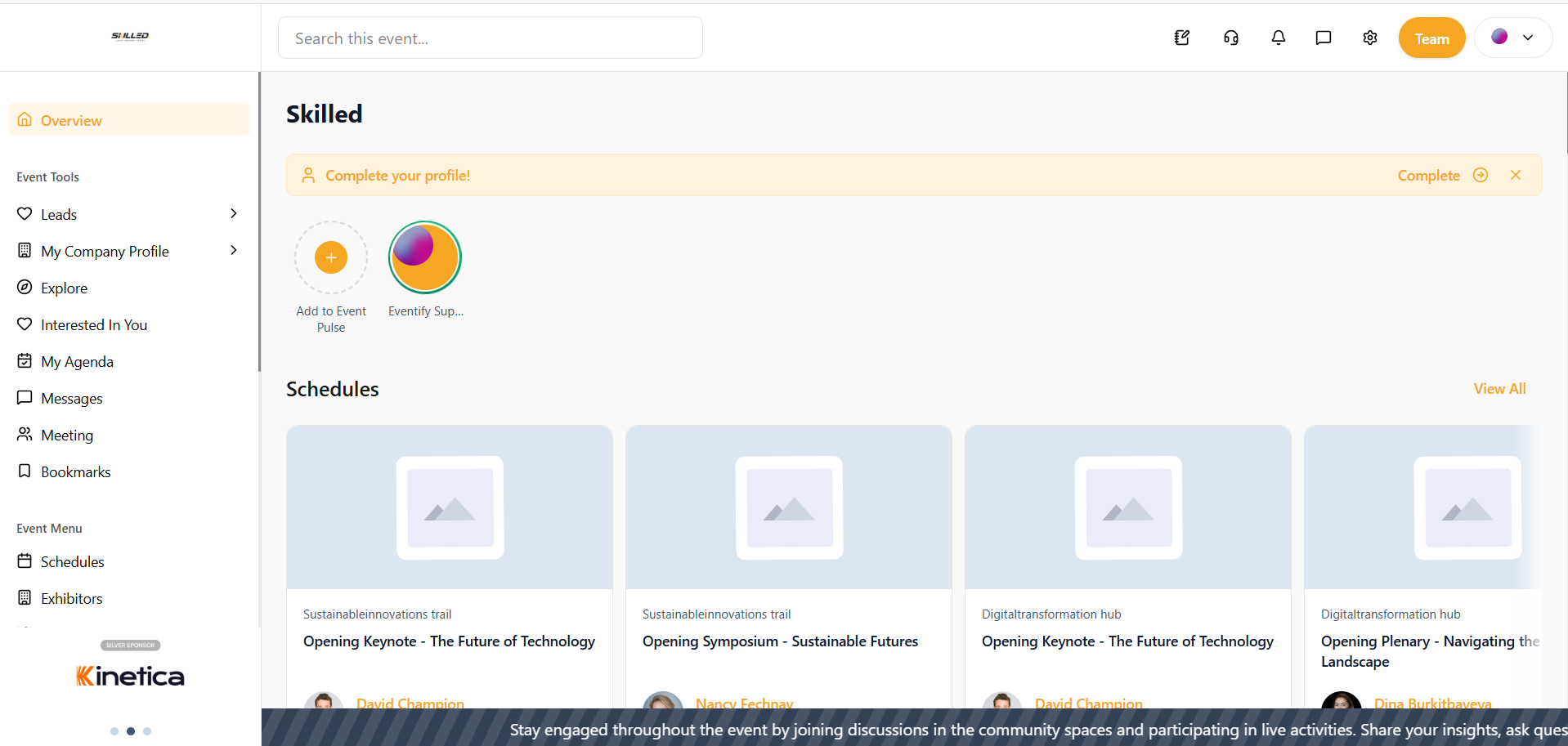
NEW UI
From the old design to the redesigned UI
2. Discovery layer (Explore feature)
Users couldn’t easily browse or filter content across the event. Now, we have added a discovery layer as a core feature.
What changed:
- Dedicated Explore page
- Tabs for Products, Exhibitors, Sponsors and Attendees
- Search + filtering system
eventify.io

NEW UI
3. Content cards & information hierarchy
In the new UI, content cards are easier to scan and prioritize.
What changed:
- Names and key details are more visually prominent than supporting text.
- Card spacing and padding are improved, reducing visual clutter.
- List and detail views are more clearly separated.
eventify.io

OLD UI
eventify.io

NEW UI
From the old design to the redesigned UI
4. Scheduling & agenda system
We have improved how users filter, navigate, and personalize schedules. While our core schedule list and session cards already existed before, a few things changed.
What changed:
- Filters moved from secondary panel to a more visible and structured right-side system.
- Filtering is now multi-layered (Tags, Tracks, Location, My Agenda).
- “My Agenda” is integrated directly into filters instead of being a separate flow.
- Search is more prominent and contextual to scheduling.
- Sessions include richer metadata (tags, speaker info, location) within the card.
eventify.io

OLD UI
eventify.io

NEW UI
From the old design to the redesigned UI
5. Personalization layer (new UI)
This is a new layer focused on user-specific activity, not general event browsing.
What was introduced:
- “My Agenda” provides a personalized calendar view of saved sessions and activities.
- “Interested In You” shows inbound engagement (who viewed or interacted with you).
- “Bookmarks” centralizes saved content across sessions, speakers, exhibitors, etc.
- “Meetings” enables scheduling and managing 1:1 or group interactions.
eventify.io

NEW UI · My Agenda Page
eventify.io

NEW UI · Interested in You Page
eventify.io
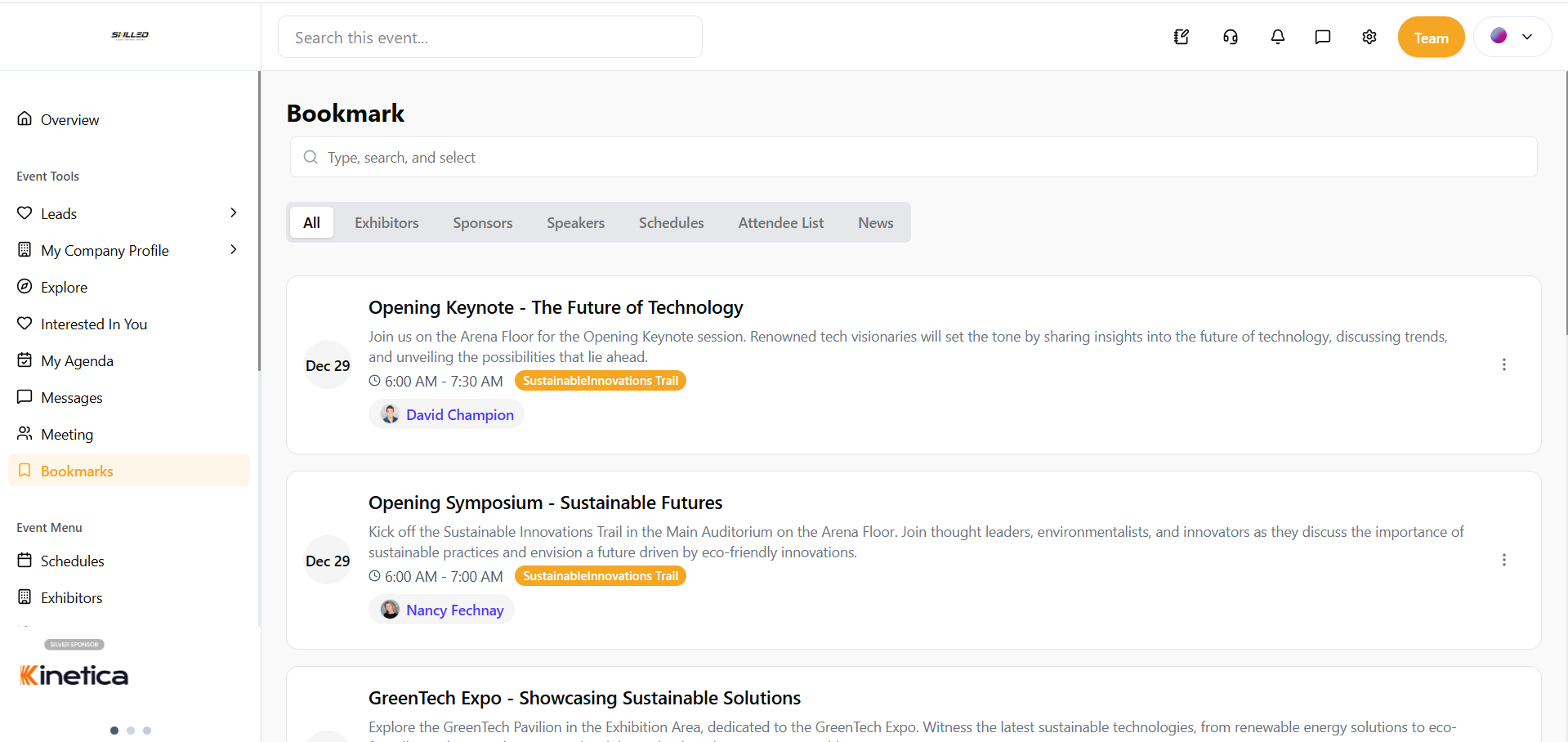
NEW UI · Bookmarks Page
6. Meeting
We introduced Meeting as a dedicated feature, adding structured, schedulable interactions to the existing networking experience.
What changed
- “Meeting” introduces a dedicated space for scheduling and managing interactions.
- Meetings add a layer of planned interaction beyond simple messaging.
eventify.io

NEW UI · Meeting Page

.png)


