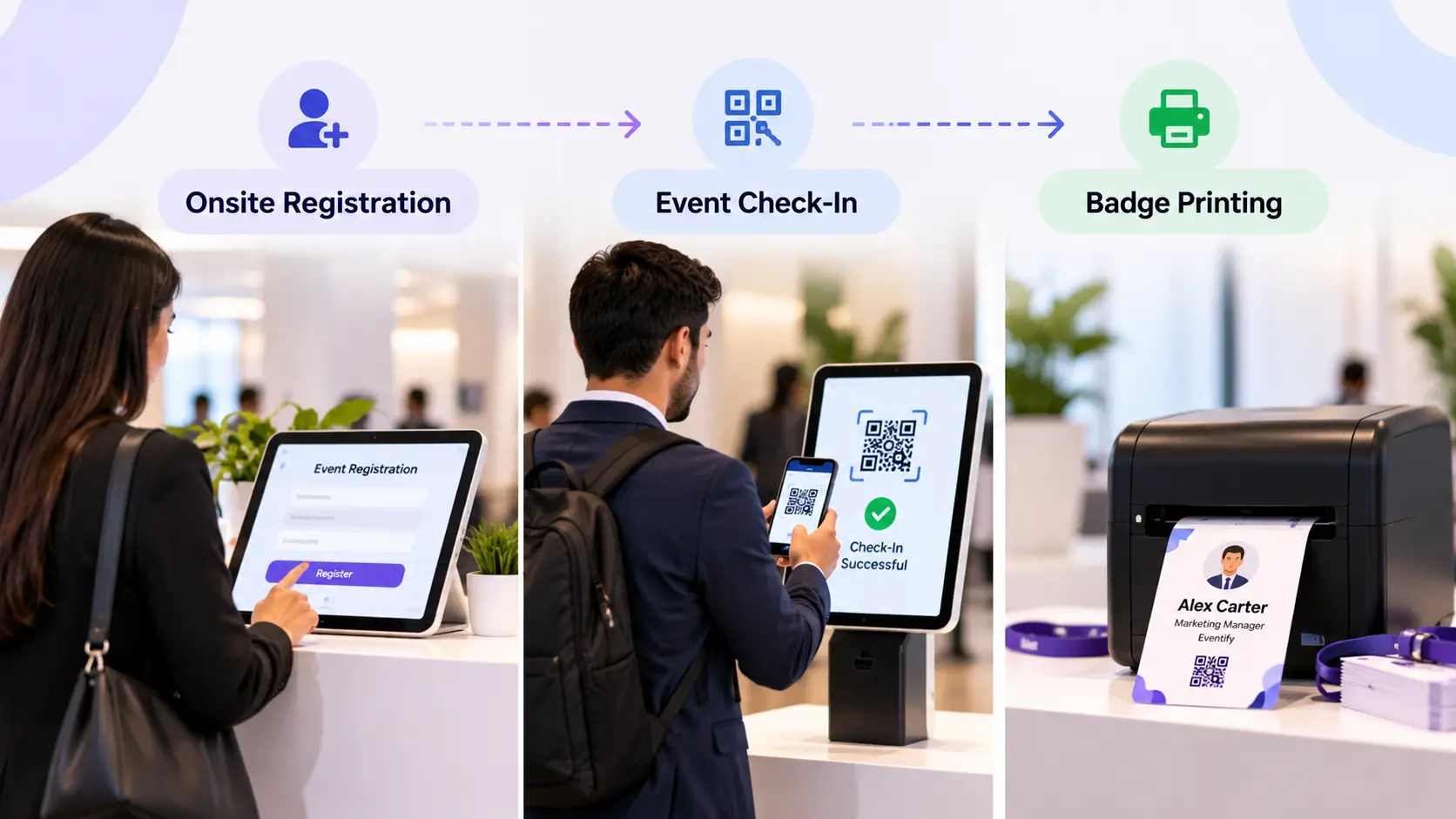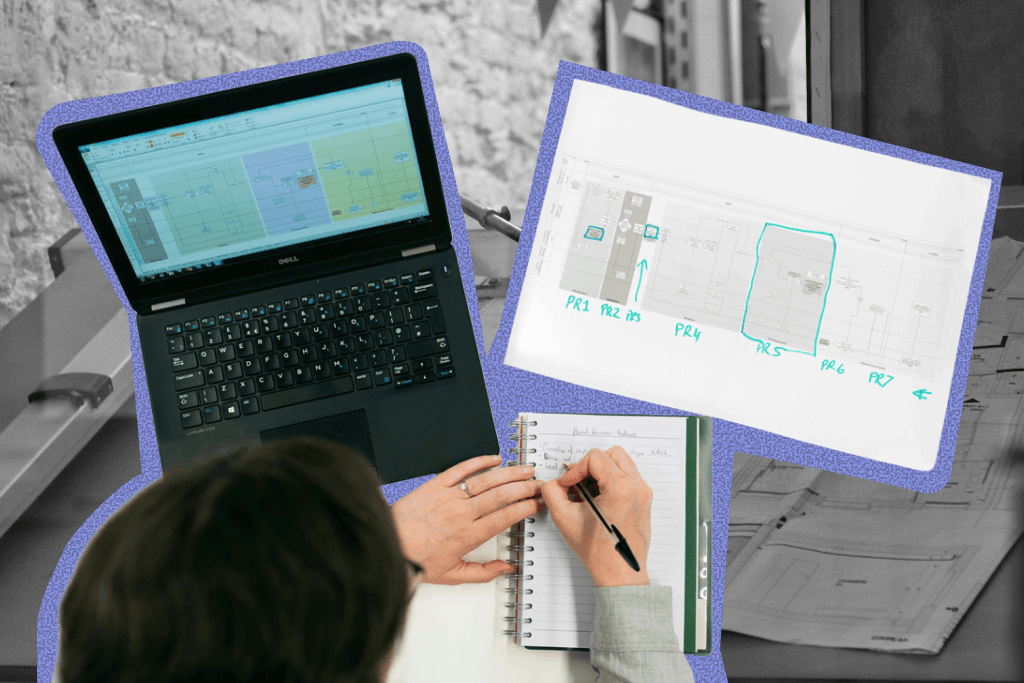


AI in events means using artificial intelligence to plan, run, and measure events faster: drafting agendas, segmenting audiences, matching attendees, answering questions in real time, and turning post-event data into insights. According to PCMA research cited by Event Tech Live, 91% of business events professionals now use AI in some form. This guide covers 14 practical uses, the tools behind them, real examples, and the six areas where AI should stay out of your event.
Key Takeaways
- Use AI to remove hesitation and busywork, not to make judgment calls.
- Assign each job to a task-specific AI tool instead of over-relying on one general chatbot.
- Decide up front which tasks are too sensitive for AI.
- Use AI for personalization: matchmaking, translation, and tailored agendas.
- Let AI speed up marketing content, then edit it with a human eye.
- Embed AI into hybrid and virtual events to keep remote attendees engaged.
- Know where to draw the line to avoid ethical, legal, and data-privacy problems.
What Is AI in Events, and How Does It Compare to Traditional Planning?
AI in events is the use of machine learning, generative AI, and AI agents across the event lifecycle: before (strategy, registration, marketing), during (support, matchmaking, translation), and after (analytics, follow-up). Where a planner in the 2010s did all of this by hand, AI can refine data, streamline tasks, and execute plans in minutes.
The real benefit is focus. Instead of spending hours polishing an invitation, you can spend that energy on supplier management and attendee engagement.
Today's models bring an "actual understanding of the context and nuance of an interaction," which is why AI in events now goes well beyond basic automation.
– Marius Milcher, VP of Platform Strategy and AI at RainFocus, via Event Tech Live
Task-Specific AI vs. a General-Purpose Chatbot
ChatGPT can suggest a good cafe or draft a diet plan, but event planning is harder to hand to one chatbot because it is an amalgamation of many domains: branding, logistics, registration, marketing, data, and compliance. A general chatbot knows none of your event's specifics. It does not know your agenda, your attendee data, or your brand.
The approach that works is to define your workflow first, then pick the right kind of AI for each step.
| General-purpose chatbot | Task-specific / event-native AI | |
|---|---|---|
| Knowledge | Broad, but no context about your event | Trained on or connected to your event data |
| Setup | Manual prompting and copy-paste every time | Built into the workflow |
| Best for | Brainstorming, first drafts, summaries | Matchmaking, attendee Q&A, analytics, automations |
| Risk | Generic or inaccurate output | Needs clean data and clear rules |
A good rule: use general chatbots to think, use task-specific tools to do, and keep a human on every decision that affects how a guest feels in the room.
14 Benefits of Using AI in Events
AI can help with nearly every problem you will face before, during, and after your event. Here are 14 ways to put it to work.
Build your event brandbook
You can use AI for building an event brandbook. This "branding bible" will become your creative resource hub that can help you keep all your events consistent with your overall brand identity.
Specific AI tools for branding a brandbook like Pencil, ImagineArt, or Looka can simplify the process of building your event brandbook. Use any of these tools instead of building a simple branding deck with your favorite AI chatbot so you can build a memorable and resonating brand identity.
Draft strategy
AI can help you create your event strategy from scratch. To simplify the task, you can start with your version so you can ensure AI builds on top of what you want instead of relying on "guesswork" of AI models.
Claude skills can help you with drafting and help you find untapped ideas effortlessly. You can use Claude skills listed in this directory to get ideas and feedback from a strategic management angle. Don't skip due diligence while drafting to ensure accuracy.
Adopt sustainability
You can keep waste to a minimum and make environment-conscious choices when hosting your event with AI. To materialize sustainable event planning with checks like comparing suppliers or measuring your carbon footprint, you can use tools like IBM Envizi, Microsoft Sustainability Manager, and Pulsora to name a few.
Simplify registration
Too many or irrelevant registration checks can discourage participants from signing up for your event.
Using AI can help you review the registration from a simplicity point of view. AI models can provide you with suggestions on how to visually and logically simplify the registration. You can also benefit from event registration software that is built around providing ease to registrants.
Boost signups
AI can also perform checks on the credentials of registrants faster than human review to increase the number of attendees.
For example, you can build your in-house AI model using Claude to check registrant data and see if their information is accurate. In case of any lacking information, you can send emails using MailChimp's Claude MCP integration to politely ask the attendees to provide missing data, resulting in less friction and more signups.
Enhance segmentation
Having no audience segments at all or making poor segments can take the fun out of your event. For example, you can use Gemini to take the redundancy out of attendee segmentation and help you create better groups of attendees based on their interests. Using AI can also help you create activities and experiences that will keep all the groups engaged.
Boost personalization
Personalization is the key to making any event engaging and memorable, but it is easier said than done. Using AI can make personalization feel like a breeze. For example, you can use AI matchmaking features of the Eventify app to make everyone feel connected to the main theme of the event.
Create agendas
Poor or no agendas whatsoever can make the event boring for attendees. With AI in place, you can easily create agendas for segments and plan your event based on their interests.
Gamma, Pitch, and Beautiful AI are some of the tools that can also polish agendas and keep them on-brand so attendees enjoy and also remember the event specifics, helpful in exceeding the expectations of attendees.
Engage attendees
Audience engagement gets easier when you use AI properly. You can simplify content creation and develop personalized activities using tools like Higgsfield or Google Pics to keep the attendees engaged. Relying on AI predictions, good experiences will also encourage attendees to leave positive reviews after the event.
Enhance support
AI chatbots trained on your event brandbook can provide better support to attendees before, during, or after the event. Using your custom-built chatbot with RAG techniques can enable attendees to ask questions easily about agendas, activities of the event, or changes to the event schedule without having to wait for a person to respond.
Amplify marketing
AI is a pro when it comes to marketing. From defining audience groups to creating marketing content and amplifying content through marketing channels, AI-powered tools like Hubspot, Higgsfield, and MailChimp can simplify each step and amplify the results you get. Ensure you let AI build on top of your creativity instead of relying on it to make decisions from scratch.
Build automations
Use of AI agents can help you build helpful automations that will simplify your event management experience. For example, you can create an AI agent using Claude or build an n8n workflow that sends personalized post-event emails to attendees based on the activities they participated in and how they navigated through the event.
Track analytics
Finding relevant information from data gathered during your event can be as difficult as finding a needle in a haystack. But the use of AI can make analytics tracking a breeze. You can feed all data streams to a single platform such as Power BI or Data Studio that can help you break data down into useful insights required for future events.
Prepare for the future
AI doesn't become redundant at the end of the event. You can find areas where you excelled and where you lacked as an event organizer by feeding your event KPIs and attendee responses to Claude data skills that can convert raw numbers to meaningful insights.
The useful data you get can enable you to better prepare for aspects like budget planning and audience engagement to make every new chapter of your event exceed your expectations.
AI Event Tools by Task
| Task | Example tools | Best for |
|---|---|---|
| Branding | Pencil, ImagineArt, Looka | Building a consistent brandbook |
| Agendas and decks | Gamma, Pitch, Beautiful AI | Polished, on-brand agendas and slides |
| Sustainability | IBM Envizi, Microsoft Sustainability Manager, Pulsora | Carbon tracking and supplier comparison |
| Live translation and captions | Wordly, Interprefy | Multilingual and accessible sessions |
| Email marketing | Klaviyo, Brevo, Mailchimp, Instantly | Drip campaigns and deliverability |
| Social and creative | Canva, Higgsfield | On-brand content at speed |
| Analytics | Power BI, Looker Studio | Turning event data into decisions |
| Automation | Claude, n8n | Multi-step workflows and follow-ups |
| Matchmaking and attendee Q&A | Eventify AI | In-app personalization and support |
| Sales | Regie.ai, HubSpot Sales Hub AI, ZoomInfo SalesOS | Targeted attendee and sponsor outreach |
AI Agents and MCP: The Next Step for Event Teams
A newer category of AI agents can take on multi-step tasks with less manual setup: watching your registration data, flagging a problem, and drafting a fix for you to review. Instead of copying data between tools and a chatbot, agents connect directly to your event platform.
Eventify's AI Agent & MCP Server connects Claude, ChatGPT, Cursor or any MCP-compatible assistant directly to your Eventify workspace, so you can manage attendees, check-in, sessions, sponsors, analytics and communications by describing what you need in plain English. For example, you can ask it to move a keynote and notify everyone registered for that slot in a single prompt. It uses OAuth sign-in, inherits each user's permissions, and is currently in Beta Preview for Ultimate plan customers.
Whatever you use, keep a human approving anything customer-facing before it goes out.
Examples of AI in Event Technology for Hybrid and Virtual Events
Hybrid and virtual events are more nuanced than in-person events. With endless screen distractions, attendees must stay engaged and not feel left out. AI helps by personalizing the experience for every attendee. Real-world examples include:
- Matchmaking: Eventify's AI-powered meetings and matchmaking tools connect attendees by interest.
- Translation and captions: tools like Wordly and Interprefy provide real-time translation and live captioning.
- Content creation: AI speeds up session summaries, social posts, and recap content.
- Post-event: recommendations based on activities attendees enjoyed, and AI-driven leaderboards that reward participation.
Case study: Eventify AI Co-pilot at a healthcare association conferenceChallengeA leading healthcare association wanted to modernize its annual conference for medical professionals. Previous events struggled with navigation, session discovery, and meaningful networking. SolutionThe association adopted Eventify AI Co-pilot, which integrated with Eventify's Event App with no extra configuration for organizers or attendees:
Results
|
Event Marketing with AI
Marketing done wrong wastes all your planning effort. Here is how to get more ROI from every event marketing dollar:
1. Event registration strategy
AI can forecast how many people will sign up, flag where your strategy needs to change, and use sign-up data to adjust event specifics as audience needs develop.
2. Event email campaigns
Start with a tool like Instantly to warm up your sending inboxes and improve deliverability. Draft personalized copy such as invitation emails, build drip campaigns, and automate replies to common questions with tools like Klaviyo or Brevo. Feed results into Power BI to track effectiveness.
3. Event social media strategy
Social listening, content creation, scheduling, and reporting can all be done with AI. Feed your brandbook into Canva or Gamma so content stays on-brand, then send engagement data to ChatGPT or Claude to evaluate what resonates.
4. Moment planning
Give your event plan and brandbook to tools such as Canva, Higgsfield, or Pencil to get actionable ideas for key moments, then time those moments deliberately to engage your audience.
Boost Sales with AI Sales Assistants
Encouraging purchases helps profits and makes the event memorable, and you don't need a pushy strategy. Tools like Regie.ai, HubSpot Sales Hub AI, or ZoomInfo SalesOS can make shopping and sponsor outreach feel relevant and rewarding. Segment your attendees carefully so you only target people likely to be interested.
Where Not to Use AI in Events
AI will not replace human due diligence and creativity. Handing it every aspect of your event can cause real problems. Be careful in these six areas:
1. The human connection
Don't over-trust AI on decisions that directly affect attendee experience. Have your inner circle or past participants review content briefs, since they will spot nuances AI misses.
2. Supplier collaboration
Don't choose suppliers on AI feedback alone. An agent can browse supplier sites, fill in forms, and compare quotes, but you should still discuss the event details with suppliers yourself.
3. Data protection
AI can leak sensitive data, which can mean legal penalties and exposure to competitors. Avoid giving AI unwarranted access to your data pipelines, and favor vendors such as Eventify that are ISO 27001 certified.
4. The ethical aspect
When told to maximize profit and cut cost, AI can make ethically or legally questionable choices. Hallucinations can also cause models to ignore IP owners. Have a clear process for crediting sources and the people involved.
5. Risk management
Compliance needs meticulous care, from venue safety to data rules. Turn frameworks like OSHA guidelines and GDPR into checklists and verify them yourself.
6. Due diligence
Before you publish anything AI-created, or let AI announce or change something on your behalf, check it yourself. A short review can save your event.
"The events that get AI right are the ones that use it to remove busywork, not judgment. Automate the checklist, not the decision that affects how a guest feels in the room."
– Hussain Fakhruddin, Founder of Eventify
Challenges in Implementing AI in Events (and How to Solve Them)
Most AI projects in events stall on practical problems, not on the technology: scattered data, privacy worries, too many tools, and unclear returns. Plan for these six challenges before you roll anything out.
1. Messy or scattered data
AI is only as good as the data it can see. If registrations, ticketing, app activity, and CRM records live in different tools, matchmaking, segmentation, and analytics will all be shaky.
How to solve it: clean up your registration fields, remove duplicates, and bring your data into one place before you connect any AI to it.
2. Data privacy and security
Attendee records contain personal information, so a careless AI setup can create GDPR and contractual risk.
How to solve it: check where your data goes, whether it is used to train models, and what the vendor is certified for (for example ISO 27001 and SOC 2). Limit AI access to the data a task needs, and keep a record of what it does.
3. Too many tools and poor integration
It is easy to end up with a dozen AI tools that don't talk to each other, which means more copy-pasting and no single view of the event.
How to solve it: start with one workflow, assign one tool to each job, and favor tools that integrate with your existing event management platform or support open standards such as MCP.
4. Accuracy, hallucinations, and brand consistency
AI can state wrong session times, invent details, or produce copy that doesn't sound like your brand. A single wrong answer from an attendee-facing chatbot costs trust.
How to solve it: give AI your brandbook and agenda as source material, and have a person approve anything customer-facing. Let attendees reach a human whenever they ask.
5. Team skills and adoption
Staff may be unsure how to prompt well, or worried that AI will replace them. Tools that nobody uses deliver no value.
How to solve it: run a small pilot with one team, share the prompts that work, and be clear that AI takes over the busywork while people keep the decisions.
6. Cost and proving ROI
It is hard to justify a new tool without a baseline.
How to solve it: choose one metric before you start, such as hours spent on a recurring task, support queries per event, or registration completion rate. Measure it before and after a single-event pilot, then expand only what moves the number.
None of these challenges is a reason to skip AI. They are reasons to choose tools that work with your event data, respect attendee privacy, and fit into the workflow you already have.
Get Eventify to Enjoy AI-Powered Event Management
You don't need to be an AI expert, or hand it the keys, to benefit from it. Once your workflow is defined, AI can save time and automate the routine. If you're ready to bring AI into your event management mix, Eventify is an intuitive place to start.
FAQs
What is AI in events?
AI in events is the use of artificial intelligence to plan, run, and measure events. Common uses include attendee matchmaking, real-time translation, chatbots, automated segmentation, AI-generated agendas and marketing content, and post-event analytics.
How can AI enhance my event experience?
AI handles personalization, matchmaking, translation, and support at a scale no human team can match alone. It works best layered onto a defined workflow, since a human still needs to decide what “good” looks like for your specific event.
What is the difference between general-purpose AI and task-specific AI for events?
General-purpose chatbots like ChatGPT are good for brainstorming and first drafts but have no knowledge of your agenda, attendees, or brand. Task-specific and event-native AI is connected to your event data, so it can handle matchmaking, attendee Q&A, and analytics with relevant context.
What are some examples of AI in event technology?
Examples include AI attendee matchmaking, real-time translation and captioning, chatbots trained on event FAQs, automated segmentation, AI-generated agendas and marketing content, and analytics tools that turn engagement data into insights.
Is AI going to replace event planners?
No. AI is best at removing busywork such as data entry, segmentation, and first-draft content, freeing planners to focus on supplier relationships, on-site judgment, and creative decisions. Planning, ethics, and risk management are still best handled by people.
How widespread is AI use in the events industry?
Adoption has moved quickly. According to PCMA research cited by Event Tech Live, 91% of business events professionals now use AI in some form, from marketing and registration to on-site engagement and reporting.
What is the easiest way to start using AI in events?
Start with one well-defined, low-risk task, such as drafting email copy, summarizing feedback, or segmenting your audience. Choose task-specific tools for each job, and keep a human reviewing anything customer-facing before it goes out.
.png)